
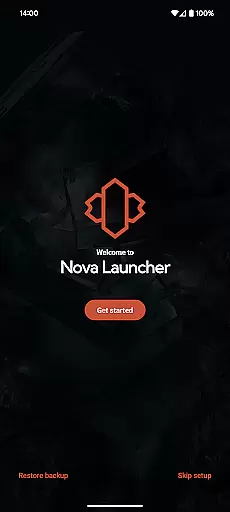
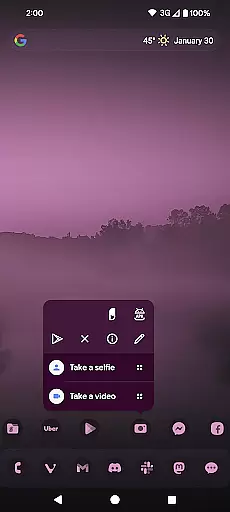
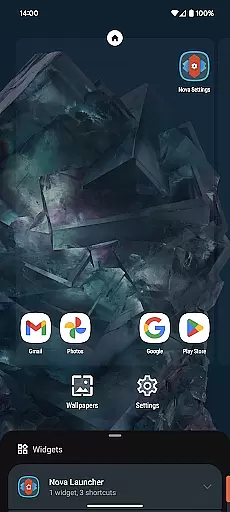
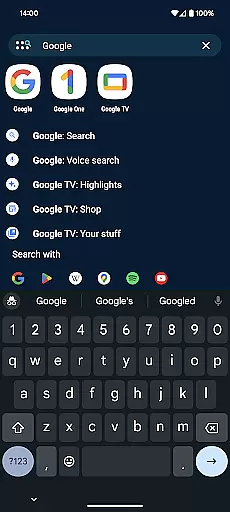
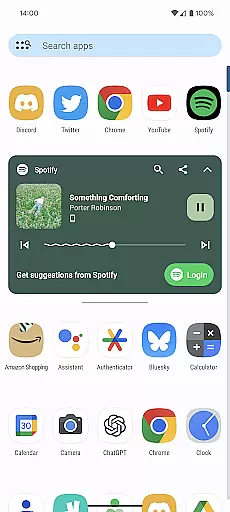
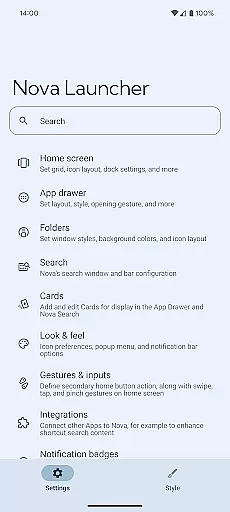
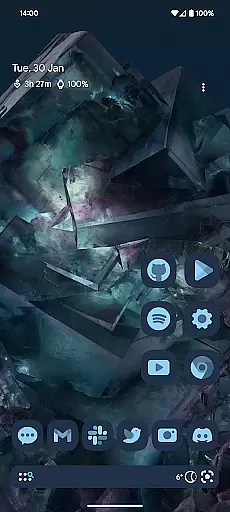
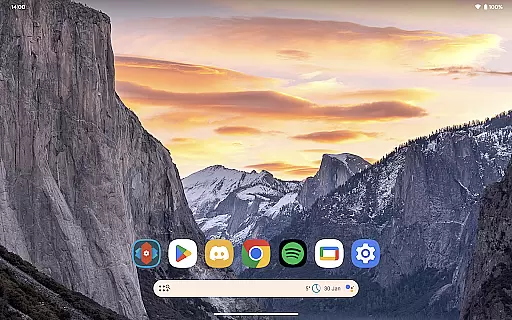
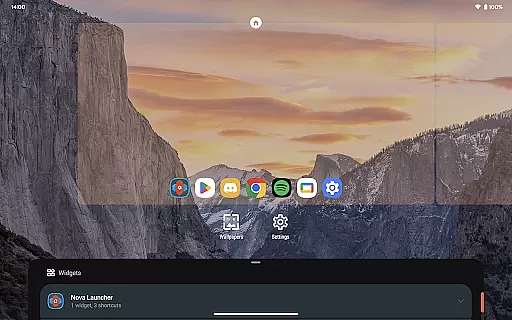
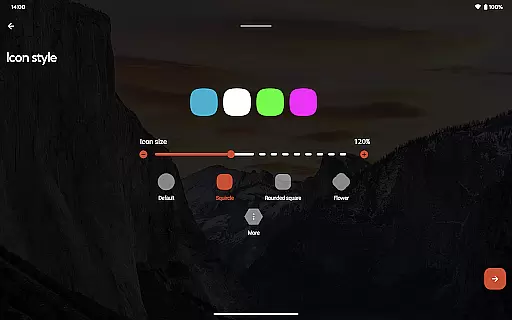
Nova Launcher is a highly customizable home screen replacement for Android devices, offering advanced features while maintaining user-friendliness. It allows users to personalize their home screens with custom icons, extensive color options, and light or dark themes. The app supports subgrid positioning for precise layout control and includes a powerful search system that integrates with various services.
With Nova Launcher, users can customize the app drawer, folders, and home screen elements extensively. It provides backup and restore functionality for easy transfers between devices. For those seeking additional features, Nova Launcher Prime unlocks gestures, app drawer groups, and more. Whether you want a complete home screen overhaul or a cleaner, faster launcher, Nova delivers both power and simplicity.
Nova Launcher stands out with its extensive customization options. Users can choose from thousands of icon themes, reshape icons uniformly, and apply personalized color schemes using Material You colors or custom selections. The app offers flexible theming with customizable light and dark modes that sync with system settings or personal preferences.
The launcher's innovative features include subgrid positioning for precise icon and widget placement, a powerful search system with instant micro-results, and customizable app drawer cards that display relevant information. Additional Prime features unlock gestures, app drawer organization, and notification badges. These capabilities make Nova Launcher suitable for both casual users seeking aesthetic improvements and power users desiring complete control over their home screen experience.
Nova Launcher stands out in the realm of personalisation with its vast array of customization options, making it a top choice for users seeking a tailored home screen experience. The app allows for intricate adjustments ranging from icon size and label colors to the positioning of the search bar, offering a personalized interface that aligns with individual preferences.
One of the key features is its support for thousands of icon themes available in the Play Store, alongside the ability to reshape all icons to a uniform shape of your choosing. This flexibility extends to creating an extensive color system, either by adopting Material You colors from your system or selecting unique colors, ensuring a distinctive appearance that resonates with your personal style.
Beyond visual customizations, Nova provides functional enhancements such as gestures, which allow users to execute commands through swipes, pinches, or double taps on the home screen. These gestures can significantly boost productivity without cluttering the home screen space, showcasing Nova's commitment to both aesthetics and utility.
The inclusion of subgrid positioning further exemplifies Nova's dedication to precision and detail in personalization. Users can snap icons and widgets between grid cells, achieving a level of layout accuracy that is unmatched by most other launchers. This feature empowers users to craft a home screen environment that not only looks good but feels intuitively organized.
Theme compatibility is at the heart of Nova Launcher's appeal, providing users with the tools necessary to create a cohesive and visually appealing home screen. By supporting a wide range of icon themes and allowing for custom light and dark themes, Nova ensures that users can achieve a consistent look that reflects their personal taste or adapts to different lighting conditions.
The app drawer in Nova Launcher introduces innovative customizable cards, delivering relevant information directly to users when they need it. This integration of functionality with theme customization highlights Nova's focus on enhancing user experience while maintaining aesthetic harmony across the launcher.
Moreover, Nova's backup and restore feature plays a crucial role in theme management. It enables seamless transitions between devices or experimentation with new setups without losing personalized configurations. Backups stored locally or in the cloud preserve the integrity of your customized themes, ensuring that your preferred settings are always within reach.
With these comprehensive theme compatibility features, Nova Launcher not only meets but exceeds expectations for users looking to infuse their digital spaces with personality and efficiency. Whether syncing dark mode with system settings or opting for permanent dark mode, Nova offers unparalleled control over the visual aspects of your device.
Highly customizable
User-friendly interface
Powerful search system
Backup and restore functionality
Regular feature updates
Prime features are paid
Some features require setup
May overwhelm new users
Occasional bugs reported
Advanced options need learning

A light in the dark, a unique style and an andless cutomization!
 4.30
4.30
Capture moments that pass like a storm, second by second.
4.0
A retro cartoon style watch face and a punch right in the face of the copyright
4.60
3D, live, and moving wallpapers & themes in 4K and HD for your device.
4.50
Adult video chat, dating, making friends, random matching
4.20
Wallpaper HD 4K Live - Thousands of high-quality Anime backgrounds for you.
4.80
Want to make your phone more special than ever?
4.60 4.50
4.50
Cool custom fonts & keyboard themes! Symbols & font changer for Instagram
4.50
One 8 icons glass color version
4.80
300+ Beautifully crafted widgets inspired by OneUI.
4.60
Handcrafted pixel art icons, widgets & wallpapers
4.60
300+ widgets inspired by Material You and Material 3 expressive design.
4.60
Beautiful realistic hybrid watch face with numerous customization options.
4.50
Transform your phone with Launcher iOS 26 - Smooth & elegant iOS experience
4.50
Turn text & photos into stunning AI videos, art, and creative visual stories.
4.50
App Icon Changer & Shortcut Creator. Customize your icons without any watermarks
4.30
More than 3000+ themes and 9000+ wallpapers for everybody!
4.10
Create unique, fun emojis with Funny Emoji Maker! Unlimited creativity!
4.00


User Reviews