
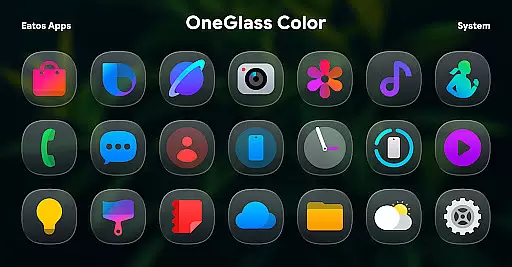
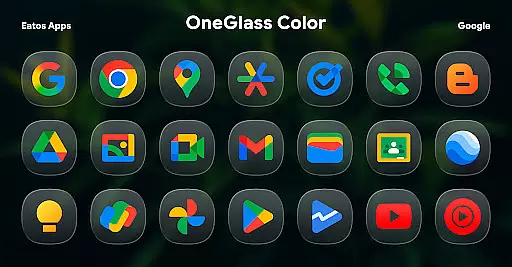
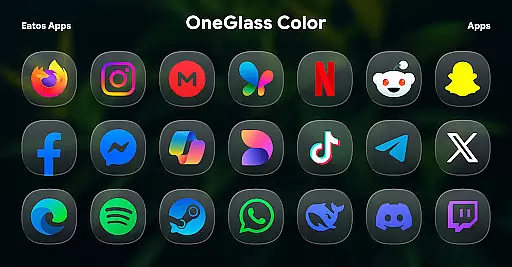
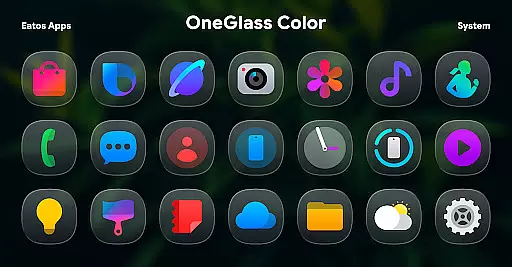
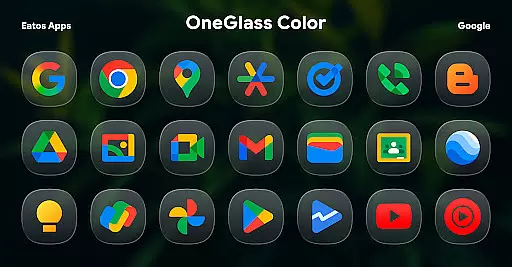
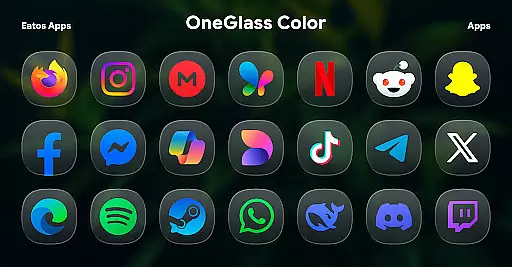
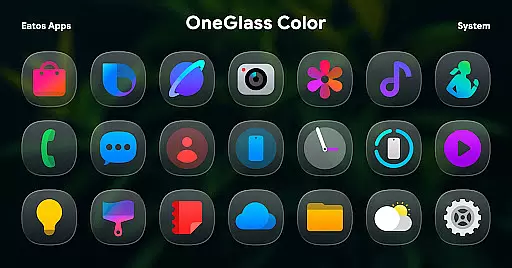
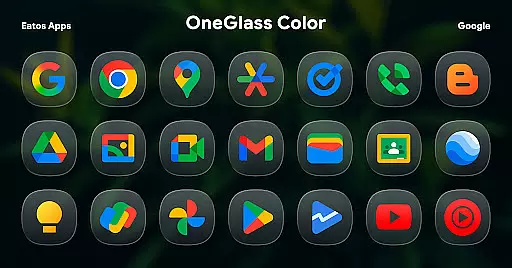
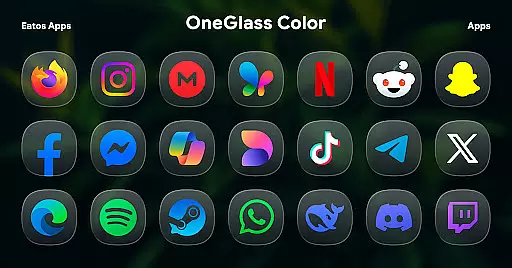
OneGlass 8 (Color) is a premium icon pack featuring over 4,600 beautifully crafted glass-style icons inspired by One 8 design language. This pack also includes more than 430 high-quality wallpapers, offering users a complete customization experience for their devices. Designed specifically for dark mode enthusiasts, the icons and wallpapers create a stunning visual effect when paired with darker themes. The pack supports various popular launchers including Nova Launcher, Smart Launcher, and Hyperion Launcher, ensuring broad compatibility across different Android devices.
Users can enjoy seamless integration with OneUI launcher through Good Lock and Theme Park apps, allowing for deeper system-level theming on Samsung devices. With its consistent design language and attention to detail, OneGlass 8 (Color) provides a cohesive and professional look that enhances the overall aesthetic of any Android device while maintaining optimal usability.
OneGlass 8 (Color) stands out with its comprehensive collection of over 4,600 icons and 430 wallpapers, all meticulously designed in glass-style aesthetics. Each icon is crafted with precision, ensuring clear visibility and beautiful details even at higher resolutions. The pack's unique selling point is its optimization for dark mode, making it perfect for users who prefer darker themes and wallpapers.
The icon pack offers extensive compatibility with various launchers including Nova Launcher, Smart Launcher, and Hyperion Launcher. For Samsung users, it provides additional support through Good Lock and Theme Park apps, enabling advanced theming capabilities within OneUI. Users can access detailed instructions for installation and application through the provided documentation link. With regular updates and responsive customer support via email and X (formerly Twitter), OneGlass 8 (Color) ensures a reliable and satisfying user experience.
OneGlass 8 (Color) offers an extensive range of customization options, ensuring users can tailor their device's appearance to their personal style. With over 4,600 Glass color icons and more than 430 wallpapers, this icon pack provides a rich selection for those who prefer a cohesive dark mode aesthetic.
The variety extends beyond just the number of icons and wallpapers. Each icon is meticulously designed to blend seamlessly with dark themes, enhancing the visual experience when using dark wallpapers. This makes it an ideal choice for users looking to maintain consistency across their deviceu2019s interface.
Users benefit from the ability to mix and match these resources, creating unique combinations that reflect individual preferences. Whether you're aiming for a professional look or something more playful, OneGlass 8 (Color) supports diverse tastes and requirements.
Ultimately, the depth of customization available ensures that your device remains distinctly yours. The thoughtful design and breadth of choices empower users to craft an interface that not only looks great but also feels intuitively theirs.
Theme compatibility is a crucial aspect of OneGlass 8 (Color), ensuring that its vibrant icons and wallpapers integrate smoothly with various launchers. To fully utilize this icon pack, users need a launcher that supports theme application, such as Hyperion Launcher, Nova Launcher, or Smart Launcher.
For Samsung's One UI launcher, additional steps are required. Users must download 'Good Lock' and 'Theme Park' apps, following specific instructions available at https://bit.ly/OneUIThemePark. These steps ensure seamless integration within the One UI ecosystem, allowing users to enjoy the full benefits of the icon pack.
This compatibility focus means that regardless of your device or launcher preference, OneGlass 8 (Color) adapts to provide a consistent experience. Such versatility enhances user satisfaction by catering to different devices and software environments.
By prioritizing broad theme compatibility, OneGlass 8 (Color) guarantees that every user can achieve their desired aesthetic without limitations. This adaptability underscores the pack's commitment to delivering a personalized yet universally accessible customization solution.
Stunning glass-style icons
Extensive icon collection
Optimized for dark mode
Broad launcher compatibility
Regular updates and support
Requires compatible launcher
No standalone app functionality
Limited to Android platform
Additional setup for OneUI
Dark mode specific design

A light in the dark, a unique style and an andless cutomization!
 4.30
4.30
Only for Wear OS devices!
4.90
Art & Emoji Keyboard with Cool Fonts, Cute Themes and Custom Designs.
4.40
Personalize your phone with stunning HD and 4K wallpapers!
4.70
Ultimate widget creator. Design custom widgets for a truly unique home screen!
3.90
Unique Fonts, typefaces and stylish text. Fonts for Instagram, Whatsapp & others
4.20
Embrace the Night. Unleash the power of darkness with Raven Dark Icon Pack
4.60
Yandex Browser — stylish and secure, with voice search and data compression
4.40
Install amazing sticker packs: endless styles, always cool.
4.70
Customizable Glass widgets. Over 360+ stunning widgets and more!
4.70
Zip lock screen with magic wallpaper to decorate your phone with fun zipper lock
4.60
Choose your keyboard with RGB colors effect, themes, fonts, emojis.
4.60
Beautiful realistic hybrid watch face with numerous customization options.
4.50
Transform your device in a game console
4.40
Launcher OS™ Pro without ads help make your phone simple and pretty
4.30
Your go to Weather App & Home Screen. Get your weather at a swipe of a finger!
3.80
Emoji Maker app - Design custom emojis and effortlessly blend them with Mixer
3.80
Adorable pets roam and play right on your phone screen!
3.30
⭐ OneUI inspired Fluffy Icon Pack – Soft. Stylish. Standout. ⭐
4.4


User Reviews