
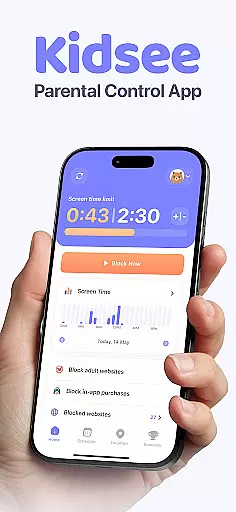
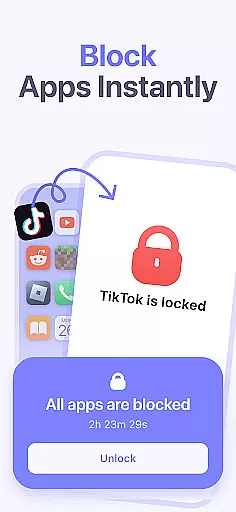
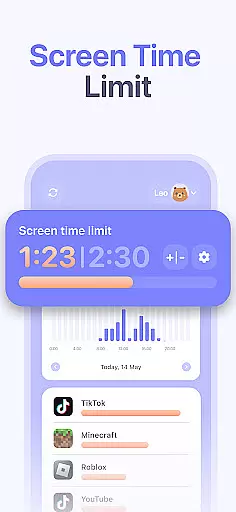
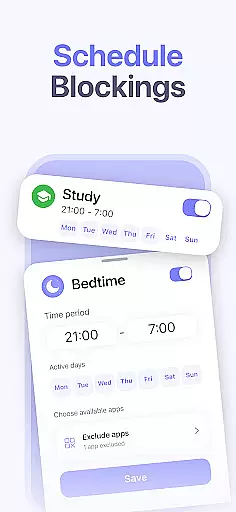
Kidsee Parental Control is a comprehensive family safety solution designed to help parents manage their children's digital habits while ensuring their safety. The app offers flexible screen time controls, allowing parents to set daily limits, create custom schedules, and block distracting apps remotely.
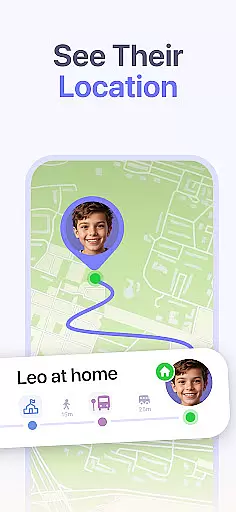
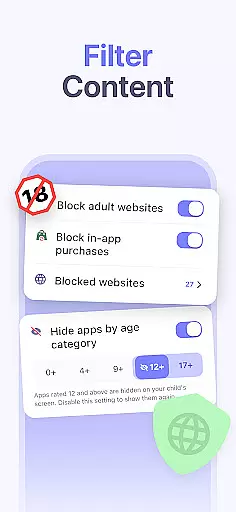
In addition to screen time management, Kidsee provides real-time GPS tracking and location history, giving parents peace of mind about their child's whereabouts. The app also includes features to block inappropriate content and in-app purchases, making it an all-in-one solution for modern families.
With support for multiple child devices and cross-platform compatibility, Kidsee empowers parents to guide their children's digital journey while promoting healthy technology use and maintaining family safety.
Kidsee stands out with its robust combination of screen time management and safety features. The app utilizes Android's AccessibilityService API to effectively monitor and control app usage on children's devices. Its instant app blocking feature allows parents to remotely lock apps when necessary.
The GPS tracking functionality provides accurate real-time location data and historical movement records. Parents can also monitor their child's device battery level to maintain consistent connection. The content filtering system automatically blocks adult materials while allowing manual addition of restricted websites.
Designed for busy families, Kidsee supports up to 10 child devices from a single parent account. The app's user-friendly interface makes it easy to manage multiple children's devices across different platforms, including Android phones, tablets, and iOS devices.
When it comes to parenting apps, the credibility of content and expert validation are paramount. Kidsee Parental Control App ensures that all features are designed with the guidance of child psychologists and digital safety experts. This guarantees that the app not only helps in managing screen time but also promotes healthy digital habits among children.
The app's ability to block adult content and manage in-app purchases is developed based on extensive research into online safety for minors. By setting flexible screen time limits and creating schedules tailored to different activities such as school or bedtime, Kidsee supports a structured environment that aligns with expert recommendations for child development.
Parents can trust Kidsee to provide accurate monitoring tools like GPS tracking and app usage statistics, which are crucial for ensuring their child's safety. These features have been validated by experts in child safety and technology, making Kidsee a reliable choice for families looking to maintain a balance between digital engagement and real-world experiences.
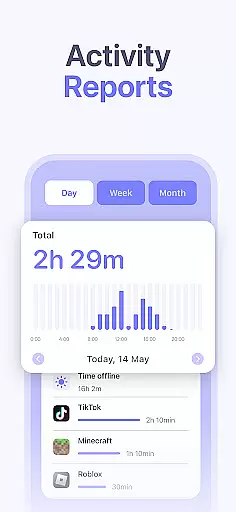
Growth tracking in the context of parental control apps refers to the ability to monitor a child's digital growth and habits accurately. Kidsee excels in this area by providing detailed reports on app usage and screen time, allowing parents to understand their child's digital behavior patterns over time.
The app offers precise data on when and how long each application is used, facilitating an accurate assessment of a childu2019s interests and potential overuse of certain apps. With Kidsee's scheduling feature, parents can set specific times for different activities, promoting a balanced lifestyle that includes both digital and offline experiences.
Furthermore, Kidsee's tracking capabilities extend to location history, giving parents insights into their child's physical movements as well as digital ones. This dual approach to growth tracking ensures that parents have a comprehensive understanding of their child's daily activities, empowering them to make informed decisions about their child's overall development.
Comprehensive parental controls
Real-time GPS tracking
Cross-platform compatibility
Multi-child management
Automatic content filtering
Requires constant internet
Premium subscription needed
Limited free trial period
Device permission requirements
Setup complexity for beginners

All-in-one pregnancy app, contraction timer, kick counter & due date calculator
 4.40
4.40
Parental Control including Screen time control, GPS tracking, App/Game blocker.
3.90
Pregnancy and baby formula tips for moms, plus Enfamil coupons & cash back
4.10
The 10 development leaps of your baby | newborn milestones & leap days tracker
4.10
Pinardin - Smart Parental Control, Online Safety & GPS Tracking!
4.80
Keep track of your stored breastmilk
4.40
Pregnancy+ App has helped 80m moms track their pregnancy with info & support!
4.80
Monitor screen time and build healthy habits with Family Safety
3.90
Track baby’s development & growth week by week with BabyCenter’s pregnancy app!
4.90
Track your labor contractions
4.90
Parental control App for Location, Remote Camera, Screen Mirroring, Block Apps.
4.60
GPS phone tracker: find kids on map. Location tracking and parental control.
4.50
App/Game blocker & GPS tracker
4.50
With BabyCam you can monitor your baby using your mobile phone, tablet, PC or TV
4.40
Speech Therapy Exercises For All!
4.40
Limit screen time, Block Apps & Games, Monitor with Parental control app
4.20
Findnumber: Real-time location tracker for ultimate family security
4.20
Discover fun videos, kids songs, bedtime stories and games
3.60
Track pregnancy health and wellness with pregnant tracker from healthcare advice
4.4


User Reviews