
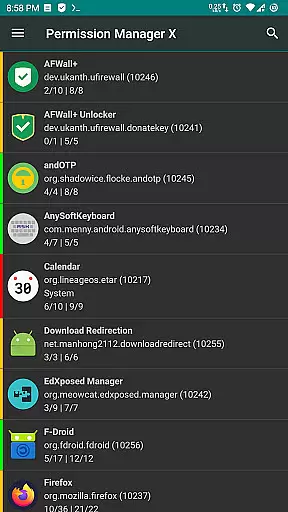
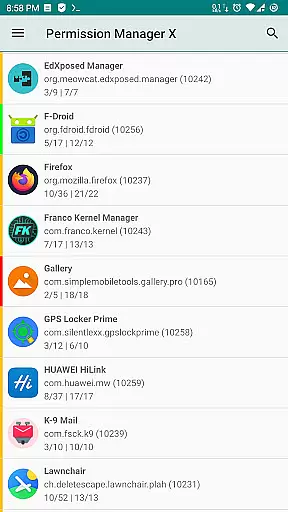
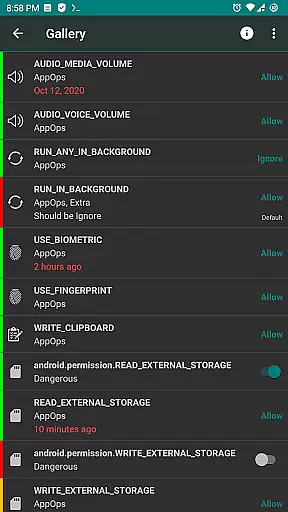
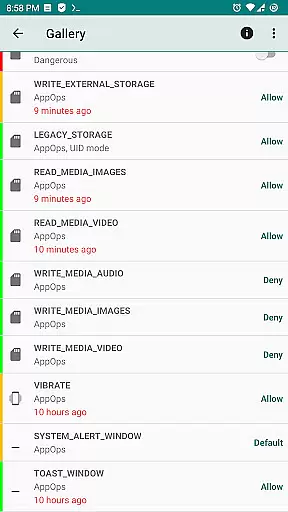
Permission Manager X is a powerful tool designed for Android users who want granular control over app permissions. This application allows you to manage both manifest permissions and AppOps, providing a comprehensive solution for privacy-conscious individuals. With its intuitive interface, you can view, grant, or revoke permissions on a single screen, ensuring that your apps only access what's necessary.
The app offers advanced features such as setting reference states for permissions, which can be backed up and restored easily. This makes it simple to maintain your preferred permission settings even after reinstalling apps or changing devices. Additionally, the colored bars provide quick visual cues for reviewing permissions, making it easier than ever to protect your privacy while enjoying the full functionality of your apps.
One of the standout features of Permission Manager X is its ability to handle both manifest permissions and AppOps seamlessly. Manifest permissions include common access requests like storage and camera, while AppOps offer more detailed controls, such as background execution and clipboard access. By managing both simultaneously, users gain unprecedented control over their device's security.
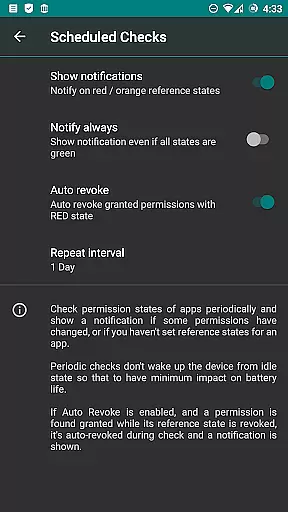
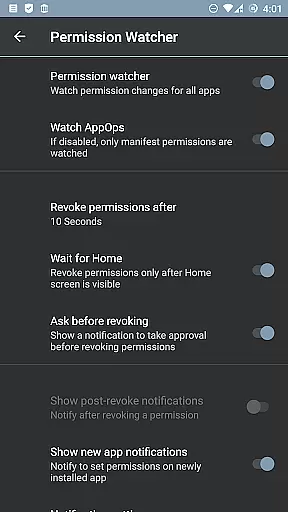
For those seeking enhanced functionality, the app provides several paid features. These include sorting options, scheduled checks for permission states, auto-revoking granted permissions, and a Permission Watcher that swiftly removes unwanted permissions. Furthermore, the app supports multi-user profiles and work profiles, ensuring that all aspects of your digital life are covered. With theming options and batch operations, Permission Manager X caters to both casual users and power users alike.
Permission Manager X offers a comprehensive solution for managing app permissions with precision and control. The core functionality allows users to view, grant, or revoke both manifest permissions and AppOps permissions from a single screen. This ensures that every permission change is accurately reflected in real-time, providing users with complete control over their privacy settings.
The application's robust framework leverages Android's backend access control system, known as AppOps, which provides fine-grained control over various permissions. By integrating manifest permissions with AppOps, the app enables simultaneous management of both types, offering an advanced level of accuracy. Users can set desired reference values for each changeable permission, ensuring that their preferences are maintained consistently across reinstalls or device changes.
This meticulous approach to permission management translates into tangible user benefits. With colored bars indicating permission states and quick backup-restoration features, users can efficiently review and manage their apps' permissions. This not only enhances privacy but also optimizes device performance by restricting unnecessary background activities and access rights.
Despite its powerful capabilities, Permission Manager X maintains an intuitive and straightforward interface. The design philosophy focuses on delivering a seamless user experience where complex operations are simplified through clear visual cues and logical organization. Each installed app's permissions are displayed on a single screen, making it easy for users to navigate and make informed decisions.
The app employs a color-coded system with left-hand colored bars that allow users to quickly identify the status of permissions at a glance. This visual aid simplifies the process of reviewing packages and permissions, reducing the cognitive load on users. Additionally, features like search suggestions and theming options enhance usability by catering to individual preferences and streamlining navigation.
For those concerned about ease of use, the app includes a comprehensive guide and FAQs section accessible via an external link. This resource explains basic concepts such as manifest permissions, AppOps, and Permission References, ensuring that even novice users can grasp the functionality effortlessly. Overall, this blend of powerful features presented through an intuitive interface makes Permission Manager X an essential tool for maintaining control over app permissions without compromising on simplicity.
User-friendly interface
Comprehensive permission management
Backup and restore functionality
No ads or trackers
Open-source project
Requires root or ADB setup
Limited functionality without root
Paid features may deter some users
Not compatible with all ROMs
Steep learning curve for beginners

FV File Manager Pro, Fast and powerful file manager for Android
 4.60
4.60
Universal TV remote control all TVs, Roku, LG, Samsung, Fire, Vizio, Sony, TCL.
4.40
Canon PRINT is a companion app for your Canon printer.
4.60
MS-DOS in your pocket. Play old DOS games anywhere you are ;)
4.10
With videos, electrical calculators, and built-in ebook, Ugly’s has your answer.
4.50
Support Fossify apps with a warm thank you!
5.00
Planner and Tracker for Stardew Valley
4.60
The Ultimate Flex Drivers Utility App - Convenient Tapping & Block Filters
4.70
Enhance your Beats
3.70
Enjoy smooth gameplay with Game Booster
4.90
Extremely fast, secure, and protects your privacy
4.80
Protect your device with antivirus, storage cleanup, and system monitoring
4.70 4.50
4.50
Screen Mirroring for Roku Sticks, Roku TCL TV and Roku Hisense TV
4.50
Just one-tap to easy translate in any language after calls within seconds.
4.20
App that Recover your pictures, videos or files after you delete them.
4.20
Automate everything from settings to photos, SMS to speech. ADC2 prize winner.
4.10
Family Locator, Share location, StayConnect with your family in real time
3.90
Amateur Radio app for APRS: Track friends, exchange messages, get tactical info.
3.90


User Reviews