
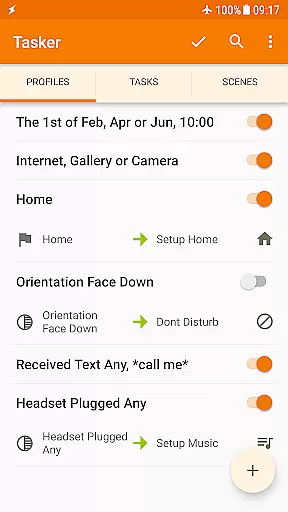
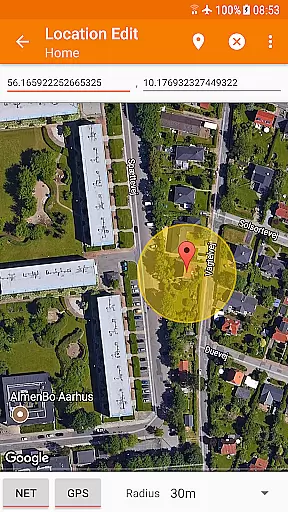
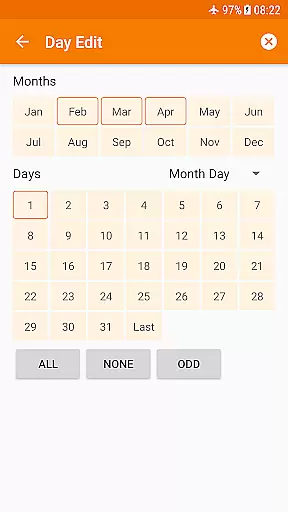
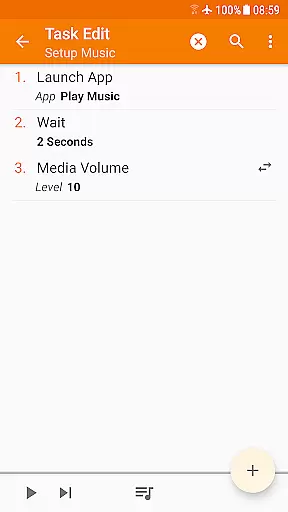
Tasker is a powerful automation tool designed specifically for Android devices. It allows users to automate a wide range of tasks based on various triggers such as time, location, and system events. With over 350 actions available, Tasker can manipulate system settings, send messages, create notifications, and even backup files automatically.
The app's flexibility extends beyond simple automation. Users can design custom user interfaces, trigger actions remotely via plugins, and even create standalone apps using the Tasker App Factory. Its developer-friendly nature enables integration with third-party applications and web APIs, making it an indispensable tool for power users seeking to maximize their device's potential.
Whether you're looking to simplify daily routines or create complex automated workflows, Tasker provides the tools necessary to transform your Android device into a truly smart companion. Its one-time purchase model ensures users have access to all features without recurring costs.
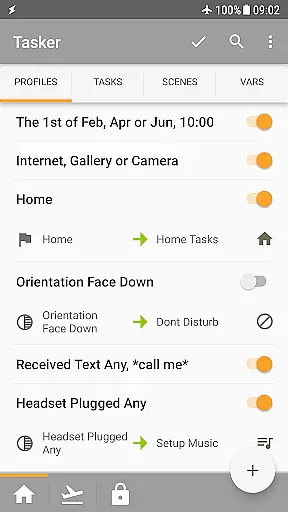
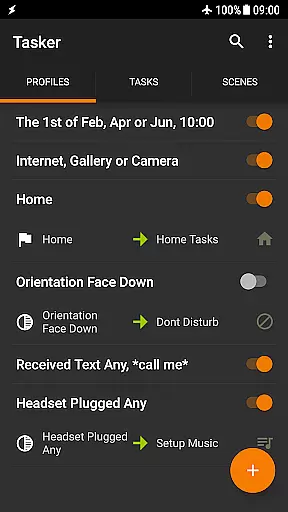
Tasker stands out in the automation category due to its extensive feature set. The app supports over 130 contexts and events, allowing users to create highly specific automation rules. These include triggers based on app usage, time of day, location, Wi-Fi networks, received messages, and even currently playing music.
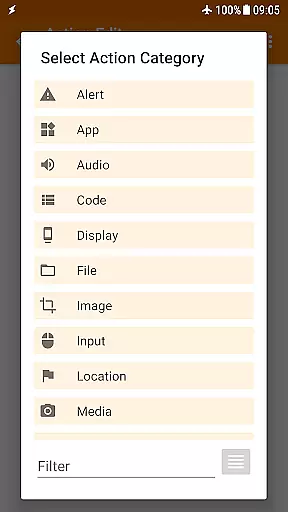
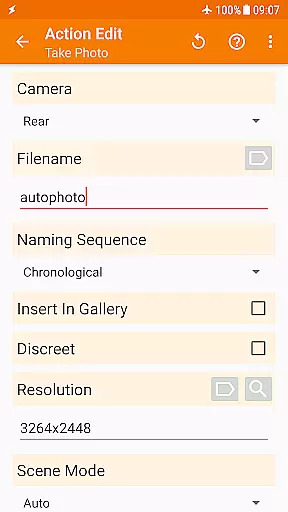
One of Tasker's most notable capabilities is its action library comprising more than 350 individual actions. These actions enable users to control nearly every aspect of their device, from basic settings adjustments to advanced functions like file manipulation and media control. Most features work without requiring root access, though certain advanced functions may need elevated permissions.
The application also offers unique features such as scene creation for custom UI development, remote triggering through plugins like Join, and the ability to create and distribute standalone applications. Its compatibility with third-party developer plugins and support for web API integration through HTTP requests further expands its functionality.
Tasker exemplifies core function accuracy and effectiveness by offering over 350 actions that allow users to customize their Android experience extensively. These actions range from sending SMS, controlling system settings like Wi-Fi Tether and Dark Mode, to manipulating files and controlling music playback.
The app's strength lies in its ability to automate based on a multitude of contextsu2014such as time of day, location, or even the song currently playingu2014ensuring that the user's device behaves exactly as needed without manual intervention.
Tasker stands out with its flexibility to combine various contexts and tasks, which means users aren't limited to pre-defined automations but can create complex, personalized workflows that suit their lifestyle. This level of customization ensures that whether it's for personal convenience or advanced home automation, Tasker performs with precision.
Moreover, Tasker integrates with third-party apps and supports Web APIs through HTTP Auth and Request actions, showcasing its commitment to interoperability and extending its functional reach beyond just the device it's installed on.
Despite its vast capabilities, Tasker maintains an interface that balances power with approachability. The design allows users to trigger actions manually via intuitive controls such as launcher shortcuts, quick setting tiles, widgets, and even hardware buttons like volume keys or media buttons on Bluetooth devices.
For those new to automation, Tasker provides starter guides and pre-made projects that help demystify the setup process, making sophisticated automation accessible even to non-experts. This educational aspect enhances the overall user experience by lowering the learning curve typically associated with powerful tools.
Additionally, Tasker's Scenes feature enables users to design custom UIs for displaying information or triggering tasks, adding another layer of personalization while maintaining ease of use. This empowers users to interact with their automated processes in ways that feel natural and straightforward.
While some advanced features may require a deeper understanding of Android's architecture, Tasker's dedication to providing clear documentation and community support ensures that users have resources available to harness the full potential of this robust tool without feeling overwhelmed.
Extensive automation options
Developer-friendly environment
No subscription fees required
Wide range of supported triggers
Custom UI creation capability
Steep learning curve
Some features require root
Complex interface design
Occasional stability issues
Limited iOS availability

 4.50
4.50
Easily install aab(Android App Bundle) files on your Android device with our app
4.80
PDF Reader - Document Viewer: Read, Manage & Organize Your Documents
3.10
Unlock your Essential Key. Create custom shortcuts to your favorite apps!
4.0
Safely recover deleted photos, videos, and files with a single easy tap.
3.70
Enjoy smooth gameplay with Game Booster
4.90
App that Recover your pictures, videos or files after you delete them.
4.20
eXtended Permission Manager - a small app to manage permissions and AppOps
4.50
Mirror your screen to Fire TV - Super fast and simple
4.40
Connect instantly to a fast, encrypted VPN with one tap
4.60
With videos, electrical calculators, and built-in ebook, Ugly’s has your answer.
4.50
Use your phone as a webcam on your computer over WiFi or USB.
4.40
Forza Tuning Calculator App for Forza Horizon 5, Motorsport and Earlier Titles
4.40
Just one-tap to easy translate in any language after calls within seconds.
4.20
Effortlessly run ADB commands directly on your device without a PC.
4.20
View detailed information about your Nissan Leaf the dealer never shows you.
4.10
Unleash gamepad precision for ultimate mobile gaming dominance.
3.90
This app unlocks the Pro features of the Central for DayZ app
3.60
Transfer Files, APK from Phone to Watch & Install.
4.3


User Reviews