
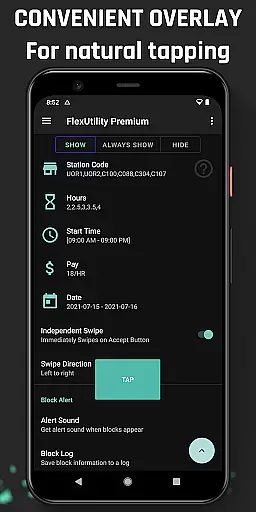
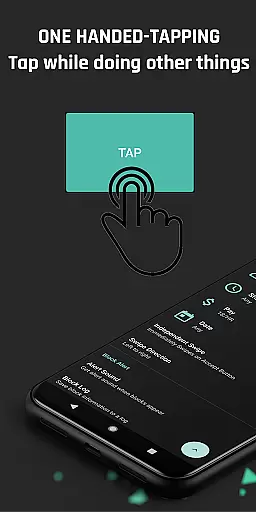
Flex Utility Premium is a specialized tool designed to enhance the experience of Flex drivers by streamlining their workflow and optimizing block selection. The app eliminates the need for constant attention to the screen with its unique one-tap overlay button, allowing drivers to multitask effectively while searching for work blocks.
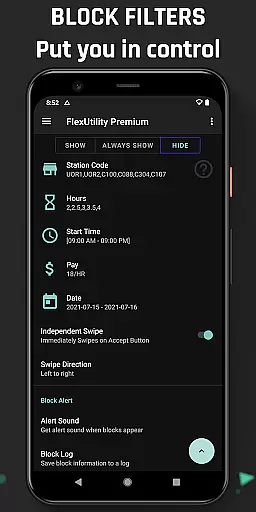
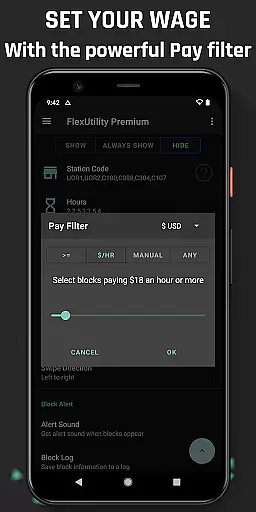
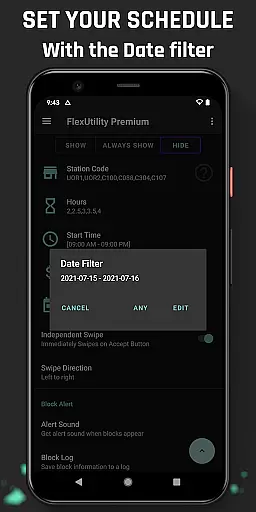
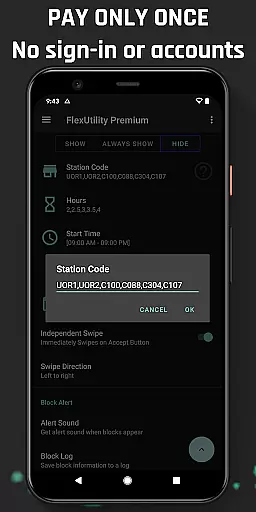
Beyond simplifying the tapping process, Flex Utility Premium offers powerful filtering options that enable drivers to customize their work preferences. Users can set specific pay rates, choose favorite stations, select workdays, define start times, and specify job durations. This ensures maximum convenience and personalization in finding suitable work blocks.
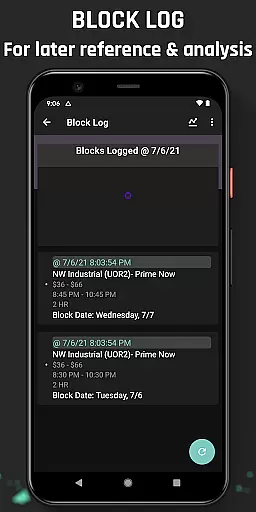
The app also features additional tools like Block Alert and Block Log, which notify users of available blocks matching their criteria and maintain a history of block availability for pattern analysis. With regular updates and a strong commitment to user satisfaction, Flex Utility Premium proves to be an invaluable asset for drivers seeking efficiency and flexibility in their work schedules.
Flex Utility Premium stands out with its innovative features tailored specifically for Flex drivers. At its core, the app provides a one-finger tapping solution that drastically reduces the effort required to accept work blocks, making it easier than ever to secure jobs without being glued to the screen.
The app's advanced filtering system is another key feature, empowering drivers to take control of their work preferences. Whether it's setting a minimum pay rate, selecting preferred station codes, choosing specific workdays, or defining exact start times and job lengths, Flex Utility Premium ensures that drivers only receive offers that match their requirements.
Additional functionalities such as Block Alert and Block Log further enhance the user experience. Block Alert notifies drivers when a suitable block becomes available, while Block Log keeps track of all block activity, allowing for detailed analysis through CSV exports. These features collectively contribute to a more strategic and less stressful approach to managing work opportunities.
Flex Utility Premium exemplifies core function accuracy and effectiveness through its specialized design tailored for Flex drivers. The app's primary feature is the one-tapping overlay button, which eliminates the need for constant attention while searching for work blocks. This functionality is crucial as it allows users to multitask efficiently without missing out on potential job opportunities.
The app employs powerful filtering mechanisms that ensure users receive only the most relevant work offers. By setting specific criteria such as minimum pay rate, preferred station codes, desired workdays, start times, and job durations, Flex Utility ensures precision in matching drivers with suitable blocks. This level of customization not only saves time but also enhances earning potential by focusing on high-value tasks.
Additionally, features like Block Alert and Block Log contribute to the app's overall effectiveness. The alert system notifies users when a matching block becomes available, reducing the need for continuous monitoring. Meanwhile, the log provides valuable insights into block drop patterns, empowering users to optimize their work strategies. These tools collectively enhance the user experience by providing actionable data and timely notifications.
Flex Utility Premium excels in interface simplicity and intuitiveness, offering a streamlined user experience that caters specifically to Flex drivers' needs. The app's design centers around a single overlay button, minimizing distractions and allowing users to focus on their primary tasku2014finding work blocks. This straightforward approach reduces cognitive load, making the app accessible even to those who may not be tech-savvy.
The filtering system is another testament to the app's intuitive design. Users can easily set their preferences for pay rate, station codes, workdays, start times, and job durations through clear and concise input fields. This simplicity in configuration ensures that drivers spend less time navigating complex menus and more time securing profitable work opportunities.
Furthermore, additional features like Block Alert and Block Log are seamlessly integrated into the interface without overwhelming users. Notifications arrive promptly when relevant blocks appear, and accessing detailed logs requires minimal effort. Such thoughtful design choices demonstrate how Flex Utility balances comprehensive functionality with an uncluttered, user-friendly interface, ultimately enhancing both usability and satisfaction.
Efficient block management
Customizable work filters
User-friendly interface
Regular feature updates
Accessibility service support
Premium version cost
Limited to Flex drivers
No auto-tapping function
Requires Android device
Initial setup time

A recovery soft,it features photo recovery, video recovery, file recovery.
 3.40
3.40
Optimize your WiFi network, turn your phone into Wifi Analyzer
4.70
card-reader app
2.20
An open-source APK explorer for Android!
4.10
Best leveling tool for your Android device. Hang paintings like a pro.
4.90
A non-root local ADB shell client. READ BELOW!
3.40
Quickly check the frequency of the Earth
4.30
Protect your device with antivirus, storage cleanup, and system monitoring
4.70
Screen recorder with audio to record high-quality videos and take screenshots.
4.40
Extremely fast, secure, and protects your privacy
4.80
Monitor car performance in real time and troubleshoot malfunctions.
4.80
FV File Manager Pro, Fast and powerful file manager for Android
4.60
Head tracking for PC sim games such as MSFS 2024 or Elite:Dangerous. No headset!
4.50
Complete kernel toolbox with features to manage and tweak your rooted device
4.30
Fluid navigation gestures for all of us!
4.30
Carry a FTP server in your pocket and avoid USB cables for file transfer
4.20
MS-DOS in your pocket. Play old DOS games anywhere you are ;)
4.10
Introducing Smart Printer, your ultimate destination for printing solutions!
4.00
Fun lie-detection pranks for friends and parties.
3.80


User Reviews