
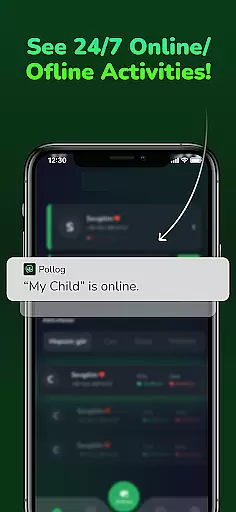
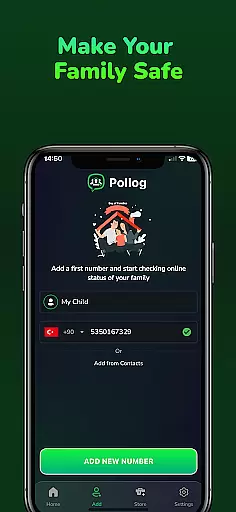
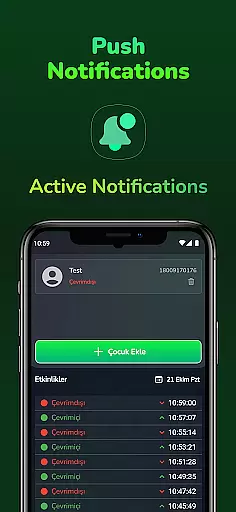
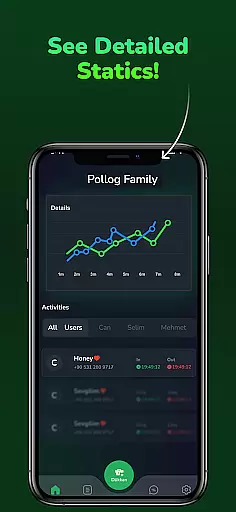
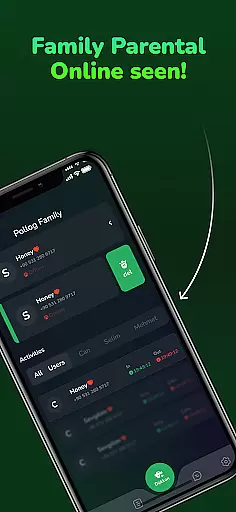
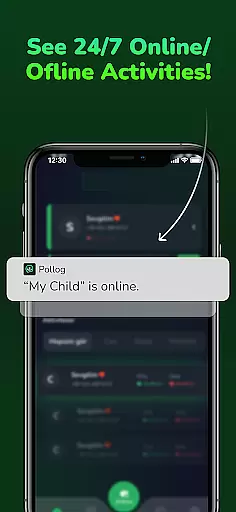
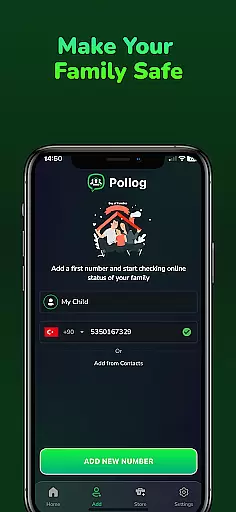
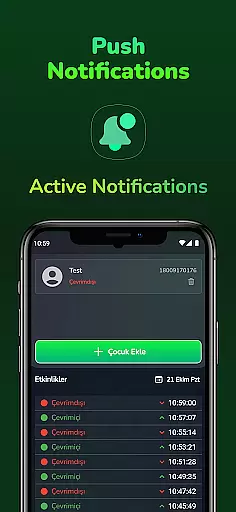
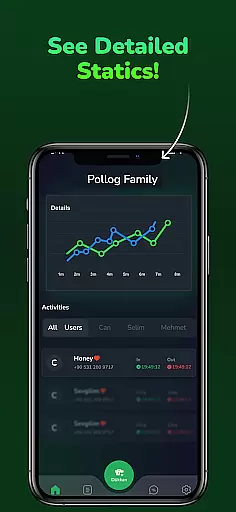
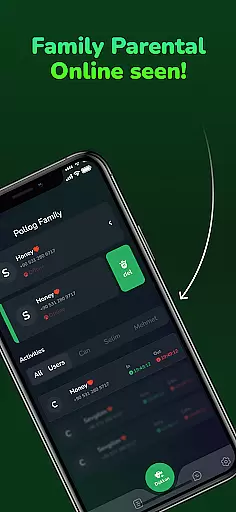
Pollog Family Assistant is a comprehensive parenting tool designed to help parents monitor and manage their children's online activities. The app provides real-time tracking of online and offline status, including last seen information, ensuring parents stay informed about their children's digital presence.
With detailed daily and weekly activity reports, parents can analyze usage patterns and compare behaviors between different profiles. The app also allows setting time limits for device usage, helping maintain a healthy balance between screen time and other activities. Pollog prioritizes data privacy and security, allowing users to delete all data with a single tap.
This application is particularly useful for modern families who want to ensure a safe and balanced digital environment for their children while maintaining transparency and control over online activities.
Pollog Family Assistant offers a robust set of features tailored for parental control. One of its standout capabilities is real-time monitoring, which provides instant notifications whenever a child goes online or offline. This feature ensures that parents are always aware of their children's digital presence.
The app generates comprehensive daily and weekly activity reports, offering insights into usage patterns and trends. Parents can compare the online behavior of two profiles, making it easier to identify potential issues. Additionally, Pollog allows setting specific time limits or intervals for device usage, helping regulate screen time during school hours or bedtime.
Privacy and security are at the core of Pollog's design. Users have full control over their data and can delete all stored information with a single tap. The app also provides 24/7 customer support to assist with any questions or concerns, ensuring a reliable and secure user experience.
When it comes to parenting apps, the credibility of content and expert validation are crucial factors. Pollog Family Assistant ensures that all information provided is thoroughly vetted by child safety experts and psychologists. This guarantees that the guidance and insights offered are not only accurate but also beneficial for your family's well-being.
The app employs a team of specialists who continuously review online activity patterns and provide contextual advice based on real data. These experts help interpret usage reports, ensuring parents receive reliable information about their children's digital habits. With this level of professional oversight, you can trust that the behavioral trends you're monitoring are assessed through an informed lens.
Pollog Family Assistant goes beyond simple monitoring by offering expert-backed recommendations. For instance, when setting time limits or analyzing usage patterns, the suggestions provided are grounded in child development research. This empowers parents to make informed decisions that support both educational growth and healthy recreational use.
Ultimately, the combination of verified content and expert validation gives parents peace of mind. Knowing that the app's features are designed and reviewed by professionals ensures that your efforts to protect your children online are both effective and scientifically sound.
Tracking a child's growth in the digital world requires precision and meaningful metrics. Pollog Family Assistant excels in delivering accurate growth tracking by providing detailed daily and weekly activity reports. These reports break down online behavior into digestible insights, helping parents understand how digital habits evolve over time.
The app uses advanced algorithms to analyze usage patterns across different platforms. By comparing two profiles, parents can identify behavioral trends that may need attention. This feature allows for a more nuanced understanding of how children interact with technology, enabling proactive rather than reactive measures.
Accuracy is further enhanced by real-time notifications that alert parents to changes in online status or unusual activity spikes. This immediate feedback loop ensures that any deviations from established norms are quickly addressed. Additionally, the ability to set specific time intervals adds another layer of control, allowing parents to manage screen time effectively.
With Pollog Family Assistant, the focus on accuracy extends to data privacy as well. Parents have full control over their information and can delete it at any time. This commitment to transparency reinforces the reliability of the growth tracking features, making it a trusted partner in nurturing a balanced digital lifestyle.
User-friendly interface
Real-time monitoring
Detailed activity reports
Customizable time limits
Strong data privacy controls
Limited free features
Requires constant internet
Premium subscription cost
Notifications can be frequent
Compatibility with fewer devices

Discover fun videos, kids songs, bedtime stories and games
 3.60
3.60
The Baby’s Bounty App is your hub to register for our diaper banks in Nevada
3.70
Magic chalkboard coloring and drawing!
4.20
Live Location, Alerts & 2-Way Voice for Kids and Adults with Special Needs
4.60
FamilyMode helps you manage your family’s digital lives—at home or on the go.
4.30
Limit screen time, Block Apps & Games, Monitor with Parental control app
4.20
Track your labor contractions
4.90
Pregnancy+ App has helped 80m moms track their pregnancy with info & support!
4.80
Advanced baby tracking, expert sleep help & parenting support for every stage.
4.80
Kids story books for children. Baby reading books with audio for pre-k toddlers
4.70
All-In-One Pregnancy Tracker, Your Baby's Milestones, Growth Stages & Parenting
4.70
The Most Trusted Co-Parenting App.
4.60
Free symptom & med tracker with expert-reviewed tips.
4.30
Family parental control app: limit screen time, block apps, GPS tracker.
4.20
Protect kids online safety through GPS tracking,screen time control,app blocking
4.20
Watching baby, helping parents
4.10
Parental Control including Screen time control, GPS tracking, App/Game blocker.
3.90
Monitor screen time and build healthy habits with Family Safety
3.90
Little loved one's monitoring, Sleep tracking and Parenting content.
3.80


User Reviews