
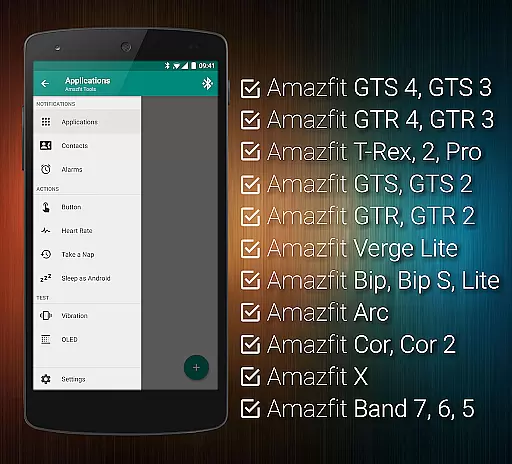
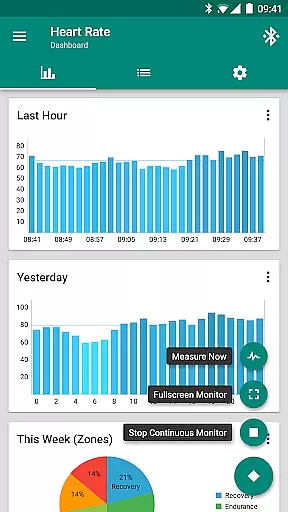
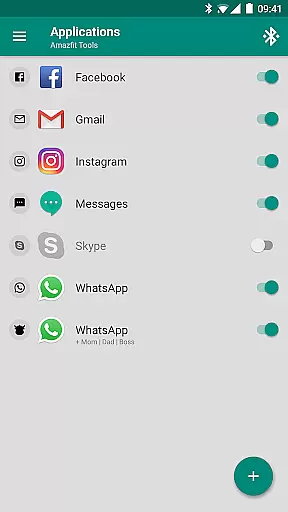
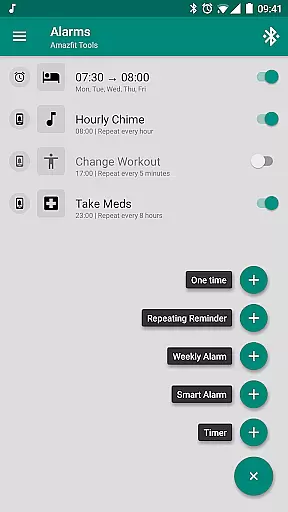
Tools & Amazfit is a comprehensive utility application designed to maximize the functionality of your Amazfit smart bracelet. This app offers advanced features such as customizable notifications, continuous heart rate monitoring, and integration with Sleep as Android. It supports various models of Amazfit devices and works seamlessly with Android versions from 4.3 to 13+. With its power nap feature and idle alerts, Tools & Amazfit ensures you stay energized and active throughout the day.
In addition to enhancing your wearable experience, this app provides users with practical tools like button control profiles, notification content filters, and fully customizable widgets. Whether you want to fine-tune your device's settings or receive detailed health insights, Tools & Amazfit delivers a personalized and powerful solution for managing your smart bracelet efficiently.
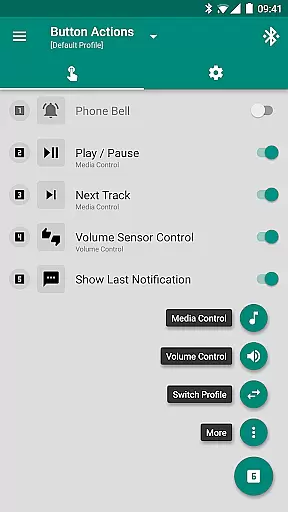
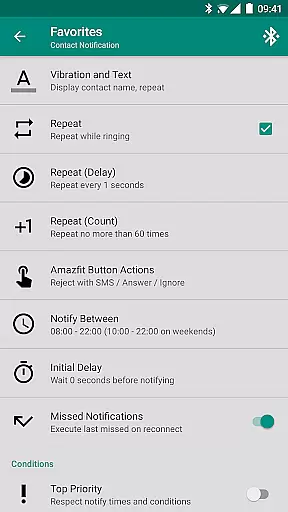
Tools & Amazfit stands out with its extensive range of features tailored for Amazfit smart bracelet users. The app allows you to set up individual notifications for calls and apps, display full text of notifications on your device, and assign specific actions to button presses. These capabilities ensure that you never miss an important alert and can interact with your device more intuitively.
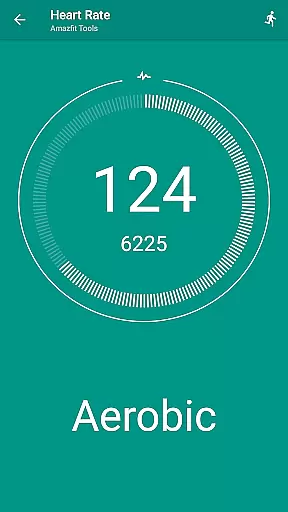
Beyond notifications, Tools & Amazfit offers advanced health tracking options including continuous heart rate monitoring and configurable dashboard charts. Its compatibility with Sleep as Android makes it a versatile tool for improving sleep quality. Additionally, the power nap feature and idle alerts help maintain your energy levels and activity throughout the day, making Tools & Amazfit an indispensable companion for your smart bracelet.
Personalized planning in Amazfit Tools allows users to tailor their smart bracelet experience to their unique needs. This feature goes beyond basic customization by offering advanced options such as custom vibration patterns, notification filters, and even power nap scheduling.
The app provides a comprehensive suite of tools for creating personalized plans. Users can set up individual notifications for calls and apps, configure specific conditions for alerts, and fine-tune content filters. These capabilities ensure that the device only interrupts the user when necessary and with relevant information.
By leveraging these personalized planning features, users can significantly enhance their productivity and focus. The ability to customize every aspect of the notifications ensures minimal distractions while maintaining essential connectivity.
Ultimately, this level of personalization translates into a more intuitive and efficient wearable experience. Users can optimize their Amazfit device to match their lifestyle, ensuring they receive timely reminders and important notifications without unnecessary interruptions.
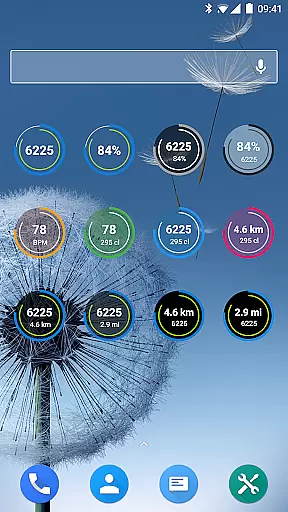
Progress visualization is a cornerstone feature of Amazfit Tools, providing users with clear insights into their fitness journey. The application offers various widgets that display daily fitness goal progress, heart rate trends, and other vital metrics directly on the device.
These visualization tools are highly customizable, allowing users to choose which data points they want to see and how they are presented. Whether it's tracking steps, monitoring heart rate fluctuations, or visualizing sleep patterns, the app delivers detailed and easy-to-understand graphics.
By having these visual cues readily available on their wrist, users can make informed decisions about their health and fitness routines. The immediate feedback helps maintain motivation and encourages consistent progress toward personal goals.
Furthermore, the ability to export and analyze this data adds another layer of value. Users can track long-term trends, adjust their plans based on historical data, and celebrate milestones, making their fitness journey more engaging and rewarding.
User-friendly interface
Extensive customization options
Advanced health tracking
Wide device compatibility
Regular updates and improvements
Requires compatible device
Some features may be complex
Premium version needed for full access
Occasional bugs reported
Limited iOS support

Insanity blocks of intense physical activity, short breaks of 30 seconds.
 4.5
4.5
See what's really going on inside your head! Real time EEG graphs from your Muse
4.40
When the night comes, we prepare your eyes for deep, sweet dreams
4.70
Get lasting results with Chair Yoga, Wall Pilates, and Walking workouts!
4.60
Step Counter, track steps when you walk or run
4.70
Medbridge GO gets you moving - get back to doing what you love, faster!
4.90
Looking to take control of your health? Our psychology-based programs can help.
4.10
Point, scan, and unlock truth in every bite.
4.50
Lazy home workouts with your virtual fitness coach for weight loss.
4.30
Effortlessly and naturally release anxiety by harnessing the power of your brain
4.60
Personal Measurements - Track your gains!
4.50
FODMAP, Gluten, Allergy, Vegan
4.50
For Absolute Novices to Strength Training. Simple. Effective.
4.40
Fast Body building & Weight Loss. Home Workouts with Daily Coach, No Equipment.
4.30
Your Health Has Met Its App (℠)
3.90
Make sense of your health data.
3.80
HRV4Training helps you optimize goals and improve performance. No sensors needed
3.30
The Wear OS BeechBand app is designed to alleviate anxiety and other conditions
4.0
Using Recognise™ has been shown to reduce pain and improve performance.
4.2


User Reviews