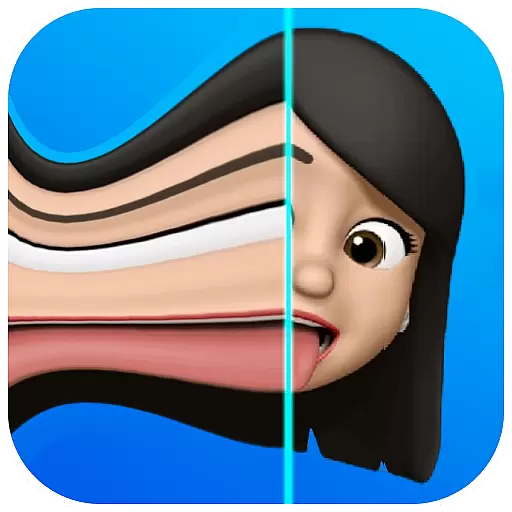

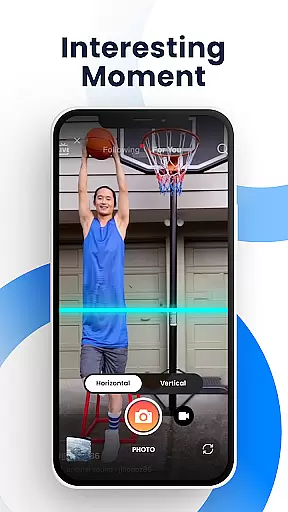
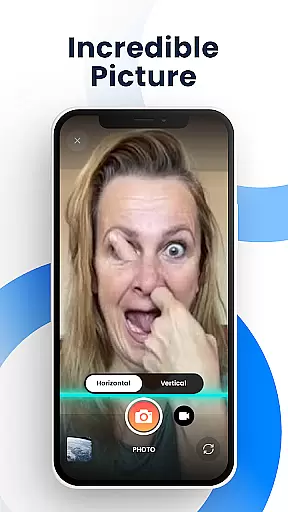
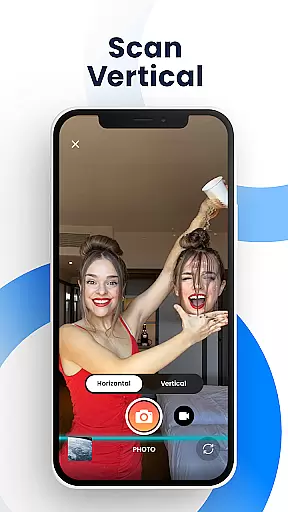
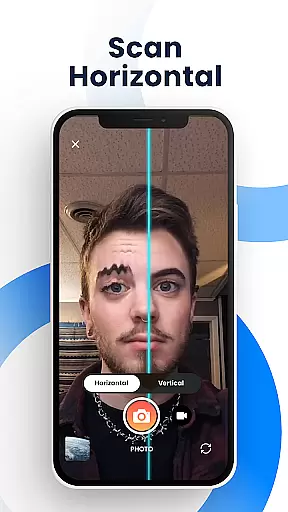
Time Warp Scan - Face Scanner is an innovative photography app that brings the popular TikTok-like time warp scan effect to your mobile device. This feature-rich application allows users to capture unique and funny videos and images using its signature face warp filter. The app's core functionality revolves around creating distorted facial effects by freezing the image as a 'blue line' passes over the frame, enabling creative manipulation of facial features and body shapes.
The app stands out with its versatile customization options, including adjustable scan direction, blue line speed control, and brightness settings. These features make it possible to produce modern art-style photos and videos that are perfect for social media sharing. Whether you want to lengthen fingers, reshape heads, or create other amusing transformations, Time Warp Scan provides unlimited creative possibilities for free.
This application is particularly useful for social media enthusiasts and content creators who want to participate in viral challenges without limitations. The app's ability to save watermarked-free images and videos makes it ideal for creating professional-looking content for platforms like TikTok, Instagram, and Snapchat. With its intuitive interface and powerful effects, Time Warp Scan - Face Scanner offers both entertainment value and creative potential for users looking to enhance their social media presence.
Time Warp Scan - Face Scanner distinguishes itself through a comprehensive set of features designed to maximize user creativity. The app's primary capability lies in its sophisticated time warp scan effect, which can be applied to both photos and videos. Users can manipulate the scan direction either vertically or horizontally, providing greater flexibility in content creation. The adjustable blue line speed feature allows precise control over the transformation process, ensuring optimal results for each unique creation.
The application offers several technical advantages that enhance the user experience. It supports brightness adjustment for better image quality and provides seamless integration with various social media platforms. The slit-scan effect technology enables users to modify body shapes and facial features with remarkable precision. Additionally, the app's processing engine maintains high-resolution output while applying complex transformations, resulting in professional-quality content creation.
What sets Time Warp Scan apart from similar applications is its combination of advanced features and user-friendly implementation. The app's ability to save creations directly to the device gallery without watermarks gives users complete ownership of their content. Furthermore, its compatibility with multiple social media platforms through direct sharing options streamlines the content distribution process. These characteristics, combined with its free availability and unlimited usage, make it a valuable tool for both casual users and serious content creators.
Real-time capture and preview functionality is essential for photography apps as it allows users to see exactly what the camera is capturing before taking a shot. This ensures that users can make necessary adjustments to achieve the desired outcome.
Time Warp Scan - Face Scanner offers an innovative real-time capture feature with its famous Time Warp effect. As the blue line passes over the frame, it freezes parts of the image, creating unique and funny looks that are immediately visible on the screen.
The app provides additional controls such as adjusting the speed of the blue line and choosing the scan direction by swiping right or down. These features give users precise control over how their photos will turn out, allowing them to express creativity without limits.
With real-time preview capabilities, users can experiment with different effects like slit scan and time warp filters until they find the perfect look. Once satisfied, they can save these images directly to their gallery, ensuring high-quality results every time.
AI beauty and enhancement features in photography apps aim to improve the quality of selfies and portraits while maintaining a natural appearance. Users expect enhancements that refine their features without making the image look overly processed or artificial.
Although Time Warp Scan - Face Scanner focuses more on creative effects than traditional beautification, it still offers tools that modify facial structures in entertaining ways. By moving during the scan, users can transform their faces into unusual shapes, providing a playful twist rather than conventional beauty enhancement.
The app includes options to change brightness and adjust the blue line's speed, which indirectly affect the overall aesthetic of the photo. While not strictly AI-driven beauty enhancements, these settings allow users to fine-tune their creations for optimal visual impact.
Ultimately, Time Warp Scan delivers fun and engaging experiences through its distinctive approach to face alteration. Whether lengthening fingers or reshaping heads, the app encourages experimentation and sharing via social media platforms, bringing joy and laughter to both creators and viewers alike.
User-friendly interface
Free without limitations
Versatile customization options
High-quality output
Direct social media sharing
May drain battery quickly
Requires good lighting
Processing time for complex effects
Limited to specific style
Could overwhelm new users

A collection of tools and reference tables for DPs, ACs, DITs and Operators.
 4.70
4.70
All-in-One Editor & AI Photo Enhancer, Beautify & Retouch, Collage, Cartoonify
4.20
Search, tag and rate your way to an organized image gallery
4.40
Add Watermark - Sign your pictures with a text or logo. Effective, quick, easy!
4.50
Pet Camera
3.70
Create Business Headshots, Polaroid Filter, Retake Photos,Profile Pics,AI Photos
4.50
A reflected light meter with spot metering and incident light metering.
4.40
Effortlessly make high-quality GIFs from images & videos without any watermarks.
4.70
Unlock the full potential of your DJI drone with Litchi
4.50
Find time and duration of different sunlight phases at any location
4.90
PhotoSync Bundle Add-On License. Enables all features and services in PhotoSync.
4.60
Photo Exif Editor allows to view, add and modify EXIF data of multiple photos
4.50
AI portrait generator and polaroid AI selfie, fun AI generated AI photo creator!
4.30
Natural Beauty, Selfie Retouch
4.30
Smart, light, and fast photo and video gallery
4.30
Turn photos into cartoons & avatars! - Photo Editor, Cartoon Face!
3.90
Hair color changer, AI haircut app, fun hair editor and buzz cut filter for all!
3.80
Raw Image Viewer. Gallery with support of raw images (.cr3, .cr2, .nef, .raf).
2.00
Photo Album Watch Face shows your favorite pictures as a Watchface.
1.90


User Reviews