
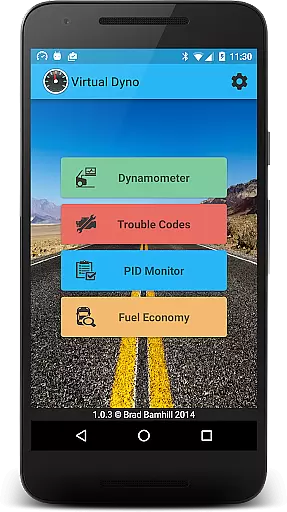
Virtual Dyno Mobile brings the power of desktop dyno tuning to your smartphone. This automotive diagnostic tool allows users to connect via Bluetooth OBD II adapters, providing real-time monitoring of vehicle parameters and performance metrics.
Key features include PID monitoring, dyno graph generation, mileage tracking, and trouble code analysis. Ideal for car enthusiasts and mechanics who need accurate vehicle data on-the-go, this app transforms your phone into a comprehensive automotive diagnostic center.
The ability to create and share detailed performance graphs makes this app particularly valuable for those looking to optimize their vehicle's performance while maintaining complete control over maintenance data.
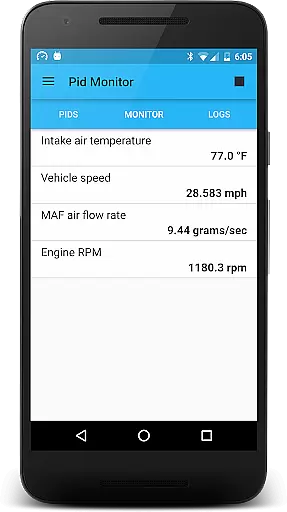
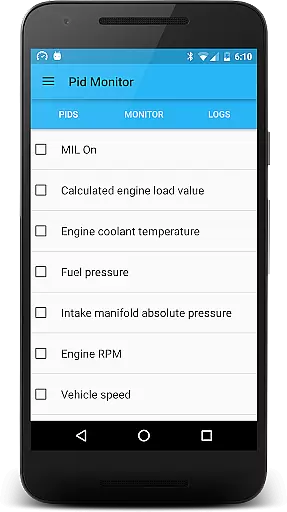
Virtual Dyno Mobile stands out with its comprehensive diagnostic capabilities. The app connects seamlessly with ELM-327 Bluetooth adapters, enabling users to monitor crucial engine parameters like RPM, timing, and air temperature in real time.
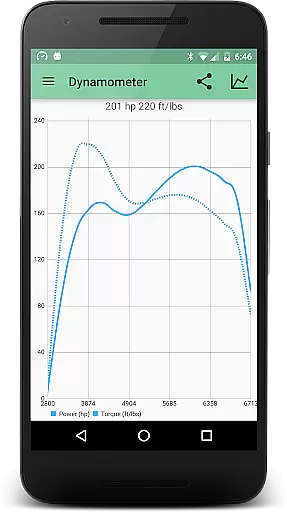
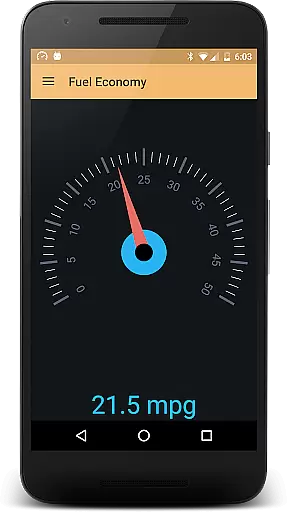
One of the app's most powerful features is its dyno graph functionality. Users can generate professional-grade performance graphs, compare multiple runs, and share results directly from their mobile device. The built-in fuel economy tracker provides instant feedback on driving efficiency.
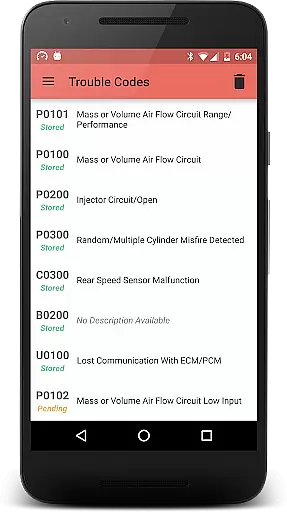
Additional features include complete OBD-II trouble code management, allowing users to read, analyze, and reset diagnostic trouble codes. The app maintains Virtual Dyno's reputation for accuracy while offering unprecedented mobility and convenience for automotive enthusiasts.
Virtual Dyno Mobile provides comprehensive vehicle data monitoring through its advanced OBD II Bluetooth connectivity.
The application allows users to track essential parameters such as RPM, engine load, timing, and air temperatures, offering a detailed insight into their vehicle's performance.
By generating dyno graphs, the app enables users to visualize power and torque curves, facilitating better understanding of engine dynamics.
This level of detail empowers car enthusiasts and professionals to make informed decisions regarding vehicle tuning and maintenance.
While Virtual Dyno Mobile itself is a powerful diagnostic tool, it requires an ELM-327 Bluetooth adapter for full functionality, which must be purchased separately.
The app clearly communicates this requirement, directing users to where they can purchase the necessary adapter, thus ensuring price transparency.
Users can anticipate the total cost of utilizing the app's features, avoiding unexpected expenses.
This straightforward approach to pricing allows users to plan their investment in the platform effectively.
User-friendly interface
Real-time data monitoring
Comprehensive diagnostic tools
Graph sharing capability
Fuel economy tracking
Requires external adapter
Android only support
Premium feature costs
Occasional connectivity issues
Steep learning curve

ODB2 based monitoring application for the Chevy Bolt (2017-2021)
 4.00
4.00
OBD diagnostics, Live Data, DPF regeneration for BMW
4.00
Attention! This is the theme for the Car Launcher app
4.1
DIY Vehicle Wheel Alignment
4.4
AlfaOBD software for Fiat Group cars native diagnostic
3.70
Club Car Wash Mobile App—the fast lane to managing your wash membership.
3.30
Get more out of your AAWireless adapter with this companion app | aawireless.io
4.80
Shop cars & see your financing
4.60
Easy connect & control your cars from afar. Remote Lock & unlock car and carplay
4.60
Car Values, Research and More
4.80
DMV Test Pro offers all the updated FREE DMV tests online.
4.60
Launcher for use in the car
4.40
Instant diesel savings. No credit checks or fees. Nationwide growing network.
4.40
Autotrader is your online solution for buying and selling new and used cars.
4.40
Get your personalized financing options and shop for used cars today!
4.20
Boost profits and hit your goals faster with GigU's amazing tools for gigworkers
4.00
By enthusiasts, for enthusiasts
4.00
Discover new and used cars in Syria easily! Browse ads and connect with sellers.
3.70
O'Reilly Pro will streamline your parts lookup and ordering process!
3.20


User Reviews