
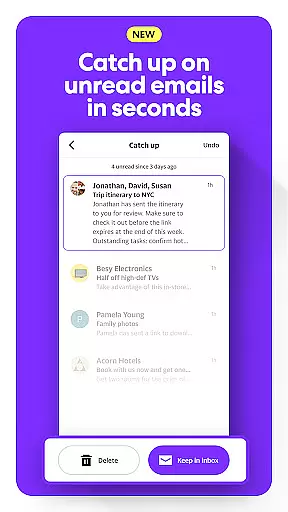
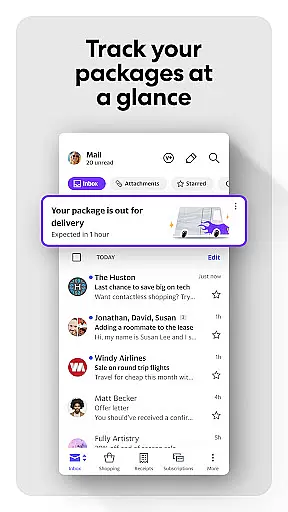
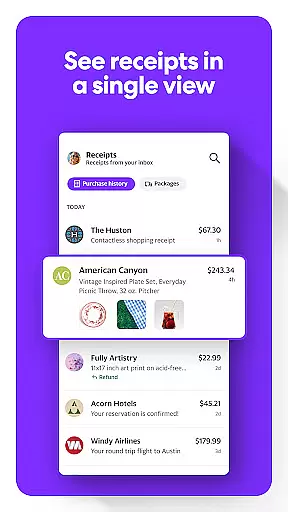
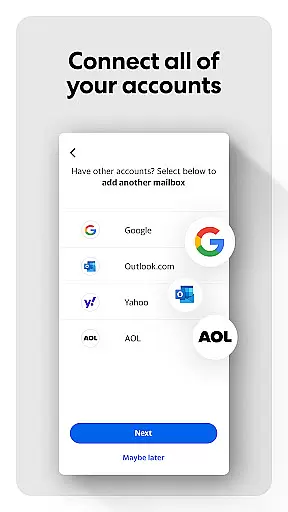
Yahoo Mail is a comprehensive communication tool designed to simplify email management while enhancing productivity. This app allows users to seamlessly handle multiple email accounts from providers like Gmail, Outlook, AOL, and Hotmail in one unified interface. With its clutter-free design and advanced organizational features, Yahoo Mail ensures users can focus on what matters most.
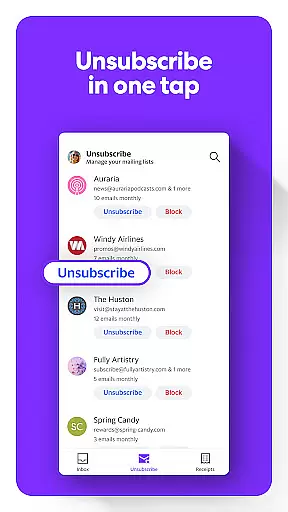
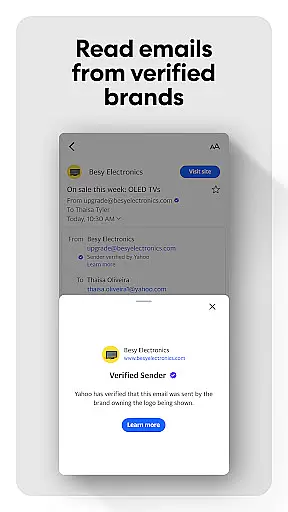
The app offers innovative functionalities such as gamified inbox cleanup, one-tap unsubscribe options, and package tracking directly from the inbox. These features not only save time but also provide a more enjoyable emailing experience. Additionally, Yahoo Mail incorporates robust security measures, warning users about potentially harmful emails, making it ideal for both personal and professional use.
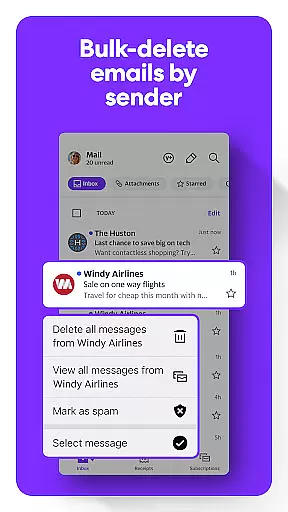
Yahoo Mail stands out with its diverse range of features tailored to modern communication needs. One of its key strengths is the ability to integrate multiple email accounts, enabling users to manage everything from one convenient location. The app's clutter reduction tools, including batch deletion and instant unsubscribe options, ensure that users maintain a clean and organized inbox without effort.
Another notable feature is the enhanced accessibility options. Yahoo Mail provides high-contrast themes, customizable text sizes, and compatibility with VoiceOver screen readers, catering to users with different needs. Furthermore, the premium Yahoo Mail+ subscription offers an ad-free experience, additional privacy controls, and round-the-clock technical support, making it a versatile choice for power users seeking advanced functionality.
Real-time messaging speed and reliability are crucial for effective communication in today's fast-paced world. Yahoo Mail ensures that your messages are delivered instantly and consistently, without delays or failures.
The app is engineered with advanced server infrastructure and optimized data pathways to guarantee the swiftest transmission of emails. This means you can send and receive messages with confidence, knowing they will reach their destination promptly.
For users, this translates into seamless connectivity with contacts, whether for personal or professional correspondence. The peace of mind that comes from knowing your communications are dependable allows you to focus on what truly matters.
Moreover, Yahoo Mail's commitment to maintaining high standards of performance ensures that even during peak usage times, the real-time capabilities remain robust and reliable, providing an uninterrupted messaging experience.
Media sharing support has become a staple feature in modern email applications, allowing users to easily exchange photos, videos, and documents. Yahoo Mail offers comprehensive media sharing functionalities that cater to both casual and power users.
With the ability to attach large files directly within an email or through integrated cloud services, Yahoo Mail simplifies the process of sharing media. This eliminates the need for external file transfer methods and keeps all shared content securely within the email thread.
Users benefit from streamlined collaboration as they can quickly share media-rich content with friends, family, or colleagues without worrying about size limitations or compatibility issues.
In addition, Yahoo Mailu2019s intuitive interface makes it easy to preview attachments before sending them off, ensuring that recipients receive exactly what was intended. By supporting various formats and sizes, Yahoo Mail empowers its users to communicate more effectively through enhanced media sharing capabilities.
User-friendly interface
Multi-account integration
Advanced security alerts
Efficient junk removal
Premium customization options
Limited free features
Subscription cost
Occasional sync issues
Ads in free version
Complex settings navigation

Manage BoostMobile Account
 4.60
4.60
Block spam calls & scam - no more annoying calls with the call blocker function
4.30
Message and video call your family and friends in HD!
3.80
Experience real private browsing without tracking, surveillance, or censorship.
4.50
HD Video Meeting app is a fast & unlimited video conferencing app across world.
4.30
Watchgram for Telegram: Experience seamless Telegram messaging on your watch
1.80
A softphone with crystal clear SIP Calling & Reliable VoIP dialer
4.00
A softphone app with seamless SIP calling and an intuitive VoIP dialer
3.50
Useful. Social. Expressive.
4.70
Enhance browsing with AI-powered features and Copilot.
4.70
Adblock & VPN Browser: Blocks banners, pop-ups and video ads, fast downloader!
4.60
Talk & text free with a second phone number plus unlimited 5G data, no fees.
4.50
Manage your data, talk & text - affordable phone plans & data usage made simple
4.30
Fast and simple walkie talkie app
4.20
Enjoy secure messaging & calling. Safe Messenger: group chats, calls, messages.
4.20
Messenger app for faster and simpler SMS text messaging, and personalized themes
4.10
Pure modern IRC experience for Android
3.70
Manage and Fund Calling Accounts and Schedule and Join Video Sessions
3.60
A Browser with powerful ad blocker to help focus on what really matters.
3.00


User Reviews