

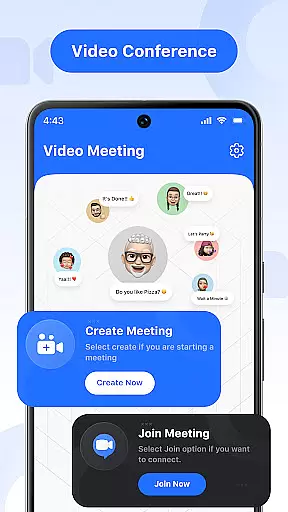

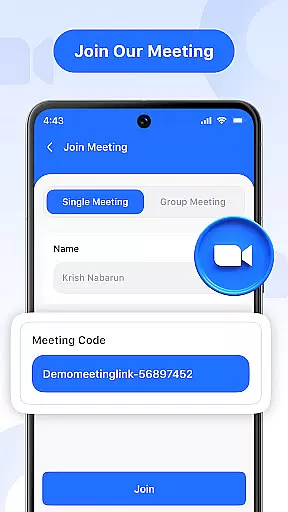
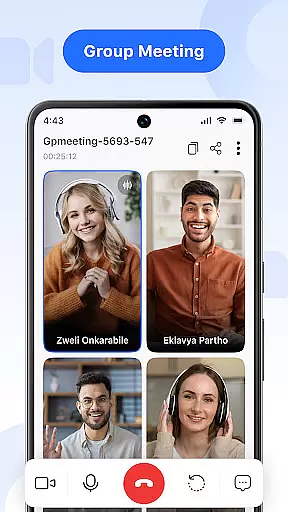
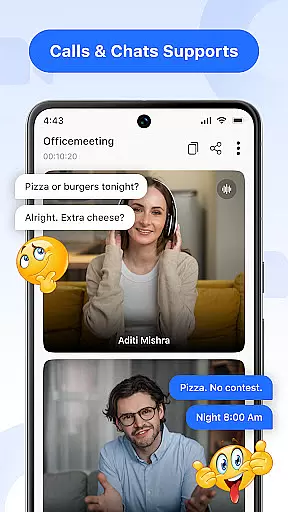

Video Meeting is a cutting-edge video conferencing app designed to enhance virtual communication and collaboration. The platform offers seamless HD video calls, real-time interaction, and essential meeting controls such as screen sharing, audio toggling, and instant messaging. Whether for professional or personal use, this app ensures smooth, secure, and productive online connections.
Key features include one-on-one chats, group hangouts, secure code invitations, and multi-language support. These functionalities cater to various needs, from business meetings and virtual classrooms to casual social interactions. With its user-friendly interface and encrypted access, Video Meeting stands out as an adaptable tool for diverse users worldwide.
Video Meeting boasts a comprehensive set of features tailored for effortless virtual collaboration. Host meetings instantly with easy participant invitations, or join sessions swiftly using shared links or secure codes. The app supports private one-on-one chats and lively group hangouts, ensuring versatile communication options.
Advanced functionalities include real-time chat for uninterrupted messaging, audio and video controls for personalized interaction, and screen sharing for dynamic presentations. Users can also exit meetings discreetly or conclude sessions for all participants with a single click. Multi-language support further enhances accessibility, breaking communication barriers and fostering global connectivity.
Real-time messaging speed and reliability are crucial for effective communication in video conferencing applications. This feature ensures that messages are delivered instantly and consistently, without delays or failures.
Video Meeting app excels in this area by providing a robust infrastructure that supports uninterrupted message delivery. The app uses advanced algorithms to optimize data transmission, ensuring that text chats are synced across all participant devices with minimal latency.
Users benefit from this reliable messaging system as it allows them to communicate seamlessly during meetings. Whether participants need to share quick updates, ask questions, or provide feedback, they can do so with the confidence that their messages will be received promptly.
The value of real-time messaging is particularly evident in professional settings where timely communication is essential. By offering a dependable platform for instant interaction, Video Meeting enhances collaboration and productivity among remote teams.
Media sharing support in video conferencing apps enables users to exchange various types of content beyond text messages. This includes images, documents, and other file formats that enrich the communication experience.
In Video Meeting, media sharing is integrated into the platform's comprehensive suite of tools designed for collaborative work. Participants can easily send files to each other or broadcast multimedia presentations to the entire group, making it an ideal solution for both formal meetings and casual catch-ups.
This feature provides significant advantages to users by streamlining workflows and reducing the need for additional software. With built-in media sharing capabilities, teams can review documents together, present visual aids, or share personal photos without leaving the app.
By supporting diverse media formats and ensuring smooth file transfers, Video Meeting empowers users to engage more deeply and effectively during virtual sessions. This not only improves the quality of interactions but also saves time and resources, contributing to overall efficiency gains.
User-friendly interface
HD video and audio quality
Secure and encrypted access
Flexible for various uses
Multi-language support
Limited advanced features
Occasional connectivity issues
Few customization options
Basic free version
Dependent on internet speed

Secure Messaging App to Enhance Messenger Texting Experience and Organize SMS.
 3.50
3.50
Phone Dialer with Caller ID, Address Book & Contacts Manager.
4.30
Block spam calls & scam - no more annoying calls with the call blocker function
4.30
Fast Dialer & Contact Manager with Caller ID and Spam Protection
4.00
Bringing the functionality of Winlink to your Android device
4.0
Read OBD2 data and DTCs Create custom dashboards Enhanced diagnostics available
4.70
BE PRIVATE
Anonymous. No Trace. Fast.
4.20
Caller ID, Spam Call & SMS Blocker
3.80
Telegram is a messaging app with a focus on speed and security.
4.00
Enhance browsing with AI-powered features and Copilot.
4.70
We’re taking the yada yada out of wireless—now we’ve taken it out of your app.
4.70
Browse fast on Opera Mini, with Data Saving, News, Football Scores, and Download
4.60
Group Chat That’s Fun & Games
4.30
Messages: Fast, simple SMS app with scheduling and smart features.
4.00
SMS Messenger ensures that communication become effortless and accessible.
3.80
Pure modern IRC experience for Android
3.70
A softphone app with seamless SIP calling and an intuitive VoIP dialer
3.50
Auto Reply SMS, Text Messaging, Away SMS Response, Busy SMS messages, Block Text
3.10
Comprehensive and powerful scan tool app with enhanced functions
3.00


User Reviews