
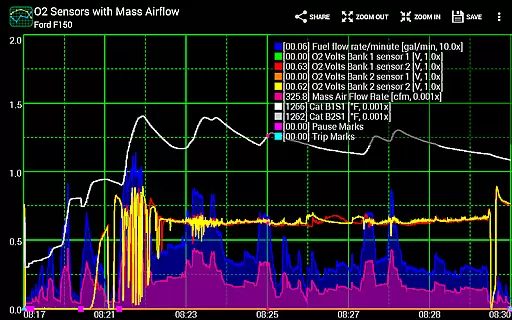
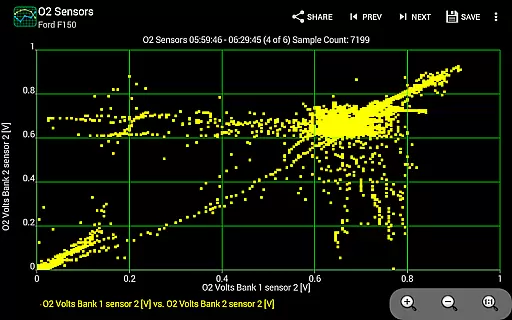
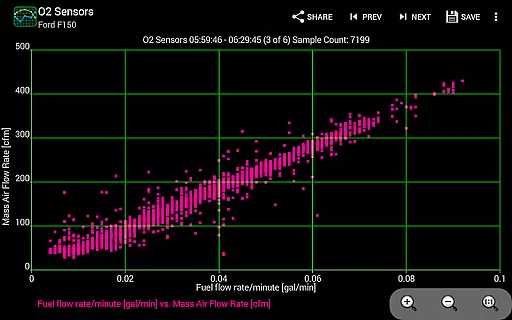
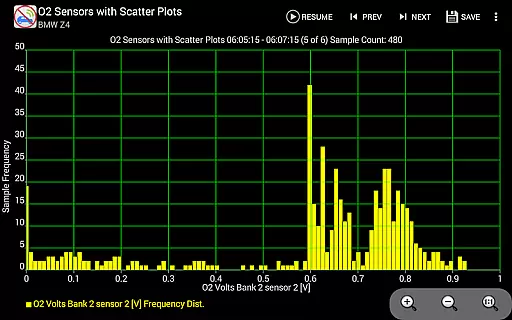
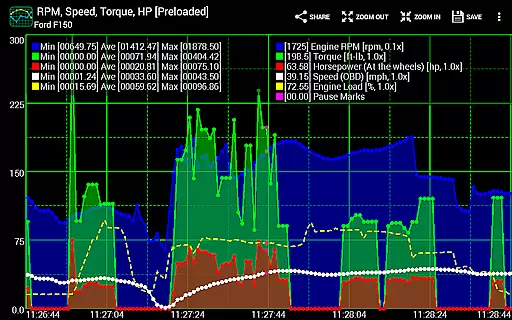
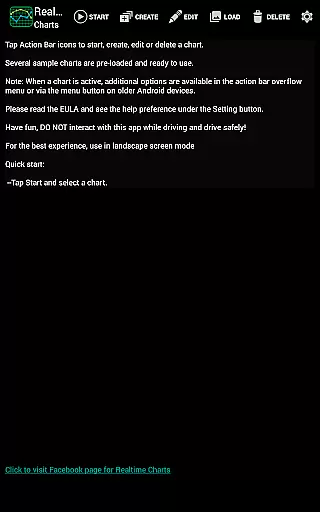
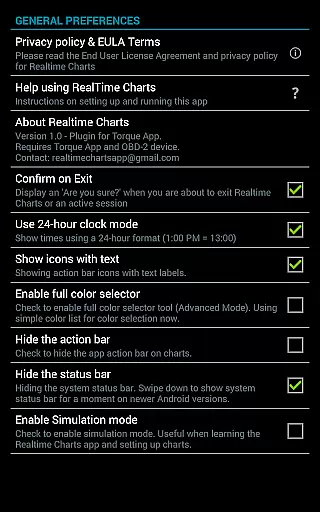
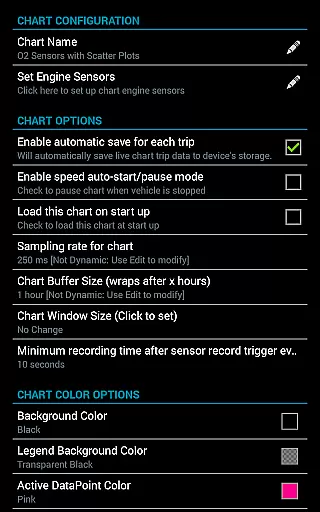
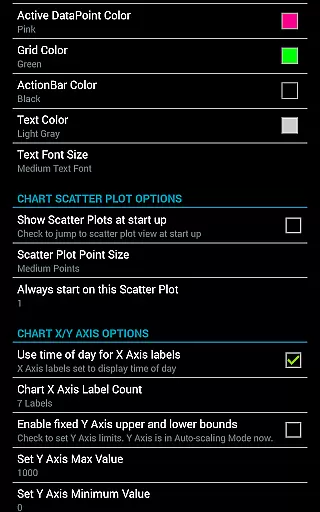
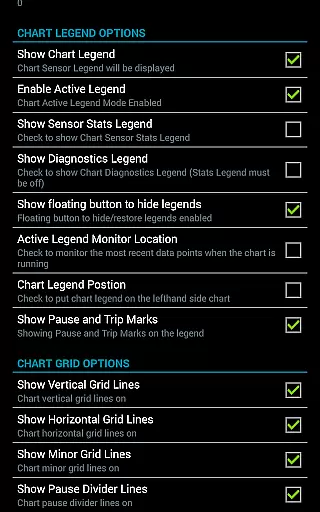
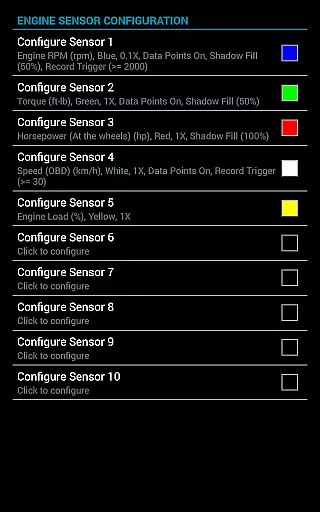
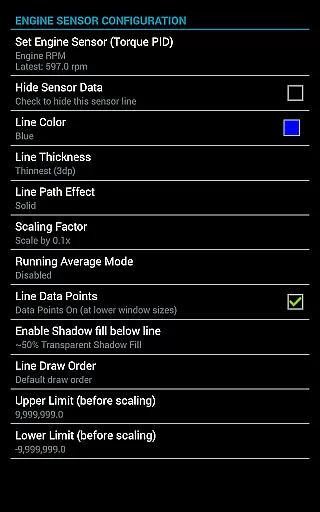
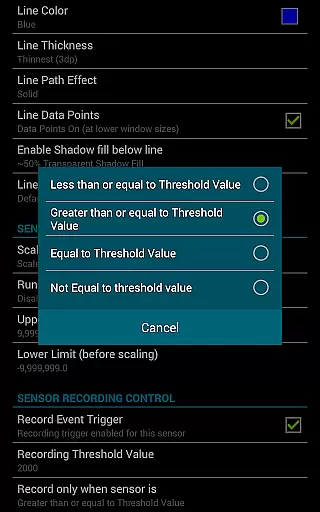
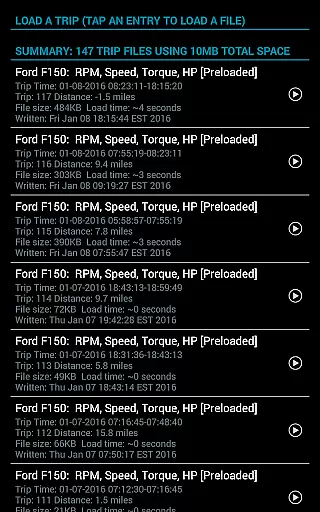
Realtime Charts for Torque Pro is a specialized plugin designed to enhance vehicle performance monitoring for automotive enthusiasts and professionals. This app allows users to graph up to 10 engine sensors simultaneously, providing real-time data visualization on Android devices. With features like custom chart creation, scatter plot analysis, and sensor threshold triggers, it offers in-depth performance tracking.
The application supports advanced functionalities such as dynamic scaling, session pausing with time compensation, and exporting Excel CSV files. Compatible with Android versions 2.3 and above, it requires a wireless OBD2 adapter and the Torque Pro app. Whether tuning engines or diagnosing issues, Realtime Charts delivers professional-grade analytics right to your device.
Realtime Charts stands out with its comprehensive feature set tailored for automotive diagnostics. Users can create up to 100 custom charts, each capable of displaying different sensor combinations with customizable sampling frequencies from 100ms to 10 seconds. The app's ability to perform real-time scatter and frequency plot analysis provides deeper insights into engine performance.
Additional notable features include auto-pause functionality when the vehicle stops, auto-save trip data options, and dynamic scaling of series data points. The app also supports preferred torque unit settings, simulation mode for chart design without ECU connection, and background sensor recording. These robust capabilities make it an indispensable tool for detailed vehicle analysis.
Realtime Charts for Torque Pro offers unparalleled access to detailed vehicle information by enabling users to monitor and graph up to 10 engine sensors in real-time. This includes critical data such as RPM, speed, MPG, horsepower, and torque, providing automotive enthusiasts with comprehensive insights into their vehicle's performance.
The application allows for the creation of custom charts, with the possibility to specify sensors, sampling frequency, chart colors, and series attributes. This level of customization ensures that users can tailor their monitoring experience to their specific needs, whether for tuning, diagnostics, or analysis purposes.
With features like scatter plot analysis, dynamic scaling of data points, and graph running averages, users gain a deeper understanding of their vehicle's operational dynamics. These tools are essential for both hobbyists and professionals aiming to fine-tune performance parameters and diagnose potential issues accurately.
Ultimately, the ability to save data for later review, auto-pause charts when the vehicle is stopped, and trigger data capture based on custom sensor thresholds significantly enhances the practicality and user value of this app. It empowers users with actionable insights derived from precise, real-time vehicle metrics.
While Realtime Charts for Torque Pro itself does not directly deal with monetary transactions, it provides a transparent framework regarding its requirements and operational capabilities. Users need to be aware that to utilize this plugin, they must have a wireless OBD2 adapter and the Torque Pro app installed, ensuring there are no hidden prerequisites.
The app lays out its extensive feature set clearly, allowing users to understand the full scope of its monitoring and diagnostic abilities. By detailing its compatibility with various Android versions and devices, it assures users of its broad accessibility without unexpected limitations or additional costs.
Furthermore, the application supports cost-saving measures through features like simulation mode, which lets users design charts without needing an ECU connection. This can reduce dependency on physical testing, thus saving time and resources while planning modifications or diagnostics.
By offering robust support channels including social media, email, and community forums, Realtime Charts fosters trust and transparency. Users can easily reach out for assistance or share their experiences, reinforcing the app's commitment to openness and user satisfaction.
User-friendly interface
Highly customizable charts
Real-time data visualization
Advanced diagnostic tools
Excellent compatibility
Requires separate OBD2 adapter
Torque Pro app dependency
Complex for beginners
No iOS support
Premium price point

Take Control of Your Car
 4.80
4.80
OBD diagnostics, Live Data, DPF regeneration for BMW
4.00
The Texaco App allows you to pay for fuel from the comfort of your car!
4.80
Read and delete OBD codes with any ELM327 OBD scanner. Coding functions included
3.40
BlueDriver® is a Premium Diagnostic OBD2 Scan Tool. www.BlueDriver.com
3.90
DMV practice test 2025: Driver License permit test & written test for all states
4.70
Trip computer+car diagnostic tool with widest variety of features and dashboard!
4.70
O'Reilly Pro will streamline your parts lookup and ordering process!
3.20
Earn and save with Fuel Rewards®
3.20
Shop, finance, or sell today.
4.80
Quick and easy car diagnostics to get you the right fix.
4.70
Autolist - The Largest Selection of Local Used Cars and Trucks
4.50
CVT diagnostics with ELM327 for Nissan-based vehicles
4.40
* This app needs an adapter cable and a certain OBD2 adapter to work *
4.20
myAudi offers users services and Audi connect services for Audi drivers
4.10
Control maps, media and messaging, with the Google Assistant while you drive
4.10
Available in select states.
4.00
Better fuel to help keep you on the road
3.20
Easily notify car owners in urgent situations, safe, fast, multilingual.
4.0


User Reviews