
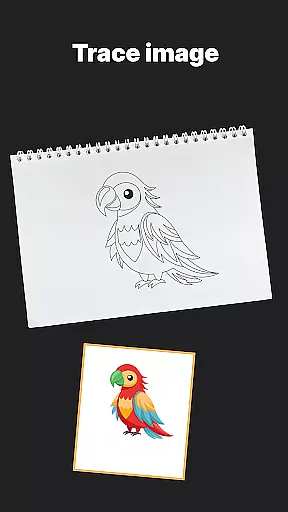
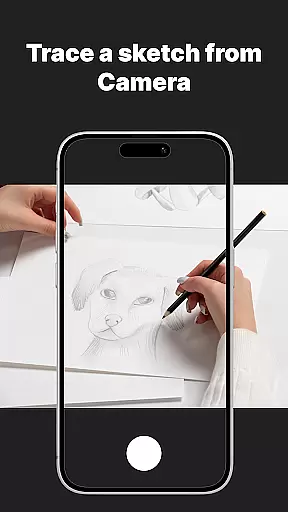
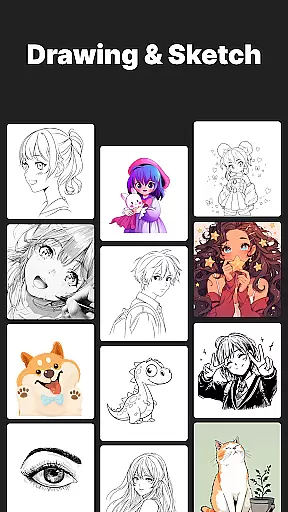
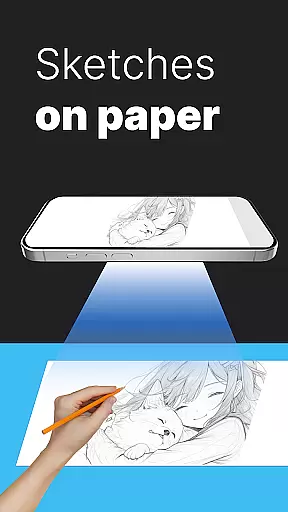
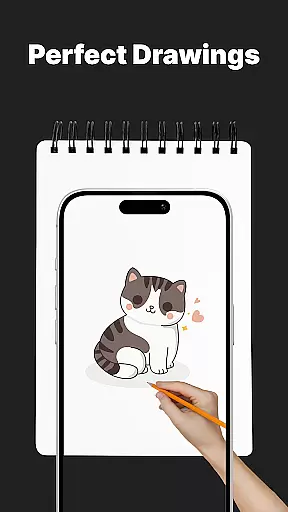
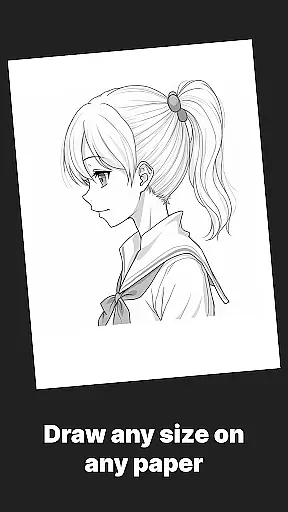
AR Drawing Sketch Painting App is an innovative mobile application that transforms your smartphone into a powerful AR-powered sketchpad. This app allows users to trace drawings, create meme art, and learn to draw step-by-step directly on real paper using augmented reality technology. With its massive template library featuring thousands of designs across various categories, the app caters to both beginners and professional artists.
The app's standout feature is its AR Trace Drawing functionality, which projects templates onto paper through the phone's camera, enabling precise tracing. It also offers guided drawing lessons, customization tools for adjusting opacity and zoom, and a unique Meme Mode for creating trendy internet content. Whether you're looking to improve your artistic skills or simply have fun with creative projects, this app provides an engaging and educational experience suitable for all ages.
One practical use case is for students and art teachers who want to incorporate technology into traditional drawing practice. By combining digital convenience with hands-on creativity, the app helps users develop their artistic abilities while staying connected with current trends in meme culture and social media content creation.
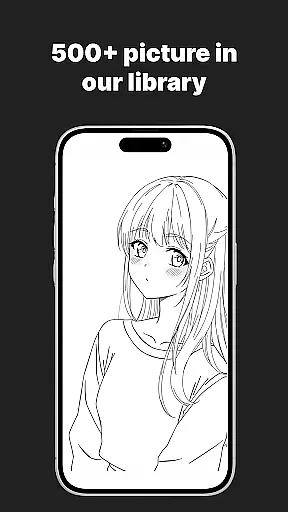
AR Drawing Sketch Painting App stands out with its comprehensive set of features designed to enhance the drawing experience. The app's massive template library includes thousands of designs across multiple categories such as anime, portraits, animals, cars, flowers, tattoos, icons, and trending memes. These templates are regularly updated weekly, ensuring a constant flow of fresh inspiration for users.
The AR Trace Drawing feature revolutionizes traditional tracing methods by utilizing augmented reality technology. Users can place their phone on a stand, select a template, and trace the projected lines directly onto paper through their phone's camera. This feature is complemented by customization tools that allow users to adjust opacity, zoom, rotate images, and even enable a flashlight for better visibility during tracing sessions.
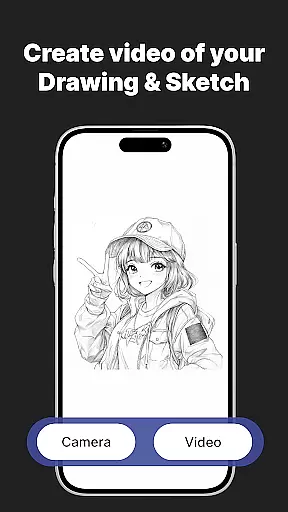
For those looking to improve their skills, the app offers step-by-step drawing lessons suitable for all levels. The time-lapse video capture feature enables users to record their drawing process and share their creations instantly on social media platforms. Additionally, the exclusive Meme Mode provides collections of popular meme templates, allowing users to create and participate in current internet culture trends while developing their artistic abilities.
AR Drawing Sketch Painting App offers an extensive suite of creative tools that cater to both amateur and professional artists. The app provides a massive template library with thousands of templates spanning various categories such as anime, portraits, animals, and even trending memes.
One of the standout features is the AR Trace Drawing, which allows users to select a template and trace the lines directly onto paper using their phoneu2019s camera. This feature bridges the gap between digital convenience and traditional art forms, making it accessible for all skill levels.
In addition to tracing, the app includes step-by-step drawing lessons designed to improve your skills through guided tutorials. These lessons cover a wide range of techniques and are suitable for beginners as well as advanced artists looking to refine their craft.
The customization tools further enhance the user experience by allowing adjustments in opacity, zoom, rotation, and enabling a flashlight for better visibility. With these comprehensive creative tools, users can explore different artistic styles and bring their ideas to life seamlessly.
Flexibility in canvas and format options is crucial for artists who wish to express their creativity without limitations. AR Drawing Sketch Painting App excels in this area by providing versatile solutions tailored to meet diverse artistic needs.
Users have the freedom to choose from a variety of templates or upload their own images, giving them complete control over their creative process. Whether you're working on realistic portraits or whimsical meme art, the app supports multiple styles and formats to suit your vision.
The app's ability to save and share time-lapse videos of the drawing process adds another layer of flexibility. Artists can document their progress, experiment with new techniques, and instantly share their masterpieces with a global audience.
Furthermore, weekly updates ensure that there is always fresh inspiration available. New templates are added regularly, keeping the content dynamic and engaging. This commitment to canvas and format flexibility makes AR Drawing Sketch Painting App an indispensable tool for anyone passionate about art and design.
User-friendly interface
Extensive template library
Innovative AR tracing
Regular content updates
Educational drawing lessons
Requires stable phone positioning
Limited free templates
Consumes device storage
Battery-intensive usage
Premium subscription needed

Stylish letters, Stylish Keyboard, Symbols, Emojis, Cool nickname
 4.40
4.40
Draw anime & manga drawing, art with templates to create stunning picture!
4.50
Apply cartoon, caricature, and portrait effects to make your photos stand out!
3.60
Unleash your drawing and painting potential
4.50
Design unique, funny and adorable cat stickers that reflect your own style!
3.80
Your AI soulmate — meaningful chats, and unique emotional moments
4.70
Get creative and make art with your Sesame Friends!
4.00
Beauty Camera - Selfie Camera is the ultimate beauty camera and selfie app
4.30
All-in-One art, logo & collage maker. Design photos and edit video backgrounds
4.80
Mobile pixel art editor. Simple. Fast. Portable.
4.80
Novices can also easily complete diamond painting masters
4.70
Castle is social media for creating and playing games!
4.60
Draw glowing spinners, relax, and spin your creative art
4.60
Discover Cartoon Dream : Unleash Your Creativity with CuttingEdge AI
4.50
Bring One UI 8.5 Icons to life -elegant dark icons with a modern, premium touch.
4.30
Custom Character Creator & PFP Maker!
4.20
Easy 3D drawing design maker & creator. Model designing, Sculpting. Create&paint
4.00
Inky runs Inkscape on Android devices and Chromebooks
2.90
Art of Combination Wear OS Watch Faces
4.4


User Reviews