
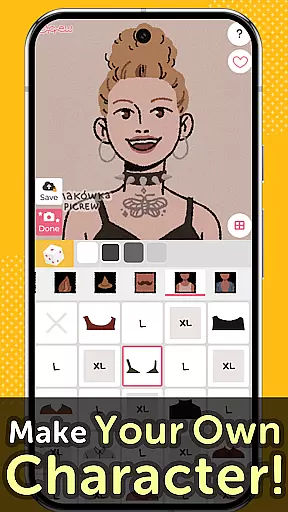
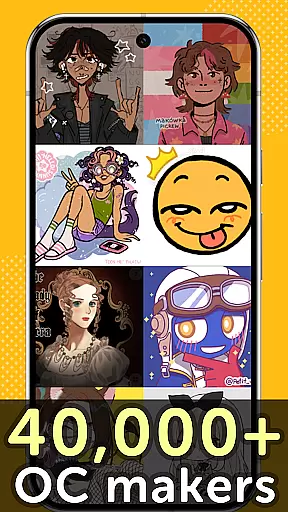
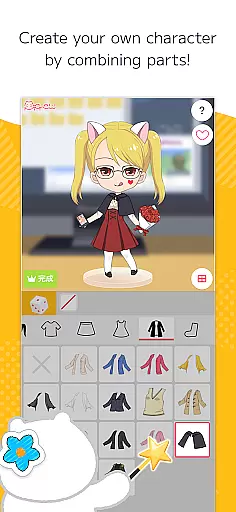
Picrew PFP & OC Maker is a versatile avatar and character creation platform that allows users to design unique profile pictures, icons, and characters completely free of charge. With over 10,000 Image Makers available, the app caters to various tastes including cute, cool, stylish, and even scary themes. Users can create avatars that resemble themselves or craft original characters using different facial features and clothing options.
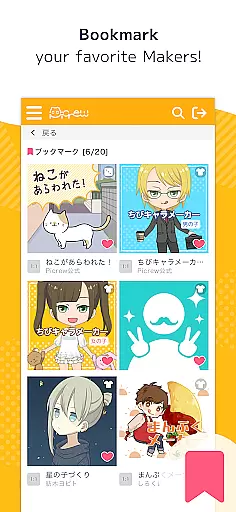
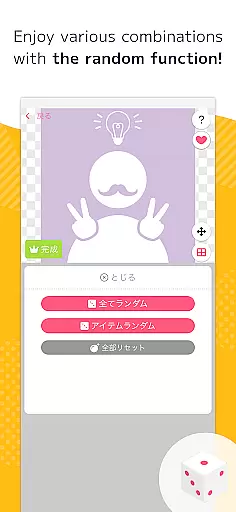
The app offers two main creation modes: Dress-up Maker for manual customization and Random Maker for luck-based creations. Additionally, Picrew supports social media integration, enabling easy sharing of created images on platforms like Facebook and X. The search and tagging features help users find specific Image Makers, while bookmarking allows saving favorite creators for future use. All images can be downloaded for free or shared directly on social media.
This application is particularly useful for artists, gamers, and social media enthusiasts who want to create personalized avatars or unique profile pictures. Whether you're looking to design an anime-style avatar, aesthetic pfp, or cartoon icon, Picrew provides all the necessary tools to bring your creative vision to life while maintaining complete control over usage rights and permissions.
Picrew stands out with its comprehensive suite of creative tools designed for both casual users and professional artists. The app's most notable feature is its vast collection of over 10,000 Image Makers, each offering unique styles and customization options. These Image Makers are created by artists worldwide, ensuring diverse aesthetics ranging from cute and colorful to dark and mysterious designs.
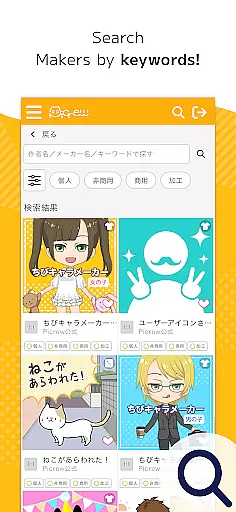
The Dress-up Maker function allows precise control over every aspect of character creation, letting users manually select and combine different parts including facial features, hairstyles, and clothing items. For those who enjoy surprises, the Random Maker generates unique characters based on chance, providing an entertaining experience similar to digital fortune-telling. Advanced search capabilities enable users to filter Image Makers by keywords, categories, and creator-defined tags.
Social features include seamless integration with major platforms like Facebook, X, and LINE, allowing direct sharing of creations. The app also implements robust content management systems through its reporting and blocking functions, ensuring a safe and enjoyable environment for all users. Each Image Maker comes with clearly defined usage guidelines, giving creators full control over how their works can be utilized, whether for personal, non-commercial, or commercial purposes.
Picrew PFP & OC Maker stands out in the Art & Design category by offering an extensive suite of creative tools that cater to a wide array of customization needs. The app provides users with over 10,000 Image Makers, enabling the creation of personalized avatars, characters, and icons without any charge.
These creative tools are not just about quantity but also quality and variety. Users can choose from different styles including cute, cool, stylish, or even scary aesthetics, ensuring there's something for everyone. This vast selection empowers users to express their unique style through detailed avatar creation, combining facial features, clothing, and other design elements.
The true value of Picrew lies in its versatility and depth. Whether you're looking to design a profile picture, craft an original character, or create social media icons, Picrew's tools support various creative endeavors. The platform allows creations to be effortlessly shared across social media platforms, enhancing user engagement and satisfaction.
One of the key strengths of Picrew PFP & OC Maker is its canvas and format flexibility, which allows users to customize their creations to fit specific needs and platforms. The app supports creating images that are versatile enough for use as profile pictures, social media icons, or even gaming avatars.
This flexibility extends to the customization process itself. Users can leverage Dress-up Makers for manual part selection or opt for Random Makers that generate images based on chance, akin to a digital fortune-telling experience. Such options ensure that each creation can be as unique as the user desires.
Additionally, Picrew ensures that all created images can be easily downloaded and utilized across different mediums without loss of quality. This seamless integration across various formats underscores the appu2019s commitment to providing a comprehensive and flexible design experience, making it an ideal choice for both casual users and design enthusiasts alike.
User-friendly interface
Extensive customization options
Free to use
Vast library of Image Makers
Strong community support
Limited mobile features
Occasional inappropriate content
Dependent on creator availability
No advanced editing tools
Basic tutorial system

Premium version of Shimeji-ee app with no ads & no limit active shimeji
 4.0
4.0
Floor Plan Creator lets you create, edit and share floor plans.
4.00
Logo Generator powered by AI: Create stunning logos effortlessly!
4.70
Your Essential Color Theory Guide: Red, Yellow, Blue (RYB)
4.5
Photo blender app to create overlay photos & double exposure.
4.40
Convert image to JPG PNG HEIC PDF, support almost all kinds of image formats
4.70
AR Anime Drawing: How to draw anime with AR drawing & sketching apps!
4.00
Photo editor for art, avatars, filters & fun transformations.
4.60
Share the joy of painting with ibis Paint! Drawing anime and manga art.
4.50
Novices can also easily complete diamond painting masters
4.70
Draw, fidget, and spin glow art! Relax and express your creativity with a finger
4.60
AI Tattoo Generator: Create Tattoo Designs & Get Ideas! Ink & Stencil Maker
4.50
Beauty Camera - Selfie Camera is the ultimate beauty camera and selfie app
4.30
Sketch, plan, take notes and illustrate on an infinite canvas.
4.20
Get creative and make art with your Sesame Friends!
4.00
Create sweet, cool and unique couple avatars easily, in just a few steps!
3.40
Meet the magic aı 3d photo generator and smart AI video generator app.
3.20
Draw anime easily with AR guidance, sketch templates & trace tools!
3.10
Inky runs Inkscape on Android devices and Chromebooks
2.90


User Reviews