

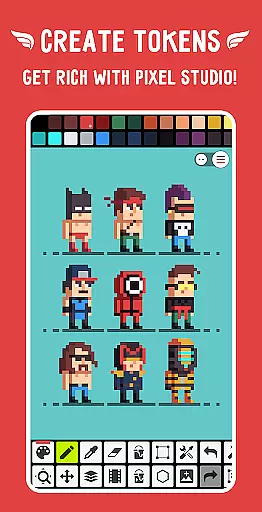
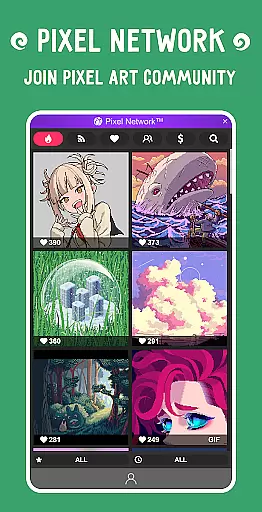
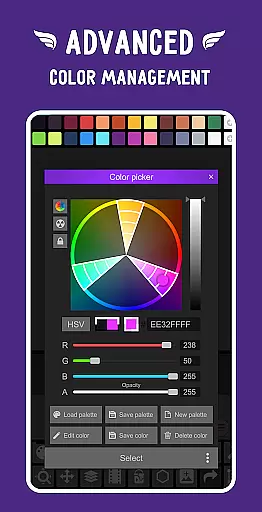
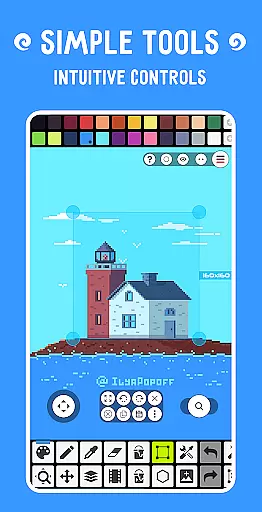
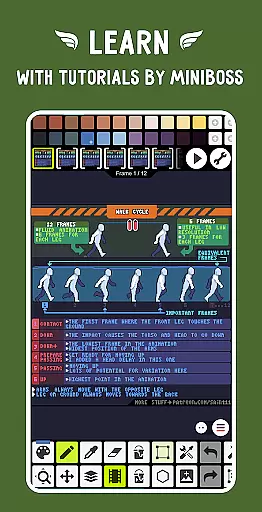
Pixel Studio PRO is a premium pixel art editor tailored for both artists and game developers. This special edition offers all PRO features unlocked without ads or in-app purchases. With support for layers, animations, music integration, and MP4 video export, it provides a complete creative suite. The app also enables cross-device syncing through Google Drive and facilitates NFT creation while fostering a vibrant community via Pixel Network™.
The application stands out with its intuitive interface, customizable settings, and compatibility with various devices and platforms. Whether you're a beginner or a professional, Pixel Studio PRO empowers you to create stunning pixel art anytime, anywhere. With over 5 million downloads globally and translations in more than 25 languages, it has established itself as a leading choice in the pixel art domain.
Pixel Studio PRO boasts an extensive array of features designed to enhance your pixel art experience. It includes advanced tools like shape and gradient functions, custom brushes, sprite libraries, symmetry drawing modes, text tools with different fonts, dithering pens for shadows, and precise drawing with Dot Pen. The app supports popular formats such as PNG, JPG, GIF, BMP, TGA, PSP (Pixel Studio Project), PSD (Adobe Photoshop), EXR.
In addition to these robust capabilities, users can enjoy unlimited canvas size options, canvas resizing and rotation, customizable grids, multithreaded image processing, JASC Palette format support, Aseprite file importation, autosave functionality, and backup systems that prevent work loss. These comprehensive features ensure that every project is executed seamlessly from start to finish.
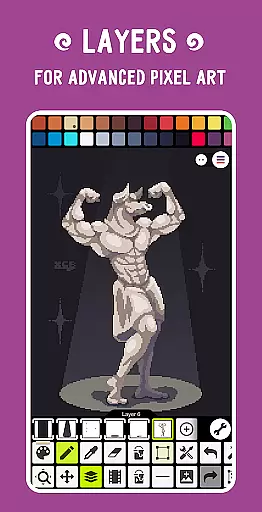
Pixel Studio PRO offers an extensive suite of creative tools that cater to both beginners and professional artists in the pixel art space. The application supports layers, animations, and a variety of useful instruments such as shape tools, gradient tools, and built-in/custom brushes.
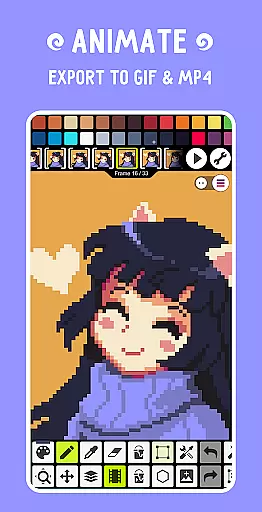
Users can create frame-by-frame animations and save them as GIFs or sprite sheets. Additionally, they have the ability to extend these animations with music and export their projects as MP4 video files, providing a comprehensive multimedia experience within a single platform.
The app also includes advanced features like symmetry drawing, dithering pens for shadows and flares, text tools with different fonts, and even a Dot Pen for precise cursor-based drawing. These robust functionalities ensure that artists have everything they need at their fingertips to bring their visions to life.
One of the standout features of Pixel Studio PRO is its unparalleled canvas and format flexibility. Users are not constrained by canvas size; instead, they enjoy unlimited dimensions allowing them to work on projects of any scale without limitations.
In terms of file compatibility, this application supports all popular formats including PNG, JPG, GIF, BMP, TGA, PSP (Pixel Studio Project), PSD (Adobe Photoshop), EXR, AI, EPS, HEIC, PDF, SVG, WEBP (cloud read-only) and more. This wide-ranging support ensures seamless integration into various workflows and pipelines.
Additionally, users benefit from customizable settings such as background color adjustments and grid customizations which enhance workflow efficiency. With multithreaded image processing capabilities further augmenting performance, Pixel Studio PRO stands out as a versatile choice for creatives seeking adaptability in their digital art endeavors.
User-friendly interface
Advanced animation tools
Extensive format support
Cross-device syncing
Vibrant community network
High system requirements
No free version available
Limited customer support
Occasional bugs reported
Premium price tag

The ultimate tool for creating animations
 4.60
4.60
Stylish letters, Stylish Keyboard, Symbols, Emojis, Cool nickname
4.40
Image/ Text to Video Generator
4.40
Convert image to JPG PNG HEIC PDF, support almost all kinds of image formats
4.70
Draw glowing spinners, relax, and spin your creative art
4.60
2D animation studio for Android tablets - unlimited layers, infinite timeline
4.70
Photo stitcher for automatically screenshot stitching into a long screenshot
4.70
Draw, fidget, and spin glow art! Relax and express your creativity with a finger
4.60
AI-powered photo & video creation—fast, fun, and effortless with Quick Actions
4.60
Learn how to draw with step-by-step tutorials, fun lessons & multiplayer drawing
4.70
Draw anime & manga drawing, art with templates to create stunning picture!
4.50
Draw Trace image sketch by, AR art projector app, Easy to trace any image.
4.50
Customizable Outlined Fonts. Watch Face Format. Battery friendly Digital Clock.
4.20
Text to Image, Image to Video & AI Chat
4.20
Design your dream room with AI. Get decor ideas & plan home interiors
3.90
Art of Combination Wear OS Watch faces (for Wear OS 5+ devices)
3.90
Your homescreen as an elegant glass with customized blur, lighting, and visuals.
3.70
Inky runs Inkscape on Android devices and Chromebooks
2.90
Art of Combination Wear OS Watch faces
4.1


User Reviews