
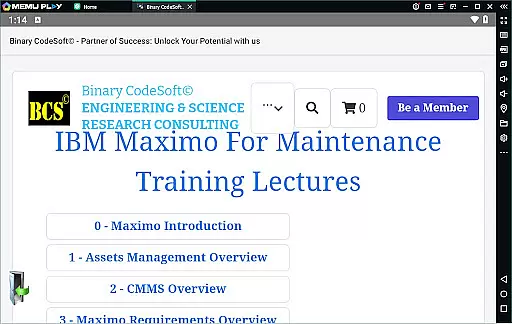

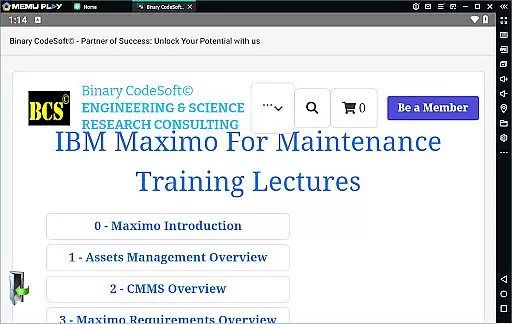
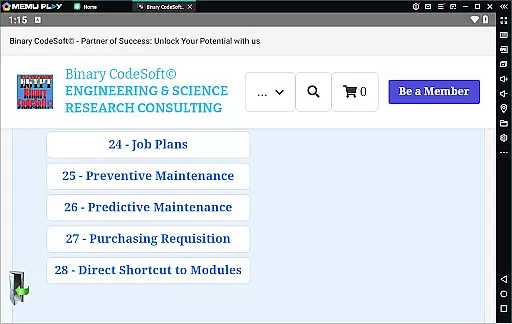


BCS©-Maximo Maintenance course is a comprehensive business application designed to educate users on maintenance operations and strategies using IBM Maximo. The app covers essential topics such as maintenance planning, scheduling, costs, and the significance of effective work management. It also provides an in-depth introduction to Maximo, including asset management, CMMS, and the latest features.
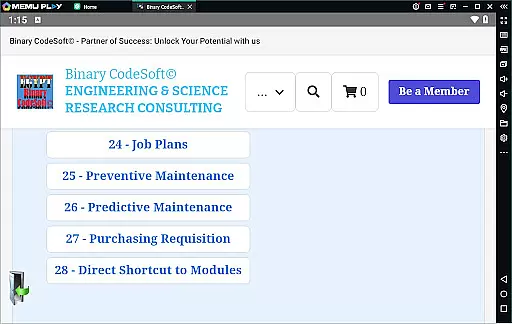
In addition to theoretical knowledge, this app offers practical insights into the implementation of IBM Maximo, covering assets and locations management, work orders, job plans, and preventive maintenance techniques. Users will learn about dynamic job plans, modifications, and shutdown planning, equipping them with skills for efficient maintenance operations and advanced planning techniques.
The BCS©-Maximo Maintenance course stands out due to its detailed content on both the theory and practical application of maintenance strategies using IBM Maximo. It includes modules on purchasing, shortcuts to modules, and executing tasks across multiple records, which streamline the learning process. These features ensure that users can efficiently manage maintenance operations and stay ahead with their planning.
One notable aspect is the focus on real-world applications, such as creating 7-day and monthly plans, managing child work orders, and exporting data to MS Excel or MS Project files. With specialized reporting features, users can track important items and PRs, ensuring they maintain an organized and proactive approach to maintenance management. This blend of strategic insight and hands-on functionality makes the app invaluable for business professionals.
In the realm of business applications, collaborative work features are essential for streamlining operations and enhancing team productivity. The BCSu00a9-Maximo Maintenance course offers comprehensive insights into how IBM Maximo facilitates collaboration among maintenance teams. Through its robust platform, users can manage assets, create work orders, and develop job plans that are accessible to all relevant stakeholders.
This application allows multiple users to interact with the same data set, ensuring everyone is on the same page. Whether it's through executing tasks on multi records or using dynamic job plans, teams can ensure they're always one step ahead in their planning processes. This level of collaboration ensures that every member, from technicians to managers, can contribute effectively to the maintenance strategy.
Furthermore, the ability to follow up on important items using reports and list PMs not generating work orders adds another layer of efficiency. Teams can direct their focus on areas that need immediate attention, thereby reducing downtime and increasing overall productivity. With real-time updates and a direct shortcut to modules, this app empowers teams to execute their tasks with precision and timeliness.
Effective task management is pivotal for any business looking to optimize its operations, and the BCSu00a9-Maximo Maintenance course excels in teaching users how to leverage IBM Maximo for this purpose. Task management within the app encompasses everything from creating detailed shutdown plans to managing child work orders, providing a structured approach to maintenance activities.
Users can benefit from features such as 7-day and monthly planning tools, which allow for meticulous scheduling and allocation of resources. The course covers preventive and predictive maintenance strategies, enabling businesses to anticipate potential issues before they arise. By modifying job plans and tracking progress through exports to MS Excel or MS Project files, companies can maintain a clear overview of their operational status.
The application also highlights the importance of staying proactive with maintenance costs by analyzing what poor maintenance work management might cost. With functionalities like keeping queries always on top and executing tasks across multiple records, the BCSu00a9-Maximo Maintenance course equips users with the skills needed to manage tasks efficiently, ultimately leading to improved asset performance and reduced operational expenses.
User-friendly interface
Comprehensive content
Practical examples included
Real-world applications
Advanced planning tools
Requires basic knowledge
Text-heavy content
No interactive simulations
Limited multimedia use
Advanced topics only

Find jobs and make money fast with JobStack.
 4.60
4.60
Formerly Facebook Ads Manager. Manage and create ads on the go.
4.20
FX Plus adds media, networking, and cloud capabilities to FX File Explorer.
4.10
ANDROID'S TOP MOBILE OFFICE - Word, Excel, PowerPoint and PDF at your fingertips
4.50
Measure distances, surfaces and draw plans in seconds with CamToPlan!
4.40
Manage work life on the go
4.50
Find the right fit, faster.
4.70
One marketplace. Hundreds of services. Unlimited possibilities. All on Fiverr.
4.40
Deliver and earn money
4.30
Job search app that finds jobs for you! Takes the work out of looking for a job!
4.90
Start earning fast. Apply Today.
4.80
BuildCalc - the easiest AND the most advanced construction calculator app.
4.80
Earn free swag, G-Cards & food • Enter sweepstakes • Find stores • So much more.
4.70
Manage Your Shop
4.70
Smarter career moves start here. AI job alerts, insights & the right tools.
4.20
enjoy effortless PDF reading anytime, anywhere
3.90
Get your benefits on-the-go.
3.80
Take the stress out of storage with the all-in-one app to manage your space.
3.70
view, manage, and share every PDF file you have
3.60


User Reviews