
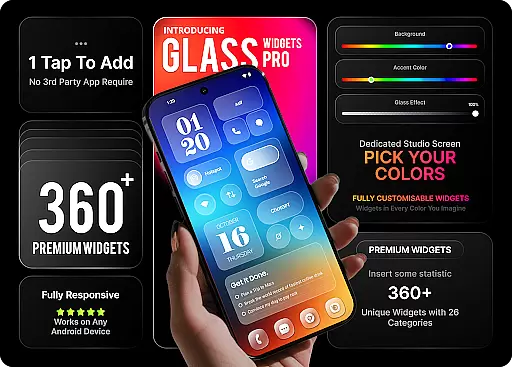
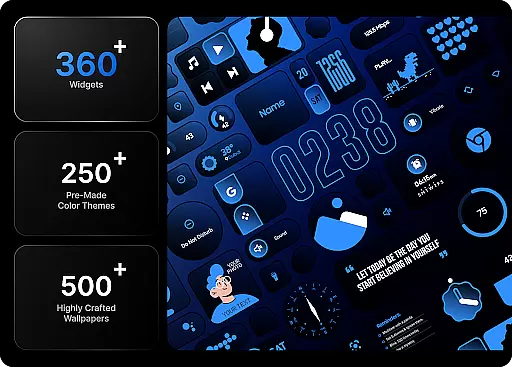
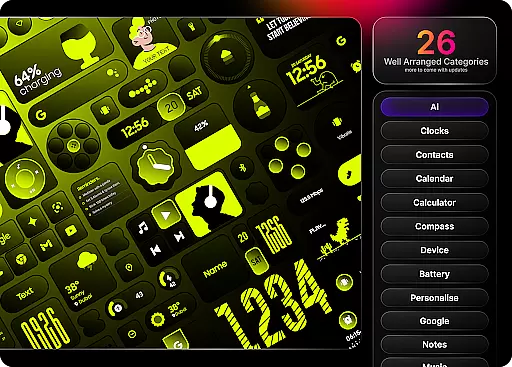
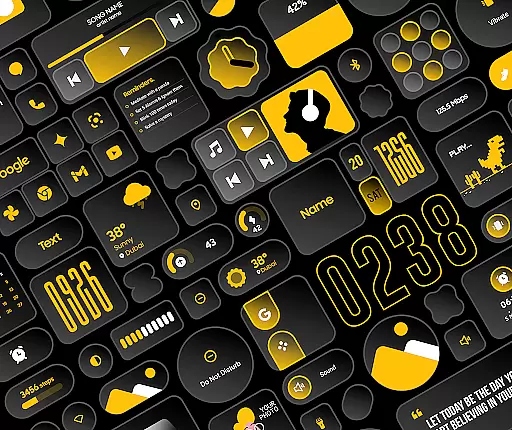
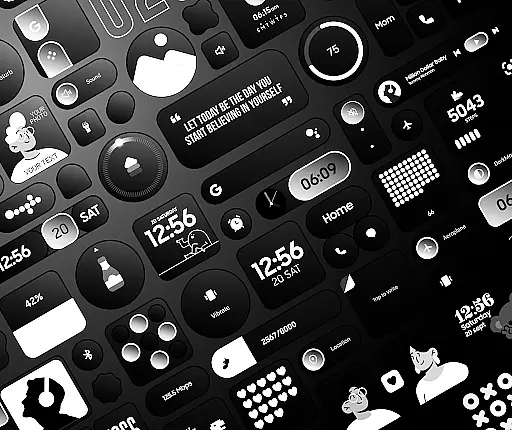
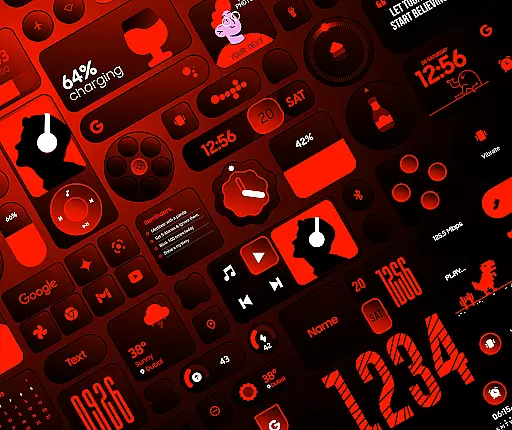
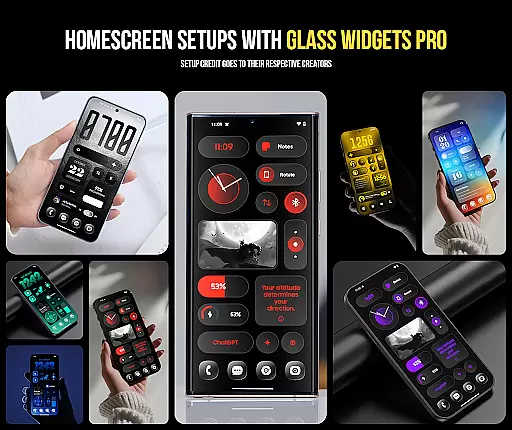
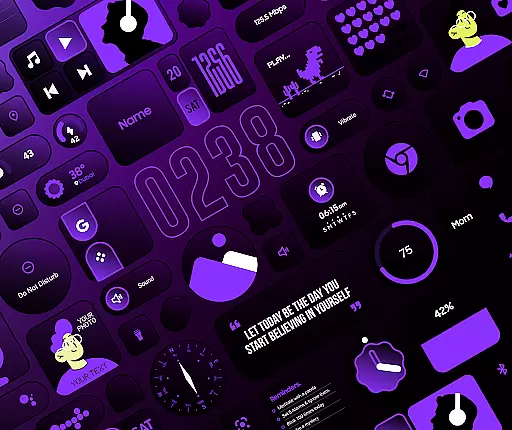
Glass Widgets Pro is a premium personalization app that transforms your smartphone's home screen with fully customizable widgets featuring stunning glass effects. This app offers over 360 premium widgets, 500 curated wallpapers, and 250 theme templates, providing users with extensive options to design a unique and modern interface.
The app stands out through its native functionality, eliminating the need for additional apps like KWGT. Users can instantly tap, add, and customize widgets across various categories including clocks, weather, battery indicators, and productivity tools. With features like adjustable colors, transparency levels, and pre-designed templates, Glass Widgets Pro ensures both aesthetic appeal and functional utility.
Ideal for those looking to personalize their device with a sleek, professional appearance, this app caters to users who value both form and function in mobile customization.
Glass Widgets Pro boasts an impressive array of features designed to elevate your home screen customization experience. The app includes over 360 premium widgets that come with a distinctive glass effect, giving your interface a contemporary and stylish look. These widgets cover a wide range of functionalities such as clocks, weather updates, battery indicators, quick settings, and productivity tools.
One of the standout features is the extensive customization options available. Users can adjust background colors, accent colors, and control the background glass opacity to create a personalized aesthetic. Additionally, the app provides over 250 color templates, allowing users to quickly apply professionally designed themes without starting from scratch.
Complementing these widgets are 500 curated wallpapers that match the glass widget designs, ensuring a cohesive and visually appealing home screen. Whether you're looking to enhance your device's appearance or improve its usability with practical tools, Glass Widgets Pro delivers a comprehensive solution for personalization enthusiasts.
Customization is at the heart of Glass Widgets Pro, offering users an extensive range of options to personalize their home screens. With over 360 premium widgets, this application allows for a level of personalization that caters to every user's unique style and preference.
The app provides more than just aesthetic changes; it enables functional customization too. Users can adjust background colors, accent colors, and control the background glass opacity on all widgets. This flexibility ensures that each widget not only looks visually appealing but also aligns with the user's desired functionality and accessibility.
Glass Widgets Pro further enhances customization by including 250+ color templates designed by professionals. These templates serve as a starting point for users who prefer a curated look or need inspiration. The ability to instantly apply these templates transforms the home screen in seconds, making personalization both efficient and enjoyable.
Ultimately, the vast array of customization options empowers users to create a home screen that is truly their own. Whether itu2019s through selecting from various widget categories like clock, weather, or productivity tools, or choosing from 500+ matching wallpapers, Glass Widgets Pro delivers a personalized experience that reflects individuality while enhancing usability.
Theme compatibility is a crucial aspect of any personalization app, and Glass Widgets Pro excels in this area by ensuring seamless integration with a wide variety of themes. This compatibility allows users to maintain a cohesive look across their devices without compromising on aesthetics or functionality.
The application supports diverse design elements, such as the signature glass effect that gives widgets a modern, transparent appearance. This feature complements existing themes or stands alone as a striking visual statement, adapting effortlessly to different styles and preferences.
Beyond visual harmony, Glass Widgets Pro offers practical benefits through its theme compatibility. Users can incorporate widgets into their chosen themes without worrying about inconsistencies in design language or performance issues. This ensures that whether someone prefers minimalist designs or vibrant, detailed layouts, the widgets will enhance rather than detract from the overall theme.
In summary, Glass Widgets Pro's commitment to theme compatibility means that users enjoy both form and function. By providing a versatile set of tools that work harmoniously within various thematic frameworks, the app guarantees a polished and professional finish to any customized home screen setup.
Extensive Customization
Stunning Glass Effects
Variety of Widget Categories
Native Functionality
Regular Updates
Premium Price Point
Complex for Beginners
High Storage Requirements
Limited Free Options
Occasional Bugs

Glass style colourful icons with a One UI look and feel
 4.60
4.60
Fingerprint Lock Screen & Live Animations with 4K Wallpapers as Live Wallpaper
4.40
Unique Android Launcher
4.60
The definitive Icon pack maker and editor
4.30
Ultimate Gallery Lock App - Hide Pictures, Videos and Lock Apps Instantly!
4.60
Vibrant Adaptive Icons with Material You and Enhanced Monet Colors.
4.50
One 8 icons glass color version
4.80
300+ widgets inspired by Material You and Material 3 expressive design.
4.60
Install amazing sticker packs: endless styles, always cool.
4.70
A launcher for Samsung Good Lock and Good Guardians modules without ads
4.70
400+ Beautifully crafted widgets inspired by NOTHING.
4.70
Bring adorable pets to life on your screen. Playful, interactive and full of fun
4.60 4.50
4.50
AI-powered Copilot. Personalized keyboard with gifs, stickers & themes
4.40
Art & Emoji Keyboard with Cool Fonts, Cute Themes and Custom Designs.
4.40
Launcher OS™ Pro without ads help make your phone simple and pretty
4.30
Customizable flower power digital watch face for Wear OS watches.
4.00
Your go to Weather App & Home Screen. Get your weather at a swipe of a finger!
3.80
Custom edge gestures for volume control, brightness, apps, and shortcuts.
4.2


User Reviews