
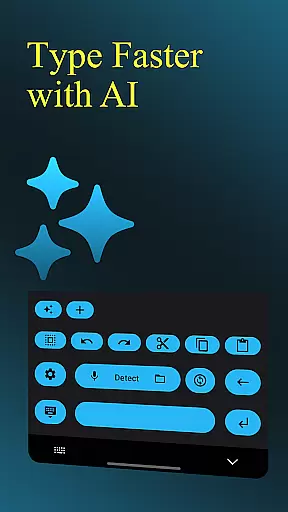
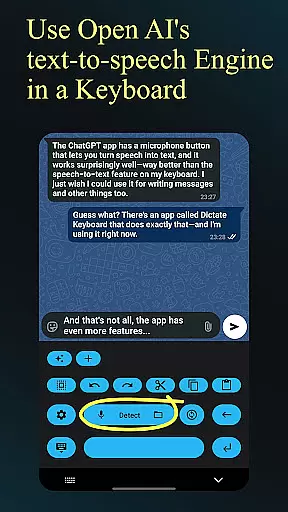
Dictate Keyboard is a cutting-edge productivity tool designed to streamline text input through advanced speech recognition technology. This innovative keyboard app converts spoken words into written text with remarkable accuracy, supporting all major languages. Its AI-powered engine not only transcribes your speech but also intelligently adds punctuation and formatting, making it ideal for both casual and professional use.
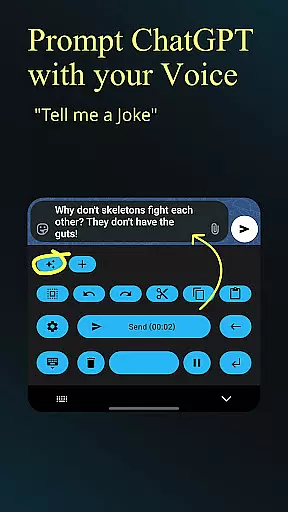
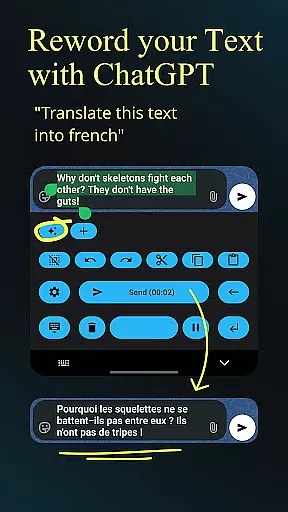
Beyond basic transcription, Dictate offers powerful customization options including GPT-based rewording, custom prompts, and multiple transcription models. Users can seamlessly switch between different recognition modes, record audio through various microphones, and even insert emojis or numbers effortlessly. The app's open-source nature ensures transparency and continuous improvement, while its comprehensive feature set makes it an indispensable tool for anyone seeking to enhance their typing efficiency.
Dictate Keyboard stands out with its robust feature set tailored for maximum productivity. The app employs state-of-the-art Whisper AI technology that delivers precise transcriptions across multiple languages. It goes beyond simple dictation by offering advanced formatting commands like 'new paragraph' and 'first, second,' which automatically structure your text as you speak.
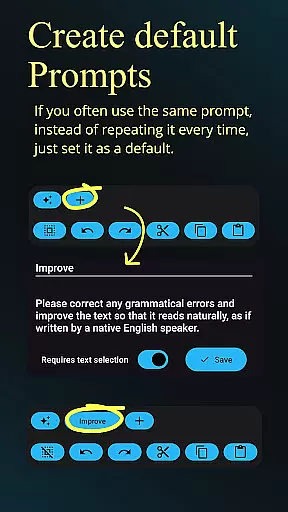
One of the app's most notable capabilities is its integration with various AI models including GPT-5, allowing users to implement custom rewording instructions for translation, summarization, and style modification. The flexible model-switching feature lets you choose between different providers like OpenAI and Groq, or even connect to your own transcription server. Additional features include voice command formatting, file transcription, customizable system prompts, and multiple theme options including dark mode. These comprehensive tools make Dictate an exceptionally versatile productivity solution.
Dictate Keyboard revolutionizes core task management by integrating advanced speech recognition technology into a user-friendly keyboard interface. This innovative approach allows users to convert spoken language into text with remarkable accuracy, supporting all common national languages.
The app's AI-driven system goes beyond basic transcription by intelligently adding punctuation and formatting spoken commands. Users can create new paragraphs, insert specific phrases, and even dictate complex instructions without manual editing.
What sets Dictate apart in task management is its seamless integration with various transcription models and providers. Users can switch between different recognition systems, including Whisper and GPT-4o-transcribe, while maintaining consistent performance across platforms.
This versatility enables efficient task completion through voice commands, making it ideal for professionals who need hands-free operation or require assistance with documentation and content creation tasks.
Cross-device synchronization is where Dictate Keyboard truly shines, offering unparalleled reliability through its sophisticated architecture. The application maintains consistent performance across multiple devices by leveraging powerful cloud-based processing and local caching mechanisms.
Users can seamlessly transition between their smartphone, tablet, or other devices without losing functionality or experiencing delays in transcription services. This reliability is enhanced by the app's support for both OpenAI and Groq API keys, ensuring stable connections to transcription services.
The synchronization extends to user preferences and custom settings, including rewording instructions, system prompts, and theme configurations. These settings are consistently applied across all devices, maintaining a uniform user experience regardless of the platform.
Furthermore, Dictate's open-source nature and custom API server support enable power users to establish their own synchronization infrastructure, providing additional reliability options for enterprise environments or users with specific security requirements.
Advanced speech recognition
Multi-language support
Customizable formatting
Open-source transparency
Flexible API integration
Requires API key setup
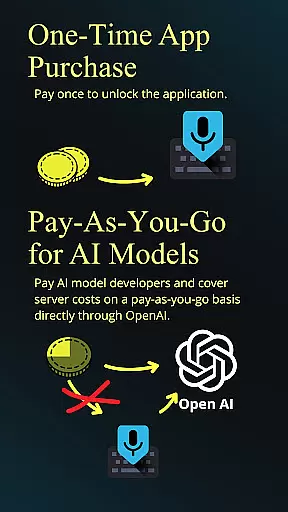
Incurs minor usage fees
Complex initial configuration
Limited offline functionality
Dependent on third-party services

A customizable calendar for your Wear OS watch
 4.20
4.20
Seamlessly integrate data and reports to build your presentation to impress
4.80
Mega cloud explorer plugin for Solid Explorer
3.80
Multilingual translator for text, voice, and image translation!
4.90
ID.me Authenticator is a simple and free Two Factor Authentication solution
3.50
Access, manage and transfer files on Android, PC, Mac, NAS and cloud storages.
4.30
The ultimate file manager for rooted devices. The original and still the best.
4.00
Daily processing of PDF documents.
4.40
Browse and view your photos and videos from the phone with photo & video hide.
4.10
8 custom complications. Custom Time Fonts. Beautiful color schemes. A++ Design.
5.00
Use powerful, industry-leading AI tools to generate visual charts from any data
4.80
Stay on top of your to-dos with Google Tasks, part of Google Workspace.
4.60
All document reader, all in one file viewer read PDF, DOCX, XLS, PPT, TXT files.
4.60
CalenGoo is a very flexible and feature-rich calendar app
4.40
Docker, Kubernetes management over Portainer Mobile
4.40
Activate Two Factor Authentication (2FA or Multi OTP), Password manager and more
4.10
Wake up & get tasks done! Add alarms & reminders on the Clock Launcher.
4.00
Secure, open-source, SPICE and SSH Remote Desktop for QEMU KVM virtual machines
4.00
The upgraded version of Name Wheel with AI and the power to add your own wheels.
4.2


User Reviews