
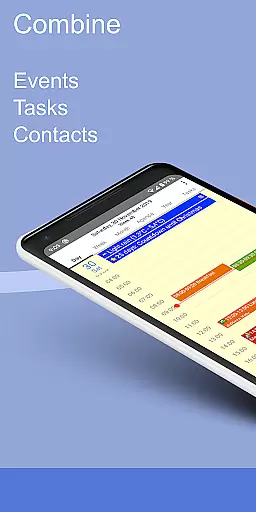
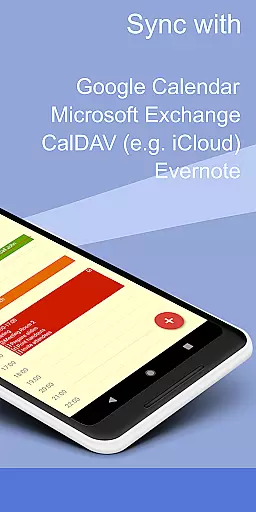
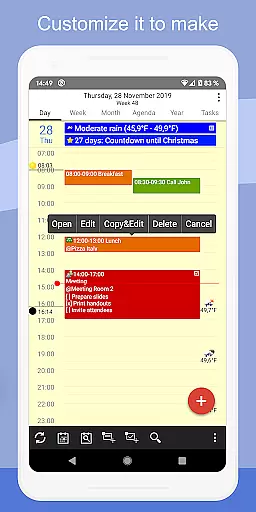
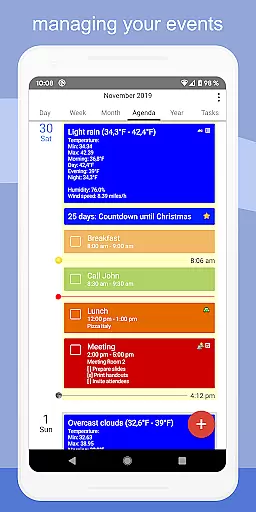
CalenGoo is a comprehensive productivity app designed to help users efficiently manage their events and tasks. With seamless synchronization capabilities, it connects directly with Google Calendar, Exchange, CalDAV, and iCloud, ensuring all your past and future events are always up-to-date across devices. The app offers extensive customization options, allowing users to tailor the interface and functionality to suit their preferences.
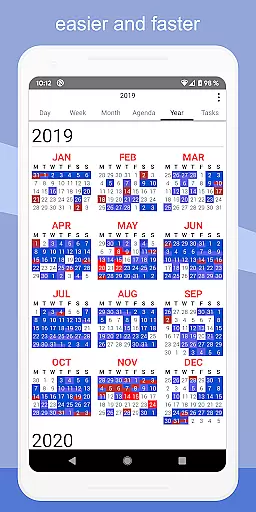
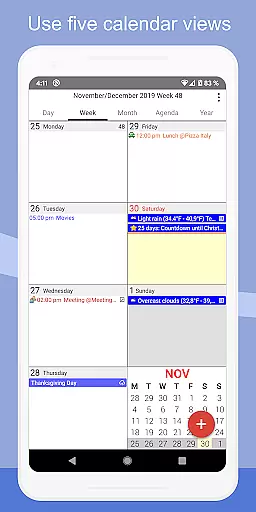
In addition to its robust calendar features, CalenGoo supports attaching photos, files, and Evernote® notes to events, enhancing organizational capabilities. Users can benefit from practical tools like weather forecasts, event icons, and various reminder functions. Its five distinct calendar views (day, week, month, agenda, and year) combined with four styles of agenda views provide flexible ways to visualize schedules. Whether for personal or professional use, CalenGoo delivers a powerful solution for staying organized and optimizing time management.
CalenGoo stands out with its rich feature set tailored for productivity enthusiasts. One of its key strengths is the ability to sync calendars and tasks across multiple platforms including Google Calendar, Exchange, CalDAV, and iCloud. This ensures that users have consistent access to their schedules regardless of the service they prefer. Additionally, the app allows attaching multimedia elements such as photos and files to events, making it a versatile tool for detailed planning.
The app also includes advanced functionalities like drag-and-drop support for moving or copying events, widgets for home screen integration, and specialized views such as floating events and completable events. Users can take advantage of practical tools like spoken reminders, birthday tracking, and task templates. Furthermore, CalenGoo offers both dark and light themes along with numerous configuration options under 'Settings > Display and Use', giving users full control over their experience. These features collectively make CalenGoo an indispensable tool for anyone seeking to streamline their scheduling process.
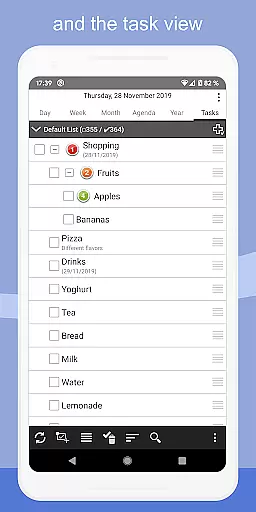
CalenGoo offers robust core task management features that allow users to efficiently organize and prioritize their daily activities. The app provides multiple views including day, week, month, agenda, and year, ensuring users can manage tasks in a way that suits their workflow best.
One of the standout functionalities is the ability to sync tasks with various services such as Google Calendar, Exchange, CalDAV, and iCloud. This ensures that all your tasks are up-to-date across different platforms, providing a seamless experience whether you're at your desk or on the go.
In addition to basic task management, CalenGoo allows for attaching photos, files, and even Evernote notes to events. This feature enriches task details and helps users keep all relevant information in one place, making it easier to stay organized and prepared.
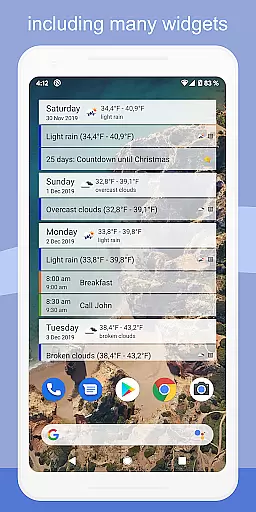
The app also supports widgets, enabling users to view their tasks directly on their home screen. With options like drag-and-drop functionality for moving and copying events, CalenGoo ensures that managing tasks is not only efficient but also intuitive and user-friendly.
Cross-device synchronization is a critical feature for productivity apps, and CalenGoo excels in this area by offering reliable and consistent syncing across multiple platforms. Users can sync their calendars and tasks with services like Google Calendar, Exchange, CalDAV, and iCloud, ensuring that their data is always up-to-date regardless of the device they are using.
This synchronization extends beyond just calendar events; users can also sync tasks and even attach files and notes to these events. This comprehensive approach ensures that all relevant information is accessible wherever you are, enhancing productivity and reducing the risk of missing important deadlines or appointments.
CalenGoo's support for Exchange categories and the ability to share calendars with others via Google Calendar further enhance its cross-device capabilities. These features facilitate collaboration and ensure that teams can work together seamlessly, regardless of their physical location.
With reliable notifications and reminder functions, including spoken reminders and various sound options, CalenGoo ensures that users never miss an important event or task. This reliability in synchronization and notifications makes CalenGoo a dependable tool for managing personal and professional responsibilities across devices.
User-friendly interface
Extensive customization
Multi-platform sync
Rich feature set
Reliable support
Complex for beginners
Paid application
Occasional sync issues
Heavy on resources
Limited free trial

Seamlessly integrate data and reports to build your presentation to impress
 4.80
4.80
When you Focus, so will your Bean in this cozy focus timer
4.30
Make your handwriting beautiful, even more than pen on paper.
3.60
All in One PDF Reader: Manage, Read and Edit your Documents
4.20
Great calculator for Android named one of USA TODAY's "25 Essential Apps".
4.90
A comprehensive suite of tools designed specifically for Lactation Consultants
4.0
Access your phone's notifications, calls, apps, photos & texts on your PC
3.90
AI Chatbot and AI writing assistant powered by ChatGPT.
4.60
Note taking, handwriting, record audio, PDF annotation, planner & journal
4.20
aCalendar+ makes your day, week and month
4.70
App lock - lock apps with fingerprint, password, pin or pattern, protect privacy
4.70
The Pro Version of Android's tiniest Notepad app. Just 0.3MB but feature-packed!
4.60
Secure, fast, open-source, Remote Desktop Client for Windows and Linux with SSH
4.60
Stay on top of your to-dos with Google Tasks, part of Google Workspace.
4.60
Access, manage and transfer files on Android, PC, Mac, NAS and cloud storages.
4.30 4.20
4.20
Make apps & sites with natural language prompts
4.10
All in one sketching tool. Technical and General drawing. Online Maps support.
3.70
Find and delete junk files & block unwanted notifications & manage files
3.70


User Reviews