
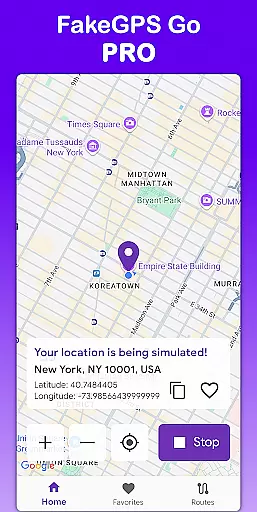
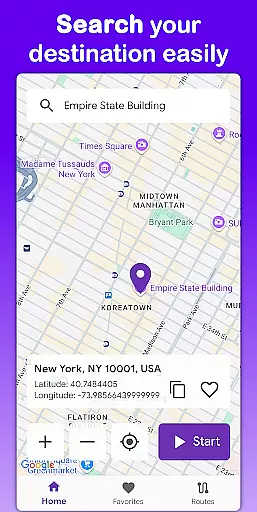
Fake GPS Go Pro is a powerful tool designed to simulate and spoof GPS locations on your device without requiring root access. This app allows users to instantly change their GPS location, create custom routes with adjustable speeds, and save frequently used locations for quick access. Whether you're a developer testing location-based apps or an individual exploring virtual travel, this app provides precise control over your device's positioning data.
The application supports multiple languages including English, Spanish, French, and more, making it accessible to a global audience. With its lightweight design and battery-friendly performance, Fake GPS Go Pro ensures smooth operation while maintaining high accuracy in GPS simulation. Its intuitive interface makes it easy for anyone to use, whether for professional development purposes or personal experimentation.
Fake GPS Go Pro offers a comprehensive set of features that cater to both casual users and developers. One of its standout capabilities is the ability to instantly change your GPS location to anywhere in the world with just a few taps. This feature is particularly useful for testing geolocation functionalities in apps or services.
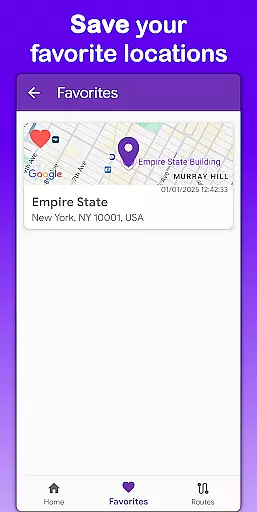
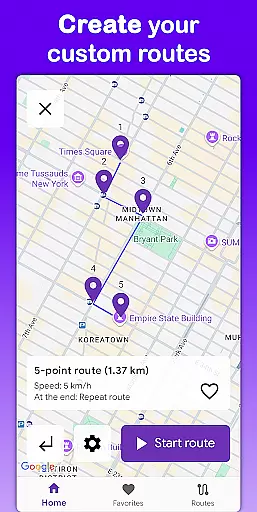
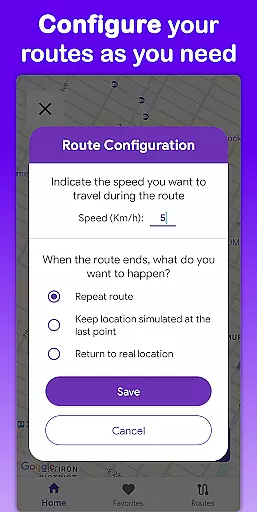
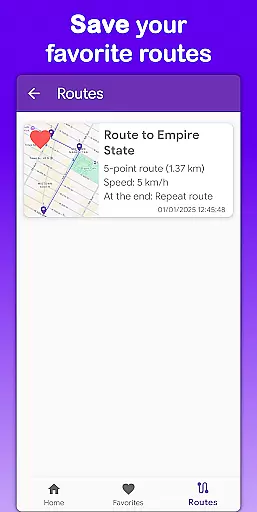
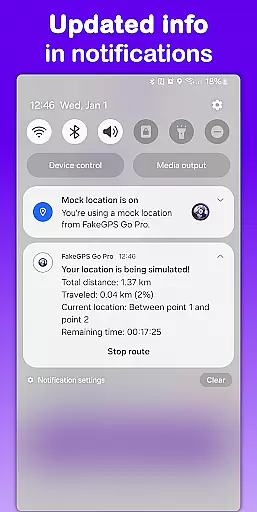
In addition to static location changes, the app allows users to simulate movement by creating custom routes on a map. You can adjust the speed of movement and configure what happens when the route ends, such as stopping or looping the path. The app also lets you save favorite locations and routes, so you don't have to reconfigure them every time you want to use them.
Another notable feature is multilingual support, which includes eight languages, ensuring that users from different regions can utilize the app comfortably. Furthermore, Fake GPS Go Pro operates without needing root permissions, providing flexibility across various devices while maintaining a premium experience free from ads and interruptions.
Fake GPS Go Pro excels in providing highly accurate and effective location spoofing capabilities. The app allows users to instantly change their GPS location with just a few taps, ensuring precision in every movement simulated on the map.
One of the standout features is its ability to simulate routes by placing markers on the map. Users can customize these routes, select the speed of movement, and decide what happens when the route endsu2014whether it stops or repeats. This level of control ensures that the app meets various testing and development needs effectively.
The app also supports saving favorite locations and routes, which enhances usability by allowing quick access to frequently used spots without reconfiguration. This feature not only saves time but also increases productivity for developers and testers who require consistent location setups.
Overall, Fake GPS Go Pro delivers a seamless experience with high precision GPS simulation, making it an invaluable tool for anyone needing reliable location spoofing capabilities.
The user interface of Fake GPS Go Pro is designed to be simple and intuitive, catering to both novice and experienced users. With an easy-to-use interface, the app ensures that users can quickly grasp its functionalities without a steep learning curve.
Key operations such as changing the GPS location or setting up custom routes are streamlined to require minimal steps. This straightforward approach reduces complexity and makes the app accessible even to those who may not be tech-savvy.
In addition to its simplicity, the app offers multilingual support in eight languages including English, Spanish, French, Portuguese, German, Italian, Hindi, and Indonesian. This broad language coverage ensures that users from different regions can comfortably navigate and utilize the app's features.
By combining a lightweight design with battery-friendly performance, Fake GPS Go Pro maintains an optimal balance between functionality and usability, ensuring a smooth and efficient user experience.
Easy-to-use interface
High precision GPS
No root required
Multilingual support
Lightweight design
Limited real-world use
Potential ethical concerns
Not for navigation
Requires technical knowledge
Premium cost

 4.50
4.50
Safely recover deleted photos, videos, and files with a single easy tap.
3.70
Universal TV remote control all TVs, Roku, LG, Samsung, Fire, Vizio, Sony, TCL.
4.40
Canon PRINT is a companion app for your Canon printer.
4.60
Carry a FTP server in your pocket and avoid USB cables for file transfer
4.20
eXtended Permission Manager - a small app to manage permissions and AppOps
4.50
Fast Video Downloader, Movie Downloader, Torrent Downloader & Adblock Browser
4.70
Pro Emulator is an easy to use game console emulator for a range of consoles.
4.40
A clean app.
4.50
NFC Tools can read and write NFC tags.
4.70
The Ultimate Flex Drivers Utility App - Convenient Tapping & Block Filters
4.70
Protect your device with antivirus, storage cleanup, and system monitoring
4.70
Keep track of your Palia friendships, tasks, and inventory with Palia Notebook
4.60
Quickly switch to an encrypted DNS server on Android TV
4.50
Use your phone as a webcam on your computer over WiFi or USB.
4.40
Mirror your screen to Fire TV - Super fast and simple
4.40
View detailed information about your Nissan Leaf the dealer never shows you.
4.10
Create your own custom widget with endless possibilities
3.90
A powerful, easy-to-use flight computer on your phone or tablet!
3.80


User Reviews