
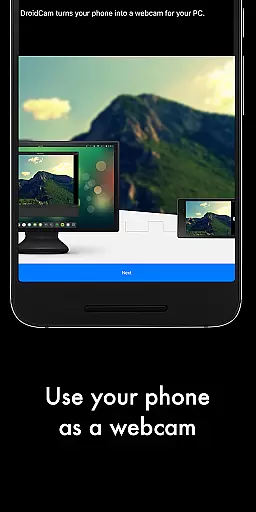
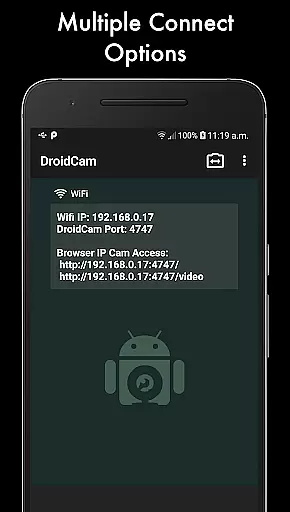
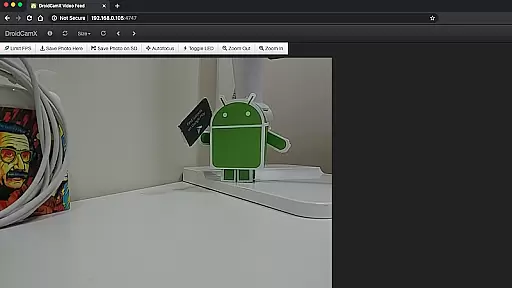
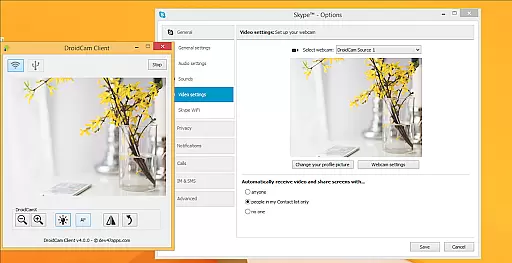
DroidCamX HD (Classic) is a versatile tool that transforms your Android device into a high-quality webcam for your computer. This app allows users to chat using the 'DroidCam Webcam' feature, providing both sound and picture. It supports connections over Wifi or USB, ensuring flexibility in setup.
With HD Mode, DroidCamX supports 720p/1080p video quality, enhancing the visual experience. The 'Smooth FPS' option helps maintain stable video performance. Users can operate other apps simultaneously while DroidCamX runs in the background, making multitasking seamless. Additionally, it conserves battery by functioning even when the screen is off.
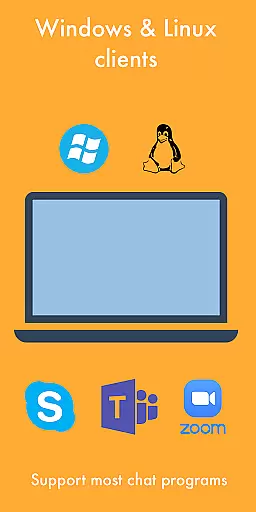
This application is ideal for remote work, online education, and virtual meetings, offering features like camera controls, still image capture, and MJPEG access. Its compatibility with Windows and Linux clients makes it a comprehensive solution for various users.
DroidCamX HD (Classic) offers an array of features designed to enhance user experience. One notable feature is its ability to connect over Wifi or USB, providing users with flexible connectivity options. This ensures that regardless of the environment, users can establish a reliable connection between their Android device and computer.
The app's support for 720p/1080p video through HD Mode significantly boosts video quality, making interactions clearer and more engaging. The 'Smooth FPS' setting further stabilizes video performance, reducing lag and improving overall smoothness. These features are particularly beneficial for professional settings where video quality is paramount.
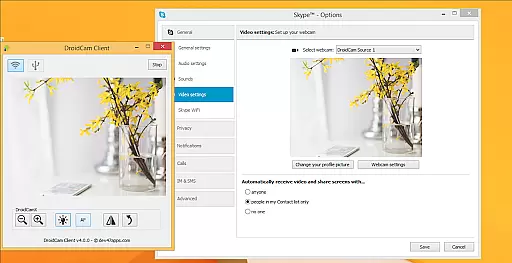
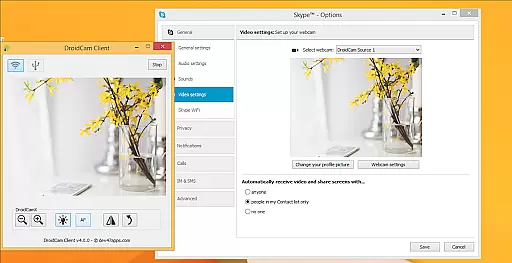
Additionally, DroidCamX allows users to run other applications simultaneously without interference. This multitasking capability, combined with its ability to function with the screen off to save battery, underscores the app's efficiency and user-centric design. Advanced controls available on the Windows Client, such as Mirror, Flip, Brightness, and Contrast adjustments, provide users with extensive customization options.
DroidCamX HD (Classic) excels in delivering accurate and effective core functionality by transforming your Android device into a high-quality webcam. This app ensures that both audio and video streams are transmitted seamlessly to your computer, providing a reliable communication tool for various scenarios.
The application supports multiple connection methods including Wi-Fi and USB, ensuring flexibility and convenience. With the added support for 720p/1080p video through HD Mode, users can expect clear and detailed video quality, making it suitable for professional video conferencing or content creation.
One of the standout features is the 'Smooth FPS' option, which stabilizes video transmission, reducing lag and enhancing the overall user experience. Additionally, the ability to run other apps in the background while using DroidCamX allows for multitasking without compromising webcam functionality.
The interface of DroidCamX HD (Classic) is designed with simplicity and intuitiveness in mind, ensuring that users can easily navigate and utilize its features without a steep learning curve. The straightforward setup process allows users to quickly connect their Android device to a computer, minimizing downtime and maximizing productivity.
Controls for the camera are logically placed and easy to access, offering functionalities such as auto-focus, zoom, and flash directly from the app interface. This intuitive placement empowers users to make quick adjustments during video sessions, enhancing the overall quality of the stream.
Moreover, the Windows Client offers advanced controls like Mirror, Flip, Brightness, and Contrast adjustments, giving users even more power to fine-tune their video output. These controls ensure that the video feed meets personal or professional standards, all within an accessible and user-friendly environment.
High-quality video support
Flexible connectivity options
Efficient multitasking capabilities
Battery conservation features
Extensive customization settings
Requires additional setup for USB
Limited to specific operating systems
Potential issues with app download
Dependent on network stability
Advanced features need Windows client

Head tracking for PC sim games such as MSFS 2024 or Elite:Dangerous. No headset!
 4.50
4.50
ADB support Android 4.X-Android 13(Support wireless pair mode).No root required!
4.70
Effortlessly run ADB commands directly on your device without a PC.
4.20
Detect hidden spy camera with advanced scanning {{ Premium version }}
4.00
Unleash gamepad precision for ultimate mobile gaming dominance.
3.90
Signal Strength, Mobile, Wifi, Speed Test, Bad Signals, Cellular, 5G, LTE, 4G
4.20
WiFi Signal Strength Meter help you detect WiFi Signal Strength in real time.
4.80
The Ultimate Flex Drivers Utility App - Convenient Tapping & Block Filters
4.70
The ideal app to be the digital eye of your family
3.40
Powerful collection of electronics tools and reference.A must for any enthusiast
4.90
Excellent scientific calculator with symbolic algebra, integrals, derivatives
4.80
Remote Play with FSR upscaling, low latency & full controller support
4.80
eXtended Permission Manager - a small app to manage permissions and AppOps
4.50
Button mapper, mouse toggle, sleep timer and a lot of another features
4.50
Clean up large files and similar photos, fast and easy to use
4.40
Making emulation easy for everyone!
4.30
Create your own custom widget with endless possibilities
3.90
Undelete and recover your lost or deleted files with DiskDigger!
3.40
Unlock your Essential Key. Create custom shortcuts to your favorite apps!
4.2


User Reviews