
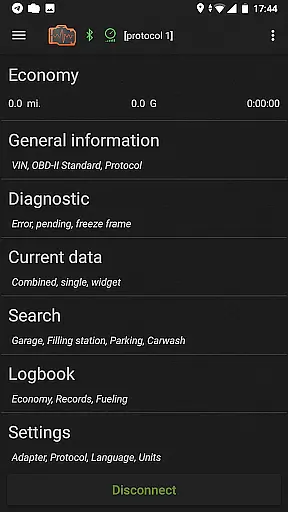
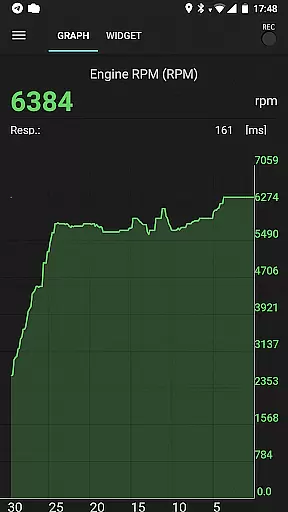
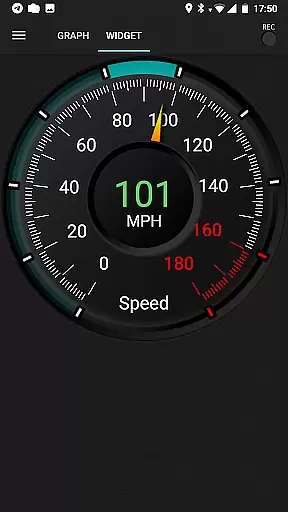
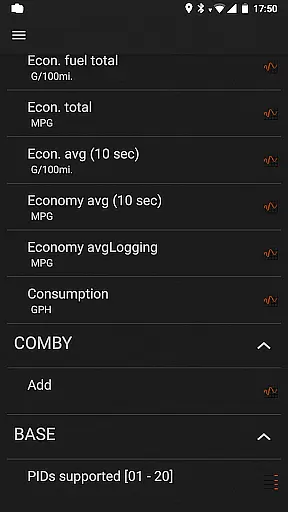
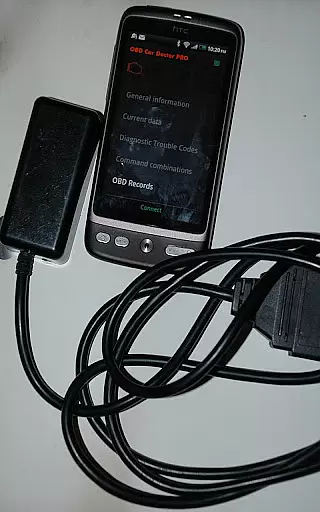
inCarDoc Pro is a comprehensive vehicle diagnostics and monitoring tool designed for car enthusiasts and professionals alike. This application serves as a virtual mechanic, enabling users to read real-time and stored diagnostic parameters from the Engine Control Unit (ECU) of OBD-II compliant vehicles. By connecting an ELM327 or compatible OBD scanner, users can access critical data such as engine performance, fault codes, and fuel economy metrics.
The app's functionality extends beyond basic diagnostics. It offers advanced features like parameter recording, GPS tracking, and detailed logbook capabilities. These tools allow users to maintain meticulous records of their vehicle's health and performance over time. Whether you're a professional mechanic or a car owner looking to better understand your vehicle, inCarDoc Pro provides the insights needed to make informed maintenance decisions.
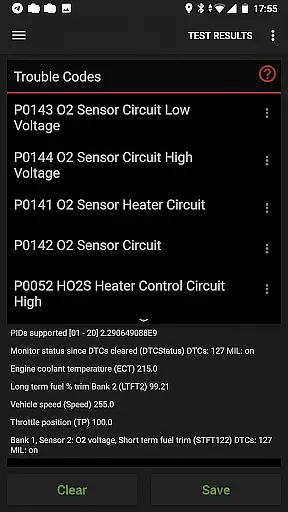
inCarDoc Pro stands out with its extensive feature set tailored for automotive diagnostics. The application supports multiple connection types including Bluetooth, WiFi, and BLE-enabled devices like Kiwi 3 and V-Gate iCar 3. Once connected, users can access real-time engine parameters, read and clear diagnostic trouble codes (DTCs), and view freeze frame data associated with check engine lights.
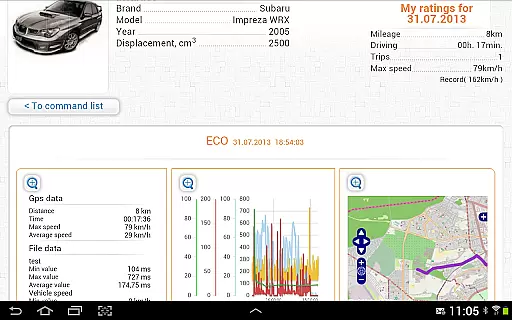
A key advantage of inCarDoc Pro is its ability to record and analyze vehicle performance data. The application can log multiple parameters simultaneously, create detailed traces of recorded data, and even overlay economy information on other applications. Advanced users will appreciate the console mode that allows direct OBD2 and ELM327 command sending, while the built-in trip computer helps track fuel consumption and efficiency metrics.
The application also includes professional-grade tools for vehicle maintenance tracking. Users can maintain detailed service records, track fueling history, and monitor various vehicle parameters through customizable widgets. These features are complemented by GPS functionality that records speed, altitude, and position data, making it easier to track vehicle performance across different driving conditions.
Modern vehicle diagnostics require comprehensive data access to ensure optimal performance and maintenance. inCarDoc Pro provides detailed insights into your car's vital parameters by interfacing directly with the ECU of OBD-II compliant vehicles. The application reads real-time diagnostics, including engine speed, coolant temperature, and oxygen sensor data, offering users a complete picture of their vehicle's health.
The app supports multiple protocols, ensuring compatibility with a wide range of cars. By using an ELM327 or compatible OBD scanner, users can access both real-time and stored parameters from their vehicle's sensors. This feature is crucial for preemptive maintenance, allowing drivers to address potential issues before they escalate into costly repairs.
With its advanced functionality, inCarDoc Pro empowers users to make informed decisions about their vehicle's upkeep. Whether monitoring fuel economy or tracking diagnostic trouble codes, this tool ensures that car owners have the necessary information at their fingertips. Such detailed vehicle information not only aids in immediate troubleshooting but also contributes to long-term automotive care.
When it comes to automotive tools, understanding the cost structure is essential for consumers. inCarDoc Pro offers price transparency by providing a free version with basic features, allowing users to assess compatibility with their vehicle before committing to the Pro version. This approach ensures that customers are fully aware of the product's capabilities and how it fits their needs.
The Pro version of inCarDoc is ad-free and includes advanced features such as real-time parameter recording, extended widgets, and GPS trace support. These functionalities come at a clear, one-time cost, avoiding hidden fees or subscription models. Users can thus budget accordingly, knowing exactly what they are investing in and the value it brings to their vehicle maintenance routine.
By clearly outlining the differences between the free and Pro versions, inCarDoc Pro fosters trust with its user base. Customers appreciate the upfront communication about costs and benefits, which enhances their overall satisfaction with the product. This commitment to price transparency ultimately leads to more confident purchasing decisions and better alignment with individual automotive care requirements.
Comprehensive diagnostics
Real-time data logging
Professional logbook
Multiple connection options
Customizable widgets
Requires ELM327 adapter
Complex for beginners
Device compatibility issues
No automatic updates
Premium price point

Easily notify car owners in urgent situations, safe, fast, multilingual.
 4.0
4.0
DIY Vehicle Wheel Alignment
4.5
App Mirroring for Tesla Car's Browser
2.80
Autolist - The Largest Selection of Local Used Cars and Trucks
4.50
The Texaco App allows you to pay for fuel from the comfort of your car!
4.80
1M+ high-quality auto parts at your fingertips. Fitment guaranteed.
4.70
Autotrader is your online solution for buying and selling new and used cars.
4.40
A smarter way to park and reserve your spot ahead of time.
4.40
Browse millions of cars, track vehicle listings or sell your car today
4.70
Get more out of your AAWireless adapter with this companion app | aawireless.io
4.80
Practice the drills within MotoJitsu Master Riding Program Volume 1 & 2!
4.80
View your car’s service records and find out when maintenance is due.
4.70
Trip computer+car diagnostic tool with widest variety of features and dashboard!
4.70
Instant diesel savings. No credit checks or fees. Nationwide growing network.
4.40
Control maps, media and messaging, with the Google Assistant while you drive
4.10
BlueDriver® is a Premium Diagnostic OBD2 Scan Tool. www.BlueDriver.com
3.90
Club Car Wash Mobile App—the fast lane to managing your wash membership.
3.30
Attention! This is the theme for the Car Launcher app
4.1
Ferrari inspired analog & digital watch face with quick access and premium style
4.5


User Reviews