
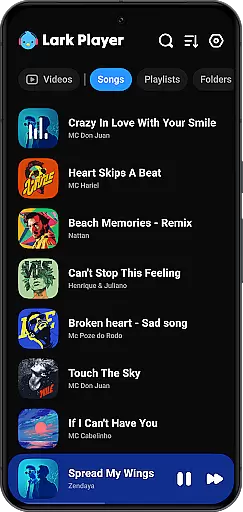
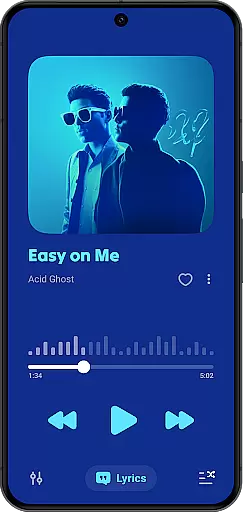
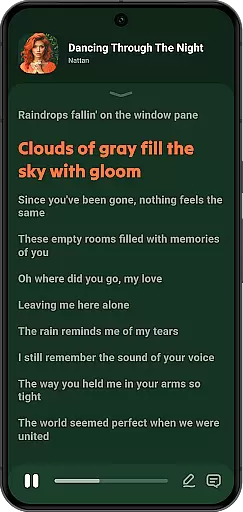
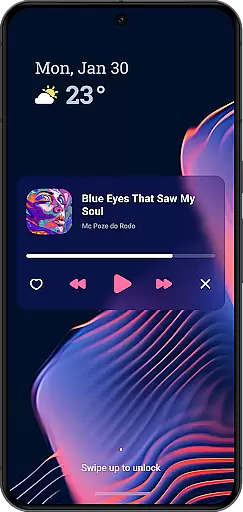
Lark Player is a versatile offline music and video player designed for Android users who value both functionality and style. This free application supports all major audio and video formats, making it an essential tool for media playback. With over 100 million users worldwide, Lark Player stands out through its powerful equalizer, customizable sound effects, and user-friendly interface.
One of the standout features of Lark Player is its ability to enhance your music experience with preset modes tailored to different genres such as Classical, Pop, and Rock. Additionally, the app offers robust file management capabilities, allowing users to create playlists, browse by artist or album, and even delete files directly from the app. The floating window feature enables multitasking, letting you enjoy media while performing other tasks on your device.
Whether you're commuting, working, or relaxing at home, Lark Player provides a seamless way to enjoy high-quality audio and video without an internet connection. Its intuitive design and practical features like sleep timer, background play, and lyric support make it an ideal choice for anyone seeking a comprehensive media player.
Lark Player distinguishes itself through a rich set of features that cater to diverse user needs. First and foremost, it functions as both an audio and video player, supporting popular formats like MP3, WAV, FLAC, MP4, and MKV. This versatility ensures that users can access their entire media library without compatibility issues. The inclusion of a powerful equalizer with bass enhancement, reverb settings, and sound field adjustments allows for a personalized listening experience.
Beyond basic playback, Lark Player offers advanced functionalities such as file management and playlist creation. Users can organize their music by song, artist, album, or genre, and even set local tracks as ringtones. The app's floating window feature is particularly innovative, enabling multitasking by resizing and repositioning the media player while using other apps. Additionally, the ability to match lyrics with offline songs enhances the overall music experience.
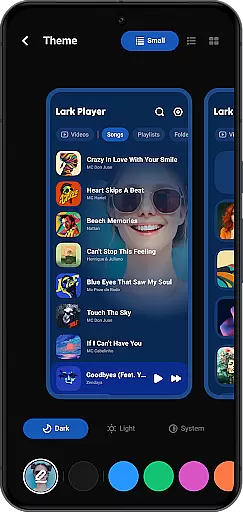
Other notable features include day/night theme switching, shuffle and loop playback options, and a sleep timer for uninterrupted relaxation. These thoughtful additions demonstrate Lark Player's commitment to providing a comprehensive and user-centric media solution. Whether you're a casual listener or an audiophile, this app delivers the tools needed to enjoy and manage your media library effectively.
Lark Player offers an extensive music library that supports all major audio formats including MP3, MIDI, WAV, FLAC, AC3, AAC, M4A, and more. This ensures users have the flexibility to play any offline music file without compatibility concerns.
The application emphasizes copyright authenticity by allowing users to manage and play their legally acquired music files. It does not provide a built-in music downloader, reinforcing its commitment to copyright compliance while offering a high-quality music experience.
With over 100 million users worldwide, Lark Player has proven its reliability as a platform for enjoying a diverse range of music genres. The app's dedication to copyright authenticity gives users peace of mind when building their personal music libraries.
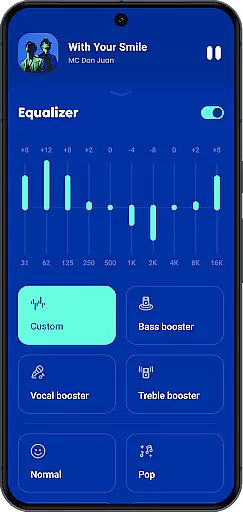
One of Lark Player's standout features is its powerful equalizer, which provides users with preset modes for various music genres such as Classical, Dance, Hip-hop, Jazz, Pop, and Rock. This feature allows for personalized sound effects tailored to individual preferences.
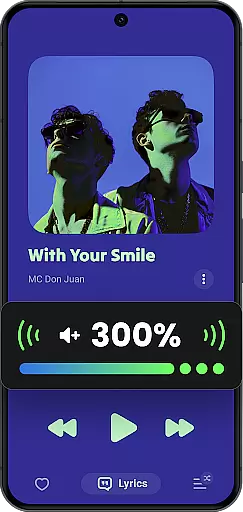
In addition to the equalizer, Lark Player enhances audio quality through bass enhancement, reverb settings, and sound field adjustments. These options ensure that users can enjoy studio-like sound quality on their Android devices.
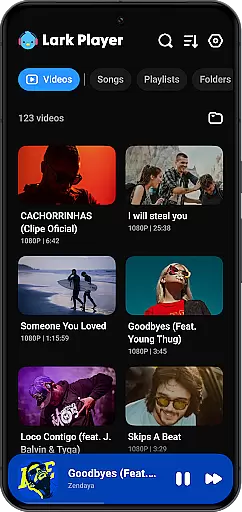
The app also supports high-quality video playback in formats like MP4, 3GP, WEBM, MOV, and MKV, making it a versatile media player. Users can expect clear visuals and crisp audio, whether they're watching videos or listening to music.
User-friendly interface
Powerful equalizer
Supports multiple formats
Offline playback
Floating window feature
No built-in downloader
Limited social features
Ads in free version
Occasional bugs
Basic video editing

Your HD audio recorder on the go for music, meetings, ambience, animal sounds…
 4.30
4.30
Formerly known as Spotistats! View your top tracks, artists, albums and more!
4.40
The Skullcandy App Experience
3.20
Listen to live FM radio stations, sports, music and news on global radios online
4.70
Enjoy singing any song, no matter how high or low it is
4.30
Play your hearts out on TouchTunes jukeboxes & connect with fellow music lovers.
4.80
The Minimalistic Premium Music Player. Handmade with passion for music
2.20
Ringtone Maker is free app create ringtone from music files or your recording.
4.40
Melody Beat: Great for travel, workouts, offline vibes, play your tunes anytime.
4.10
Responsive piano with great sounds, graphics, and songs
4.80
Walkout Song DJ is the most intuitive app to manage your sports music.
4.70
A complete sound package for the sound engineer or enthusiast
4.60
Full featured mp3 and audio player with Chromecast and Android Auto support.
4.40
Equalizer, Bass Booster and Volume Booster (Eq & Bass) improve sound quality
4.30
Advanced 10-Band Audio Graphic Equalizer Sound Booster Pro
4.30
Offline and always ad-free - stream in the highest quality available.
4.10
VB-AUDIO Software / VBAN-Receptor allows listening to any VBAN Streams
4.10
Simply convert wav to mp3. Clear. Reliable. Safe.
4.2
Make music anywhere. Turn your device into an instrument.
4.2


User Reviews