
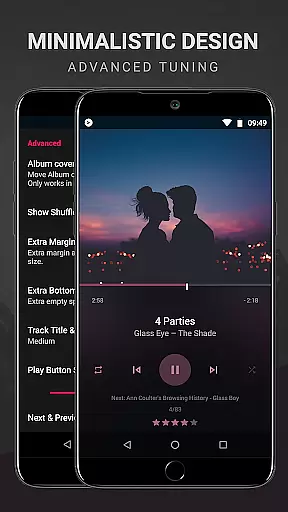
BlackPlayer EX is a premium music player designed for audiophiles who demand both quality and customization. This advanced MP3 player removes ads and offers an array of exclusive features not found in the standard version. Users can personalize their interface through extensive settings, choosing from various themes, fonts, and color accents.
The application supports high-quality audio formats including MP3, FLAC, and WAV while providing enhanced playback controls such as customizable crossfading and gapless playback. With Chromecast support, 11 color accents, and multiple widget options, BlackPlayer EX delivers a complete package for music enthusiasts looking to elevate their listening experience across Android devices.
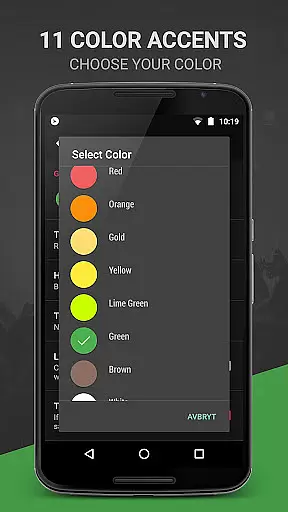
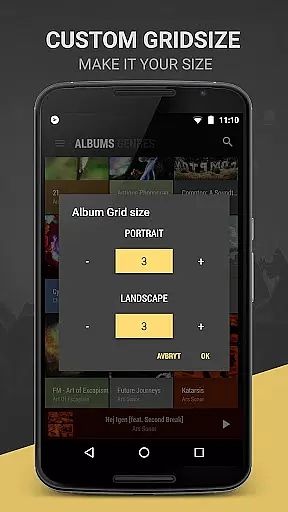
BlackPlayer EX distinguishes itself with its unparalleled customization capabilities. The app provides 6 extra fonts, 11 color accents, and 8 additional Now Playing themes, allowing users to create a personalized music interface. Its Library pages are completely customizable - users can add, remove, and sort elements while enjoying unique views for Artists and Albums.
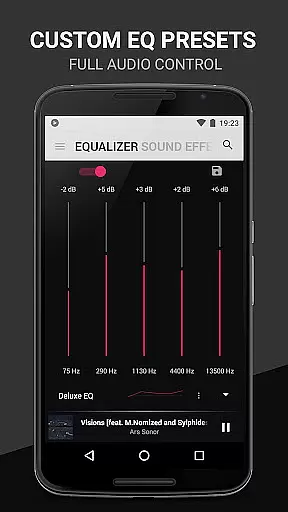
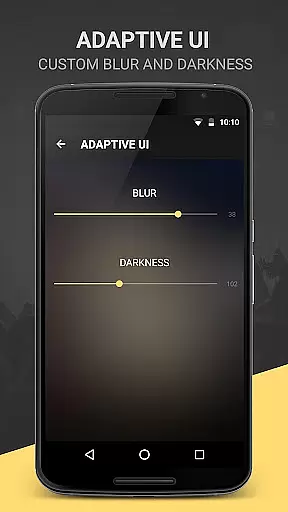
Premium functionalities include a White Widget theme, Chromecast integration, and smart features like Zap for quick music discovery. Advanced audio controls such as equalizer presets, bass boost, and virtualizer ensure optimal sound quality. The app also offers innovative features like monthly tracking of played tracks, blur effects for lockscreen, and floating window control widgets, making it a comprehensive solution for discerning music lovers.
BlackPlayer EX offers an extensive music library that supports various formats including MP3, FLAC, and WAV, ensuring users can access a wide range of audio content. The application focuses on copyright authenticity by allowing users to play locally stored music files, thus respecting the legal ownership of music tracks.
The customization options within BlackPlayer EX extend to organizing and managing one's music collection effectively. Users can group music by year and composers, blacklist folders and tracks, and manually search and set artist images, enhancing the personalization and authenticity of their music library.
With features like Zap, which allows for quick discovery of music through auto-playing random tracks, and the ability to track played tracks on a monthly basis, users are provided with dynamic ways to interact with their legally acquired music collection. These functionalities ensure that users have a rich and varied listening experience while maintaining the integrity of copyright laws.
Audio quality is paramount in BlackPlayer EX, offering users a premium listening experience through advanced audio features. The built-in Equalizer, BassBoost, Virtualizer, and Left/Right sound balance allow for detailed audio adjustments, catering to audiophiles who demand high-quality sound reproduction.
In addition to standard audio settings, BlackPlayer EX provides gapless playback, ensuring uninterrupted audio flow between tracksu2014a feature cherished by listeners of live or classical music albums. This attention to detail in audio playback underscores the app's commitment to delivering pristine sound quality.
For those seeking further personalization, the app includes customizable widgets and lockscreen controls, as well as visualizer capabilities (in beta), letting users tailor their interface to match their audio preferences. Such comprehensive control over audio settings empowers users to fine-tune their listening experience according to their exact specifications.
Highly customizable interface
Advanced audio controls
Ad-free experience
Regular feature updates
Comprehensive file format support
Paid premium version
Complex for beginners
Occasional beta bugs
Feature overload for casual users
Android only

VB-AUDIO Software / VBAN-Receptor allows listening to any VBAN Streams
 4.10
4.10
Powerful beat maker & DJ mixer to remix tracks, make music, & perform DJ mix
3.70
Simple & Intuitive Metronome
4.70
Bass Booster Pro takes auto-equalizing to the next level!
4.30
24,000 free audio books and no ads!
4.90
Versatile MP3 recorder with auto-backup to Dropbox and Google Drive
4.10
Full featured mp3 and audio player with Chromecast and Android Auto support.
4.40
Be a true music maker: create beats, mix and make music like a real DJ!
4.30
Melody Beat: Great for travel, workouts, offline vibes, play your tunes anytime.
4.10
Offline Music Player & MP3 Player.Powerful equalizer, Lyrics, Themes, Tag Editor
4.80
Over 100 million tracks available for high quality streaming and download
4.60
Offline Music Player&MP3 Player with themes, equalizer, lyrics, music play mode
4.60
DJ Music Mixer Pro is a real DJ controllers and DJ Music Studio to remix DJ.
4.40
Play KORG’s revolutionary touch-based instrument on a variety of devices.
4.40
Equalizer, Bass Booster and Volume Booster (Eq & Bass) improve sound quality
4.30
Time Trainer: accurate metronome w tools to help you develop your internal time!
4.20
No wifi music app. Mp3 offline. Tuner radio, young radio music. Music downloader
4.20
Smart piano keyboard, Classical to Pop, Real-time multiplayer connection!
4.20
USB audio recording and playback finally possible on Android 3.1 or higher!
3.90


User Reviews