
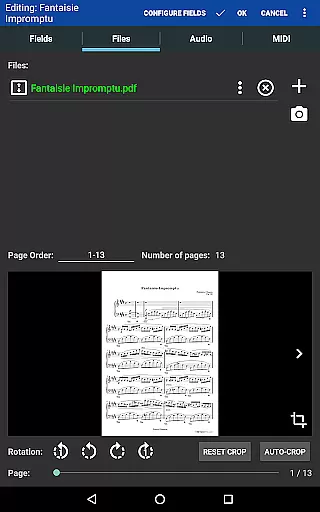
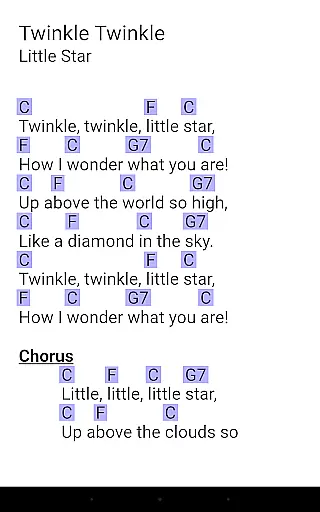
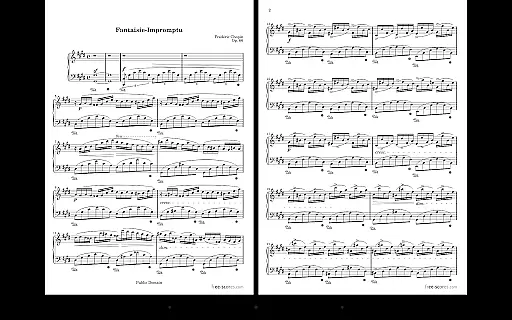
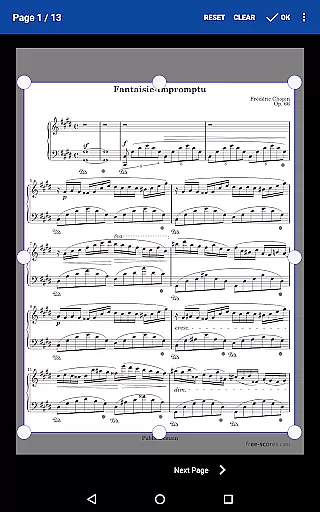
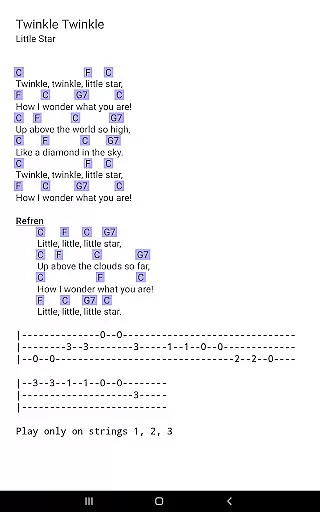
MobileSheets is a premier sheet music viewer designed specifically for Android tablets, offering musicians an efficient and versatile solution for managing their music library. The application eliminates the need for physical sheet music by providing instant access to any score within its digital library. With support for multiple file types including PDFs, images, and chord pro files, MobileSheets ensures compatibility with various formats while delivering essential features tailored to musicians' needs.
The app's functionality extends beyond simple viewing capabilities. It incorporates advanced tools such as hands-free page turning through Bluetooth or USB devices, automatic scrolling, and even face gesture controls. Additionally, users can annotate their scores with freeform drawing tools, create custom audio loops, and utilize a built-in metronome with multiple display modes. These features collectively enhance practice sessions and performances, making MobileSheets an indispensable tool for modern musicians.
Designed for 7" and larger tablets, MobileSheets optimizes the user experience by organizing extensive music libraries through powerful management features. Users can create setlists, collections, and bookmarks, ensuring quick access to frequently used scores. While the app does not include sheet music or play back non-audio files, it provides a comprehensive platform for musicians to streamline their workflow and focus on their craft without the burden of traditional paper-based systems.
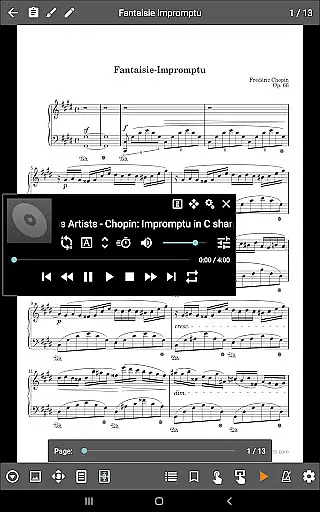
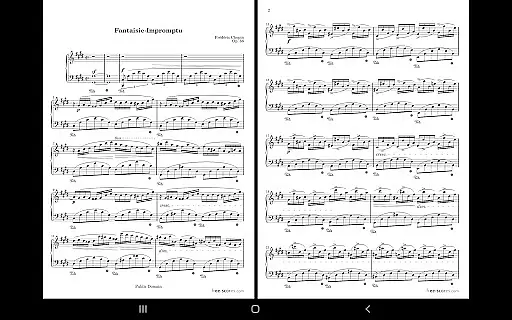
MobileSheets distinguishes itself through a robust set of features designed to cater to musicians' diverse needs. One standout capability is its multiple operational modes, which include side-by-side pages, half-page turns, and vertically scrolling pages. This flexibility allows users to customize their reading experience based on personal preferences or performance requirements. Furthermore, the app supports hands-free page turning via Bluetooth or USB devices, automatic scrolling, and innovative face gesture controls like smiling or opening the mouth, enabling uninterrupted performances.
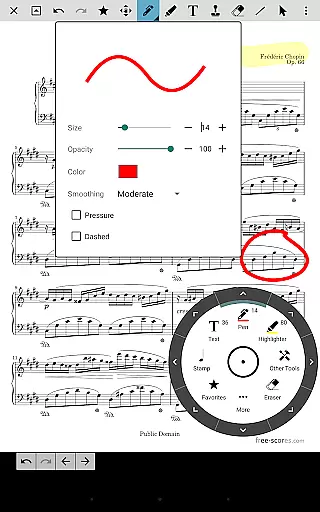
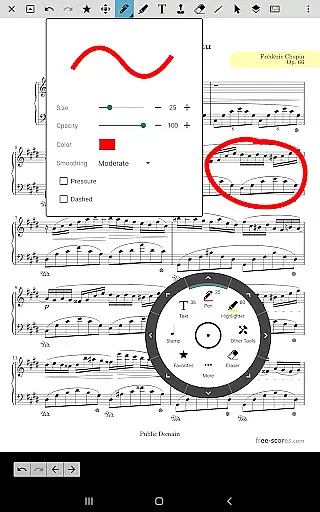
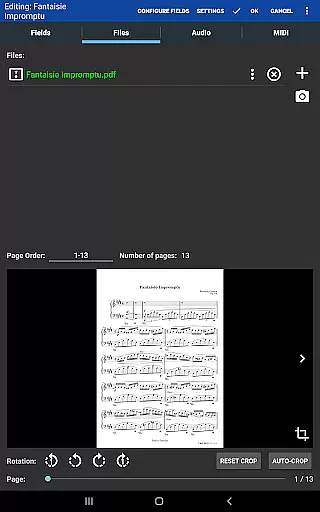
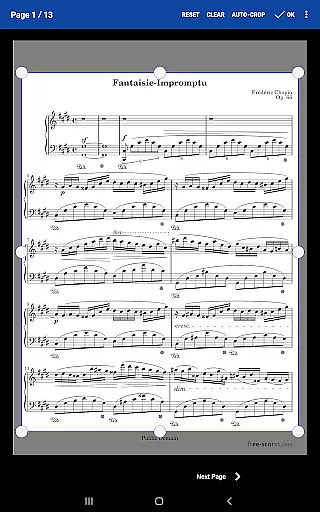
Another key feature is the app's annotation system, which empowers musicians to mark up their scores using freeform drawing tools, basic shapes, text, and stamps. Coupled with a custom audio player that supports A-B looping, this functionality enhances practice efficiency. Additionally, MobileSheets offers advanced library management options, including custom page ordering, link points for repeats, and smart buttons that trigger configurable actions when pressed. These tools collectively provide users with precise control over their music organization and playback.
MobileSheets also excels in its ability to integrate with external devices. By supporting MIDI communication over USB, the app enables seamless interaction with other musical equipment. Moreover, features like manual and automatic cropping, transposing chords in compatible files, and importing CSV index files for large PDF songbooks demonstrate the app's commitment to versatility and precision. Whether preparing for a concert or practicing daily, these functionalities ensure that MobileSheets remains a reliable companion for musicians seeking innovation and convenience.
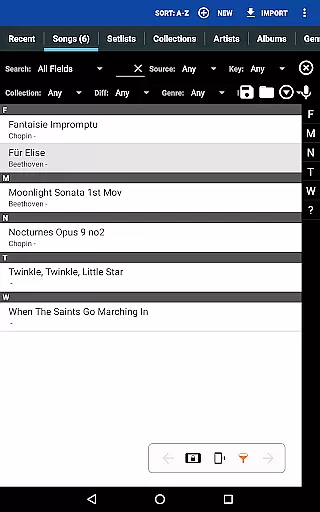
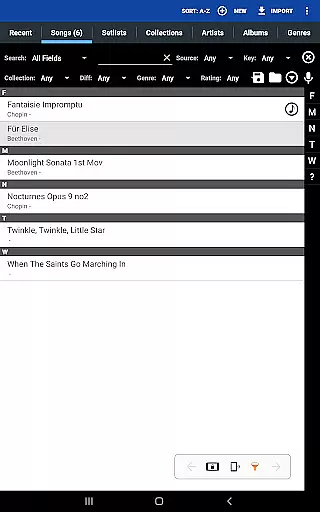
MobileSheets offers an extensive music library management system that supports a wide range of file types including PDFs, images, text files, and chord pro files. This versatility allows musicians to digitize their entire music collection, making it accessible from a single platform.
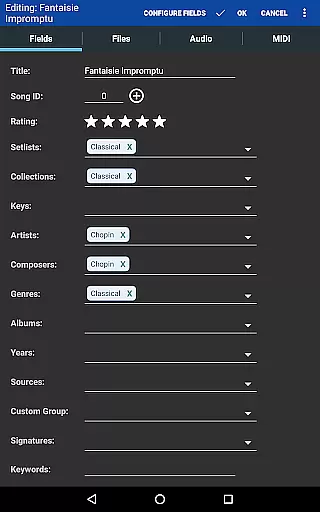
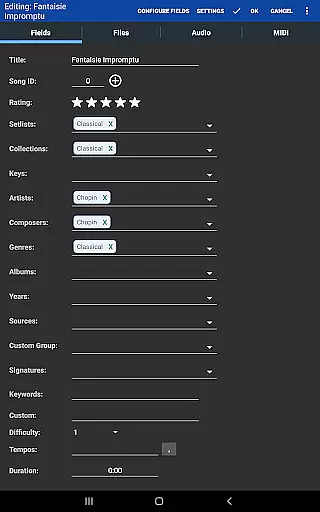
The application ensures copyright authenticity by enabling users to import only legally acquired sheet music. It provides tools for organizing these files with metadata fields, ensuring proper cataloging and easy retrieval. Users can create detailed indexes using CSV files, which is particularly useful for managing large songbooks or collections.
With its powerful library management features, MobileSheets gives musicians complete control over their digital music repository. The ability to sort and categorize scores not only enhances productivity but also respects the intellectual property rights of composers and publishers.
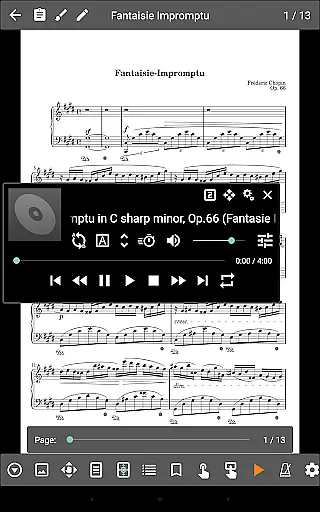
Beyond its sheet music viewing capabilities, MobileSheets includes a custom audio player designed specifically for musicians. This feature supports high-quality audio playback with A-B looping functionality, allowing performers to practice specific sections of a piece repeatedly.
The audio player is fully integrated with the sheet music viewer, enabling seamless synchronization between scores and their corresponding audio tracks. Musicians can choose from multiple display sizes for the audio player interface, ensuring optimal visibility during performances or practice sessions.
This combination of visual and auditory resources creates a comprehensive practice environment. By offering flexible audio quality options alongside its robust sheet music management system, MobileSheets establishes itself as an essential tool for serious musicians seeking to enhance their performance preparation.
User-friendly interface
Extensive file compatibility
Hands-free operation
Powerful annotation tools
Customizable library management
No built-in sheet music
Limited to Android tablets
Non-playable PDFs
Premium price point
Requires companion app for PC

Turn your phone into a musical instrument from the future!
 3.90
3.90
Tune in to the greatest hits on UK Radio | The home of Capital, Smooth & Heart.
4.90
DJ Music Mixer - DJ Remix: remix songs, make beat music & record mix of DJ.
4.40
Your song collections with lyrics and chords on Android smartphones and tablets.
4.80
More downloads than any other metronome. Includes drum machine & tempo trainer.
4.80
Super Sound Editor, Song Maker & Mixer, Vocal Remover, Voice Recorder & Changer!
4.60
Voice recorder - Audio recorder. Best recorder for recording
4.90
Make songs with AI! Any genre, custom lyric, song generator for music creation!
4.80
Full featured mp3 and audio player with Chromecast and Android Auto support.
4.40
Gorgeous UI, Powerful music Search and Equalizer, the great choice for you!
4.70
SqueezePlayer turns your Android phone or tablet into a SqueezeBox on its own!
4.60
Enhance the sound quality of your devices, listen to what you want
4.50
Play KORG’s revolutionary touch-based instrument on a variety of devices.
4.40
The Music Journey in Your Hands
4.30
The official Sonos app
4.10
The ultimate media player for Android devices
3.90
USB audio recording and playback finally possible on Android 3.1 or higher!
3.90
Slow music down without changing pitch.
3.70
Music Streaming suite for Ampache, Nextcloud Music and compatible backends.
4.4


User Reviews