
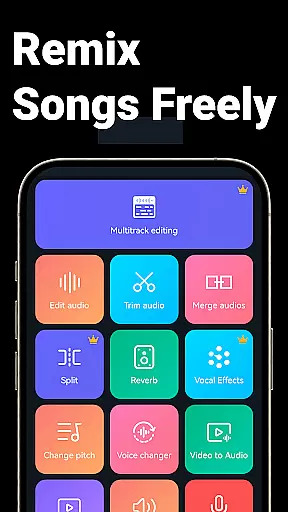
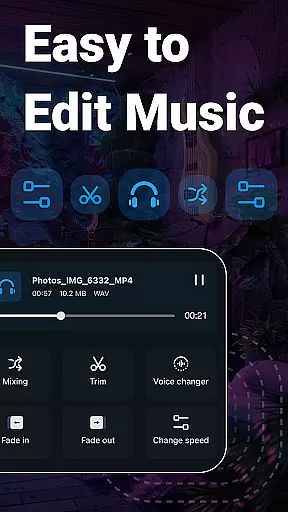
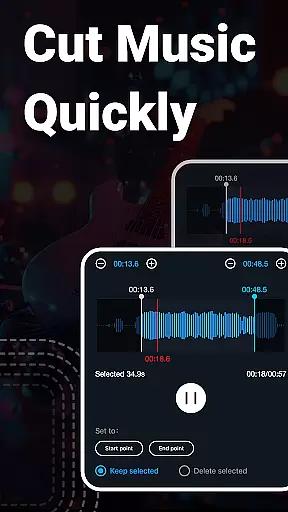
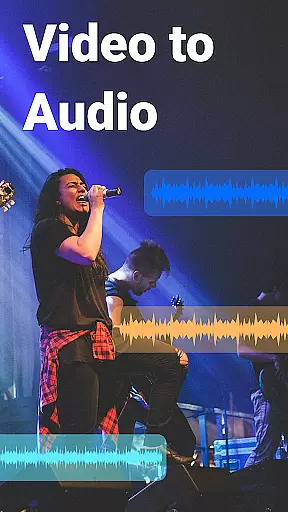
Music Audio Editor, MP3 Cutter is a comprehensive audio editing tool designed for both casual users and professionals. This app allows you to cut, splice, mix, and convert audio files with precision and ease. With features like vocal removal, pitch adjustment, and video-to-audio conversion, it caters to a wide range of audio editing needs.
The application supports multiple audio formats including MP3, AAC, WAV, and FLAC, making it versatile for various projects. Whether you're creating ringtones, editing music tracks, or converting videos to audio, this app provides the tools necessary to produce high-quality results. Its intuitive interface ensures that even beginners can start editing with minimal learning curve.
Ideal for musicians, podcasters, and content creators, Music Audio Editor, MP3 Cutter enhances productivity by combining powerful editing capabilities with user-friendly functionality. The ability to batch process files and access over 2000 royalty-free music tracks further extends its utility, making it an indispensable tool for anyone involved in audio production.
One of the standout features of Music Audio Editor, MP3 Cutter is its extensive suite of editing tools. Users can perform precise cuts in milliseconds, apply fade-in and fade-out effects, and adjust volume levels with ease. Advanced options such as changing music tempo and playback speed offer creative flexibility, allowing users to craft unique audio experiences.
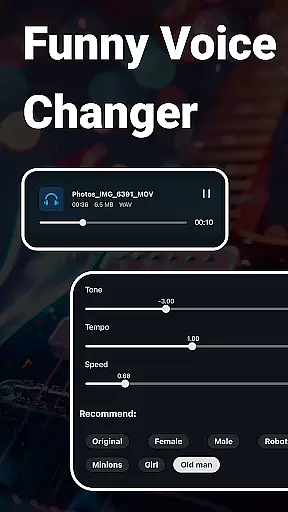
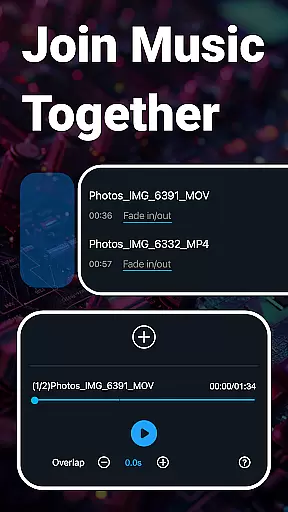
In addition to basic editing, the app includes specialized functions like voice changing and vocal removal. These features enable users to transform their audio projects creatively, whether they're altering voices for fun or removing vocals to create karaoke tracks. The multitrack editing capability allows for complex compositions by layering multiple audio tracks seamlessly.
Furthermore, Music Audio Editor, MP3 Cutter supports video editing tasks such as adding audio to videos and adjusting sound pitch. The inclusion of a voice recorder and the ability to create blank sound files expand its versatility. With batch processing support and a variety of export settings, users can efficiently manage large projects while maintaining control over output quality.
When it comes to music editing applications, the size and authenticity of the music library are crucial factors. Music Audio Editor, MP3 Cutter offers an extensive library that includes over 2000 royalty-free tracks, ensuring users have a vast selection of music to choose from for their projects.
The app guarantees the copyright authenticity of its music library. This means every track available for download and use is properly licensed, giving users peace of mind when incorporating these sounds into their work. Whether you're creating a personal project or professional content, you can be confident in the legality of your audio choices.
Moreover, the diversity within the music library caters to various tastes and project requirements. From different genres to unique sound effects, the range ensures that there's something suitable for every creative need. This diversity empowers users to explore new musical ideas and enhance their projects with high-quality audio.
By prioritizing both size and authenticity, Music Audio Editor, MP3 Cutter not only provides quantity but also assures quality and legal safety. Users can focus on their creative process without worrying about copyright infringement, making this app a reliable tool for all audio editing needs.
Audio quality is paramount when editing and producing music, and Music Audio Editor, MP3 Cutter excels in providing superior audio quality options. The application supports multiple audio formats such as mp3, aac, wav, flac, m4a, and amr, allowing users to choose the best format for their specific needs.
In addition to format variety, the app offers advanced settings for output sound channels, sample rates, and bit rates. These options ensure that users can customize the audio quality to match their project requirements or device capabilities, resulting in professional-grade sound production.
Another standout feature is the ability to convert mono music to stereo, enhancing the listening experience by adding depth and richness to the sound. This function is particularly beneficial for users looking to elevate their audio projects with a more immersive auditory effect.
With these comprehensive audio quality options, Music Audio Editor, MP3 Cutter empowers users to achieve outstanding sound clarity and fidelity. Whether you're a beginner or an experienced audio editor, the app provides the tools necessary to produce high-quality audio content efficiently and effectively.
User-friendly interface
Extensive format support
Versatile editing tools
Creative effects options
Batch processing capability
Limited advanced features
Occasional bugs reported
Ads in free version
Learning curve for beginners
Interface not customizable

Fun & Easy Voice Changer – Record, Edit & Add Hilarious Effects!
 4.50
4.50
A synth that really lets you shape your sounds!
4.50
Recording studio w/ 10k beats, pro vocal FX and a network of 20M rappers & fans!
4.60
A sleek, no-frills player designed for true music lovers.
4.20
Make songs with AI! Any genre, custom lyric, song generator for music creation!
4.80
Learn the notes on the guitar fretboard fast with this easy and fun app
4.60
Sheet music reader, piano & music note player. Play music score & learn to read.
3.90
Travel To The Music Universe
3.40
One-tap booster for max volume - enjoy powerful sound with this audio booster
4.50
Voice recorder - Audio recorder. Best recorder for recording
4.90
Responsive piano with great sounds, graphics, and songs
4.80
Walkout Song DJ is the most intuitive app to manage your sports music.
4.70
Simple & Intuitive Metronome
4.70
Full featured mp3 and audio player with Chromecast and Android Auto support.
4.40
Enjoy singing any song, no matter how high or low it is
4.30
Smart piano keyboard, Classical to Pop, Real-time multiplayer connection!
4.20
The Cubase remote control app
3.60
MilkDrop for Android TV
3.00
The Minimalistic Premium Music Player. Handmade with passion for music
2.20


User Reviews