
MusicGo is a versatile offline music player app that supports all major audio formats, making it an essential tool for music enthusiasts. With over 20 built-in equalizer presets and advanced audio technology, the app delivers outstanding sound quality tailored to individual preferences.
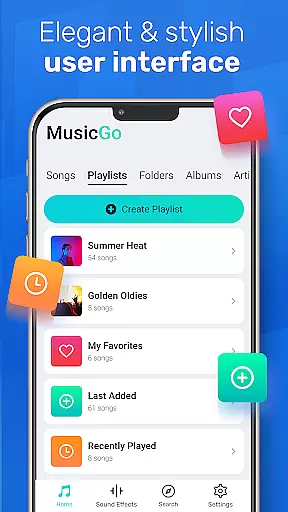
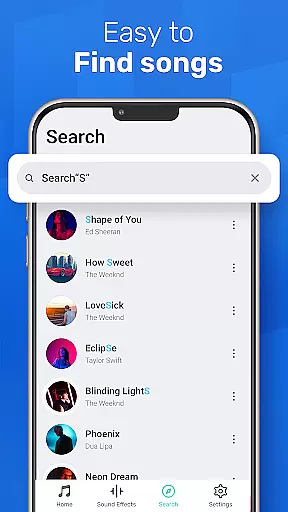
The user-friendly interface allows easy management of music files while offering features like deep scanning, automatic library refreshing, and multiple playback options. Whether you're commuting or relaxing at home, MusicGo ensures an uninterrupted music experience with its elegant design and comprehensive format compatibility.
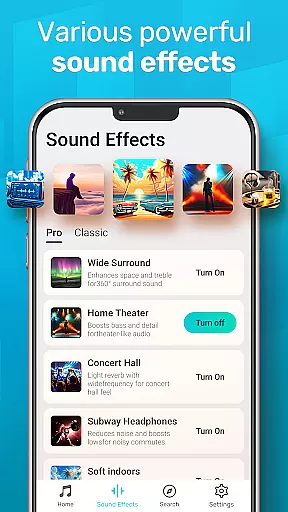
MusicGo stands out with its extensive feature set designed for audiophiles. The app includes a powerful equalizer with bass boost and reverb effects, supporting over 20 presets for different music genres. This allows users to customize their listening experience according to their mood or preferred audio style.
Beyond its audio capabilities, MusicGo offers smart playlist management, enabling users to organize music by albums, artists, or custom playlists. The app also features automatic library scanning, background playback support, and compatibility with both Bluetooth and wired headphones, ensuring a seamless and versatile music experience across various devices and scenarios.
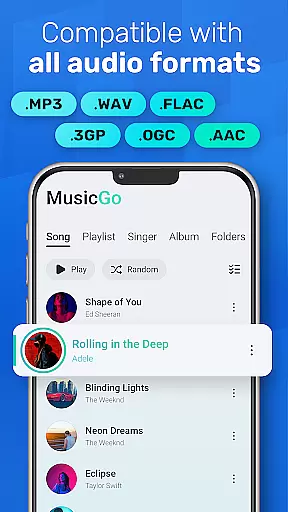
MusicGo offers an extensive music library that supports all major audio formats including MP3, FLAC, WAV, MIDI, AAC, and APE. This ensures users have access to a wide variety of music options without worrying about format compatibility.
The application's deep scanning feature automatically refreshes the music library, allowing users to manage their files efficiently. With this comprehensive format support, MusicGo delivers every song in optimal quality, providing a limitless music experience tailored to personal preferences.
While MusicGo emphasizes its powerful equalizer and sound quality enhancements, it also assures users of the authenticity of its library. The app is designed for those who appreciate both aesthetics and functionality, ensuring that all content is legally accessible and free from copyright infringement.
One of MusicGo's standout features is its outstanding sound quality, enhanced by over 20 built-in equalizer presets. These include options for various genres such as classical, dance, folk, and rock, allowing users to customize their listening experience with bass boosts and reverb effects.
The equalizer presets are designed to elevate the auditory experience, making each listening session unique and personalized. Whether you prefer a bass-heavy track or a more balanced sound, MusicGo provides the tools necessary to tailor the audio output to individual tastes.
In addition to its customizable sound options, MusicGo supports high-quality audio formats like FLAC and WAV. This commitment to audio excellence ensures that users can enjoy their favorite tunes with the highest fidelity, whether using Bluetooth or wired headphones.
User-friendly interface
Wide format support
Powerful equalizer
Smart playlists
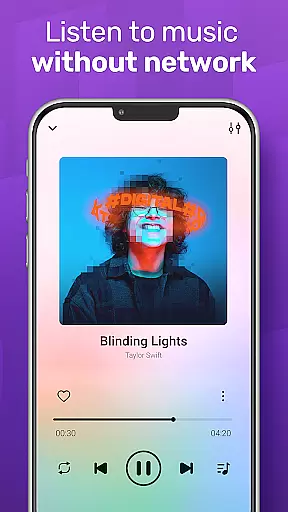
Offline playback
Limited online features
No cloud sync
Ads in free version
Occasional bugs
Heavy on storage

Simply convert wav to mp3. Clear. Reliable. Safe.
 4.3
4.3
Turn your phone into a musical instrument from the future!
3.90
DJ Music Mixer - DJ Remix: remix songs, make beat music & record mix of DJ.
4.40
Brian Eno and Peter Chilvers’ acclaimed music app Bloom, radically reinvented.
4.80
Help you quickly get started with Shokz headphones
4.40
Slow music down without changing pitch.
3.70
Turn your Android phone into a professional audio analyser with up to 120 bands.
4.00
Master Salsa Rhythm quickly and with a lot of fun!
4.30
Sing, record, and create music together — enhanced by smart voice tools.
4.00
Music, News & Sports Radio Tuner App. Tune in Live FM & AM Radio Stations.
4.80
Simple & Intuitive Metronome
4.70
SqueezePlayer turns your Android phone or tablet into a SqueezeBox on its own!
4.60
Offline Music Player&MP3 Player with themes, equalizer, lyrics, music play mode
4.60
Enhance the sound quality of your devices, listen to what you want
4.50
Save hundreds of dollars for a physical strobe tuner and instead use this app.
4.50
Enjoy singing any song, no matter how high or low it is
4.30
Next generation modular control surface
4.10
Background pads for your band
3.80
The Cubase remote control app
3.60


User Reviews