
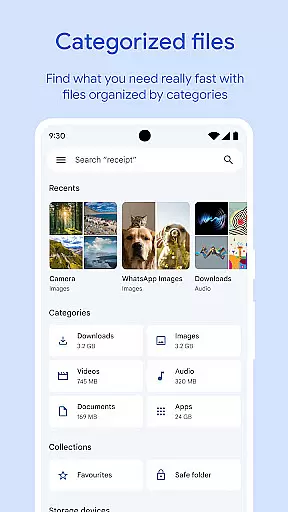
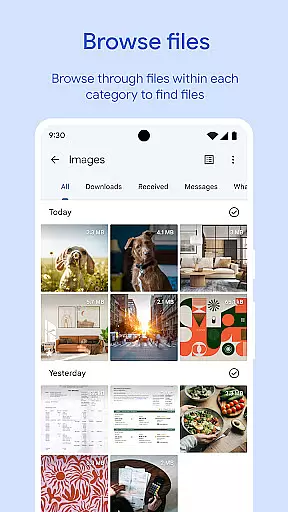
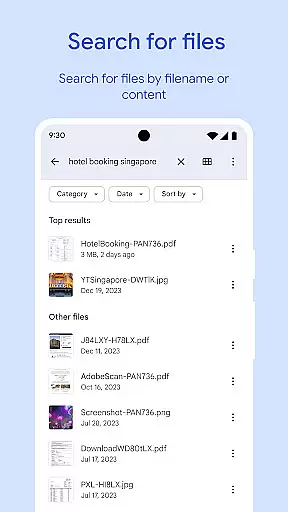
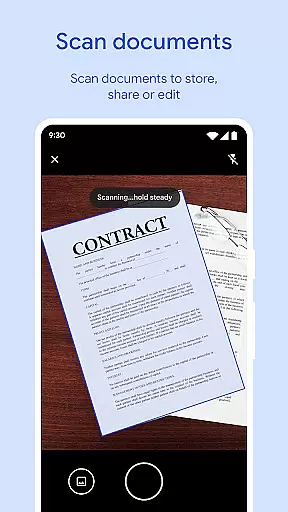
Files by Google is a powerful file management tool designed to help users efficiently organize, secure, and optimize their mobile storage. The app provides cleaning recommendations to free up space, advanced search features for faster file discovery, and offline sharing capabilities through Quick Share. With support for cloud backups and enhanced security options like PIN protection, it ensures both convenience and data safety. Whether you need to manage media files, documents, or app data, Files by Google offers a comprehensive solution for all your file management needs.
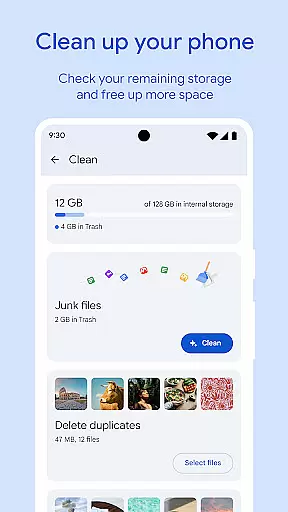
One of the standout features is its ability to analyze storage usage and recommend actions such as deleting duplicate files, clearing cached data, or removing unused apps. Additionally, its intuitive interface allows users to browse files by category, size, or type, making it easier to locate specific content quickly. This functionality proves especially valuable for users who frequently handle large media files or need to free up space on their devices without compromising important data.
Files by Google stands out with its robust set of features tailored for efficient file management. The app's cleaning recommendations provide intelligent insights into which files can be deleted or moved to save space, including old photos, duplicate files, and cached data. Its search functionality is equally impressive, allowing users to find files using filters such as file type, size, and date modified. These capabilities ensure that even novice users can navigate their device storage effortlessly.
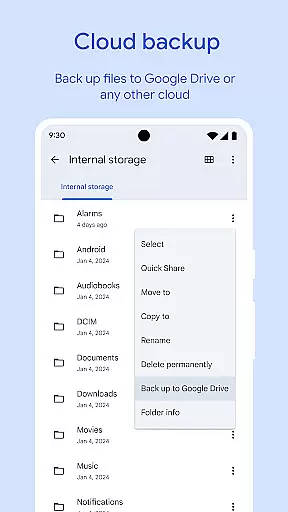
Another key feature is Quick Share, enabling fast and secure offline file transfers between Android devices at speeds of up to 480 Mbps. All transfers are protected by end-to-end encryption, ensuring privacy during file sharing. Furthermore, the app supports backing up files to Google Drive or external storage, offering flexibility in managing where your data resides. Advanced playback controls for media files and smart recommendations based on user behavior further enhance the overall experience, making this tool indispensable for modern smartphone users.
Files by Google excels in providing accurate and effective core functions that cater to users' file management needs. The app offers precise recommendations for freeing up space by identifying old photos, duplicate files, and cache data. This targeted approach ensures users can efficiently manage their device storage.
The search and browsing functionality is designed for quick access to files. Whether sorting files by size or swiftly locating specific documents, the app maintains accuracy in its operations. These features collectively save time and enhance productivity.
Users benefit from reliable offline file sharing with speeds up to 480 Mbps, backed by end-to-end encryption. This secure and fast transfer capability underscores the app's commitment to both performance and security, making it an effective tool for file management.
A hallmark of Files by Google is its simple and intuitive interface, which makes file management accessible to users of all technical backgrounds. The design emphasizes ease of use, allowing users to quickly understand and navigate through different features without a steep learning curve.
Key functionalities like cleaning recommendations, file search, and offline sharing are presented in a straightforward manner. Clear visual cues and logical menu structures ensure that users can perform tasks efficiently, enhancing overall usability.
This intuitive design extends to advanced controls for media playback and smart recommendations that improve over time. By maintaining a balance between powerful features and user-friendly presentation, Files by Google delivers an interface that is both functional and easy to master.
User-friendly interface
Efficient storage cleanup
Fast offline sharing
Secure backup options
Smart recommendations
Limited iOS support
Requires Google account
Occasional bugs
No advanced editing tools
Dependent on Google services

 4.50
4.50
A convenient photo, video, and file recovery tool.
4.00
Connect instantly to a fast, encrypted VPN with one tap
4.60
Amateur Radio app for APRS: Track friends, exchange messages, get tactical info.
3.90
Forza Tuning Calculator App for Forza Horizon 5, Motorsport and Earlier Titles
4.40
MS-DOS in your pocket. Play old DOS games anywhere you are ;)
4.10
Unleash gamepad precision for ultimate mobile gaming dominance.
3.90
View detailed information about your Nissan Leaf the dealer never shows you.
4.10
Pro Emulator is an easy to use game console emulator for a range of consoles.
4.40
Small and simple app to Verify Root Access and BusyBox Install!
4.70
Fast Video Downloader, Movie Downloader, Torrent Downloader & Adblock Browser
4.70
The Ultimate Flex Drivers Utility App - Convenient Tapping & Block Filters
4.70
FV File Manager Pro, Fast and powerful file manager for Android
4.60
With videos, electrical calculators, and built-in ebook, Ugly’s has your answer.
4.50
Screen Mirroring for Roku Sticks, Roku TCL TV and Roku Hisense TV
4.50
An easy-to-use calculator designed to save time calculating and bending conduit
4.30
Just one-tap to easy translate in any language after calls within seconds.
4.20
Effortlessly run ADB commands directly on your device without a PC.
4.20
Unlock your Essential Key. Create custom shortcuts to your favorite apps!
4.5


User Reviews