












Exora VPN is a powerful virtual private network tool designed to provide users with secure, fast, and unrestricted internet access. The app ensures complete online privacy by encrypting user data and masking IP addresses, making it ideal for both casual browsing and advanced use cases like streaming or gaming.
With features such as automatic kill switch, custom DNS settings, and worldwide high-speed servers, Exora VPN offers seamless connectivity across different regions. Whether you're looking to bypass geo-restrictions, protect sensitive information, or simply enjoy an ad-free browsing experience, this app delivers reliable performance without compromising on speed or security.
Exora VPN is particularly beneficial for users who prioritize privacy and need a hassle-free solution to access the open internet safely. Its one-tap connection and zero-log policy make it accessible even to non-technical users while maintaining enterprise-grade protection standards.
Exora VPN stands out with its robust feature set tailored for modern internet users. One of its key highlights is the lightning-fast global server network, which connects users to the nearest available server for minimal latency. This ensures smooth performance whether you're streaming HD videos, playing online games, or conducting business calls.
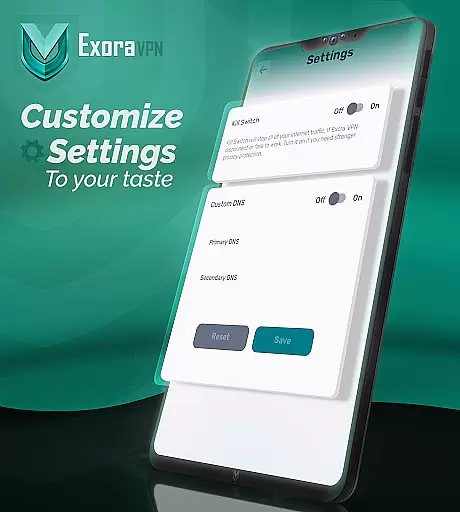
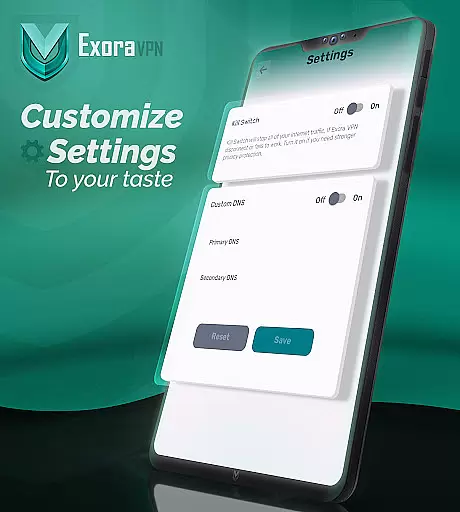
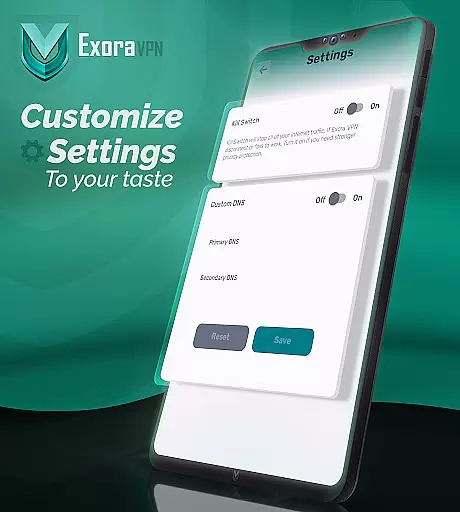
The app also includes advanced functionalities like an automatic kill switch that immediately blocks unsecured traffic if the VPN connection drops, preventing any potential data leaks. Additionally, users can customize their browsing experience through built-in DNS settings, allowing them to optimize performance based on specific needs such as ad-blocking or regional content filtering.
Another notable feature is its foundation on V2Ray technology, ensuring state-of-the-art encryption protocols that keep your activities private from ISPs, governments, or malicious actors. Real-time connection stats further enhance transparency, giving users full visibility into their session details, including upload/download speeds and active server locations.
Exora VPN positions itself as a tool primarily focused on delivering speed privacy and unrestricted internet access. The core functions of this application are designed to provide users with a seamless experience through its global server network.
The app ensures fast connection by automatically linking users to the nearest high-speed server which significantly reduces latency. For those who require specific locations for their online activities Exora allows manual selection of servers giving users control over their connection preferences.
Advanced features such as the automatic kill switch and custom DNS settings enhance the app's effectiveness. The kill switch provides an essential layer of security by immediately halting data transmission if the VPN connection drops thus preventing any unsecured traffic from leaking.
With no-log policies and advanced technology like V2Ray Exora VPN guarantees both privacy and performance. This makes it not only a reliable tool for everyday browsing but also for specialized tasks such as streaming and gaming where speed and security are paramount.
A standout feature of Exora VPN is its commitment to user-friendly design ensuring that even those unfamiliar with VPN technology can easily navigate and utilize its features. The interface is crafted to facilitate one-tap instant connections removing barriers to entry for novices.
There is no need for complex sign-ups or registrations which streamlines the process of getting online quickly. Users can activate the service with minimal effort making it ideal for those who prioritize ease of use without sacrificing functionality.
Real-time connection stats further enhance the intuitive nature of the app providing users with immediate feedback on their connection status. This transparency helps build trust and allows users to optimize their online activities based on current performance metrics.
By combining straightforward controls with powerful underlying technology Exora VPN achieves a balance between simplicity and sophistication. Its clean layout coupled with essential features ensures that users can focus on enjoying a secure and fast internet experience without being overwhelmed by unnecessary complexity.
Fast connection speeds
Zero-log policy
Easy one-tap setup
Global server coverage
Advanced privacy tools
Limited free tier
No live chat support
Occasional server congestion
Ads in free version
Requires frequent updates

Just one-tap to easy translate in any language after calls within seconds.
 4.20
4.20
1-Click close all background apps on Android TV
3.90
Carry a FTP server in your pocket and avoid USB cables for file transfer
4.20
Quickly & easily calculate the spacing of handrail balusters
4.20
Optimize your WiFi network, turn your phone into Wifi Analyzer
4.70
Effortlessly run ADB commands directly on your device without a PC.
4.20
With videos, electrical calculators, and built-in ebook, Ugly’s has your answer.
4.50
Create your own custom widget with endless possibilities
3.90
A clean app.
4.50
WiFi Signal Strength Meter help you detect WiFi Signal Strength in real time.
4.80
Remote Play with FSR upscaling, low latency & full controller support
4.80
Keep track of your Palia friendships, tasks, and inventory with Palia Notebook
4.60
eXtended Permission Manager - a small app to manage permissions and AppOps
4.50
Button mapper, mouse toggle, sleep timer and a lot of another features
4.50
Clean up large files and similar photos, fast and easy to use
4.40
An open-source APK explorer for Android!
4.10
PDF Reader - Document Viewer: Read, Manage & Organize Your Documents
3.10
card-reader app
2.20
Unlock your Essential Key. Create custom shortcuts to your favorite apps!
4.2


User Reviews