
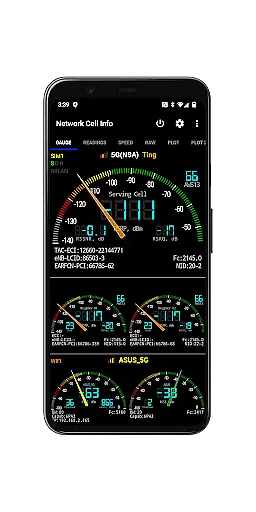
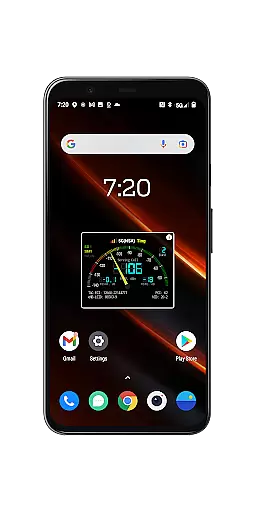
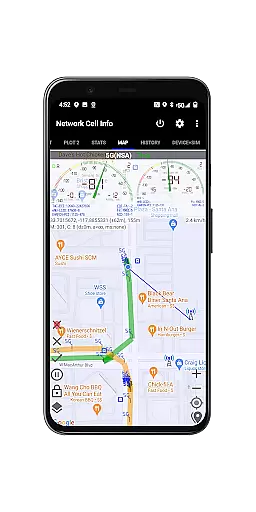
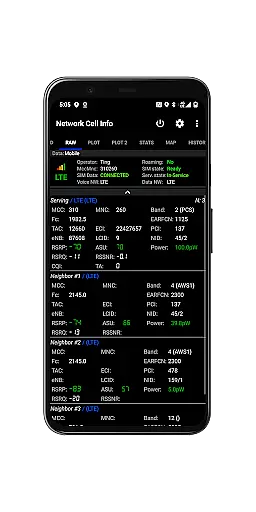
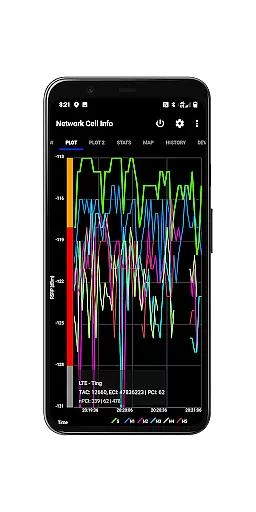
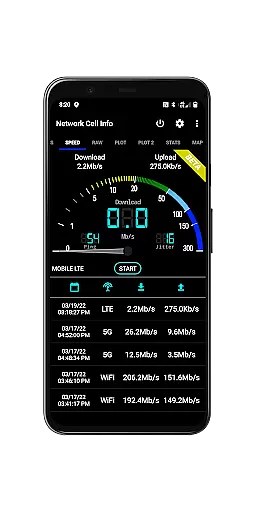
Network Cell Info & Wifi is a comprehensive mobile network and Wi-Fi monitoring tool designed for users seeking to optimize their connectivity experience. The app provides detailed insights into cellular carrier signals (5G, LTE+, LTE, CDMA, WCDMA, GSM) and Wi-Fi performance, offering almost real-time monitoring through its Gauge/Raw Tabs. With features like dual-SIM support, signal plots for up to six cells, and one-tap speed tests for download, upload, ping, and jitter, it caters to both casual users and tech enthusiasts.
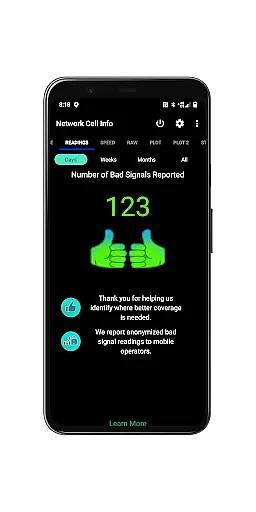
One of the standout features is the Bad Signal Reporter, which allows users to report poor signal areas directly to mobile network operators. This crowdsourced data helps improve network coverage over time. Additionally, the app includes advanced tools such as a Personal Best Signal Finder, a Crowdsourced Best Signal Finder, and detailed connection statistics. These functionalities make it an invaluable resource for troubleshooting reception issues and understanding local network performance.
Whether you're diagnosing connectivity problems or simply aiming to achieve the strongest possible signal, Network Cell Info & Wifi equips you with the necessary tools to enhance your mobile and Wi-Fi experience.
Network Cell Info & Wifi stands out with its extensive range of features tailored for network diagnostics and optimization. The app offers almost real-time (1-second intervals) monitoring of cellular and Wi-Fi signals, supporting technologies like 5G, LTE+, LTE, CDMA, WCDMA, and GSM. Its intuitive interface includes five to six signal-meter gauges for both SIM cards and Wi-Fi, enabling users to track multiple connections simultaneously. Advanced functionalities such as signal plots, band number identification, and SIM preference options provide deeper insights into network behavior.
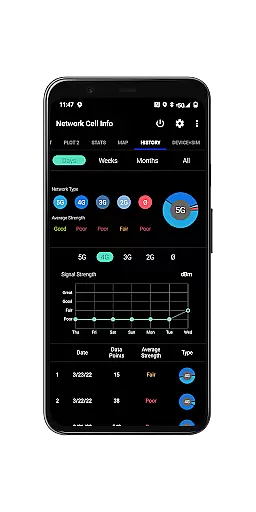
A key highlight is the one-tap internet performance speed test, which measures download, upload, ping, and jitter metrics. The app also integrates mapping tools that display network cellular info and signal strength history by location. Users can access historical logs, database export capabilities, and readings on bad signals via the Readings Tab. Furthermore, the Crowdsourced Best Signal Finder identifies nearby optimal signals, while the Personal Best Signal Finder graphs signal strength over time. These innovative features empower users to make informed decisions about their connectivity.
The app's ability to generate detailed reports and export measurement data adds significant value for technical users. By combining diagnostic tools with user-friendly interfaces, Network Cell Info & Wifi ensures accessibility for all skill levels while delivering professional-grade functionality.
Network Cell Info provides an extensive suite of tools designed to monitor and diagnose mobile network and Wi-Fi signals with precision. The app supports a wide range of network types including 5G, LTE+, LTE, CDMA, WCDMA, and GSM, ensuring comprehensive compatibility and functionality across different carriers and devices.
One of the standout features is the almost real-time monitoring of cellular carrier and WiFi signals, which updates every second. This allows users to troubleshoot reception and connectivity issues effectively. Additionally, the one-tap WiFi/mobile internet performance speed test measures download, upload, ping, and jitter, providing a holistic view of network performance.
For users experiencing poor signal quality, the app includes a Bad Signal Reporter. This feature automatically collects data on bad signals from consenting users and generates reports that can be accessed by mobile network operators. Such insights enable operators to identify and potentially resolve network issues, ultimately enhancing the user's mobile experience.
The user interface of Network Cell Info is crafted to ensure ease of use while delivering powerful functionality. Upon opening the app, users are greeted with clear, intuitive tabs such as Gauge and Raw, which display almost real-time data on cellular and WiFi signals. These tabs make it simple for users to access critical information without navigating through complex menus.
In addition to signal monitoring, the app offers specialized tools like the Personal Best Signal Finder and Crowdsourced Best Signal Finder. These features are presented in an accessible manner, allowing users to locate optimal signal areas effortlessly. The inclusion of visual aids such as signal-meter gauges and plots further enhances the clarity of data presentation.
Advanced settings and measurement options are tucked away in dedicated sections, maintaining a clean and straightforward interface. Users can customize preferences for SIM cards, set measurement parameters, and export historical data with ease. This balance of depth and simplicity ensures that both casual users and tech-savvy individuals can utilize the app effectively.
Comprehensive network monitoring
Real-time signal tracking
Dual-SIM support
Advanced diagnostic tools
Crowdsourced signal reporting
Complex for beginners
Requires technical knowledge
Limited CDMA support
Premium features locked
Occasional bugs

1-Click close all background apps on Android TV
 3.90
3.90
Learn the vast amount of system information about device and monitor it's state
4.70
Use your phone as a webcam on your computer over WiFi or USB.
4.40
Enjoy smooth gameplay with Game Booster
4.90
card-reader app
2.20
PC precision for mobile gaming: dominate with keyboard and mouse!
4.30
Monitor car performance in real time and troubleshoot malfunctions.
4.80
Powerful collection of electronics tools and reference.A must for any enthusiast
4.90
Game Booster, GFX Tool is now compatible with newer game update
4.50
Bedrock Together: Join any bedrock server on Xbox/PS
4.80
Canon PRINT is a companion app for your Canon printer.
4.60 4.50
4.50
Clean up large files and similar photos, fast and easy to use
4.40
An easy-to-use calculator designed to save time calculating and bending conduit
4.30
Remote for Roku, Fire TV, Samsung TV, LG TV, Android TV, Chromecast and VIZIO TV
4.20
View detailed information about your Nissan Leaf the dealer never shows you.
4.10
Create your own live wallpaper or check out thousands already made presets
3.90
Smart and comfortable browsing experience.
3.80
Download any file easily and quickly with Downloader
4.4


User Reviews