
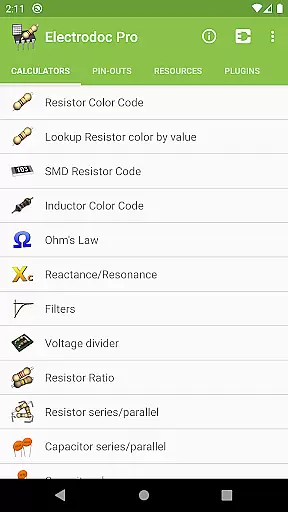
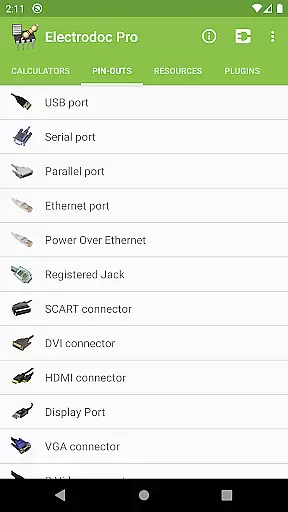
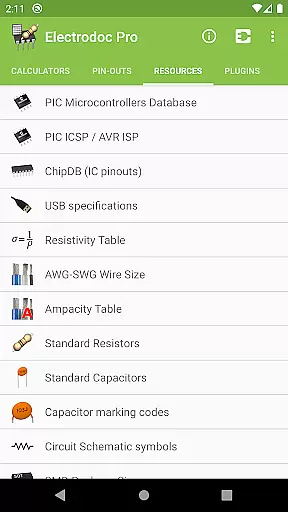
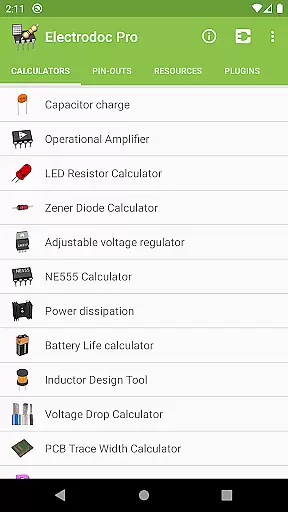
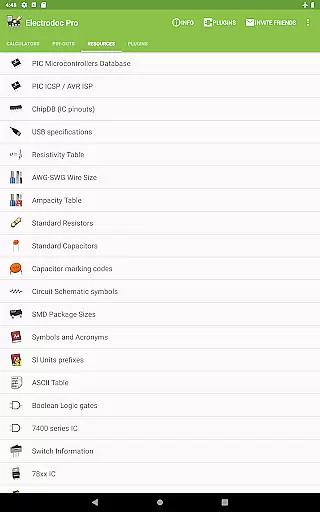
Electrodoc Pro is a comprehensive electronics toolkit designed for professionals, hobbyists, and students alike. This application serves as an all-in-one reference and calculator suite for various electronic components and circuits. With its extensive range of tools, Electrodoc Pro allows users to quickly decode resistor color codes, calculate Ohm's Law, design inductors, and much more.
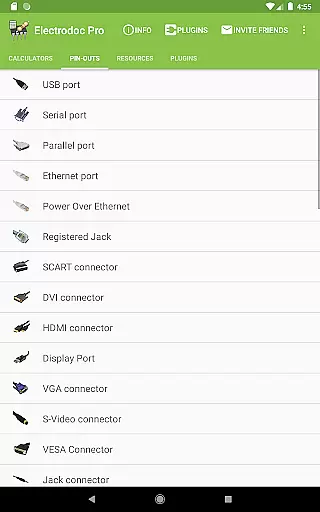
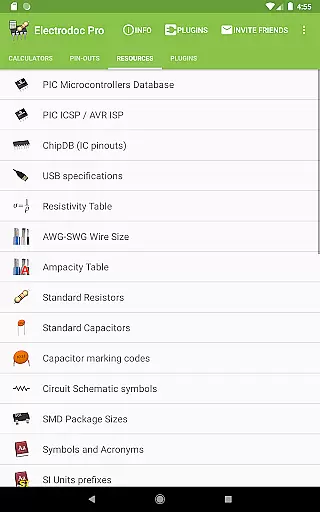
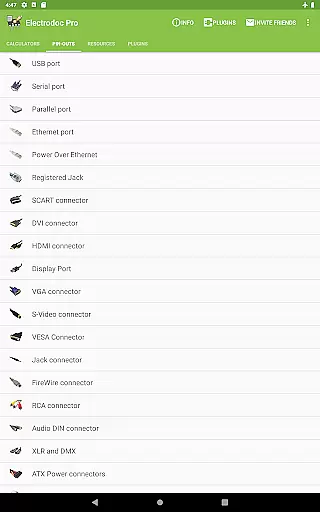
The app stands out with its detailed port pin-outs and resources section, covering everything from USB ports to Arduino boards. Whether you're working on circuit design, troubleshooting electronics, or studying for an exam, Electrodoc Pro provides the essential data and calculators needed to get the job done efficiently. Its intuitive interface ensures that both beginners and experts can navigate and utilize its features with ease.
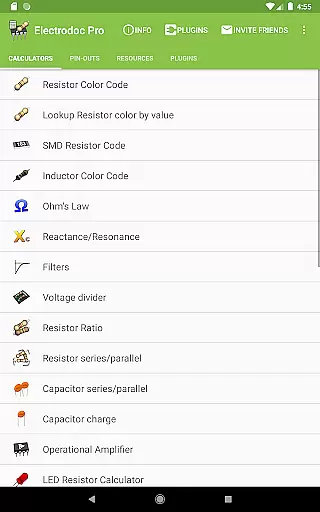
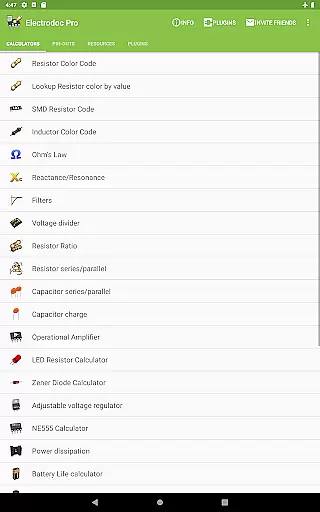
Electrodoc Pro boasts an impressive array of features tailored to electronics enthusiasts. The app includes specialized calculators such as Resistor Color Code, SMD Resistor Code, and Voltage Drop Calculator, alongside circuit design tools like the Inductor Design Tool and PCB Trace Width Calculator. Each tool is meticulously crafted to deliver accurate results and simplify complex calculations.
What sets Electrodoc Pro apart is its exhaustive resources section. Users can access pin-out diagrams for various connectors, detailed IC information, and conversion tables for resistivity, AWG-SWG wire sizes, and more. The app also supports plugins, enabling users to expand its functionality with additional databases and simulators. These robust features make Electrodoc Pro an indispensable companion for anyone involved in electronics.
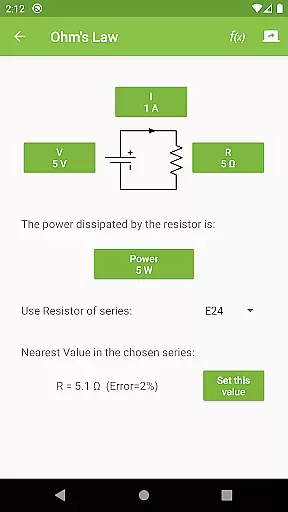
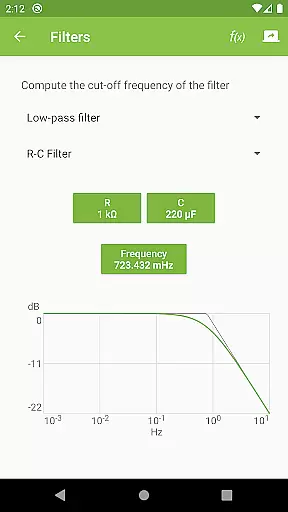
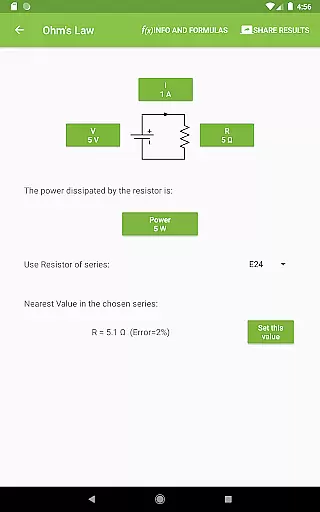
Electrodoc Pro stands out in the Tools category by offering precise and effective core functionalities that cater to both amateur electronics enthusiasts and professional engineers. The app provides a comprehensive suite of calculators and reference materials essential for electronics work, including Resistor Color Code, Ohm's Law, Reactance/Resonance, and more.
The accuracy of these tools is critical for correct circuit design and analysis. Electrodoc Pro ensures this by implementing well-tested algorithms and formulas used in electronics engineering. For instance, its ability to look up resistor colors by value or calculate complex parameters like those in the NE555 calculator showcases its robust functionality.
Users benefit from having reliable data at their fingertips, which aids in making informed decisions during project development. Whether it's calculating power dissipation or determining voltage drop, the app delivers results that users can trust, thus enhancing productivity and reducing errors in their electronic projects.
This reliability establishes Electrodoc Pro as an indispensable tool in the electronics field, where precision can significantly impact the success of technical projects.
A key feature of Electrodoc Pro is its interface simplicity and intuitiveness, which makes it accessible even to those new to electronics. Despite the complexity of the calculations and references it provides, the app maintains a straightforward and easy-to-navigate layout.
Each tool and calculator within the app is designed with clarity in mind. Users can quickly locate the specific calculator they need, such as the LED Resistor Calculator or the Zener Diode Calculator, without having to navigate through complicated menus or options.
This intuitive design allows users to focus on their work without being hindered by a steep learning curve. By minimizing the time required to familiarize oneself with the appu2019s operation, Electrodoc Pro enables users to efficiently carry out their tasks.
Overall, the combination of powerful features presented through a user-friendly interface enhances the overall user experience, making Electrodoc Pro a go-to application for anyone involved in electronics.
User-friendly interface
Comprehensive toolset
Regular updates
Offline functionality
Pro version ad-free
Steep learning curve
Some features redundant
Occasional bugs
Heavy on storage
Premium cost

 4.50
4.50
FV File Manager Pro, Fast and powerful file manager for Android
4.60
Quickly & easily calculate the spacing of handrail balusters
4.20
ADB support Android 4.X-Android 13(Support wireless pair mode).No root required!
4.70
MS-DOS in your pocket. Play old DOS games anywhere you are ;)
4.10
PC precision for mobile gaming: dominate with keyboard and mouse!
4.30
Monitor car performance in real time and troubleshoot malfunctions.
4.80
Fast Video Downloader, Movie Downloader, Torrent Downloader & Adblock Browser
4.70
Protect your device with antivirus, storage cleanup, and system monitoring
4.70
Enjoy smooth gameplay with Game Booster
4.90
Navigate with Ease and Style
4.90
Easily install aab(Android App Bundle) files on your Android device with our app
4.80
Remote Play with FSR upscaling, low latency & full controller support
4.80
The one-and-only remote control for PC, Mac, and Linux
4.70
Mirror your screen to Chromecast and Android TV - Super fast and simple
4.60 4.50
4.50
An easy-to-use calculator designed to save time calculating and bending conduit
4.30
Just one-tap to easy translate in any language after calls within seconds.
4.20
Automate everything from settings to photos, SMS to speech. ADC2 prize winner.
4.10


User Reviews