
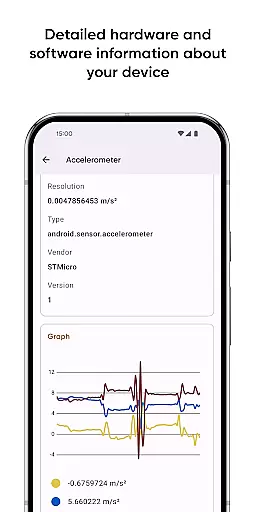
Castro Premium is a comprehensive device monitoring tool that provides real-time performance tracking and detailed system information. The app offers an extensive collection of device metrics, including CPU and GPU statistics, battery monitoring, memory usage, network data consumption, and sensor readings with helpful graphs.
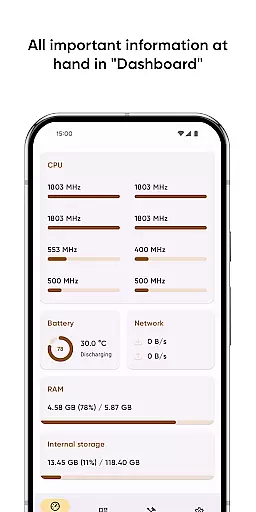
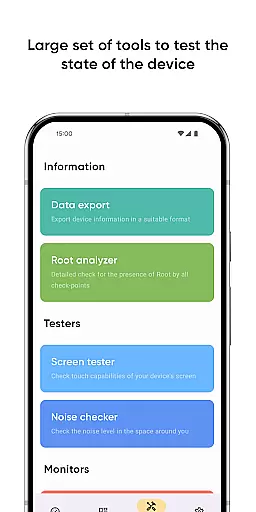
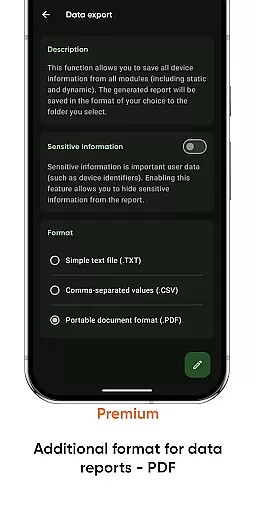
In addition to its robust monitoring capabilities, Castro features a user-friendly Dashboard that consolidates essential information such as CPU usage, battery status, network activity, and memory load. Power users can take advantage of advanced tools like Data Export, Screen Tester, and Noise Checker. With the Premium version, users gain access to deeper customization options, additional monitoring tools, and enhanced functionality like home-screen widgets and PDF exporting.
This application is particularly useful for tech enthusiasts and professionals who need to monitor and optimize their Android device's performance regularly. By providing both high-level and granular device information, Castro Premium helps users maintain optimal device health and make informed decisions about system resource allocation.
Castro Premium distinguishes itself through its comprehensive feature set and customizable interface. The application processes and displays an impressive array of technical information, including detailed processor statistics, real-time sensor data, camera specifications, and codec information. Its unique strength lies in presenting this complex data in both detailed views and condensed dashboard formats.
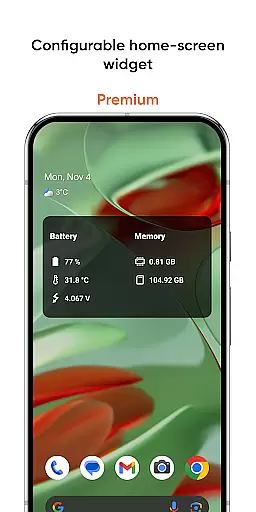
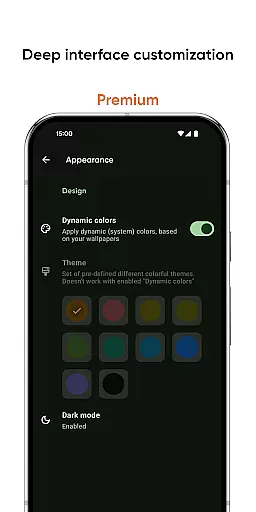
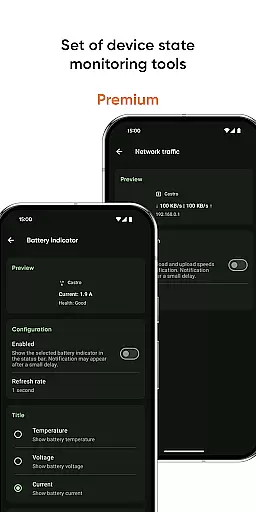
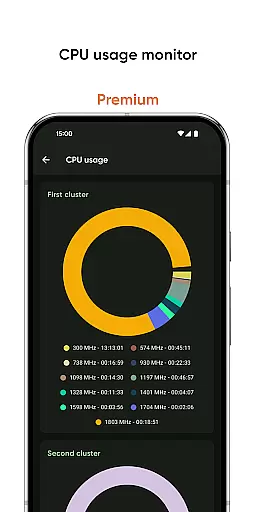
The Premium version offers several exclusive features that enhance usability and personalization. Users can customize the interface with various color schemes and themes, create configurable home-screen widgets displaying crucial system information, and utilize advanced monitoring tools like network traffic speed monitors and CPU usage trackers. The ability to export information in PDF format adds professional-grade documentation capabilities.
What sets Castro apart from similar tools is its balance between depth and accessibility. While providing extensive technical details, it maintains user-friendly features like the Dashboard view and practical tools such as the Screen Tester and Noise Checker. This combination makes it suitable for both casual users who want quick insights into their device's performance and power users who require detailed system analysis.
Comprehensive monitoring tools
Real-time performance tracking
User-friendly dashboard
Advanced customization options
Professional PDF export feature
Premium features locked behind paywall
Interface may overwhelm beginners
Highly technical information presentation
Limited appeal for casual users
Requires technical background for full utilization

VESC Tool can monitor and configure VESC-compatible devices over BLE and Wifi
 4.20
4.20
Effortlessly run ADB commands directly on your device without a PC.
4.20
WiFi Signal Strength Meter help you detect WiFi Signal Strength in real time.
4.80
Quickly check the frequency of the Earth
4.30
Play your X-Box games remotely in 1080p with any controller and zero latency
4.60
Remote Play with FSR upscaling, low latency & full controller support
4.80
Automate everything from settings to photos, SMS to speech. ADC2 prize winner.
4.10
A clean app.
4.50
The ideal app to be the digital eye of your family
3.40
Navigate with Ease and Style
4.90
ADB support Android 4.X-Android 13(Support wireless pair mode).No root required!
4.70
Small and simple app to Verify Root Access and BusyBox Install!
4.70
Protect your device with antivirus, storage cleanup, and system monitoring
4.70
Carry a FTP server in your pocket and avoid USB cables for file transfer
4.20
Signal Strength, Mobile, Wifi, Speed Test, Bad Signals, Cellular, 5G, LTE, 4G
4.20
Screen Mirroring with sound for Samsung TV, LG TV, Sony TV, Smart TV and Browser
4.20
Detect hidden spy camera with advanced scanning {{ Premium version }}
4.00
A powerful, easy-to-use flight computer on your phone or tablet!
3.80
card-reader app
2.20


User Reviews