
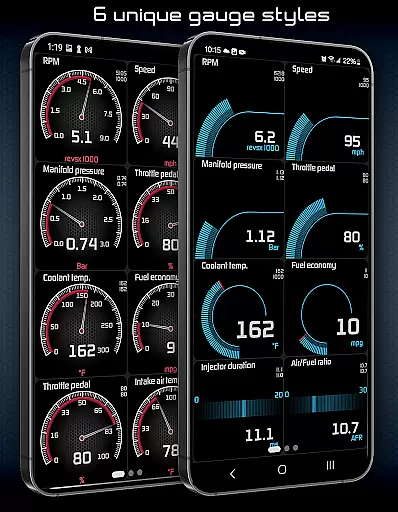
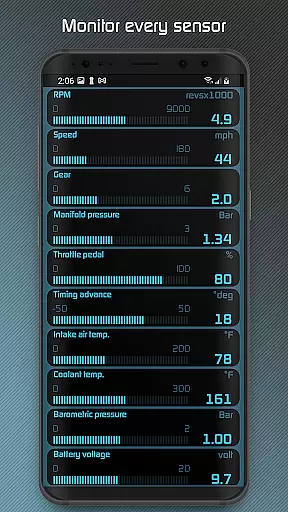
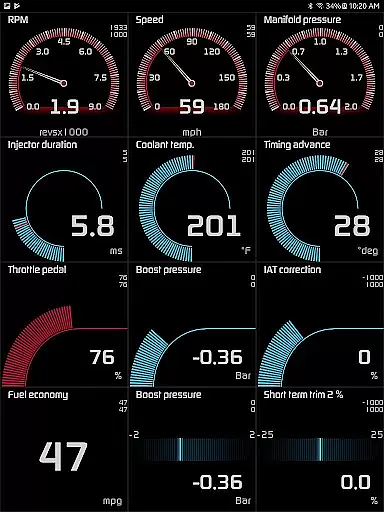
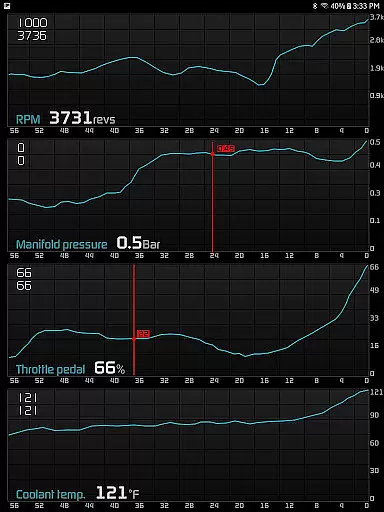
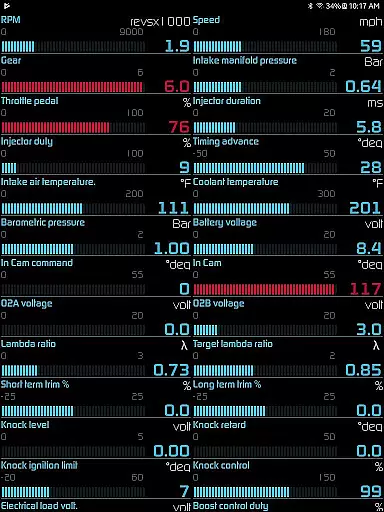
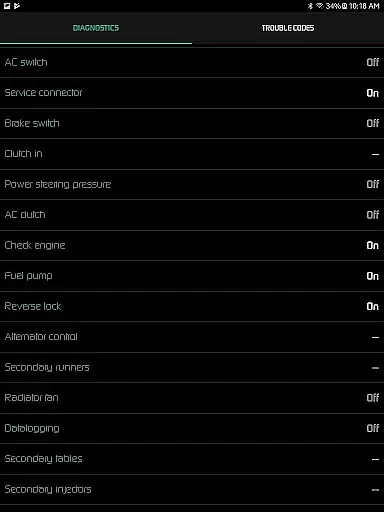
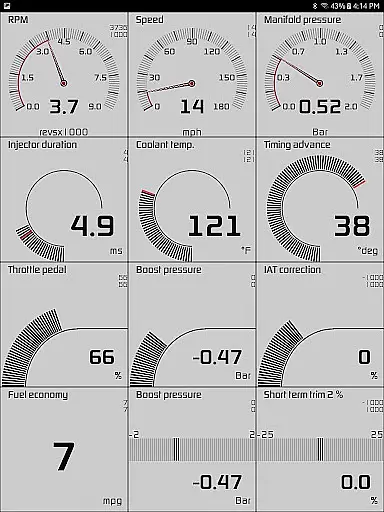
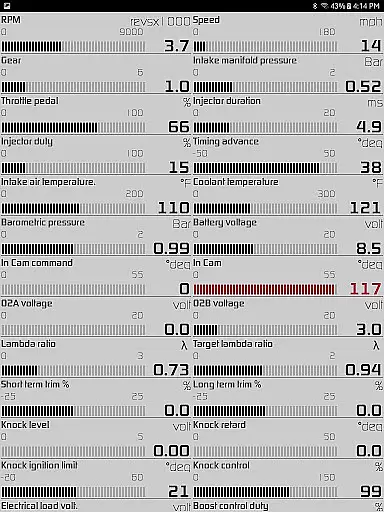
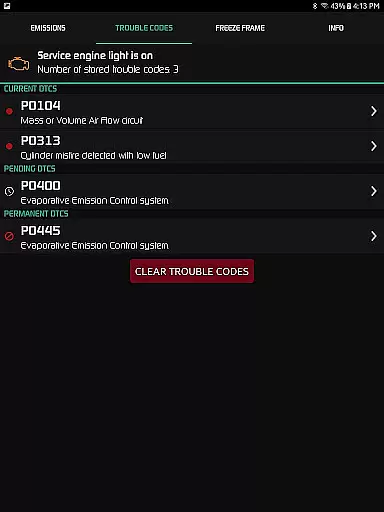
Hondata is a powerful automotive tool that transforms your Android device into a comprehensive performance tracking and diagnostic system for Honda vehicles. The app provides real-time monitoring of up to 80 sensors, including fuel economy, boost pressure, and battery voltage, through customizable gauges and interactive graphs.
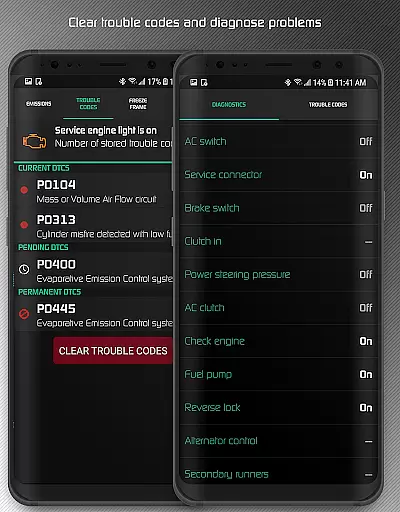
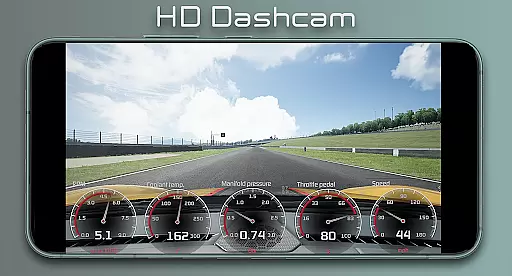
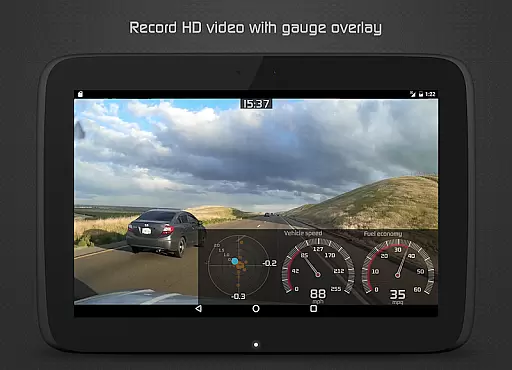
One of the standout features is the ability to read and clear vehicle trouble codes, helping users understand issues before visiting a mechanic. Additionally, the app offers advanced fuel economy tracking in multiple units, drag race timing, lap time recording using GPS, and high-definition video recording with superimposed gauges. These capabilities make it an essential tool for both everyday drivers and automotive enthusiasts looking to optimize their vehicle's performance.
While Hondata does not support Android Auto and compatibility with car head units isn't guaranteed, its robust feature set makes it ideal for users who want detailed insights into their vehicle's operation and performance. Whether you're troubleshooting engine problems or analyzing track performance, Hondata delivers professional-grade tools directly to your smartphone.
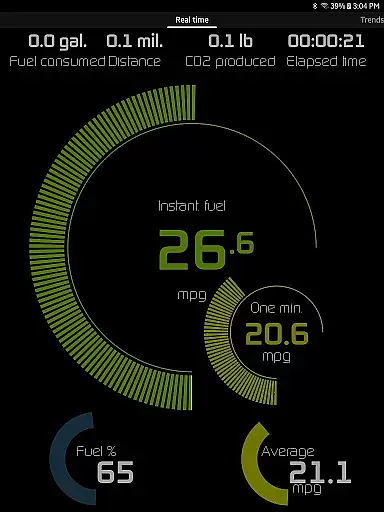
Hondata stands out with its extensive range of features tailored for Honda owners seeking advanced vehicle diagnostics and performance tracking. The app allows users to customize gauges to monitor up to 80 real-time sensors, such as fuel economy, turbo boost pressure, and G-force measurements. This level of detail ensures complete visibility into your vehicle's operations.
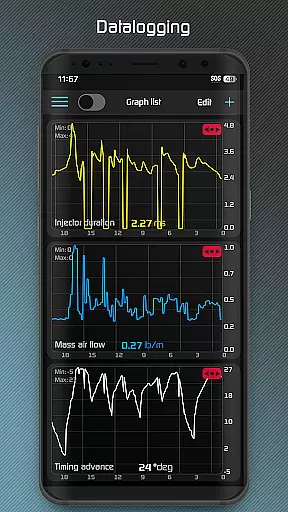
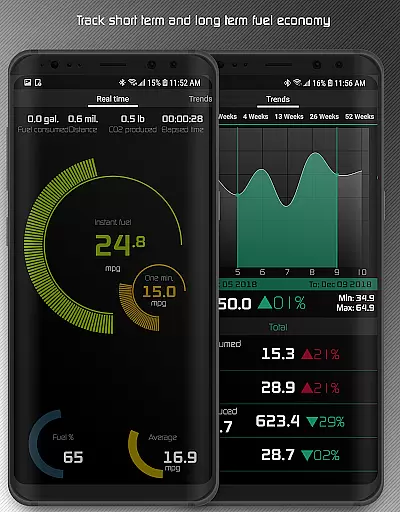
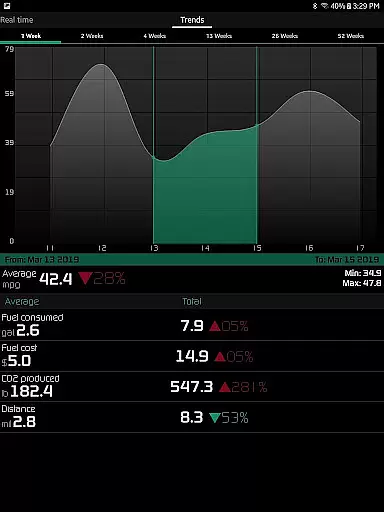
For data analysis enthusiasts, Hondata offers the ability to plot sensor data onto interactive graphs, record up to four sensors simultaneously, and export the data as CSV files for further evaluation. The inclusion of both metric and imperial units caters to a global audience. Additionally, the app provides five different methods for calculating fuel economy, long-term tracking through interactive graphs, and even high-definition video recording with superimposed gauges for track use.
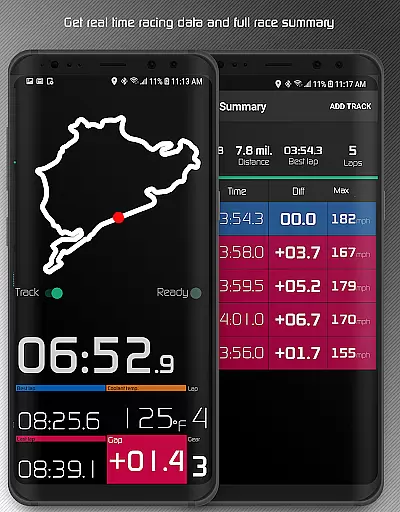
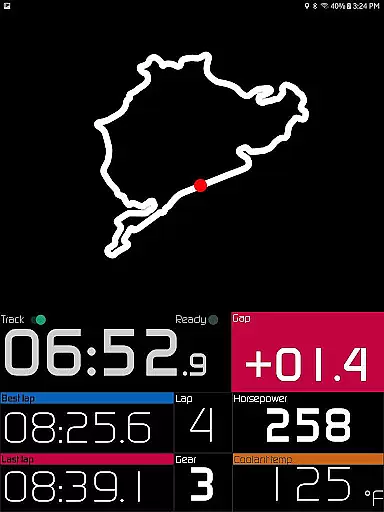
Racetrack features further enhance its appeal, offering precise drag race timing (0-60 mph, quarter-mile, etc.), lap time tracking, and GPS-based circuit mapping. Users can review comprehensive race summaries, view statistics like maximum speed and horsepower, and receive notifications for critical events such as engine overheating or exceeding speed limits. These innovative features position Hondata as a versatile tool for both casual drivers and motorsport enthusiasts.
The Hondata app excels in providing precise and effective core functionalities that transform your Android device into a comprehensive car performance tracking and troubleshooting tool. With the ability to monitor up to 80 real-time sensors, including fuel economy and boost pressure, it ensures accurate readings crucial for maintaining your Honda's peak condition.
One of the standout features is its capability to plot sensor data onto interactive graphs, allowing users to record and analyze data from up to four sensors simultaneously. This functionality not only enhances the understanding of vehicle performance trends but also supports exporting data for further analysis, making it an indispensable tool for both amateur enthusiasts and professional mechanics.
Additionally, the app offers extensive diagnostic capabilities by accessing the onboard ECU, enabling users to read and clear trouble codes and reset service engine lights. This proactive approach empowers users to troubleshoot issues before visiting a mechanic, saving both time and money while ensuring optimal vehicle health.
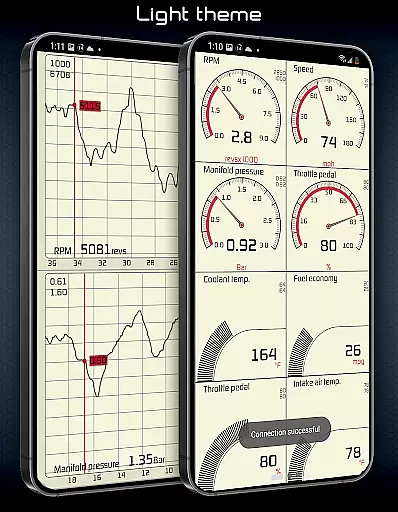
Hondata stands out with its intuitive interface that simplifies complex automotive data into understandable formats. The customizable gauges allow users to track every available sensor at once, offering both metric and imperial units for all measurements, which caters to a global audience with varying preferences.
With dedicated features like the HUD gauge for night driving and two selectable themes, the app ensures usability is not compromised for functionality. These thoughtful design elements contribute to a seamless user experience, whether you're monitoring fuel economy over different time intervals or receiving notifications about potential engine overheating.
Moreover, the app includes practical alerts such as speed limit warnings and visual/sound notifications when sensor readings reach user-defined limits. Such intuitive feedback mechanisms enhance driver awareness and safety, making the Hondata app not just a tool for performance tracking but also an essential companion for responsible driving.
User-friendly interface
Real-time performance tracking
Comprehensive diagnostic tools
Advanced fuel economy analysis
HD video recording with gauges
No Android Auto support
Limited vehicle compatibility
Requires specific hardware
Potential connectivity issues
Complex for beginners

 4.50
4.50
A convenient photo, video, and file recovery tool.
4.00
HD Video player and downloader for all formats, fast & smooth 4K video playback.
4.60
A non-root local ADB shell client. READ BELOW!
3.40
Excellent scientific calculator with symbolic algebra, integrals, derivatives
4.80
The one-and-only remote control for PC, Mac, and Linux
4.70
Remote Play with FSR upscaling, low latency & full controller support
4.80
Automate everything from settings to photos, SMS to speech. ADC2 prize winner.
4.10
Introducing Smart Printer, your ultimate destination for printing solutions!
4.00
ADB support Android 4.X-Android 13(Support wireless pair mode).No root required!
4.70
Mirror your screen to Chromecast and Android TV - Super fast and simple
4.60
eXtended Permission Manager - a small app to manage permissions and AppOps
4.50
Universal TV remote control all TVs, Roku, LG, Samsung, Fire, Vizio, Sony, TCL.
4.40
Clean up large files and similar photos, fast and easy to use
4.40
Quickly check the frequency of the Earth
4.30
Just one-tap to easy translate in any language after calls within seconds.
4.20
An open-source APK explorer for Android!
4.10
A simple app to back up and restore SMS & MMS messages and call logs.
4.10
This app unlocks the Pro features of the Central for DayZ app
3.60


User Reviews