
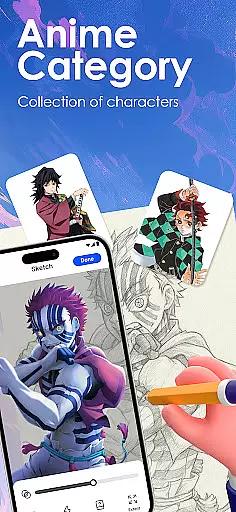
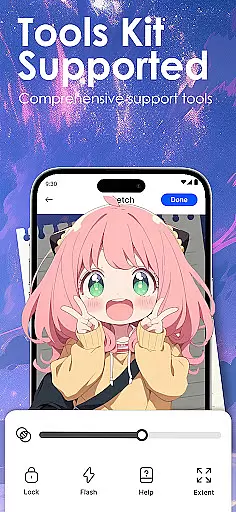
Draw Anime: AR Sketch & Trace is an innovative drawing application designed specifically for anime enthusiasts and artists. This app combines the power of augmented reality (AR) with traditional sketching techniques, allowing users to create stunning anime artwork with ease. Whether you're a beginner or a professional artist, this tool offers a comprehensive suite of features to enhance your drawing skills.
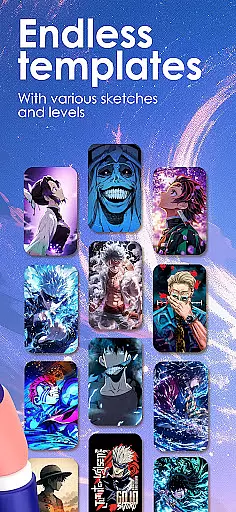
The core functionality includes AR-guided tracing, where users can project outlines onto paper through their device's camera. The app also provides a vast library of anime templates, including manga and chibi styles, as well as the ability to import personal photos for tracing. With step-by-step tutorials and adjustable drawing settings, it caters to all skill levels, making it an ideal choice for anyone looking to improve their anime art techniques.
This app is particularly useful for those who want to learn anatomy and proportions specific to anime art. By offering various difficulty levels and personalized learning options, Draw Anime ensures that every user can progress at their own pace while enjoying the creative process.
Draw Anime: AR Sketch & Trace stands out with its advanced augmented reality features that revolutionize the way artists approach sketching. One of the key highlights is the AR Guidance system, which projects clear outlines onto paper, enabling users to trace anime characters, real objects, or custom designs with precision. This feature significantly reduces the learning curve for beginners while providing professionals with a powerful tool for complex projects.
The app offers an extensive library of anime-specific content, including manga, chibi, and fanart templates. Users can access these resources to practice different styles and techniques. Additionally, the picture-to-sketch conversion tool simplifies complex images into manageable outlines, making it easier to focus on improving artistic skills rather than struggling with proportions.
Another remarkable aspect is the customization options available during the drawing process. Artists can adjust opacity, zoom levels, and even record their sessions for review or sharing purposes. The inclusion of detailed video tutorials and personalized learning paths further enhances the user experience, ensuring that each artist can develop their unique style while mastering essential anime art principles.
In the realm of digital artistry, having a comprehensive set of creative tools is paramount. Draw Anime: AR Sketch & Trace offers an extensive suite designed to cater to anime enthusiasts and artists at all levels.
This app leverages advanced Augmented Reality (AR) technology, enabling users to trace anything through their camera - be it anime characters, real objects, or custom designs. The inclusion of a growing library filled with anime, manga, chibi, fanart, and trending templates ensures that inspiration is never far away.
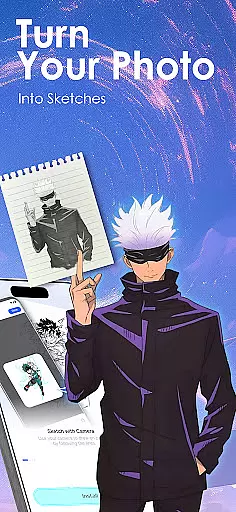
Moreover, the ability to convert complex images into simplified sketch outlines allows for easy tracing and practice across beginner, intermediate, and expert levels. This feature aids in improving anatomy, proportions, and overall anime art techniques systematically.
By providing adjustable opacity, zoom functions, and even recording capabilities for the drawing process, this application empowers creators to unlock unlimited creativity while personalizing their learning journey.
A canvas's adaptability can significantly influence an artist's workflow and output quality. Draw Anime: AR Sketch & Trace excels in offering canvas/format flexibility tailored for diverse artistic needs.
Artists using this app have the freedom to import their own photos and instantly transform them into traceable outlines. Such functionality not only broadens the scope of what can be drawn but also encourages experimentation with different styles and subjects.
The app supports detailed video tutorials specifically crafted for anime lovers, enhancing the learning experience by allowing users to follow along with varying formats and complexities.
Furthermore, features like saving and rewatching videos of oneu2019s progress provide invaluable insights into individual growth trajectories, making it easier to track improvements over time on a flexible digital canvas.
User-friendly interface
Extensive template library
Advanced AR features
Customizable drawing tools
Comprehensive tutorials
Requires compatible device
Some features may need subscription
Learning curve for AR tools
Limited offline functionality
Occasional performance issues

Transform photos into amazing monochrome dither art with professional algorithms
 4.5
4.5
Easy 3D drawing design maker & creator. Model designing, Sculpting. Create&paint
4.00
Custom Character Creator & PFP Maker!
4.20
Digital, Abstract, Classic - all types of color wheels in one app!
4.60
Your AI soulmate — meaningful chats, and unique emotional moments
4.70
Minecraft & Roblox Clothes
4.70
2D animation studio for Android tablets - unlimited layers, infinite timeline
4.70
Experience next-gen icons with a modern liquid glass look.
3.60
Turning simple sketches into captivating tales filled with life and motion
3.90
See Color, Paint Color
4.90
Logo Generator powered by AI: Create stunning logos effortlessly!
4.70
Convert image to JPG PNG HEIC PDF, support almost all kinds of image formats
4.70
Photo stitcher for automatically screenshot stitching into a long screenshot
4.70
Image resizer to resize, crop, rotate, flip, change dpi photo or picture in bulk
4.60
Digital illustration drawing & painting pad app to paint Anime and Manga art
4.50
Just trace a projected picture on paper and color! Draw & Paint with AR drawing
4.40
Bring One UI 8.5 Icons to life -elegant dark icons with a modern, premium touch.
4.30
AR Anime Drawing: How to draw anime with AR drawing & sketching apps!
4.00
Sketch, trace and master AR drawing with awesome anime art!
3.30


User Reviews