



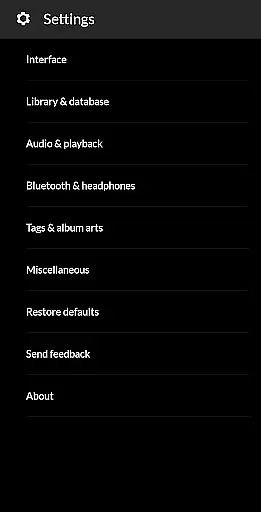
PowerAudio Plus Music Player is a feature-rich audio application designed to elevate your music listening experience. With its intuitive user interface and superior audio quality, this app allows users to manage and enjoy their music library effortlessly. The app supports all major audio formats including MP3, WAV, and AAC, making it versatile for various user needs.
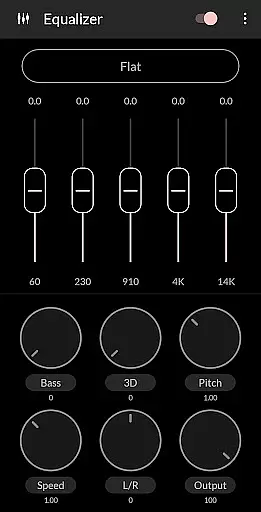
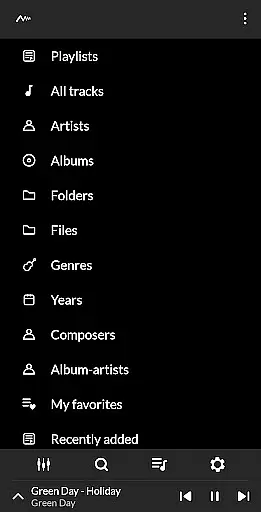
One of the standout features of PowerAudio Plus is its powerful equalizer, which includes BassBoost and Virtualizer effects. Users can choose from multiple presets or customize their own settings to tailor the sound output according to their preferences. Additionally, the app provides seamless navigation through albums, artists, and playlists, ensuring that users can easily find and play their favorite tracks.
This application is perfect for audiophiles who demand high-quality sound and flexible playback options. Whether you're commuting, working out, or relaxing at home, PowerAudio Plus Music Player offers a comprehensive solution for enjoying your music collection with enhanced audio performance.
PowerAudio Plus Music Player boasts an array of advanced features that cater to both casual listeners and audio enthusiasts. The app's equalizer is one of its core components, offering various presets such as Pop, Rock, and Classical, alongside customizable settings for personalized audio tuning. The inclusion of BassBoost and Virtualizer effects further enhances the listening experience by adding depth and clarity to the sound.
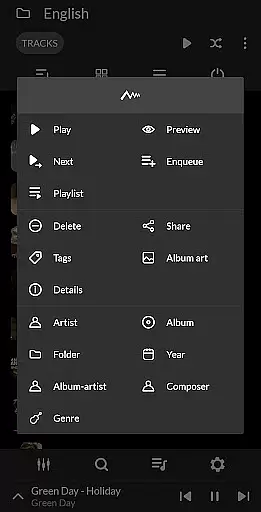
Another notable feature is the app's robust organizational capabilities. Users can browse their music library by albums, artists, or playlists, and even create custom playlists to suit different moods or occasions. The app also supports multi-select functionality, allowing for efficient management of large music libraries. Furthermore, PowerAudio Plus includes practical features like a sleep timer, repeat/shuffle options, and the ability to set phone ringtones directly from the app.
The app's design emphasizes user convenience and accessibility. With dedicated tabs for favorite tracks and recently added songs, users can quickly access their most-played music. Additional functionalities such as codec details display, media file sharing, and background playback ensure that PowerAudio Plus Music Player meets diverse user requirements while maintaining optimal performance across different devices.
PowerAudio Plus Music Player offers an extensive music library that supports all major audio formats including mp3, m4a, wav, aac, amr, and ogg. This ensures that users can enjoy a wide variety of music without worrying about format compatibility.
The application emphasizes copyright authenticity by allowing users to play media files they own, ensuring that the music content is legal and properly licensed. Users can browse songs by albums, artists, or playlists, which helps in organizing their personal collections effectively.
With features like creating custom playlists and adding songs to favorites, PowerAudio Plus provides a personalized music experience. The app's ability to detect headphones and automatically pause on disconnect further enhances user convenience and engagement.
Delivering best-in-class audio quality, PowerAudio Plus Music Player includes a powerful equalizer with BassBoost and Virtualizer. These features allow users to customize their listening experience according to their preferences, ensuring superior sound output.
Users can choose from a variety of music presets or create their custom preset, providing flexibility and control over audio settings. This level of customization ensures that listeners can enjoy high-quality sound that matches their individual tastes.
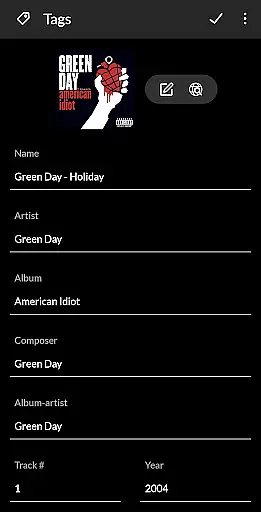
In addition to its advanced equalizer, PowerAudio Plus supports codec details such as bitrate, sample frequency, and channels. This transparency about audio file specifications helps audiophiles appreciate the nuances of their music collection while enjoying enhanced audio performance.
User-friendly interface
High-quality audio output
Customizable equalizer settings
Supports multiple audio formats
Comprehensive playlist management
Requires multiple permissions
May drain battery faster
Limited visual customization
No built-in lyrics support
Occasional playback glitches

Fun & Easy Voice Changer – Record, Edit & Add Hilarious Effects!
 4.50
4.50
SqueezePlayer turns your Android phone or tablet into a SqueezeBox on its own!
4.60
Equalizer, Bass Booster and Volume Booster (Eq & Bass) improve sound quality
4.30
Powerful beat maker & DJ mixer to remix tracks, make music, & perform DJ mix
3.70
Music Streaming suite for Ampache, Nextcloud Music and compatible backends.
4.1
Record, Mix & Master with all n-Track effects, 64-bit audio and Stem Separation.
4.70
No wifi music app. Mp3 offline. Tuner radio, young radio music. Music downloader
4.20
Smart piano keyboard, Classical to Pop, Real-time multiplayer connection!
4.20
Uninterrupted Tunes, Unmatched Vibes
3.90
Listen radio AM / FM Stations. Live AM / FM Radio App Station. Radio Com.
4.70
Recording studio w/ 10k beats, pro vocal FX and a network of 20M rappers & fans!
4.60
AI Music Maker: Generate And Compose AI Tunes & AI Songs & AI Music & AI Melody!
4.60
Let your Android device with the sound effects you want
4.50
Formerly known as Spotistats! View your top tracks, artists, albums and more!
4.40
Time Guru will strengthen your internal sense of musical time via random muting.
4.30
The official Sonos app
4.10
The iconic iOS metronome app is now on Android.
3.70
Simple mp3 and mp4 player with advanced features.
3.40
Remove ads permanently from Music Visualizer
4.1


User Reviews