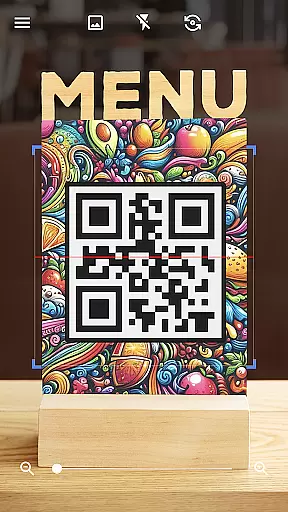
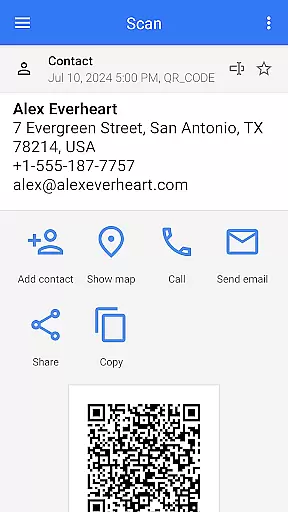
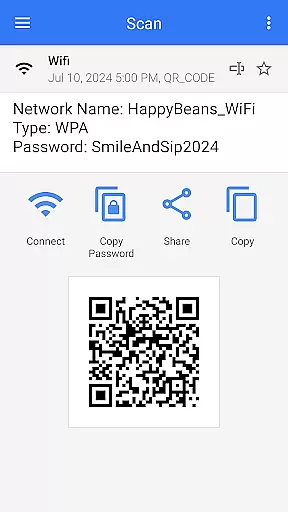
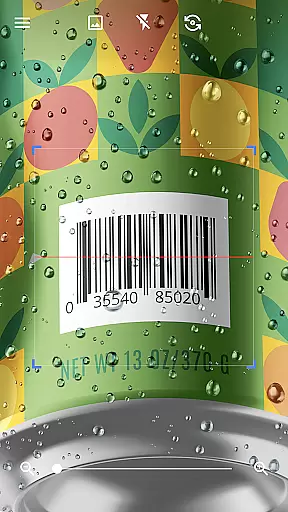
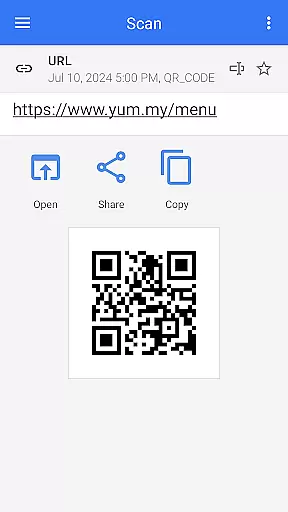
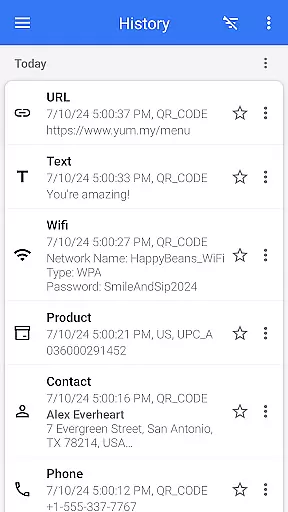
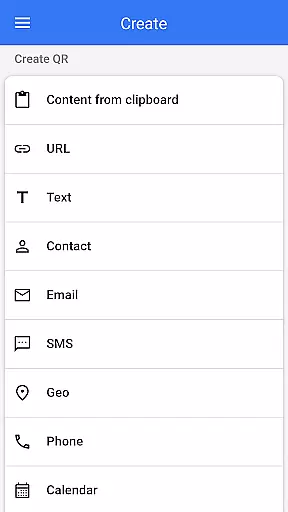
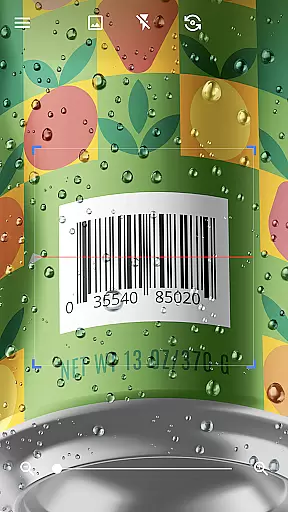
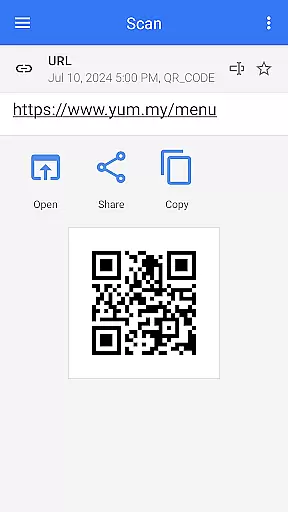
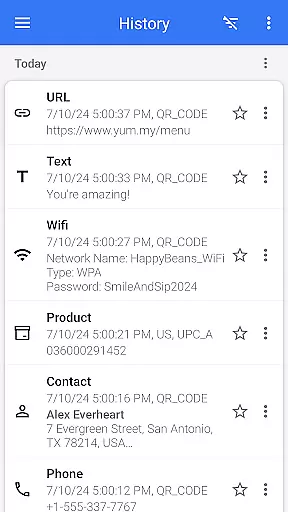
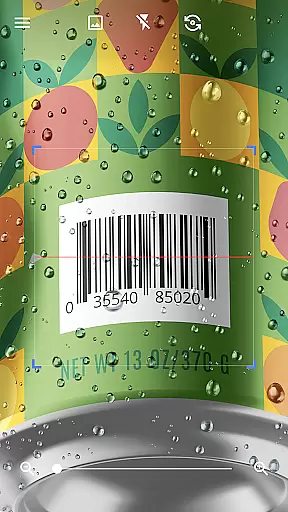
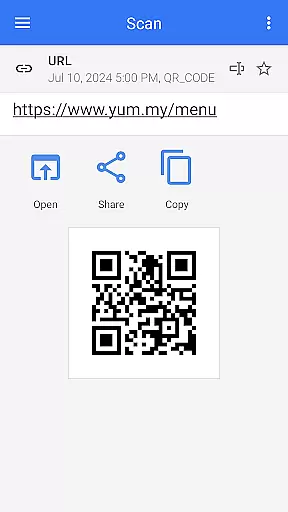
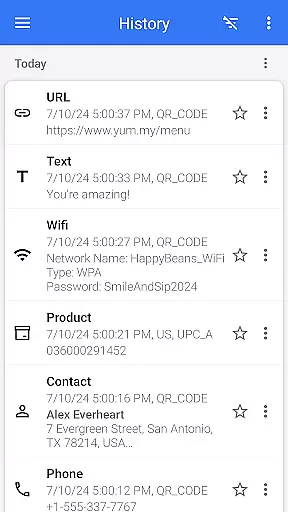

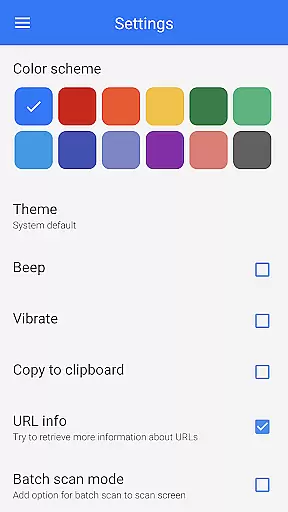
QR & Barcode Scanner is a versatile tool designed for Android users who need fast and reliable scanning capabilities. This app serves as both a QR code reader and barcode scanner, making it an essential utility for various tasks. With its intuitive interface, users can effortlessly scan different types of codes including text, URLs, ISBNs, product details, contacts, calendars, emails, locations, Wi-Fi information, and more.
The application stands out with its automatic scanning feature that eliminates the need for manual input or adjustments. Users simply point their device's camera at the desired code, and the app quickly decodes it. Additionally, QR & Barcode Scanner offers advanced functionalities such as generating QR codes from entered data, scanning codes from images in your gallery, sharing contact info via QR, and even comparing product prices by scanning barcodes in shops.
This comprehensive tool also includes specialized features like batch scanning mode to process multiple codes simultaneously, exporting results in .csv or .txt formats, importing .csv files, adding favorites, easy sharing options, and customizable themes including dark mode. Whether you're managing inventory, accessing digital content, or connecting to Wi-Fi networks, this app provides seamless integration with your daily activities.
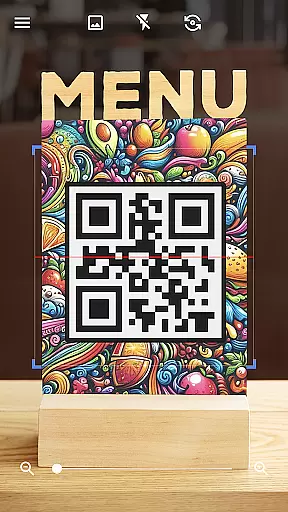
QR & Barcode Scanner boasts an array of features that cater to diverse user needs. One of its standout capabilities is the automatic scanning function which activates upon pointing the camera at any QR code or barcode. This eliminates the hassle of pressing buttons, taking photos, or adjusting zoom levels manually. The app supports a wide range of code types, ensuring compatibility with virtually any format you encounter.
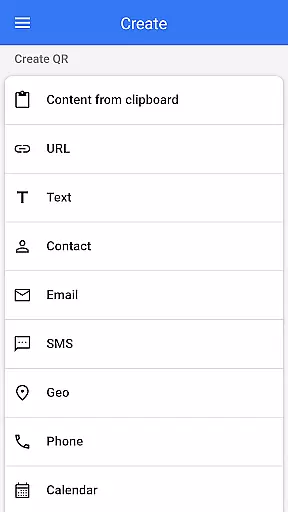
In addition to scanning, the app functions as a robust QR code generator. Users can create custom QR codes by entering relevant data and instantly generating the corresponding code. Advanced options include scanning QR codes directly from images stored on your device, sharing scanned content across other applications, and generating QR codes based on clipboard contents. These features enhance productivity by streamlining workflows and reducing manual effort.
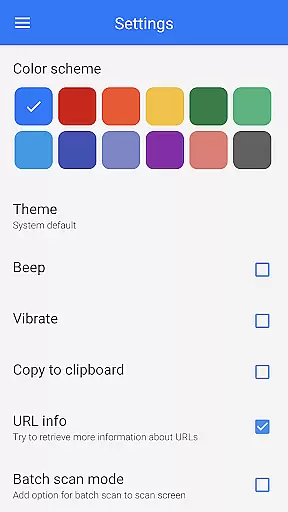
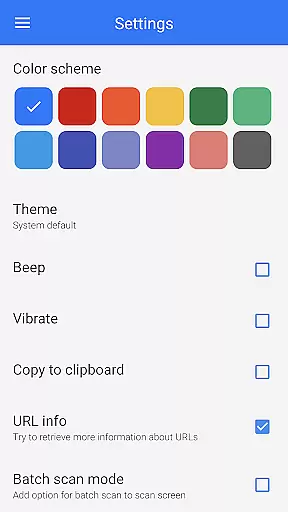
For power users, QR & Barcode Scanner offers specialized modes such as batch scanning, allowing multiple codes to be processed at once. Results can be exported in convenient formats like .csv or .txt, facilitating further analysis or record-keeping. The app also supports importing .csv files, enabling bulk operations. Customization options extend to visual preferences, where users can switch between light and dark themes, adjust color schemes, and utilize additional tools like flashlight functionality for low-light environments.
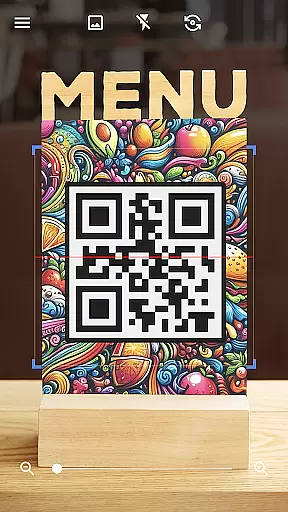
QR & Barcode Scanner stands out for its exceptional core functionality, which centers on the accurate and efficient scanning of QR codes and barcodes. This app employs advanced scanning technology that automatically detects and decodes various code types without the need for user intervention, such as pressing buttons or adjusting settings.
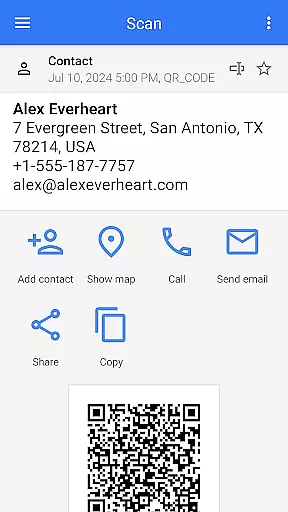
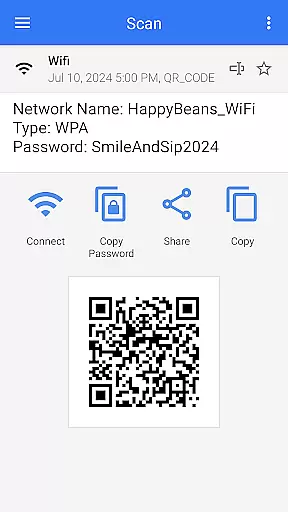
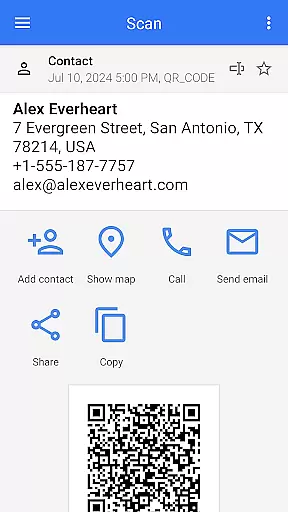
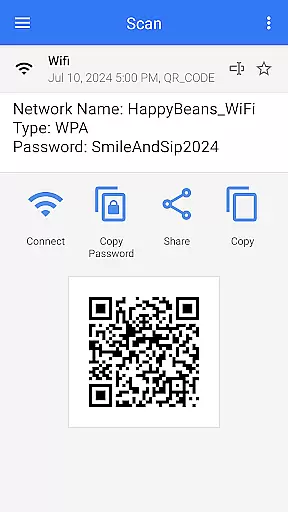
The effectiveness of this tool is demonstrated through its ability to swiftly scan and decode a wide array of QR code and barcode formats. Whether it's text, URLs, ISBNs, product details, or even Wi-Fi passwords, users can expect reliable performance that facilitates quick access to information or services.
For users, this means saving time and effort when managing personal or professional tasks. The app's precision ensures that every scan provides relevant options based on the code type, allowing users to take immediate and appropriate action. This seamless experience translates into enhanced productivity and convenience in everyday scenarios.
The interface design of QR & Barcode Scanner emphasizes simplicity and intuitiveness, making it accessible for users of all technical backgrounds. With a clean layout and straightforward navigation, the app removes any unnecessary complexity, allowing users to focus solely on the task of scanning.
Upon launching the app, users are greeted with a minimalistic interface that highlights the scanning window. The absence of cluttered elements or complicated menus ensures that even first-time users can operate the app without a learning curve. Its intuitive design anticipates user needs, offering features like flashlight activation and zoom adjustment through familiar gestures.
This approach not only enhances user satisfaction but also encourages regular use. By prioritizing an easy-to-use interface, QR & Barcode Scanner empowers users to complete their scanning tasks efficiently, without frustration or confusion, ultimately delivering a pleasant and productive user experience.
User-friendly interface
Automatic scanning
Wide code support
Customizable themes
Batch scanning mode
Limited iOS support
Occasional ads
Advanced features locked
Requires internet
Large file size

 4.50
4.50
Just one-tap to easy translate in any language after calls within seconds.
4.20
Extremely fast, secure, and protects your privacy
4.80
Canon PRINT is a companion app for your Canon printer.
4.60
Enjoy smooth gameplay with Game Booster
4.90
Quickly & easily calculate the spacing of handrail balusters
4.20
Mirror your screen to Chromecast and Android TV - Super fast and simple
4.60
Play your X-Box games remotely in 1080p with any controller and zero latency
4.60
Screen recorder with audio to record high-quality videos and take screenshots.
4.40
Support Fossify apps with a warm thank you!
5.00
Powerful collection of electronics tools and reference.A must for any enthusiast
4.90
WiFi Signal Strength Meter help you detect WiFi Signal Strength in real time.
4.80
HD Camera captures every special moment.
4.60
HD Video player and downloader for all formats, fast & smooth 4K video playback.
4.60
Remote for Roku, Fire TV, Samsung TV, LG TV, Android TV, Chromecast and VIZIO TV
4.20
Effortlessly run ADB commands directly on your device without a PC.
4.20
Family Locator, Share location, StayConnect with your family in real time
3.90
Clean the junk files on your device
3.40
Transfer Files, APK from Phone to Watch & Install.
4.5


User Reviews