
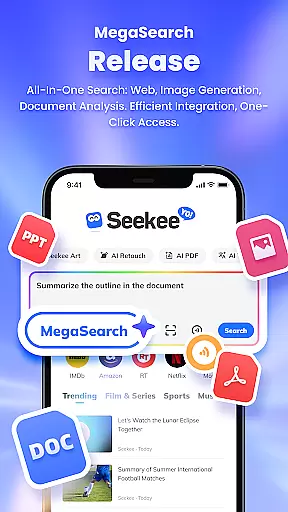
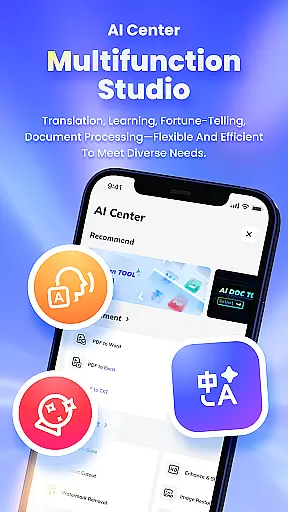
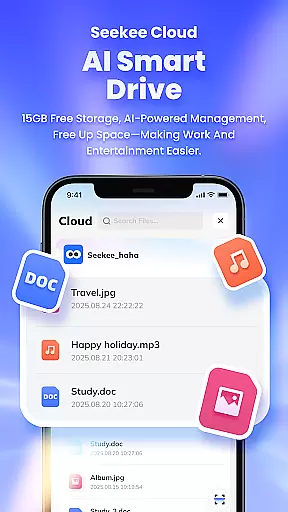
Seekee is an innovative productivity tool that redefines how users interact with digital content through its unique MegaSearch Bar. This single interface serves as an all-in-one AI assistant, enabling users to quickly extract key information from the web, engage in multi-layered Q&A sessions, and handle various file types effortlessly.
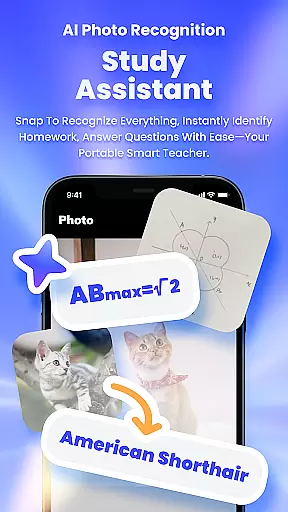
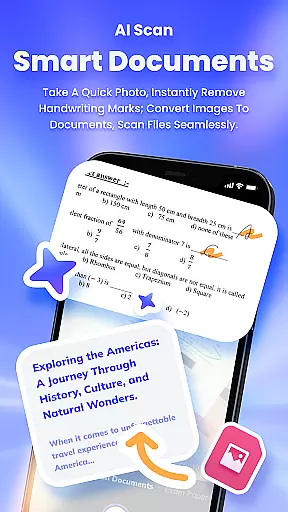
The app's standout feature is its ability to process visual content - users can snap photos to solve problems, chat over images, scan documents, remove handwriting, and generate concise summaries or mind maps from lengthy documents. These capabilities make Seekee particularly valuable for professionals who need efficient document processing and students requiring comprehensive learning assistance.
Whether you're looking to streamline your workflow, enhance your learning experience, or manage complex document tasks, Seekee provides a unified solution that combines multiple tools into one powerful platform, making it an indispensable assistant for both work and personal use.
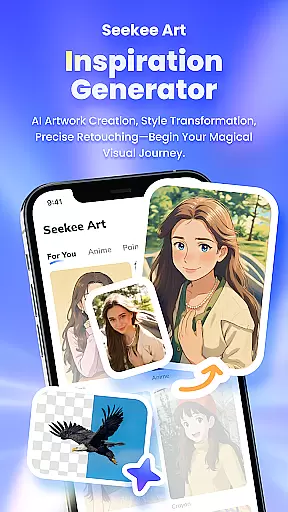
Seekee distinguishes itself through a comprehensive suite of AI-powered features designed to enhance productivity across various domains. The AI Creation module assists with professional writing tasks such as email drafting and work summaries, while also supporting creative image generation.
For visual content management, the AI Image Editing feature offers advanced tools including one-click image expansion, intelligent cutout, watermark removal, and old photo restoration. The AI Learning component provides intelligent homework assistance and question answering, making it an excellent companion for students and lifelong learners.
Professional users will appreciate the robust PDF Editing capabilities that enable seamless format conversion and document management. Additional features like real-time hot topic tracking, multilingual translation, and object recognition through photography further expand Seekee's utility, creating a versatile tool that adapts to diverse user needs across different scenarios.
Seekee's core functions are designed to deliver precision and efficiency across multiple use cases. The app integrates AI-powered features that ensure tasks are completed accurately and effectively, whether it's drafting emails, editing images, or processing PDFs.
The MegaSearch Bar is a standout feature, offering users the ability to perform complex operations with minimal effort. From generating concise summaries of lengthy documents to handling image edits like expansions, cutouts, and restorations, Seekee ensures each action is executed with high accuracy.
Users benefit from reliable performance in every interaction. For instance, the AI Learning tool provides intelligent homework corrections, while the Intelligent Translation feature delivers precise multilingual support. These capabilities make Seekee an indispensable assistant for both personal and professional needs.
By combining powerful functionality with intuitive design, Seekee empowers users to accomplish more in less time. Its robust feature set not only meets but exceeds expectations, making daily tasks simpler and more efficient.
Seekee excels in providing an interface that is both simple and intuitive, ensuring users can navigate its extensive features without difficulty. The design prioritizes ease of use, allowing even first-time users to quickly adapt to its functionalities.
The MegaSearch Bar serves as the central hub for all operations, streamlining access to various tools such as AI Creation, AI Image Editing, and Real-time Hot Topic Tracking. This one-tap solution eliminates complexity, offering instant access to essential functions like document scanning, image enhancement, and multilingual translation.
Each feature is thoughtfully integrated into the interface, reducing the learning curve typically associated with multifunctional apps. Users can effortlessly switch between tasks, such as generating mind maps, erasing handwriting from scanned documents, or identifying unknown objects through photos.
By focusing on user-centric design principles, Seekee ensures that its advanced capabilities are accessible to everyone. The result is an app that feels familiar yet powerful, enhancing productivity without overwhelming the user.
Comprehensive AI tools
Multi-functional search bar
Advanced image processing
Efficient document handling
Real-time language translation
Steep learning curve
Premium feature costs
Occasional AI errors
High system requirements
Limited offline functionality

Quickly switch to an encrypted DNS server on Android TV
 4.50
4.50
A convenient photo, video, and file recovery tool.
4.00
HD Video player and downloader for all formats, fast & smooth 4K video playback.
4.60
Enjoy smooth gameplay with Game Booster
4.90
VESC Tool can monitor and configure VESC-compatible devices over BLE and Wifi
4.20
Quickly check the frequency of the Earth
4.30
The ultimate tool for network analysis, wifi scanning and problem detection.
4.90
Remote Play with FSR upscaling, low latency & full controller support
4.80
Introducing Smart Printer, your ultimate destination for printing solutions!
4.00
Best leveling tool for your Android device. Hang paintings like a pro.
4.90
Bedrock Together: Join any bedrock server on Xbox/PS
4.80
Connect instantly to a fast, encrypted VPN with one tap
4.60 4.50
4.50
Game Booster, GFX Tool is now compatible with newer game update
4.50
Universal TV remote control all TVs, Roku, LG, Samsung, Fire, Vizio, Sony, TCL.
4.40
Pro Emulator is an easy to use game console emulator for a range of consoles.
4.40
Family Locator, Share location, StayConnect with your family in real time
3.90
Transfer Files, APK from Phone to Watch & Install.
4.2
Save any video in HD - paste the link, download fast and watch offline.
4.2


User Reviews