
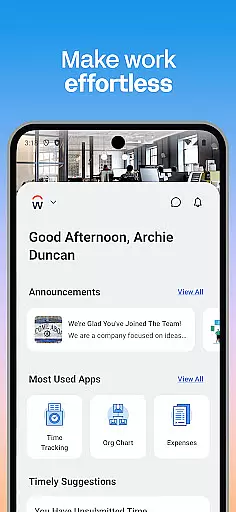
Workday is a comprehensive business management application designed to enhance workplace productivity through its all-in-one platform. The app provides users with essential tools and insights needed for efficient task management, making it an indispensable resource for both employees and managers.
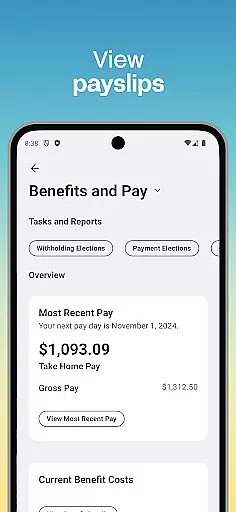
Key functionalities include task tracking, time-off requests, payslip viewing, and team communication. Additionally, the app offers specialized features for managers, such as employee request approvals and performance reviews. Its intuitive design ensures ease of use, while customizable options allow users to tailor their experience. With top-notch security measures like biometric authentication, Workday guarantees that your data remains safe and up-to-date.
Whether you're an employee looking to manage daily tasks or a manager needing to oversee team operations, Workday's mobile solution supports various professional needs, ensuring productivity and efficiency in any work environment.
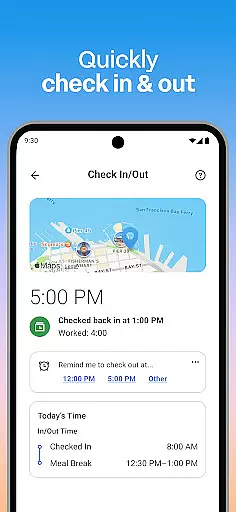
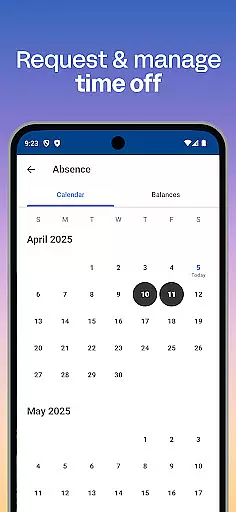
Workday stands out with its extensive range of features tailored to meet diverse business needs. One of its primary advantages is the ability to access nearly all Workday tasks from a mobile device, including checking in to work, submitting timesheets, and requesting time off. These capabilities ensure users can maintain productivity regardless of location.
For managers, additional HR and employee management tools are available. These include approving employee requests with a simple tap, managing payroll, and conducting performance reviews. Interactive reports and dashboards provide valuable insights into team performance and organizational health. Furthermore, the app's learning modules offer opportunities for skill development through training videos.
The app's design emphasizes simplicity and flexibility, allowing users to personalize their interface for quick access to frequently used features. Security is also a top priority, with protections such as biometric authentication and cloud-based data storage ensuring that sensitive information remains protected against unauthorized access.
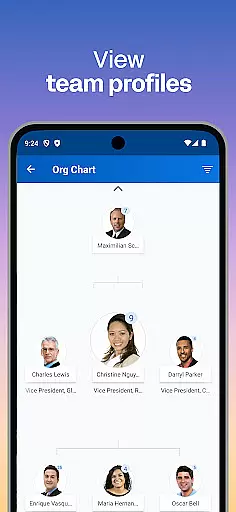
Workday's collaborative work features are designed to enhance team productivity and streamline communication. The app allows users to connect with teammates, approve employee requests, and view team profiles effortlessly.
Managers can utilize the app to adjust employee roles, give performance reviews, and manage payroll with ease. This ensures that all team-related tasks are centralized, making collaboration more efficient and effective.
The app also supports interactive reports and dashboards, providing valuable insights into team performance and helping managers make informed decisions. These features collectively foster a cohesive work environment where information is readily accessible.
By integrating these comprehensive tools into one platform, Workday ensures that teams can maintain high levels of productivity and engagement, regardless of their physical location.
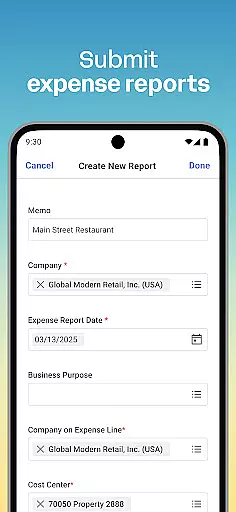
Task management in Workday is comprehensive, offering users the ability to organize and prioritize their daily activities efficiently. From submitting timesheets and expenses to requesting time off, the app covers a wide array of essential tasks.
Push notification reminders ensure that users never miss important deadlines or actions, keeping them on track throughout their workday. Additionally, employees can check in and out of work, maintaining accurate records of their attendance and productivity.
For those looking to expand their skill set, Workday provides access to training videos and internal opportunities like gigs and jobs within the organization. This encourages continuous learning and career growth.
Overall, Workday's task management capabilities empower users to take control of their work life, ensuring they remain productive and engaged while having the flexibility to manage their responsibilities from anywhere.
User-friendly interface
Comprehensive task management
Advanced security features
Customizable user experience
Extensive managerial tools
Limited offline functionality
Occasional syncing issues
Steep learning curve
Subscription costs
Dependent on internet connectivity

AI-powered document scanner with auto enhance for perfect PDFs.
 4.60
4.60
VSD Viewer - Visio Drawings Viewer for Android Preview VSD, VDX, VSDX drawings
4.10
TurboScan turns your phone into a full-featured PDF document scanner.
4.80
Windows App allows you to connect to remote PCs and virtual apps.
3.70
The MyWalmart App is available for all associates in stores.
4.70
viewing and sharing PDFs and other files—anytime, anywhere!
4.3
A secure, all-in-one team collaboration app
4.30
From Gone to Back Again — In Just a Few Taps
4.50
Make invoices, bills, receipts & estimates on the go with Invoice Generator.
4.70
GoTo Mobile is a simple & secure calling, messaging & meetings solution
4.80
Create curriculum vitae, a professional cover letter creator and resume designer
4.80
Your employer must have UKG Ready software configured for Mobile.
4.60
Finance, Investing, Stocks, Trading and Stock news
4.60
Work happy with AI Companion
4.10
On the go? Take FedEx with you.
4.00
Simple, Fast & Lightweight
3.90
viewing and sharing of PDFs
3.60
view, manage, and share every PDF file you have
3.60
Roadie connects people with stuff to send with drivers already going that way.
3.50


User Reviews