
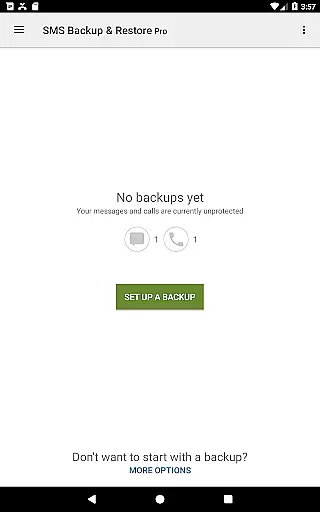
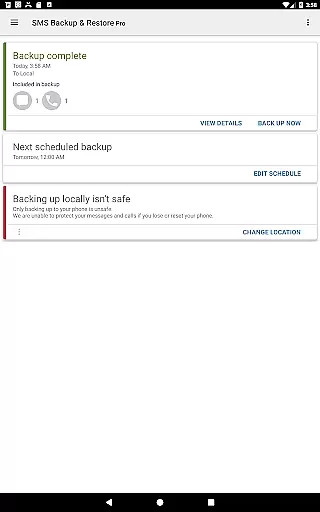
SMS Backup & Restore Pro is a premium Android application designed for secure backup and restoration of SMS, MMS messages, and call logs. The app offers advanced features such as encryption, cloud integration, and scheduled backups, ensuring comprehensive data protection.
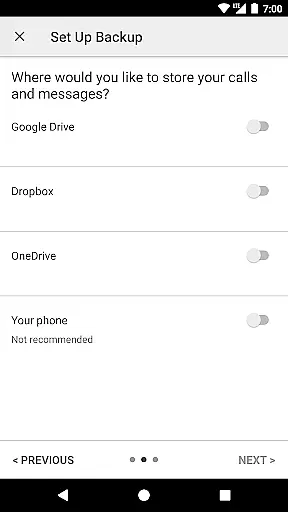
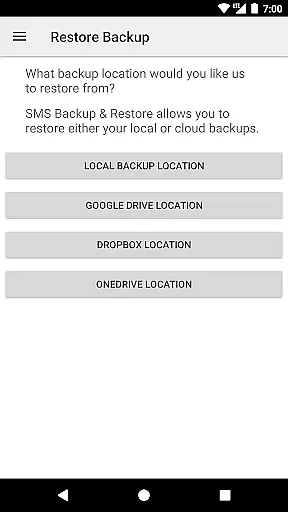
With support for multiple cloud services like Google Drive, Dropbox, and OneDrive, users can store their backups securely off-device. The app also enables fast data transfer between devices via WiFi Direct, making it an essential tool for anyone needing reliable message and call log management.
This app stands out with its robust feature set tailored for power users. It allows compression and encryption of backup files, ensuring both storage efficiency and security. Users can choose from various backup locations including WebDAV, providing flexibility in data management.
The scheduling feature automates regular backups, while selective conversation backup gives users granular control over their data. With the ability to view, search, and drill into backup contents, plus compatibility across Android versions, this app delivers professional-grade backup solutions for personal and business use.
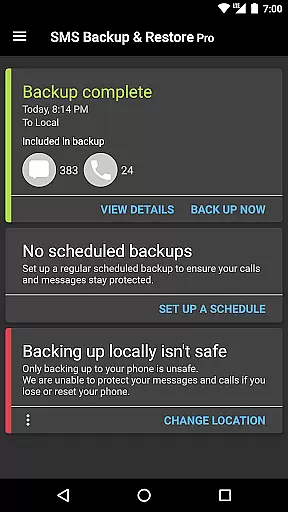
SMS Backup & Restore Pro excels in providing accurate and effective core functions that are essential for managing your SMS, MMS, and call logs. The app allows users to create precise backups of their messages and call logs in XML format, ensuring that all information is captured faithfully.
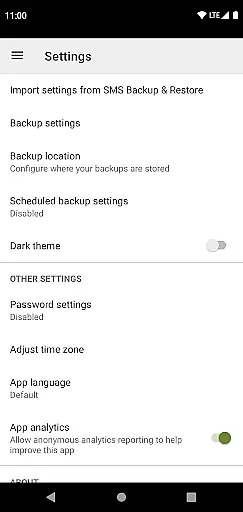
With options to compress and encrypt backups, the app ensures that your data remains not only accurate but also secure. This feature is particularly useful for those who prioritize privacy and need to safeguard sensitive information contained within their messages and call logs.
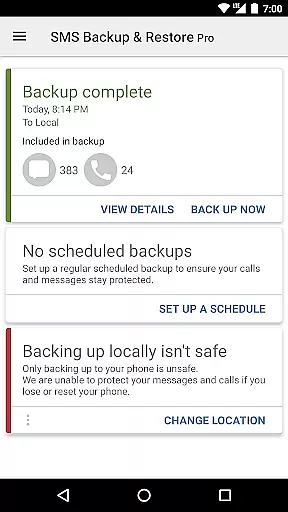
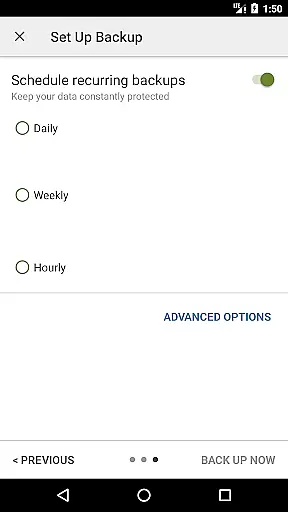
The ability to schedule recurring backups automatically further enhances the app's effectiveness by providing a hands-free solution to data management. Users can trust that their communication history will be consistently backed up without manual intervention, thus minimizing the risk of data loss.
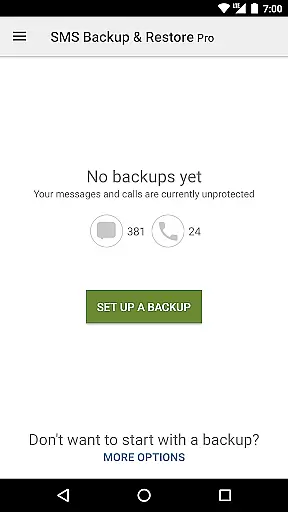
The interface of SMS Backup & Restore Pro is designed with simplicity and intuitiveness in mind, making it accessible even to those who may not be tech-savvy. Upon opening the app, users are greeted with straightforward navigation options that allow them to backup or restore messages and call logs effortlessly.
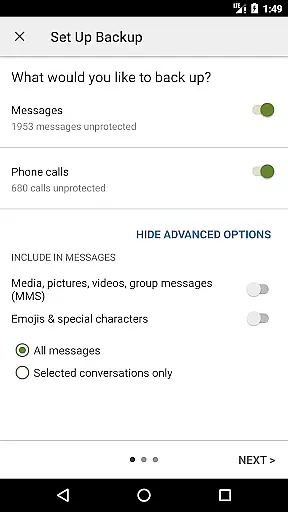
One of the standout features contributing to its intuitive design is the option to select specific conversations for backup or restoration. This granular control enables users to manage their data more effectively without being overwhelmed by unnecessary complexity.
Additionally, the app provides clear instructions and feedback during operations such as transferring files over WiFi Direct or uploading backups to cloud services like Google Drive and Dropbox. These streamlined processes ensure that users can perform essential tasks with confidence and ease.
Comprehensive backup options
Secure encryption standards
Multiple cloud integrations
Automated scheduling system
Cross-device compatibility
No iOS version available
Requires existing backups
Premium price point
Complex for beginners
Limited free features

Fluid navigation gestures for all of us!
 4.30
4.30
Family Locator, Share location, StayConnect with your family in real time
3.90
Smart and comfortable browsing experience.
3.80
Unleash gamepad precision for ultimate mobile gaming dominance.
3.90
Navigate with Ease and Style
4.90
Making emulation easy for everyone!
4.30
The ultimate tool for network analysis, wifi scanning and problem detection.
4.90
Clean up large files and similar photos, fast and easy to use
4.40
Clean up your phone, find files, play media, and share files offline
4.50
NFC Tools can read and write NFC tags.
4.70
Fast Video Downloader, Movie Downloader, Torrent Downloader & Adblock Browser
4.70
Mirror your screen to Chromecast and Android TV - Super fast and simple
4.60 4.50
4.50 4.50
4.50
Quickly switch to an encrypted DNS server on Android TV
4.50
eXtended Permission Manager - a small app to manage permissions and AppOps
4.50
Pro Emulator is an easy to use game console emulator for a range of consoles.
4.40
This app unlocks the Pro features of the Central for DayZ app
3.60
Undelete and recover your lost or deleted files with DiskDigger!
3.40


User Reviews