
Mp3 Music Player - Offline is a dedicated music player app designed for audiophiles who prefer to listen without internet connectivity. This app allows users to play local MP3 files with advanced playback controls, making it ideal for those who value simplicity and functionality.
With features like adjustable playback speed, sleep timer, and multiple playback modes, the app caters to various listening preferences. Whether you're learning through audio content or simply enjoying your music library, this app provides an uninterrupted experience.
The app's minimalist design ensures that users can focus on their music without distractions. Its lightweight nature also means it won't drain your device's battery, offering a seamless music experience.
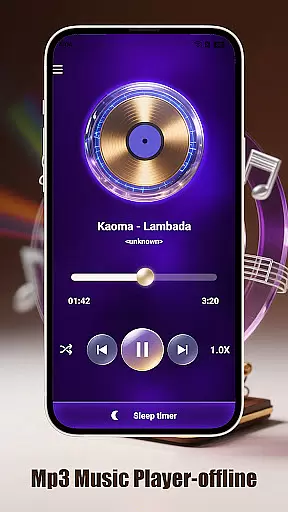
Mp3 Music Player - Offline offers a range of features that enhance the music listening experience. The app supports smart playback modes including loop, shuffle, and single-track options, allowing users to customize how they listen to their music.
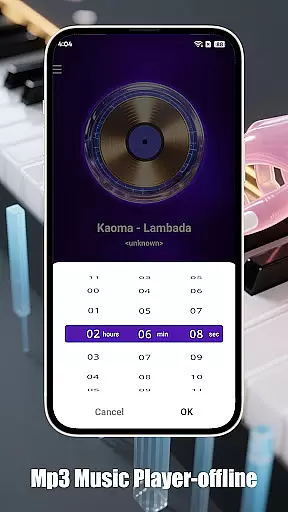
One standout feature is the adjustable playback speed, which ranges from 0.5x to 2.0x. This is particularly useful for those who use the app for educational purposes or podcast listening. Additionally, the sleep timer function automatically stops music playback to conserve battery life.
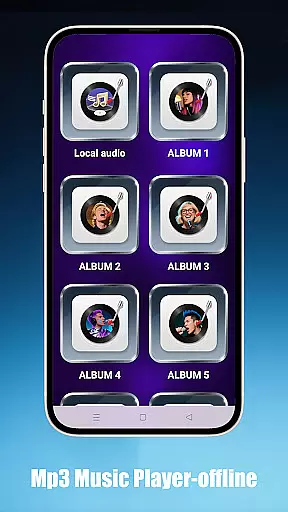
Users can access their local music effortlessly by browsing through folders, artists, or albums. The app's ultra-fast search capability ensures tracks are found instantly. With its landscape-optimized UI and ad-free environment, listeners can immerse themselves in a clutter-free audio journey.
Mp3 Music Player - Offline offers a seamless way to manage and enjoy your personal music collection. While the app doesn't provide streaming services, it allows users to access an extensive local music library stored on their devices.
The application supports MP3 files, which are widely used and legally owned by users, ensuring full compliance with copyright laws. This makes it a reliable tool for organizing and playing back your legally acquired audio files without restrictions.
With features like folder-based browsing, artist, and album sorting, users can easily navigate through large collections of tracks. The ultra-fast search functionality ensures that even those with extensive libraries can find specific songs quickly and efficiently.
One of the standout features of Mp3 Music Player - Offline is its ability to deliver high-quality audio playback. The app supports standard MP3 file formats, preserving the original audio quality of your downloaded or ripped music files.
For audiophiles and casual listeners alike, the adjustable playback speed (ranging from 0.5x to 2.0x) provides flexibility without compromising sound quality. This feature is particularly useful for podcast enthusiasts or language learners who need slower or faster playback.
The player's minimalist design isn't just about aesthetics u2013 it also helps maintain focus on pure audio reproduction without unnecessary enhancements or distortions. The lightweight nature of the app ensures that system resources are optimized for smooth, uninterrupted playback.
User-friendly interface
Advanced playback options
Lightweight and efficient
No internet required
Customizable listening experience
Limited to local files
No streaming service integration
Basic equalizer settings
Occasional bugs reported
Not ideal for cloud storage

Fun & Easy Voice Changer – Record, Edit & Add Hilarious Effects!
 4.50
4.50
Over 100 million tracks available for high quality streaming and download
4.60
The Music Journey in Your Hands
4.30
AI Music Maker: Generate And Compose AI Tunes & AI Songs & AI Music & AI Melody!
4.60
Smart piano keyboard, Classical to Pop, Real-time multiplayer connection!
4.20
The original SP-1200 experience on your iPad
4.20
A complete sound package for the sound engineer or enthusiast
4.60
PowerAudio is a powerful offline music player.
4.20
Sing, record, and create music together — enhanced by smart voice tools.
4.00
Offline Music Player & MP3 Player.Powerful equalizer, Lyrics, Themes, Tag Editor
4.80
Your song collections with lyrics and chords on Android smartphones and tablets.
4.80
Listen radio AM / FM Stations. Live AM / FM Radio App Station. Radio Com.
4.70
Pay Once, no monthly payment
4.60
A synth that really lets you shape your sounds!
4.50
Your HD audio recorder on the go for music, meetings, ambience, animal sounds…
4.30
Master Salsa Rhythm quickly and with a lot of fun!
4.30
A High-Precision Audio Spectrum Analysis App
4.20
The ultimate media player for Android devices
3.90
Background pads for your band
3.80


User Reviews