
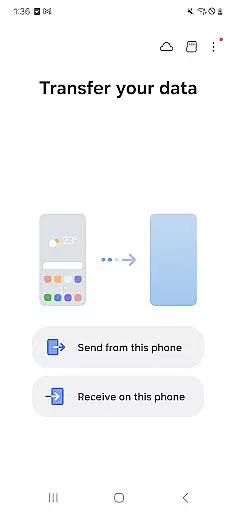
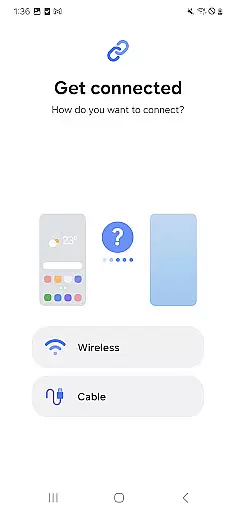
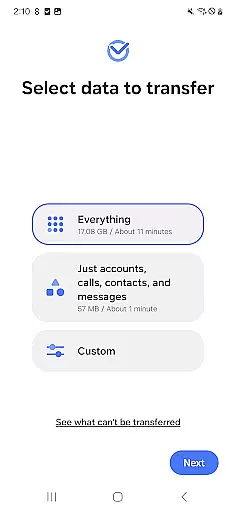
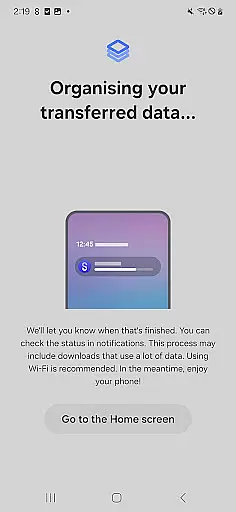
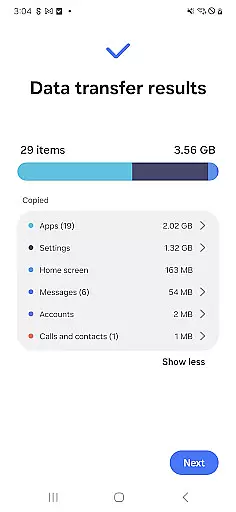
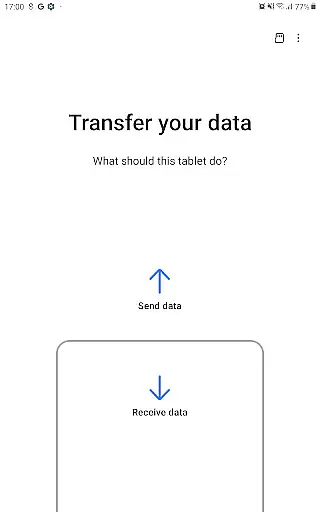

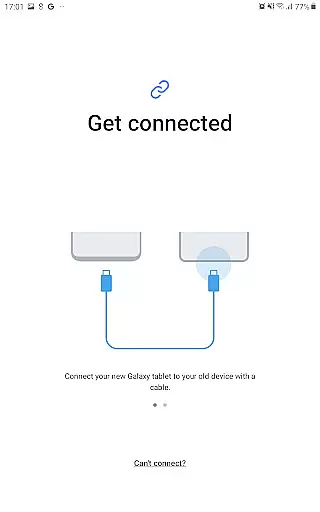
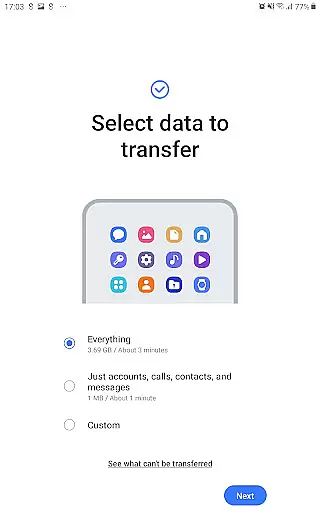
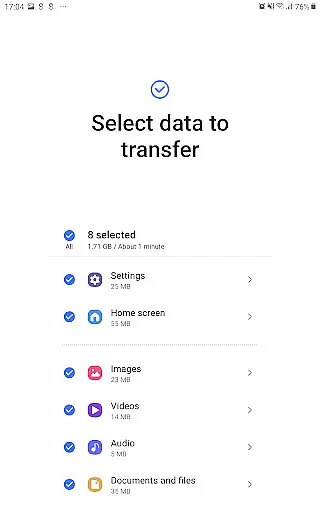
Samsung Smart Switch Mobile is a powerful migration tool designed to simplify the process of switching to a new Galaxy device. The app enables seamless transfer of contacts, music, photos, calendar entries, text messages, device settings, and more from your old Android or iOS device to your new Samsung Galaxy. It also helps users find their favorite apps on Google Play™ or suggests similar alternatives, ensuring a smooth transition to the new device.
One of the standout features of Smart Switch is its broad compatibility. It supports data transfers from various Android devices running Android 5.0 or higher, as well as iOS devices using either a wired connection or iCloud backup. Additionally, it offers support for transferring content like DRM-free music and videos, call logs, alarms, Wi-Fi settings, wallpapers, documents, and even app data between Galaxy devices. This makes it an essential tool for anyone upgrading within the Samsung ecosystem or moving from another platform.
The app is particularly useful for users who want to preserve their digital lives while upgrading their smartphones. Whether you're transitioning from an older Galaxy model or switching from an iPhone, Smart Switch ensures that all important data is securely moved without hassle. Its intuitive interface and reliable performance make it a must-have utility for both first-time Galaxy users and long-time Samsung enthusiasts.
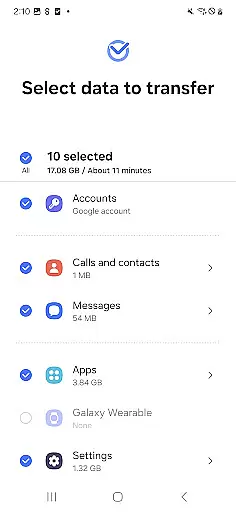
Smart Switch Mobile stands out with its comprehensive feature set tailored for effortless device migration. One of its key capabilities is the ability to transfer a wide range of data types, including contacts, calendar entries (device content only), SMS messages, photos, DRM-free music and videos, call logs, memos, alarms, Wi-Fi settings, wallpapers, documents, and even app data between Galaxy devices. This extensive coverage ensures that users can move all critical aspects of their digital life to their new device.
In addition to direct device-to-device transfers, Smart Switch offers multiple methods for migrating data from iOS devices. Users can choose between a wired transfer using a lightning or 30-pin cable, importing data from iCloud backups, or utilizing the Smart Switch PC/Mac software in conjunction with iTunes. This flexibility caters to different user preferences and technical setups, making it accessible for everyone regardless of their current device ecosystem.
Beyond data migration, Smart Switch provides practical features such as suggesting alternative apps available on Google Play™ when exact matches aren't found. It also includes robust permission management, allowing users to control access to specific data types like contacts, call logs, and storage. With support for modern protocols like Nearby Devices via Wi-Fi or Bluetooth, the app maintains high standards of security and efficiency during transfers. These features collectively ensure a reliable and user-friendly experience for anyone looking to upgrade their mobile device.
Smart Switch Mobile exemplifies core function accuracy by ensuring seamless data migration across devices. The application supports a comprehensive range of content transfers including contacts, messages, and media files, all executed with precision.
The app's effectiveness is highlighted by its broad compatibility, working with various Android versions and iOS devices under specific conditions. By providing multiple transfer methods such as wired, wireless, and cloud-based solutions, it optimizes the migration process for users upgrading their devices.
For Android users, Smart Switch requires version 5.0 or higher, while iOS device owners can leverage iCloud or iTunes backups. This inclusive approach guarantees that a vast majority of smartphone users can benefit from its capabilities regardless of their device ecosystem.
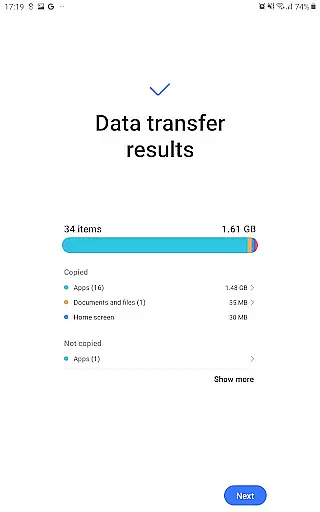
Ultimately, the true value lies in the time saved and the assurance that personal data is transferred accurately without loss or corruption. Users can confidently switch devices knowing their digital lives are preserved intact.
The interface design of Smart Switch Mobile emphasizes simplicity and ease of use, streamlining the complex process of data transfer into an intuitive user experience. With clear instructions and straightforward navigation, even those who aren't tech-savvy can operate the app effectively.
Upon launching the app, users are greeted with a clean layout that categorizes transferable items logically. Options like 'Transfer from iOS' or 'Transfer from Android' guide users through each step, minimizing confusion and potential errors during setup.
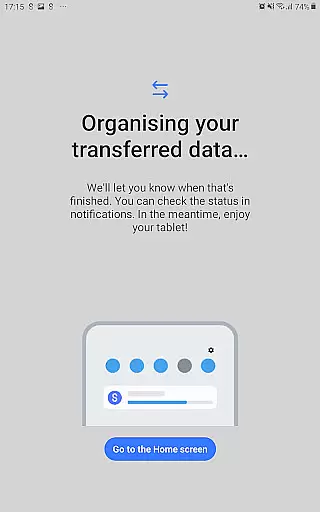
Moreover, visual indicators and progress bars provide real-time feedback on the transfer status, enhancing transparency throughout the operation. Such thoughtful design elements contribute to a stress-free transition between devices.
This focus on user-centric design not only simplifies device switching but also instills confidence in users who might otherwise feel overwhelmed by the prospect of managing their digital content manually.
User-friendly interface
Wide compatibility range
Comprehensive data transfer options
Supports both Android and iOS migrations
Secure and reliable performance
Limited functionality on non-Samsung devices
DRM-protected content not supported
Requires sufficient storage space
Occasional connectivity issues
Permissions needed for full functionality

Quickly switch to an encrypted DNS server on Android TV
 4.50
4.50
This app unlocks the Pro features of the Central for DayZ app
3.60
Use your phone as a webcam on your computer over WiFi or USB.
4.40
eXtended Permission Manager - a small app to manage permissions and AppOps
4.50
Amateur Radio app for APRS: Track friends, exchange messages, get tactical info.
3.90
WiFi Signal Strength Meter help you detect WiFi Signal Strength in real time.
4.80
Planner and Tracker for Stardew Valley
4.60
Fun lie-detection pranks for friends and parties.
3.80
Enjoy a smooth mobile reading experience!
3.60
Connect wirelessly to your computer to watch movies, browse the web, play games
5.00
Excellent scientific calculator with symbolic algebra, integrals, derivatives
4.80
Optimize your WiFi network, turn your phone into Wifi Analyzer
4.70
Learn the vast amount of system information about device and monitor it's state
4.70 4.50
4.50 4.50
4.50
Universal TV remote control all TVs, Roku, LG, Samsung, Fire, Vizio, Sony, TCL.
4.40
Pro Emulator is an easy to use game console emulator for a range of consoles.
4.40
A convenient photo, video, and file recovery tool.
4.00
1-Click close all background apps on Android TV
3.90


User Reviews