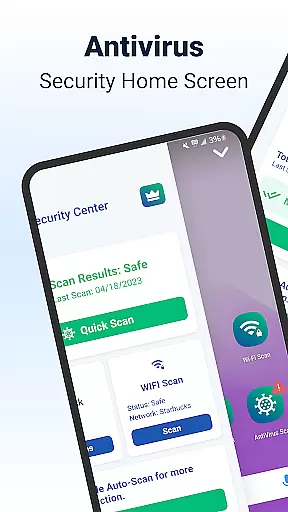
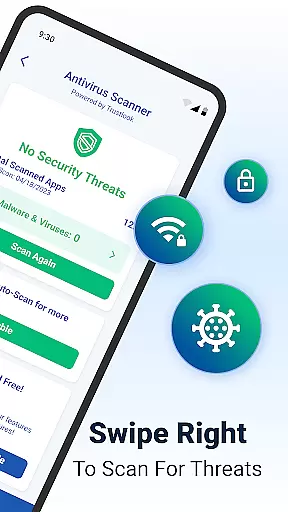
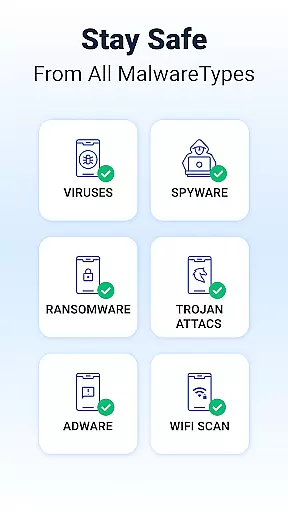
Shield is a comprehensive security solution designed specifically for Android devices, offering robust protection against viruses, malware, and various cyber threats. The app's AI-driven antivirus scanner provides an impressive 99% detection rate with minimal false positives, ensuring reliable device safety.
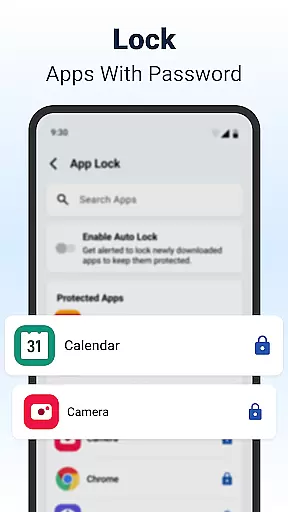
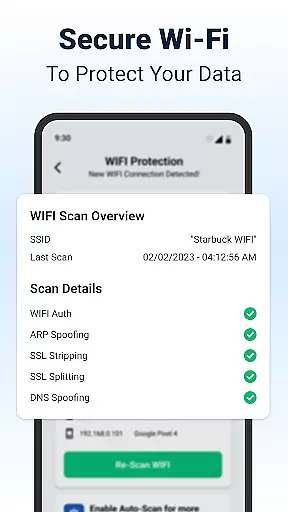
Beyond basic security features, Shield includes advanced privacy tools such as AppLock, which secures sensitive applications with password or fingerprint authentication. Its WiFi scanning capability detects potential network vulnerabilities, protecting users from ARP spoofing, DNS attacks, and SSL stripping. These features make Shield particularly valuable for users who frequently connect to public networks or require enhanced data protection.
The application also enhances user experience through customizable home screen options and privacy controls, allowing personalization without compromising security. Whether you're looking to protect your device from malicious software or seeking to maintain privacy on-the-go, Shield delivers both functionality and style in one package.
Shield distinguishes itself through several key features that cater to modern security needs. Its high-accuracy AI-powered antivirus engine stands out with rapid scanning capabilities, identifying and neutralizing threats within seconds. This ensures continuous protection without significantly impacting device performance.
The AppLock feature offers multiple layers of protection, supporting both traditional PIN codes and biometric authentication methods like fingerprint scanning. Users can selectively lock individual apps, creating customized security protocols for different applications. Additionally, the secure WiFi scanning tool actively monitors network connections, alerting users to potential risks and unauthorized devices on their network.
For those seeking personalization, Shield provides extensive customization options for the home screen interface. Users can modify visual elements while maintaining access to essential security functions. This combination of powerful protection and aesthetic flexibility makes Shield a versatile choice for Android users prioritizing both security and individual expression.
Customization is at the heart of Shield, allowing users to tailor their Android experience to their unique preferences. With a wide array of customization options, users can modify their home screen layout, choose from various themes, and personalize app settings.
The AppLock feature not only enhances security by locking sensitive apps with a password or fingerprint but also allows for personal adjustments such as hiding apps and customizing lock screens. This ensures that privacy does not come at the cost of personal style.
Shield Antivirus Home further enriches this personalized experience by integrating privacy controls directly into the home screen. Users can enjoy both an aesthetically pleasing interface and top-notch security features without compromise.
For those seeking an ad-free and more secure environment, upgrading to Shield Pro offers enhanced customization capabilities. This premium version provides a seamless experience where security meets personalization, ensuring your device remains uniquely yours.
Theme compatibility in Shield ensures that users can apply their favorite themes across their device without running into formatting or display issues. Whether you prefer a dark mode for reduced eye strain or vibrant themes to express your personality, Shield supports a broad range of visual styles.
Beyond just aesthetics, Shield's theme system is designed to maintain functional consistency. Regardless of the theme applied, all security features and privacy controls remain fully accessible and operational, providing peace of mind without sacrificing visual appeal.
Users can customize their lock screens and app interfaces while being assured that every theme integrates smoothly with Shieldu2019s comprehensive security suite. This includes advanced features like WiFi scanning and network device monitoring, which stay effective under any chosen theme.
With regular updates and new theme additions, Shield guarantees that your device's look and feel stay fresh and engaging. This commitment to compatibility ensures that every user can enjoy a personalized yet secure Android experience tailored to their individual tastes.
Powerful AI-driven scanning
Comprehensive privacy tools
Customizable interface options
Advanced network security
Intuitive user experience
Premium features locked behind paywall
Occasional performance impact
Limited iOS compatibility
Interface may overwhelm beginners
Some features require manual activation

Customizable Glass widgets. Over 360+ stunning widgets and more!
 4.70
4.70
Ultra realistic gold analog watch face with lots of customization options.
4.50
Adult video chat, dating, making friends, random matching
4.20
Unique Android Launcher
4.60
AI-powered Copilot. Personalized keyboard with gifs, stickers & themes
4.40
Shimeji adds cute animated characters to your screen, lively and fun.
4.70 4.50
4.50
Customize your home screen with stunning themes, blur, widgets & icons.
4.60
Fast SMS & group chat - use GIFs and emojis from your home screen launcher.
4.50
Enjoy a variety of amazing live wallpapers and colorful EDGE lighting borders!
4.80
Sparkle your screen with Glitter Wallpapers For Girls and Cute Backgrounds!
4.80
A retro cartoon style watch face and a punch right in the face of the copyright
4.60
Turn text & photos into stunning AI videos, art, and creative visual stories.
4.50
Color phone with cool effects for call screen, flash alert & ringtones music
4.50
The definitive Icon pack maker and editor
4.30
Unleash Your Creativity and Connect with Loved Ones with Lockscreen Drawing!
4.20
More than 3000+ themes and 9000+ wallpapers for everybody!
4.10
Transform your phone with stunning video wallpapers and a unique, personal touch
3.80
Custom edge gestures for volume control, brightness, apps, and shortcuts.
4.3


User Reviews