
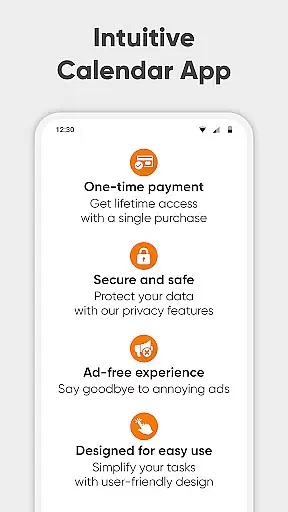
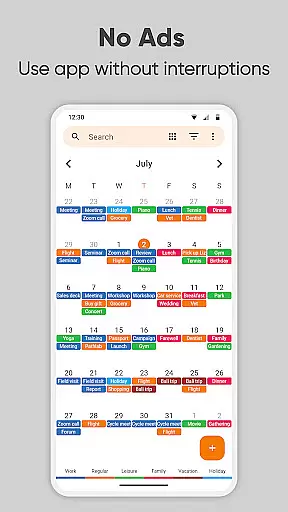
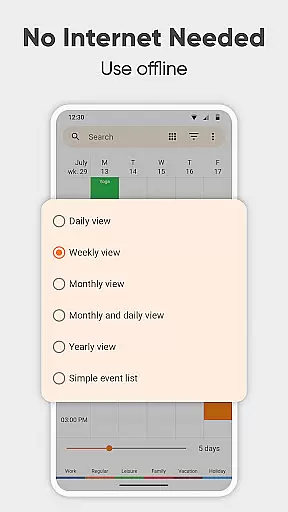
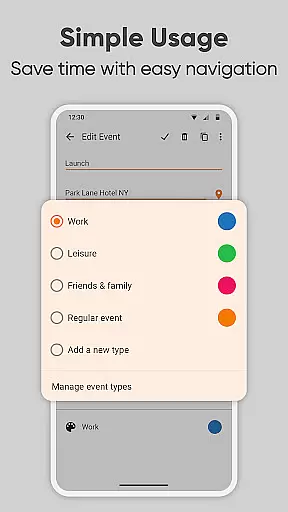
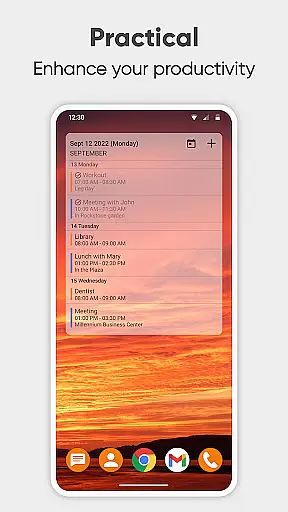
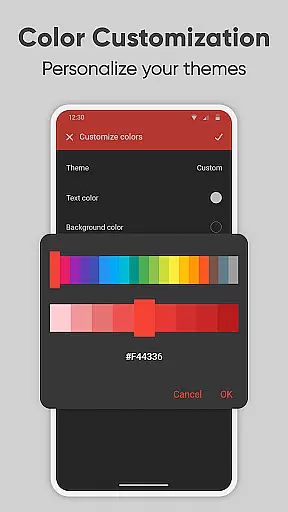
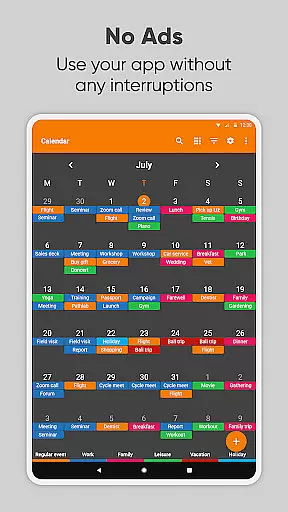
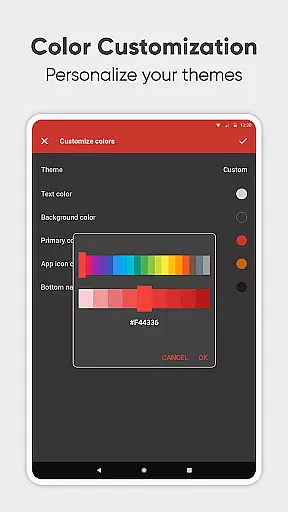
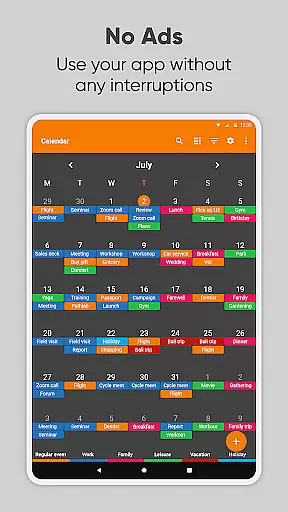
Simple Calendar Pro is a premium productivity app designed for Android users who need an efficient, offline calendar solution. This application excels in providing a streamlined experience with its highly customizable features and seamless integration with Google Calendar and CalDAV-supported platforms. It ensures privacy and security by functioning without the need for internet access, making it reliable for personal and professional scheduling.
The app's core functionality revolves around helping users organize their daily, weekly, and monthly schedules effortlessly. Whether you're managing work appointments, family events, or personal reminders, Simple Calendar Pro offers a comprehensive set of tools to keep you on track. Its intuitive interface includes a variety of widgets and customization options, allowing users to tailor the appearance and notifications to their preferences.
For those who appreciate simplicity and efficiency, this app serves as an ideal planner that combines essential features like event reminders, recurring schedules, and agenda views without overwhelming users with unnecessary complexities. The ability to sync across devices and export settings further enhances its utility, ensuring your schedule is always up-to-date and accessible wherever you go.
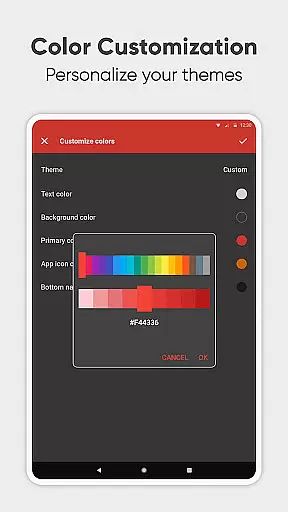
Simple Calendar Pro stands out with its rich feature set tailored to maximize productivity. One of its key highlights is the robust customization capability, enabling users to personalize nearly every aspect of the app. From adjusting notification sounds and vibrations to selecting from a range of colorful themes, the app ensures that your calendar not only functions effectively but also matches your personal style.
Another significant feature is its support for CalDAV synchronization, which allows seamless integration with external calendars such as Google Calendar, Microsoft Outlook, and Nextcloud. This ensures that all your events and appointments are consistently updated across platforms. Additionally, the app supports importing and exporting events via .ics files, making it easy to transfer data between devices or share schedules with others.
Furthermore, Simple Calendar Pro emphasizes user convenience with practical tools like quick event creation, flexible repetition rules, and multiple viewing options (daily, weekly, monthly, yearly). These features collectively provide a versatile planning solution that adapts to various scheduling needs, whether for personal use or professional organization.
At the heart of Simple Calendar Pro lies its robust core task management system, designed to streamline your daily planning. This feature allows users to effortlessly create, organize, and track events with precision. Whether it's a single appointment or recurring meetings, the app provides powerful repetition rules that ensure no important event is missed.
The beauty of this productivity tool is its seamless integration with various calendar services through CalDAV support. Users can sync their schedules from Google Calendar, Microsoft Outlook, Nextcloud, and more, ensuring all their commitments are in one place. This synchronization capability not only simplifies task management but also enhances cross-platform accessibility.
Moreover, Simple Calendar Pro offers an intuitive interface for managing tasks without any unnecessary complexities. With customizable reminders and notifications, you have full control over how and when you're alerted about upcoming events. This level of personalization empowers users to tailor the experience to fit their unique workflow needs.
Ultimately, the core task management functionality within Simple Calendar Pro delivers a reliable way to maintain order in both professional and personal life. By providing tools like flexible event creation, easy-to-use monthly views, and list-based agendas, it ensures that time management becomes less of a chore and more of an efficient habit.
Cross-device synchronization is a pivotal feature of Simple Calendar Pro, offering unparalleled reliability for those who need consistent access to their schedules across multiple devices. This ensures that whether you're at home on your tablet or out with your smartphone, your calendar remains up-to-date everywhere.
The app achieves this by supporting industry-standard protocols such as CalDAV, which allows for real-time updates between connected devices. When an event is added or modified on one device, these changes are immediately reflected on all others linked through the same account. Such instantaneous syncing eliminates discrepancies and keeps everyone informed regardless of location.
Security during data transfer is also prioritized; since Simple Calendar Pro operates offline by default, sensitive information isn't exposed unnecessarily online. However, when syncing via trusted services like Google Calendar or Exchange, robust encryption methods safeguard user data against unauthorized access.
In essence, Simple Calendar Prou2019s commitment to dependable cross-device synchronization transforms it into more than just a planneru2014it becomes a comprehensive companion for organizing modern life efficiently while maintaining peace of mind regarding data integrity and privacy.
User-friendly interface
Highly customizable options
No ads or unnecessary permissions
Offline functionality
Seamless CalDAV support
Limited advanced features
No built-in email client
Basic widget designs
Occasional sync delays
Fewer integrations compared to competitors

Direct Chat without saving contacts & Dual WA Account on Single Device
 4.70
4.70
8 custom complications. Custom Time Fonts. Beautiful color schemes. A++ Design.
5.00
The upgraded version of Name Wheel with AI and the power to add your own wheels.
4.5
Find and delete junk files & block unwanted notifications & manage files
3.70
ID.me Authenticator is a simple and free Two Factor Authentication solution
3.50
Code on-the-go with VScode for Android. Edit,debug and collaborate from mobile!!
3.10
Great calculator for Android named one of USA TODAY's "25 Essential Apps".
4.90
To do list widget with a notebook organizer, checklist, simple shopping list
4.60
Browse and view your photos and videos from the phone with photo & video hide.
4.10
Android Wallet Password Manager
4.80
The AI assistant that thinks with you - write, code, and solve complex tasks
4.60
Experience Reading - Night Mode for Documents
4.40
CalenGoo is a very flexible and feature-rich calendar app
4.40
Docker, Kubernetes management over Portainer Mobile
4.40
Total remote control for your Android device, PC and cloud services (IFTTT)!
4.20
All in One PDF Reader: Manage, Read and Edit your Documents
4.20
* block pre-roll ads, pop-up and forced redirect ads * Samsung certification app
4.00
Simple and reliable communication between inmates, friends and family
3.20
AI Video AI Image Private LLM AI Browser Llama Gemma Ollama Connect LLM Studio
4.4


User Reviews