
VScode for Android brings the powerful functionality of Visual Studio Code to mobile devices, allowing developers to write, edit, and debug code on-the-go. With support for a wide range of programming languages and file types, this app is designed to cater to both professional developers and coding enthusiasts who need flexibility in their workflow.
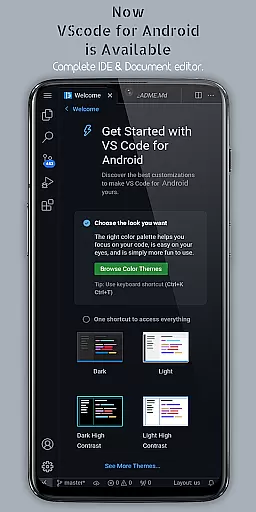
The app features customizable themes, extensions, IntelliSense, debugging tools, and built-in Git support, providing an immersive and efficient coding experience. Its fullscreen mode offers an uninterrupted coding session by hiding system bars, while remote access capabilities let users connect via a web browser using the phone's IP address and port 8080.
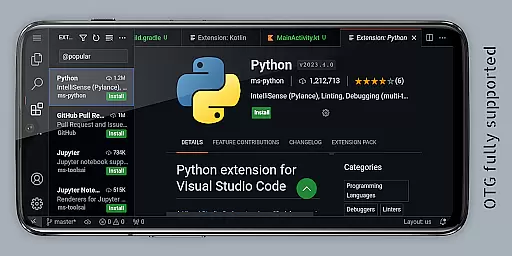
Whether you're working on HTML, Python, Java, or other popular languages, VScode for Android ensures that your projects are accessible wherever you are. The app optimizes productivity with multi-cursor editing, split view, integrated terminal, and task automation, making it an essential tool for modern coders.
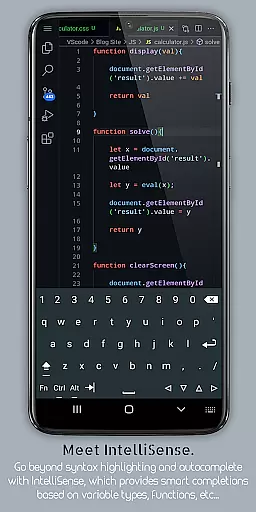
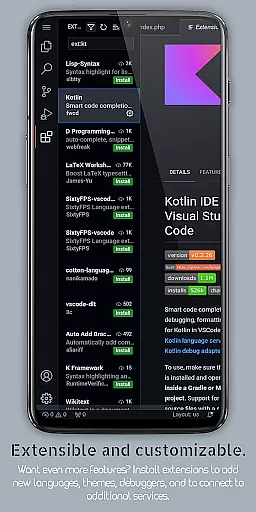
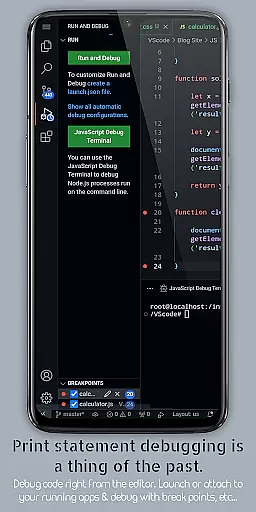
VScode for Android stands out with its comprehensive feature set tailored for developers. The app supports debugging, syntax highlighting, intelligent code completion through IntelliSense, and reusable code snippets, which collectively enhance coding efficiency and accuracy.
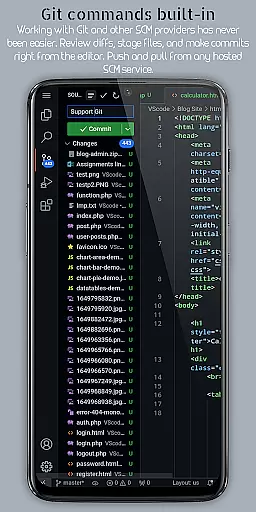
One of the key highlights is its embedded Git functionality, enabling seamless version control operations directly from the editor. Additionally, customizable keyboard shortcuts allow users to tailor the interface to their preferences, while the fullscreen mode provides an immersive display experience by hiding system bars.
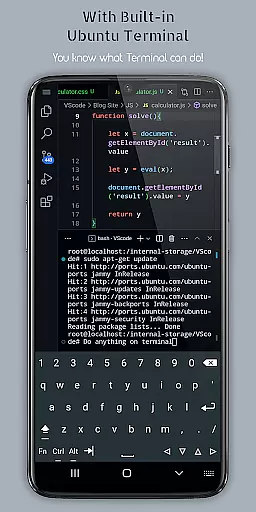
Remote access is another standout feature, allowing developers to use VScode on their mobile device from anywhere via a web browser. The app also includes multi-cursor editing, split view editing, and a built-in terminal, ensuring that users can perform complex tasks without switching between multiple applications.
VScode for Android revolutionizes the way developers handle task management on mobile devices. The app brings the full power of desktop Visual Studio Code to your fingertips, enabling seamless coding workflows.
With built-in support for Git and other version control systems, users can effortlessly manage project versions and collaborate with team members. The integrated terminal allows direct command-line access, while the task runner automates routine development tasks.
The application's workspace management feature lets programmers organize multiple projects efficiently. Users can switch between different workspaces and maintain distinct settings for various programming languages, optimizing their workflow across diverse coding environments.
Cross-device synchronization is where VScode for Android truly shines, offering developers reliable access to their coding environment from anywhere in the world. Through remote access capabilities, users can connect to their mobile setup via a web browser using their phone's IP address on port 8080.
All essential features remain consistent across devices, including IntelliSense for intelligent code completion, debugging tools, and customizable keyboard shortcuts. This ensures that whether working locally or remotely, the coding experience stays intuitive and efficient.
Moreover, the app supports real-time file editing and project management, maintaining data integrity across sessions. With all files access permission, it provides comprehensive document management capabilities, allowing creation, modification, and viewing of various file types directly from internal storage.
Powerful code editor
Wide language support
Customizable interface
Built-in Git support
Remote access capability
Complex for beginners
Requires learning curve
Limited mobile functionality
Occasional performance lags
Not officially by Microsoft

 4.20
4.20
AI Video AI Image Private LLM AI Browser Llama Gemma Ollama Connect LLM Studio
4.0
A customizable calendar for your Wear OS watch
4.20
Secure, open-source, SPICE and SSH Remote Desktop for QEMU KVM virtual machines
4.00
Great calculator for Android named one of USA TODAY's "25 Essential Apps".
4.90
A comprehensive suite of tools designed specifically for Lactation Consultants
4.3
A beautiful digital clock with autostart and many other functions
4.70
A simple Whisper AI keyboard for reliable speech transcription and rewording
4.60
Note taking, handwriting, record audio, PDF annotation, planner & journal
4.20
The AI assistant that thinks with you - write, code, and solve complex tasks
4.60
Stay on top of your to-dos with Google Tasks, part of Google Workspace.
4.60
Subscribe to Webcal & .ics calendars and keep them up-to-date!
4.50
This small app MUST BE INSTALLED after purchase, else license won't work
4.40
All in One PDF Reader: Manage, Read and Edit your Documents
4.20
Todo reminder
4.10
Experience real multitasking on your Android!
4.00
* block pre-roll ads, pop-up and forced redirect ads * Samsung certification app
4.00
All in one sketching tool. Technical and General drawing. Online Maps support.
3.70
IP Camera Viewer - Android TV : RTSP Surveillance camera viewer for Android TV
4.4


User Reviews