
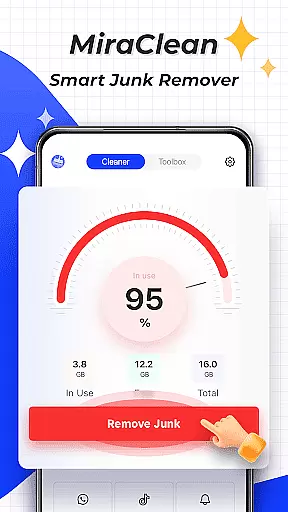

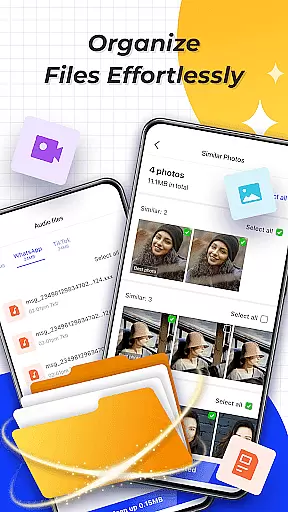
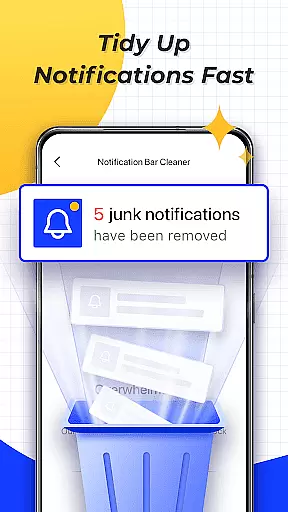
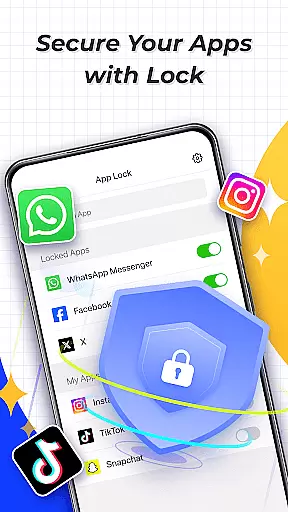
MiraClean is a productivity-focused app designed to help Android users efficiently manage their device's storage and performance. The app provides essential tools for file management, including junk file scanning and deletion, which clears temporary files, app caches, and residual data that can clutter your device. Additionally, it offers features like notification clearing, file organization by type and size, and network data usage tracking.
One of the standout aspects of MiraClean is its lightweight design and commitment to user privacy. It ensures that while you optimize your phone's performance, your personal information remains secure. Whether you're looking to free up space or monitor your data consumption, MiraClean serves as a reliable tool for maintaining an organized and efficient device.
MiraClean comes packed with several notable features that enhance its functionality as a productivity app. First, the app performs comprehensive scans to identify junk files such as temporary files, app caches, and leftover data from uninstalled apps. This feature alone helps users reclaim valuable storage space on their devices. Furthermore, MiraClean allows users to clear unwanted notifications, ensuring that the notification bar remains clutter-free and only displays relevant alerts.
In addition to file and notification management, MiraClean also offers advanced file sorting options. Users can organize files based on type and size, making it easier to locate and manage specific data. Another key feature is the ability to track network data usage statistics, providing insights into how much mobile or Wi-Fi data each app consumes. Lastly, the built-in network speed test measures current download and upload speeds, giving users a clear picture of their internet performance.
All these features are wrapped in a user-friendly interface that emphasizes simplicity and efficiency, making MiraClean an excellent choice for anyone seeking to boost their device's productivity without compromising on privacy.
Task management is a cornerstone of productivity applications, and MiraClean excels in this area by offering users the ability to efficiently handle various maintenance tasks on their Android devices.
The app provides a suite of tools designed to scan and delete junk files, clear unwanted notifications, and manage files by type and size. These features are crucial for maintaining an organized digital environment that enhances device performance.
MiraClean's approach to task management empowers users with control over their storage space and system settings without requiring advanced technical knowledge. By simplifying complex processes into user-friendly actions, it ensures that even those who are less tech-savvy can optimize their devices with ease.
Ultimately, MiraClean's task management capabilities deliver significant value by saving time, improving device efficiency, and helping maintain a clutter-free mobile experience, which is essential for both personal use and professional productivity.
In today's interconnected world, reliable cross-device synchronization is vital for ensuring seamless access to information across multiple platforms. While MiraClean focuses primarily on single-device optimization, its design principles support a consistent experience that could extend to other devices through manual intervention or complementary services.
Although direct synchronization might not be a built-in feature, MiraClean aids in preparing your device for optimal performance, indirectly supporting data integrity when using cloud services or transferring files between devices. This preparation includes cleaning up unnecessary data and organizing important files, which minimizes potential conflicts during transfers.
For users seeking a dependable tool to keep their primary device running smoothlyu2014thereby facilitating smoother interactions with secondary devicesu2014MiraClean serves as an excellent choice. It lays the groundwork for hassle-free file sharing and backup operations by keeping the device free from clutter.
While dedicated synchronization tools may offer more direct solutions, MiraClean contributes significantly to the overall reliability of such processes by maintaining a clean and efficient local environment, which is foundational for successful cross-device interactions.
Lightweight design
Privacy-focused
Comprehensive file scanning
Easy-to-use interface
Network speed testing
Limited advanced tools
No cloud integration
Basic UI design
Few customization options
Occasional bugs

Wake up & get tasks done! Add alarms & reminders on the Clock Launcher.
 4.00
4.00
Easily read and manage all your PDF files
4.10
Multilingual translator for text, voice, and image translation!
4.90
The AI assistant that thinks with you - write, code, and solve complex tasks
4.60
Tally and goal counter for Wear OS & mobile
4.50
Scientific calculator for Android - looks and operates like the real thing!
4.90
Scan paperwork into PDF/JPG, generate your own e-signature and send fax or email
4.70
Okta MFA
4.70
Set up, print, and get support—in one place
4.20
Seamlessly integrate data and reports to build your presentation to impress
4.80
A beautiful digital clock with autostart and many other functions
4.70
A simple Whisper AI keyboard for reliable speech transcription and rewording
4.60
Fill, sign & send docs, forms, agreements & contracts via electronic signature.
4.50
PDF scanner & converter for files, photos, lottery, QR codes. One swipe away!
4.50
Translate text/voice/photos in 150+ languages. Offline & fast translator app.
4.50
A customizable calendar for your Wear OS watch
4.20
Intelligent AI Assistant
4.10
Make your handwriting beautiful, even more than pen on paper.
3.60
Ads Free App! Editor, Hide File, Copy, Move, Delete and Rename.. all facility av
1.70


User Reviews