
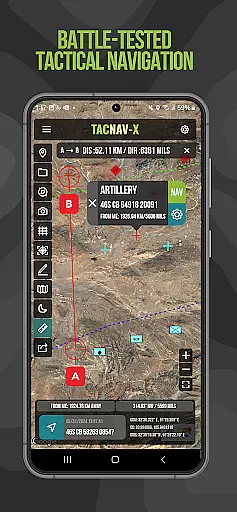
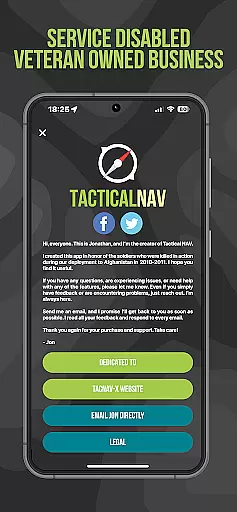
Tactical NAV is a military-grade navigation app designed for precision and reliability in challenging environments. Developed during a combat deployment in Afghanistan, it provides soldiers with accurate mapping and targeting capabilities. The app supports various coordinate systems including MGRS, UTM, and USNG, making it an essential tool for mission planning and execution.
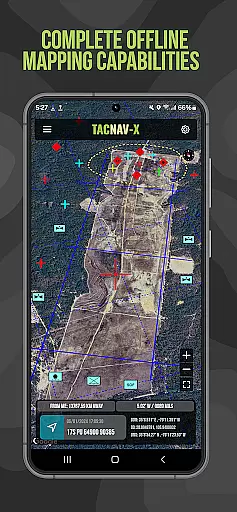
Key features include offline mapping functionality, tactical drawing mode, and precise waypoint plotting. Its accuracy rivals official DoD-issued systems like Nett Warrior and ATAK. While not endorsed for life-threatening situations, Tactical NAV serves as a powerful supplement to traditional navigation tools, enhancing situational awareness and operational effectiveness.
Tactical NAV stands out with its specialized military-focused features. The app offers pinpoint accuracy matching the AN/PSN-13 Defense Advanced GPS Receiver (DAGR), ensuring reliable performance in austere environments. Its offline mapping capability allows complete usage without emitting cellular signals, crucial for stealth operations.
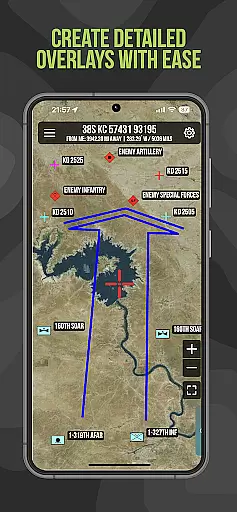
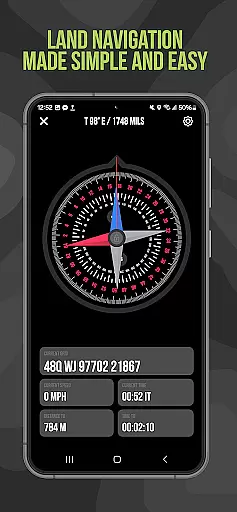
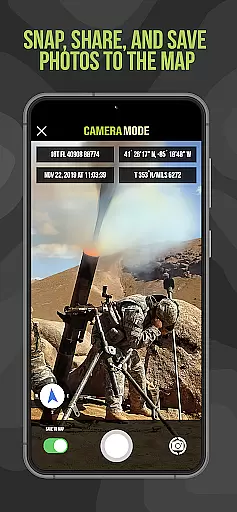
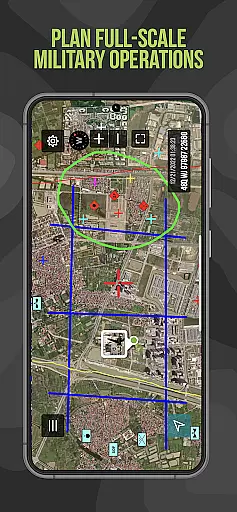
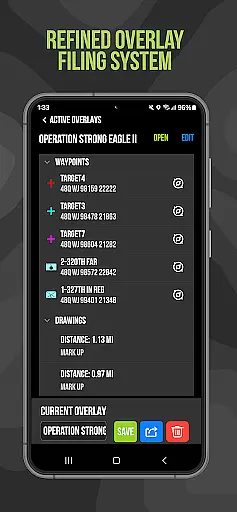
The tactical drawing mode enables detailed mission planning and overlay creation. Users can plot waypoints with military-standard graphics and utilize the 'Compass FastLock' function for quick azimuth capture. Additional features include photo integration into maps and location sharing via email or text, all built on Android's robust native codebase.
Map accuracy is a critical feature for any navigation application, especially one designed for military use like Tactical NAV. This app ensures precise location data by adhering to the WGS-84 standard, which includes MGRS, UTM, BNG, and USNG coordinates.
The development of Tactical NAV in the challenging terrains of Afghanistan highlights its capability to deliver accurate mapping even in the most austere environments. Its performance rivals that of the AN/PSN-13 Defense Advanced GPS Receiver (DAGR), offering soldiers reliable navigational support.
For users, this level of accuracy means enhanced situational awareness and mission success. Whether planning operations or executing missions, service members can trust Tactical NAV to provide exact locations and waypoints, ensuring they can operate effectively in both training and combat scenarios.
Route planning is an essential component of Tactical NAV, empowering military personnel with advanced tools for mission preparation. The app offers waypoint plotting functionality with military graphics as per FM 1-02.2, allowing for detailed and strategic route design.
With features like the 'Go to Grid' function, users can engage in precision planning, drawing overlays, and dropping waypoints with accuracy. The tactical drawing mode further supports this by enabling mission planning, building overlays, and targeting.
This comprehensive approach to route planning provides service members with the ability to strategize effectively, enhancing their operational capabilities. By integrating these sophisticated tools, Tactical NAV not only aids in navigation but also contributes significantly to mission accomplishment and soldier safety.
Highly accurate GPS
Offline map support
Military-grade features
Tactical drawing tools
Waypoint plotting system
No DoD endorsement
Limited civilian use
Premium features cost
Complex interface
Specialized audience

The fastest and most convenient way to pay for parking on our lots.
 4.40
4.40
All of NHSA's trail information at your fingertips for the 2025-2026 season
4.1
Maps, Driving Directions & GPS navigation using directions app & GPS App
4.30
Your real-time window to the world. Explore anywhere, anytime.
3.30
LIRR and Metro-North tickets and trips
4.80
ParkWhiz, an Arrive Mobility brand, part of the Arrive Network
4.30
Get route, find shortest path, near by places and weather update
3.90
Neshan: map & navigation app with 20M+ monthly active users
4.50
Track friends in real-time and explore worldwide live cameras.
4.60
Bolt is a ride-hailing app for requesting fast, safe, and affordable transport
4.80
Find EV & Tesla charging stations with PlugShare
4.70
Find radar maps, GPS coordinates, altitude, offline maps, location, travel route
4.40
Get matched with a nearby driver — you’ll be on your way in minutes.
4.30
Find routes fast with GPS Maps, GPS Navigation & driving directions.
4.10
Easy, Moderate and difficult offroad adventures.
4.00
Get route map navigation with 3D satellite view, and live earth camera streaming
3.70
Your guide to the recreational opportunities of the Bureau of Land Management!
3.40
Compass is an accurate compass and a great tool for any outdoor activities
4.5
Fully offline 1:50k New Zealand topographical map North Island
4.1


User Reviews