
X Launcher Pro is a premium launcher app designed for Android users who appreciate minimalist flat design and customization freedom. This application transforms the entire look and feel of your smartphone interface, offering an immersive experience without any ads. With its sleek design language and intuitive features, it provides users with tools to personalize their home screens extensively.
The launcher includes practical utilities like App Manager for organizing local apps, Control Center for quick settings access, and customizable options that allow modification of icons and layout structures. Whether you want to create visually appealing folders or hide specific apps, X Launcher Pro caters to both aesthetic preferences and functional needs. Its rich library of themes and wallpapers ensures every user can craft a unique mobile environment tailored to their style.
X Launcher Pro stands out with its comprehensive feature set that enhances both visual appeal and operational efficiency. One of its key highlights is the absence of advertisements, allowing users to focus on their tasks without interruptions. The App Manager function simplifies organization by enabling quick drag-and-drop placement of apps onto the desktop.
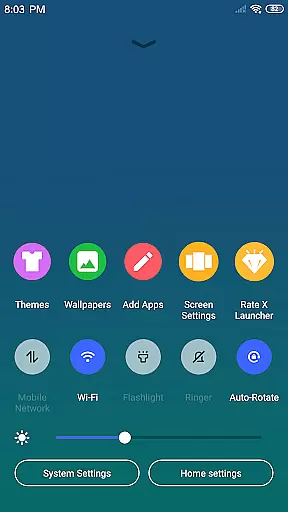
Control Center offers convenient access to essential phone settings such as WiFi, brightness, and volume controls through a simple swipe-down gesture. Users can choose from various professionally designed themes in the Theme Store, which adapt seamlessly to selected aesthetics. Additionally, the ability to customize app icons using local images and adjust grid sizes gives unparalleled control over the device's appearance.
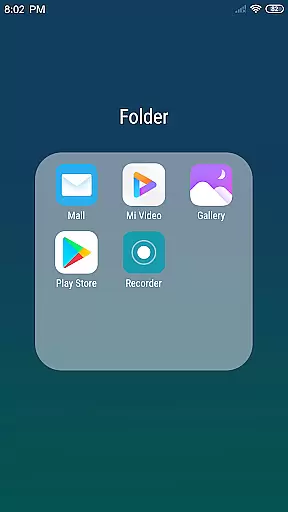
Other notable features include Flat Style Folders for grouping apps neatly and an option to hide apps from the launcher view. These functionalities not only improve usability but also ensure privacy and personalization according to individual preferences.
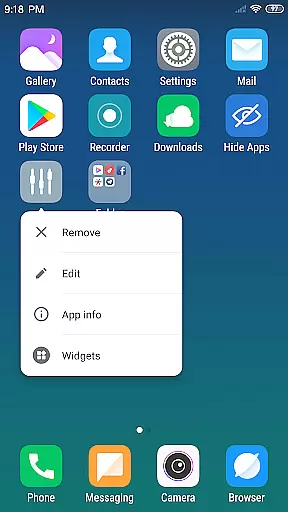
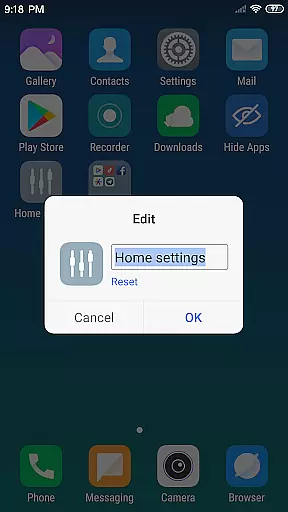
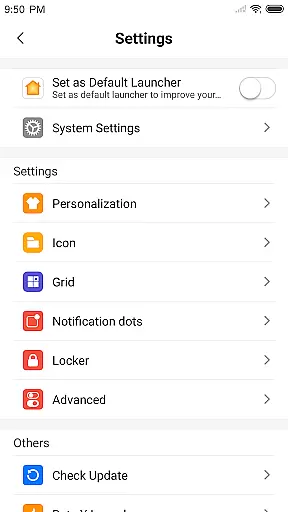
Creative tools are essential for users who want to personalize and enhance their mobile experience. X Launcher Pro offers a comprehensive suite of creative features that allow users to modify app icons and names, choose local images, and crop them to use as app icons.
The App Manager enables users to quickly find local apps and drop them onto the desktop. With the ability to change the number of rows and columns on the launcher, users have complete control over their home screen layout.
Additionally, X Launcher Pro includes a Flat Style Folder feature, allowing users to create folders by dragging one app onto another. This level of customization ensures that users can tailor their device to fit their unique style and preferences.
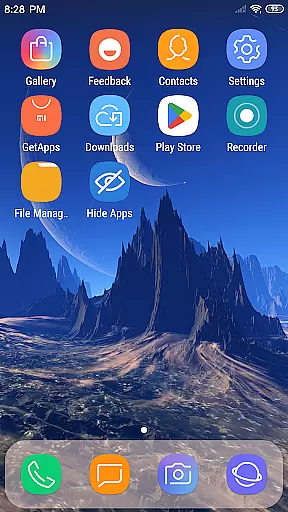
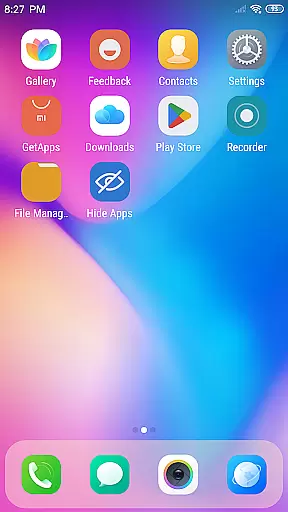
Flexibility in canvas and format options is crucial for creating a personalized smartphone experience. X Launcher Pro excels in this area by offering various themes and the latest wallpapers, which adapt seamlessly to user-selected themes.
The rich icon library provides users with a wide array of design choices, ensuring that their home screen is not only functional but also visually appealing. Users can enjoy a smooth experience while customizing their device's appearance.
Moreover, the ability to hide apps that they do not wish to display in the launcher adds an extra layer of personalization. This feature-rich launcher gives users the power to design their phone interface with precision and ease.
Ad-free experience
Highly customizable
Intuitive UI design
Rich theme library
Efficient app management
Storage permission required
Limited iOS mimicry
Premium cost
Occasional bugs
Learning curve

Trace, draw, and create art with AR - from memes to masterpieces!
 4.30
4.30
Logo Generator powered by AI: Create stunning logos effortlessly!
4.70
Paint with oils and sketch with natural tools on a realistic virtual canvas.
3.80
Photo blender app to create overlay photos & double exposure.
4.40
Share the joy of painting with ibis Paint! Drawing anime and manga art.
4.50
Kling AI is an image and video generation and editing studio powered by AI.
4.50
How to draw anime step by step for beginner easily by AR drawing sketch & paint.
3.60
Unleash your inner artist! Sketchar: AR Drawing for Limitless Creativity
4.40
All-in-One art, logo & collage maker. Design photos and edit video backgrounds
4.80
Minecraft & Roblox Clothes
4.70
Novices can also easily complete diamond painting masters
4.70
Digital, Abstract, Classic - all types of color wheels in one app!
4.60
Digital illustration drawing & painting pad app to paint Anime and Manga art
4.50
Draw Trace image sketch by, AR art projector app, Easy to trace any image.
4.50
AI generated images & photos, turn your words into drawing, painting & pictures.
4.30
Unleash Your Creativity with Draw Cartoon - AR Drawing App
4.10
Turning simple sketches into captivating tales filled with life and motion
3.90
AI Art Generator transforms your words into AI generated art & paintings.
3.70
Art of Combination Wear OS Watch faces
4.4


User Reviews