
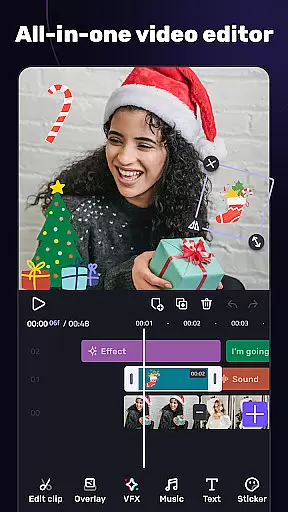
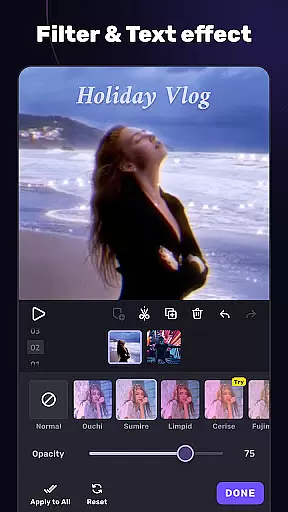
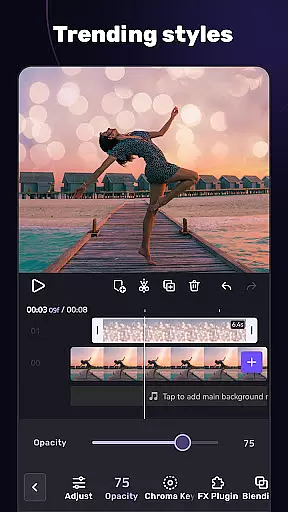
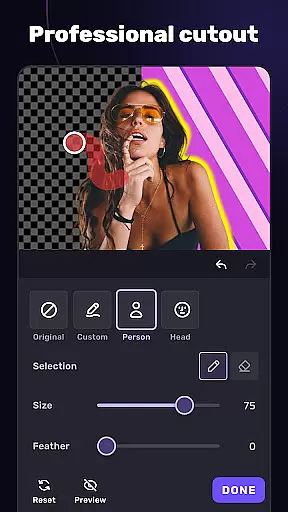
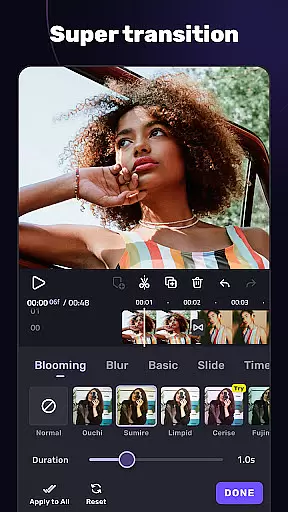
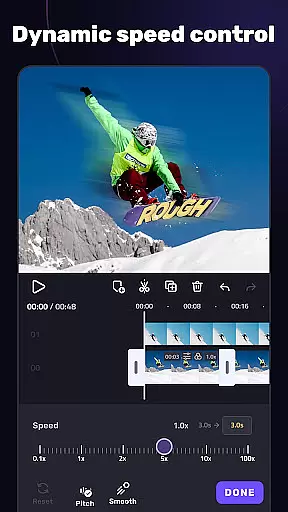
VivaCut is a versatile video editor and maker, designed for both casual users and professional content creators. It offers an intuitive interface with advanced features such as multi-layer timeline editing, chroma key effects, and speed control. Whether you're crafting cinematic videos for YouTube or sharing memories on Instagram, VivaCut provides the tools to create stunning visual stories.
The app supports basic editing functions like trimming, splitting, and combining clips, while also offering advanced capabilities including green screen effects, keyframe animation, and picture-in-picture overlays. With customizable text options, blend modes, and filters, users can achieve Hollywood-level results. The ability to export in resolutions up to 4K ensures high-quality output for all your projects.
VivaCut stands out with its comprehensive suite of editing tools. The multi-layer timeline allows precise frame-by-frame editing, while the chroma key feature enables seamless background replacement. Users can apply keyframe animations to various elements, including text and masks, creating dynamic visuals that captivate audiences.
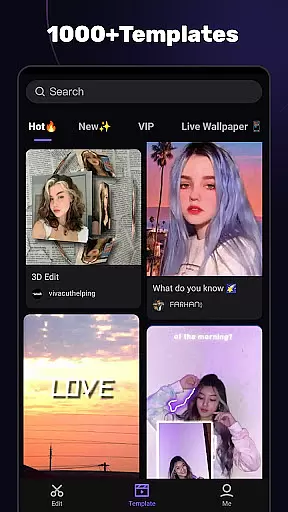
In addition to standard transitions and filters, VivaCut includes glitch effects and trendy music integration. The audio extraction tool lets you pull soundtracks from videos, and the music marker aligns effects with beats. Templates simplify the creation process, allowing users to produce professional-looking videos effortlessly. These robust features make VivaCut suitable for everything from social media posts to more complex film projects.
Video format compatibility is a crucial feature for any video editor, ensuring that users can work with a wide range of video files without conversion hassles. AI Video Editor supports an extensive array of formats, allowing creators to import and export videos in resolutions up to 4K. This versatility ensures that whether you're editing footage from a professional camera or a smartphone, the app maintains the original quality while offering flexibility in output.
The app's dedication to comprehensive format support extends to its rendering options. Users can customize video resolution settings, choosing between standard HD, Full HD, or Ultra HD outputs. This customization empowers content creators to optimize their videos for different platforms, from mobile-optimized social media posts to high-definition YouTube uploads. The ability to switch between these settings seamlessly makes the editing process more efficient.
Moreover, AI Video Editor provides real-time previews of edits across all supported formats. This means that regardless of the source file type, users can see exactly how their final product will look before exporting. Such reliability eliminates guesswork and potential rework, saving valuable time and enhancing productivity. For creators who need consistent results across various devices and platforms, this level of compatibility is indispensable.
AI-powered editing features represent the cutting edge of video editing technology, automating complex tasks and enabling creators to produce professional-quality content with minimal effort. AI Video Editor incorporates advanced algorithms that assist with everything from basic trimming to sophisticated visual effects. These intelligent tools analyze footage and suggest optimal cuts, transitions, and even color corrections, significantly reducing the time required for post-production.
One standout feature is the automatic generation of transitions and filters based on the video's content and style. By recognizing elements within the footage, the app applies suitable effects that enhance the storytelling without manual intervention. Additionally, the AI-driven chroma key function allows for seamless background removal and replacement, rivaling traditional green screen techniques used in Hollywood films. This democratizes access to high-end editing capabilities previously reserved for professional studios.
Furthermore, the integration of AI extends to audio processing, where the app can extract soundtracks or apply audio markers synced with video rhythms. Such innovations not only streamline workflows but also open new creative possibilities. Content creators can focus more on their artistic vision rather than technical details, knowing that AI Video Editor's smart features have them covered every step of the way.
User-friendly interface
Advanced editing tools
High-quality export options
Comprehensive feature set
Regular updates and improvements
Subscription required for full access
Some features may overwhelm beginners
Limited free version capabilities
Occasional performance issues
Ads in the free version

Online Videos Player
 3.90
3.90
HD Video player all format, HD Videos, Cast & Subtitle. No annoying ads.
4.60
1)AirPlay/DLNA Mirroring/Streaming, up to 4 connections; 2)Samba/NAS/DMS Player.
4.00
Stream Web Videos to Chromecast, Samsung, LG, Sony, Roku, Fire TV, DLNA + more
4.00
Pro video editor app for Instagram, edit video with song, AI, effect & slowmo.
4.80
Download videos easily & play them all in one smart, powerful video manager.
3.40
Fast & easy HD video downloader for all formats, support 4K playback & download.
4.60
#1 Torrent App on Android ** No Ads Ever + Battery Saver **
4.80
Viddo: Generate Action Figure, AI Anime, AI kiss, AI hug Video from image & text
4.40
An easy-to-use and all-round screen recorder with audio
4.80
Download Hub, easy and private way to download and enjoy your videos offline
4.80
All in one HD video downloader & player for multiple formats with full privacy
4.70
Support 1000+ Video Format, Subtitle Download, mp3 & Background Play, Cast On TV
4.60
Fast & Private HD Video Downloader with Built-in Proxy Browser and Video Player.
4.50
Fast video downloader & private browser. Save HD clips to watch offline.
4.40
Full HD Video mp3 Player, MP4 player play 1080p, File manager, Video Downloader
4.40
Connect EasyCap or UVC devices for recording and broadcast video/audio stream
3.60
IPTV Player - Watch live TV from m3m & m3u8 playlist, stream IPTV on mobile
3.30
Client application for NextPVR software
3.00


User Reviews