
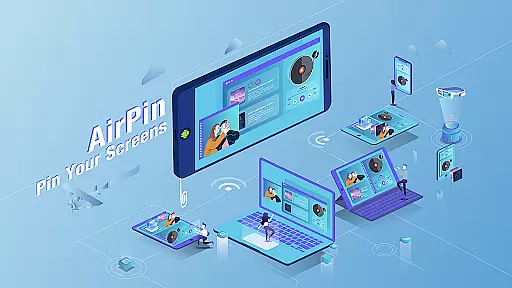

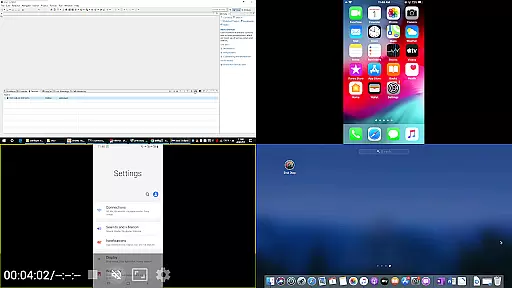
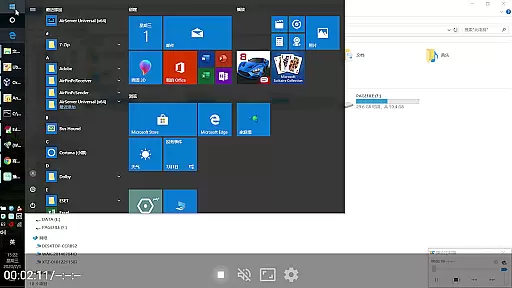

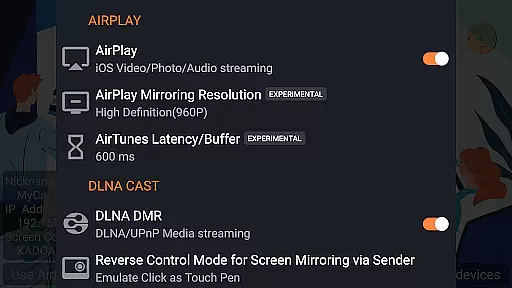





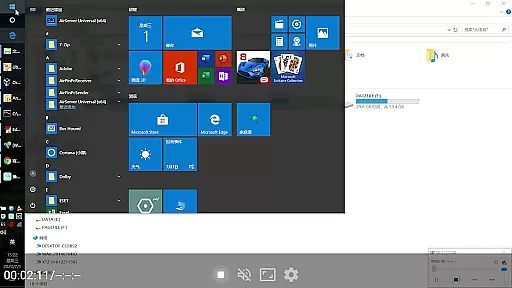

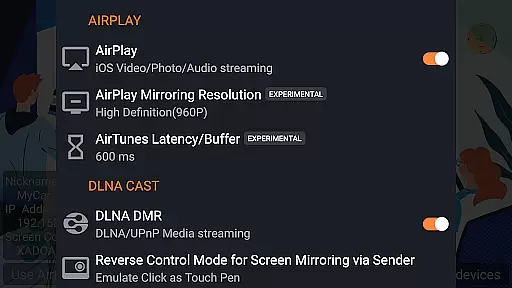
AirPin PRO is a cutting-edge screen mirroring and media streaming receiver app designed for Android phones, tablets, TVs, set-top boxes, and projectors. As the first Android application to support both AirPlay and DLNA protocols since its initial release in July 2012, it enables seamless sharing of media and screens from Apple, Windows, and Android devices onto larger displays.
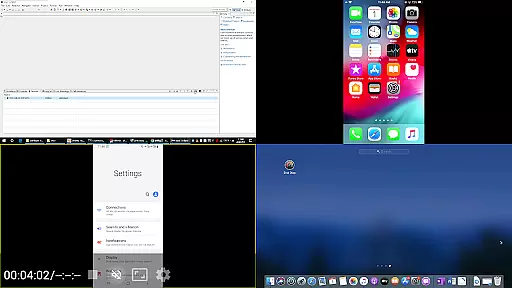
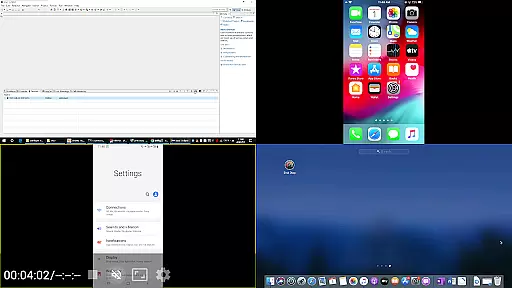
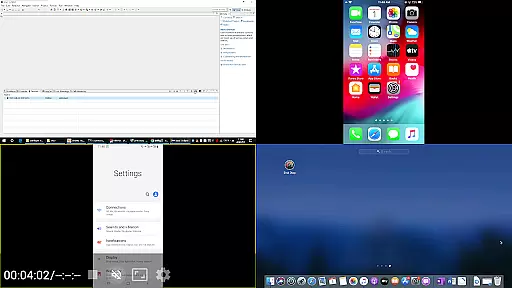
This premium version allows users to display up to four device screens simultaneously, enhancing collaborative experiences and presentations. Whether you're streaming content from an iPhone, iPad, MacBook via AirPlay, or using AirPinPcSender.exe for Windows, or even leveraging AirPinCast for Android devices, AirPin PRO offers versatile connectivity options that cater to various user needs.
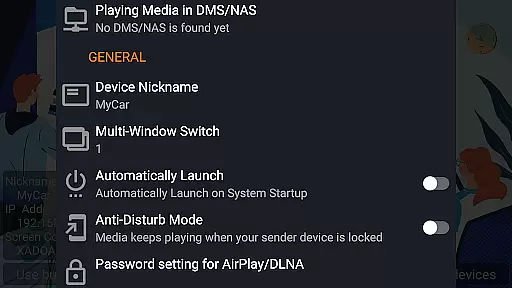
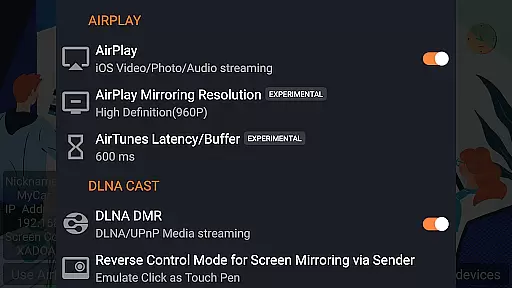
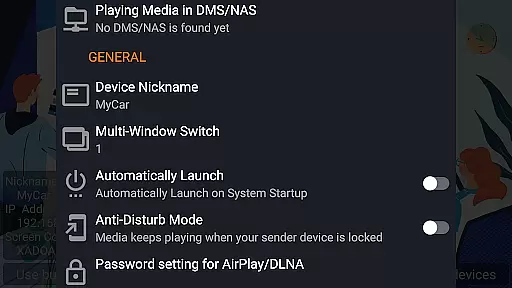
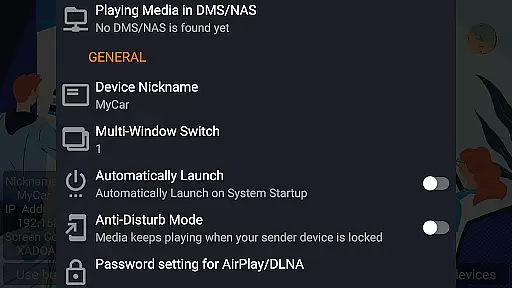
With features like automatic startup, configurable service shutdown, password protection, and uninterrupted audio streaming, AirPin PRO ensures a smooth and secure multimedia experience across different platforms.
AirPin PRO stands out with its comprehensive feature set tailored for diverse multimedia streaming scenarios. One of its key highlights is the ability to display multiple device screens (up to four) at once, making it ideal for collaborative environments where several participants need to share their screens simultaneously.
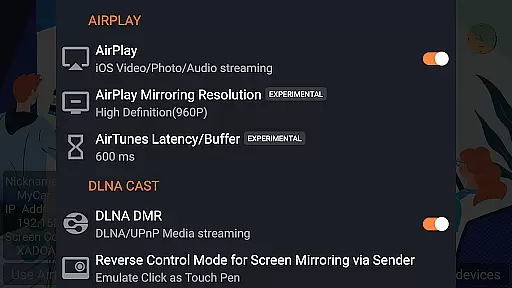
The app supports AirPlay video/music streaming and screen mirroring on all iOS/MacOS versions, including unique capabilities such as the first-ever support for the latest YouTube AirPlay streaming, slideshow functionality for AirPlay photo streaming, and AirPlay password protection. Additionally, it's the only app that functions as both a Renderer and Player for Android-based TVs, allowing direct pulling of media from DLNA/NAS/Samba servers.
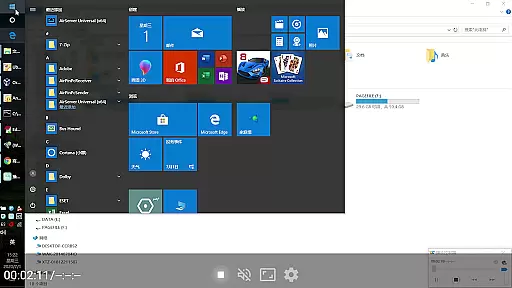
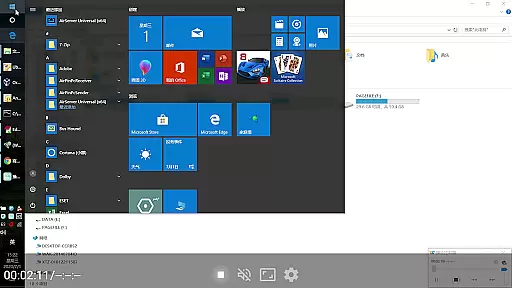
For Windows users, AirPin PRO works seamlessly with AirPinPcSender.exe to enable screen and media sharing. Android users can utilize AirPinCast for similar functionalities. Other notable features include anti-disturb mode, which keeps videos playing even when the controlling side exits, continuing playback from the last pause point, supporting external players, and regular bug fixes and updates within the development team's capacity.
Video format compatibility is a crucial feature for any video player and editor application. AirPin PRO excels in this area by supporting a wide range of video formats, ensuring that users can play virtually any media file they receive.
The app's support extends to both common and high-definition formats, including but not limited to MP4, AVI, MKV, and MOV. This versatility allows users to stream content from various devices without worrying about format incompatibility issues.
AirPin PRO also supports the latest YouTube AirPlay streaming, making it a pioneer in enabling seamless playback of online video content directly through AirPlay. This ensures that users can enjoy their favorite YouTube videos on a bigger screen without interruptions.
Furthermore, the app facilitates direct pulling of media from DLNA, NAS, and Samba servers, enhancing its capability to handle diverse video sources. With these features, AirPin PRO guarantees an uninterrupted viewing experience across different types of media files and sources.
AI-powered editing features represent the cutting-edge advancement in video players and editors, providing users with tools that enhance their media consumption and creation experience. AirPin PRO incorporates such intelligent functionalities to offer a smarter way to interact with multimedia content.
One standout feature is the automatic slideshow creation for AirPlay photo streaming, which intelligently compiles images into a dynamic presentation. Users benefit from this effortless way to display memories on larger screens without manual intervention.
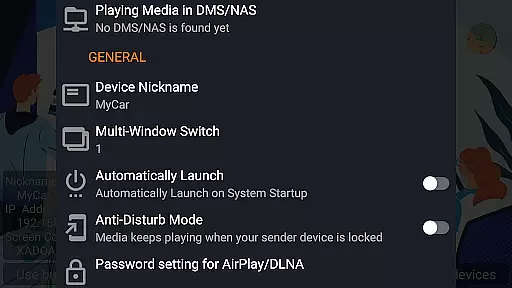
In addition to smart photo handling, AirPin PRO offers anti-disturb mode, where video continues playing even when the controlling device disconnects. This AI-driven approach keeps entertainment going, adapting to real-life scenarios where interruptions are common.
Moreover, AirPin PRO includes constant updates and bug fixes powered by user feedback and technological advancements. These ongoing improvements ensure that the app remains at the forefront of innovation, delivering a continuously optimized experience for all its users.
Supports multiple screens
First app with AirPlay & DLNA
Seamless cross-platform
Advanced security features
Regular updates
Paid version required
Complex setup process
Limited free features
Occasional bugs
Device compatibility issues

Cast Videos from Web Browser, IPTV to Roku, Chromecast, DLNA, Smart TV +more
 4.60
4.60
Snaptubè Video Downloader app allows to download videos and music in Snaptube. .
4.60
Play ALL formats in 4K & HD. Video downloader, MP3 player, Chromecast & more.
4.80
Live TV, anywhere in your home
3.80
High-Quality USB Camera Viewer & HDMI Display
4.70
Seamlessly connect and control your smart devices, anytime, anywhere with ease.
4.60
A Simple app to download Video & Music from the Internet.
4.70
Livestream, news, & gaming content. Watch, chat, and upload. Join Rumble today!
3.80
convenient, safe and fast at Video Downloader & Player
4.60
AI Video Editor with Music, Filter, Slideshow, Effect, Merge & Trim Video.
4.80
VLC Remote lets you control your VLC Media Player on Mac, PC or Linux.
4.60
Browser + Remote for Roku to stream webvideos, online movies and livestreams
4.60
Browser for Fire TV to stream webvideos, online movies, livestreams in HD
4.40
AI Video Editor:AI Music, Text to Video,Text to Speech,Auto Caption,Video Effect
4.00
HD video & music player - All format support with floating & PIP mode!
3.80
Capture images & record videos for USB Camera, Webcam, Microscopes, Endoscopes
3.80
Watch full episodes of your favorite Cartoon Network and Cartoonito shows!
3.50
Mix with Virtual DJ directly from your phone or tablet !
3.10
Video player with powerful streaming playback and various convenient features.
2.10


User Reviews